







Writing, evaluating, and debugging code without much prior experience is much easier with AI coding tools. This kind of software operates on a similar principle as many content production tools; however, these tools employ natural language to autocomplete complete lines of code rather than producing textual content!
1. GitHub Copilot
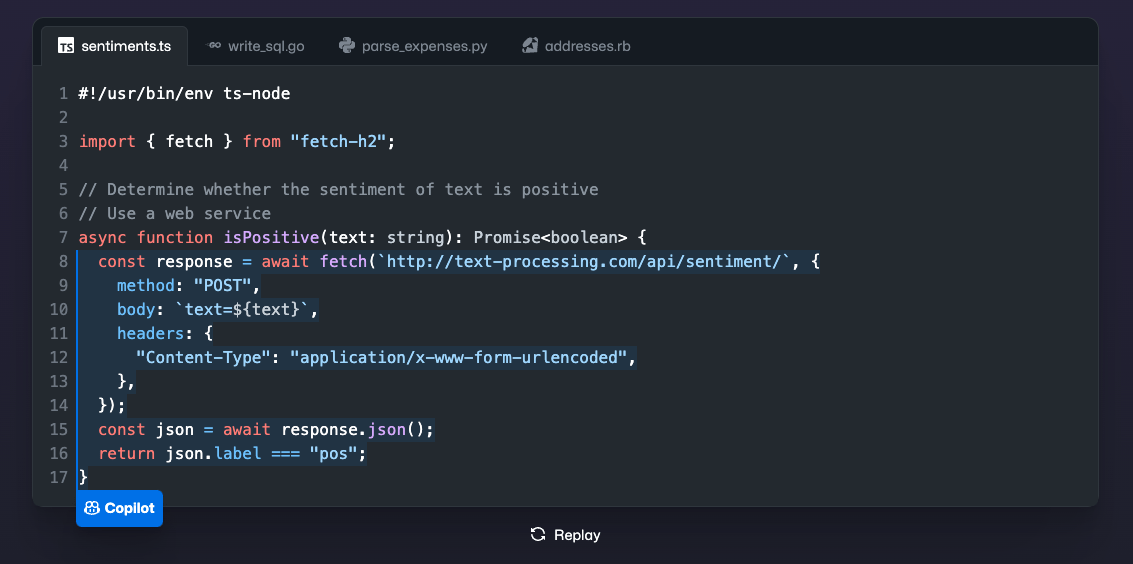
GitHub With the help of Copilot, an AI pair programmer, you can use your editor to convert natural voice into code in numerous languages and receive completion suggestions. Because OpenAI Codex, another AI coding program, powers this tool, it can write more extensive code and handle a wider range of programming languages than Codex.
The best features of GitHub Copilot
- Many programming languages include Go, C++, JavaScript, TypeScript, and Python.
- AI combines programming with conversational cues and machine learning to produce pertinent answers.
- Several integrations with JetBrains IDEs, Neovim, and Visual Studio Code.
Limitations of GitHub Copilot
- It could take Copilot some time to get used to your procedures.
- Compared to other tools of a similar nature, its real-time AI feature produces code more slowly.
- Though it doesn’t offer comprehensive support, GitHub does offer some debugging help.
GitHub Copilot cost
- Individual: $10 a month
- Enterprise: $19 a user, every month
2. aiXcoder
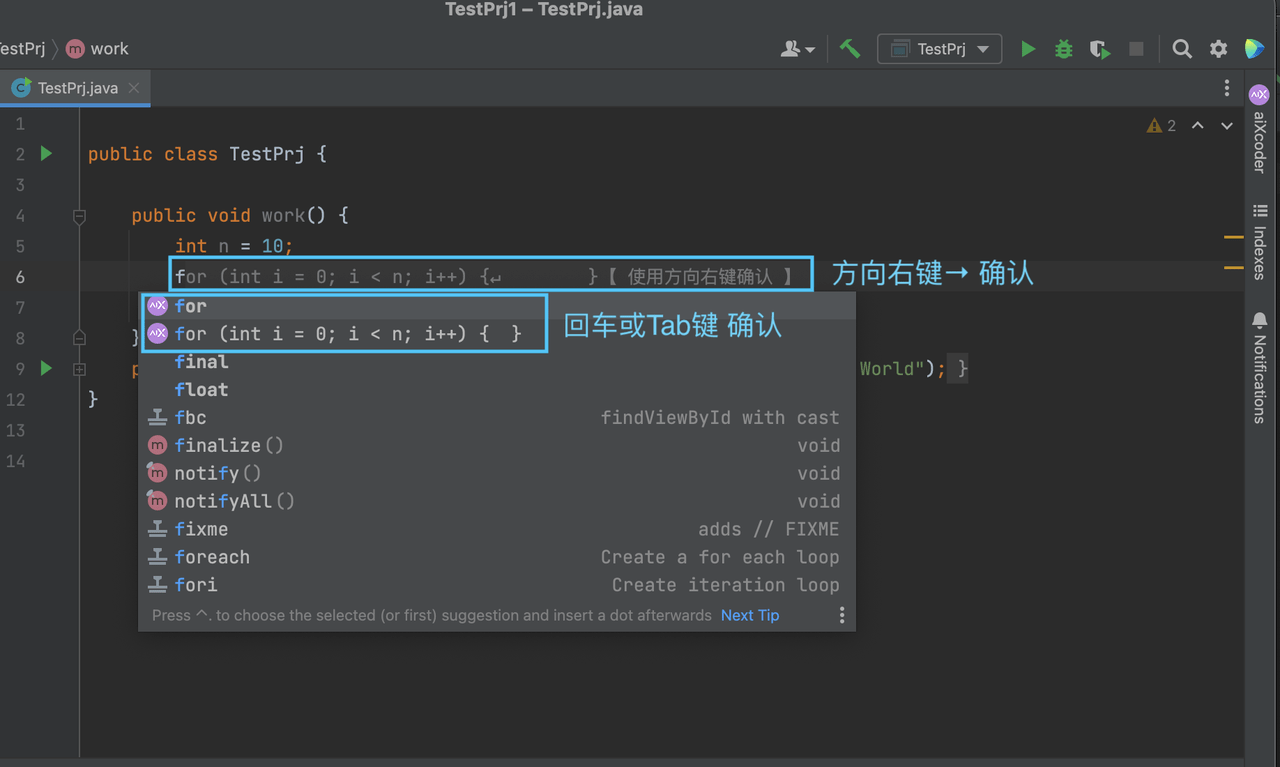
An AI-powered tool called aiXcoder is made to handle any coding task. With its enormous built-in programming knowledge, it leverages auto-completion and provides relevant code snippets to help developers increase productivity. aiXcoder is a real-time recommendation engine that learns from the syntax and context of your requests. It can be integrated with well-known code editors to offer even more capability.
The best features of aiXcoder
- Intelligent multi- and full-line code completion that anticipates your following action.
- Use GitHub’s adaptive code search to locate particular lines of code and save time by not having to redo it.
- Several safety and privacy precautions to guarantee the security of your data.
- Support Numerous popular programming languages, such as Java, Python, C#, C/C++, JavaScript, TypeScript, and Go.
Limitations of aiXcoder
- Restricted-time free edition.
- Sometimes, contextual linguistic problems can result in inappropriate recommendations.
- Because aiXcoder relies mainly on an internet connection, its offline mode may only sometimes function as intended.
aiXcoder cost
- Free
- Contact aiXcoder for all other pricing information.
3. TabNine
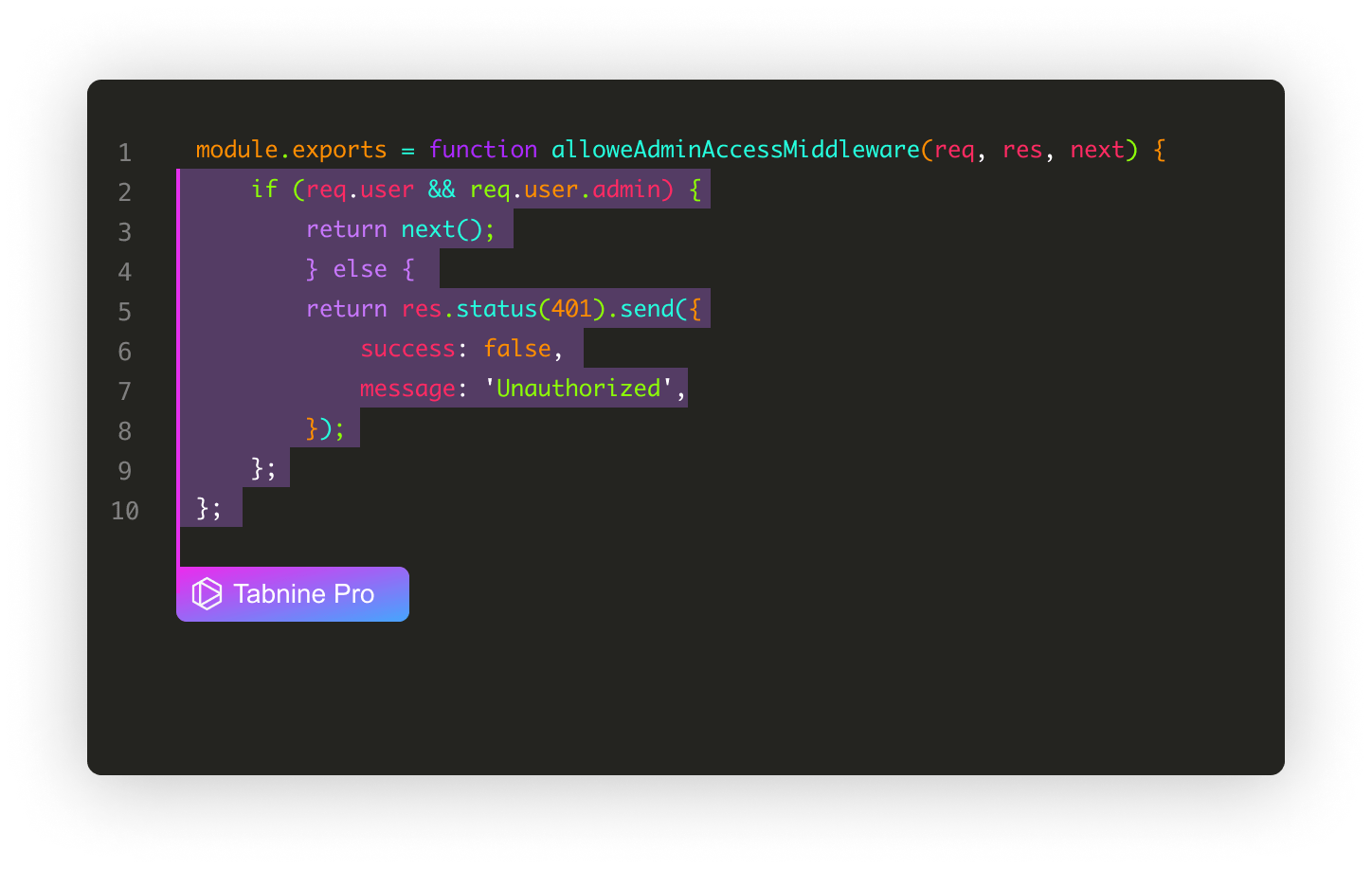
To provide developers with intelligent code completions while they write code, TabNine leverages AI. It analyzes your natural language remarks to produce pertinent recommendations, allowing you to boost productivity with significantly reduced manual typing. Because TabNine works with many code editors, developers working in various settings and programming languages can find it a helpful tool.
The best features of TabNine
- Recommends and autocompletes lines of code.
- Converts spoken language into coding bits.
- You maintain your code’s integrity while locally adjusting to your knowledge base.
- Maximizes efficiency by combining best practices, general knowledge, and your unique coding style.
Limitations of TabNine
- Important features like pattern learning, whole-line and natural language code completion, help, and learning from mistakes are absent from its free plan.
- steep learning curve for Its free plan should include essential features like pattern learning, whole-line and natural language code completion, help, and learning from mistakes.
- There is a steep learning curve for TabNine’s user interface, and you’ll need a lot of platform knowledge to personalize your work.TabNine’s user interface, and you’ll have trouble personalizing your work if you don’t have a lot of platform knowledge.
TabNine cost
- Starter: Free
- Pro: $12 a month, every user
- Enterprise: For special pricing, reach out to TabNine.
4. Figstack

Figstack provides a collection of artificial intelligence technologies to aid developers in comprehending and documenting code more effectively. Its capabilities include a natural language interpreter that can understand code written in nearly any programming language intended to make development easier. To help users understand and write code without being overwhelmed, Figstack may also produce documentation and respond to code-related queries.
The best features of Figstack
- Any programming language may be understood, and code can be instantaneously translated between languages using Figstack’s Explain Code tool.
- To help customers utilize the tool more effectively, it offers guidance with code functionality.
- It may instantly provide code documentation, saving developers much time.
Limitations of Figstack
- If the code is unclear or doesn’t have adequate documentation, Figstack’s support isn’t as consistent or dependable.
- It doesn’t consistently incorporate the most recent updates to consider fresh releases or modifications to the training set of data.
Figstack cost
- Free trial
- For further information about prices, get in touch with Figstack.
5. Cody by Sourcegraph
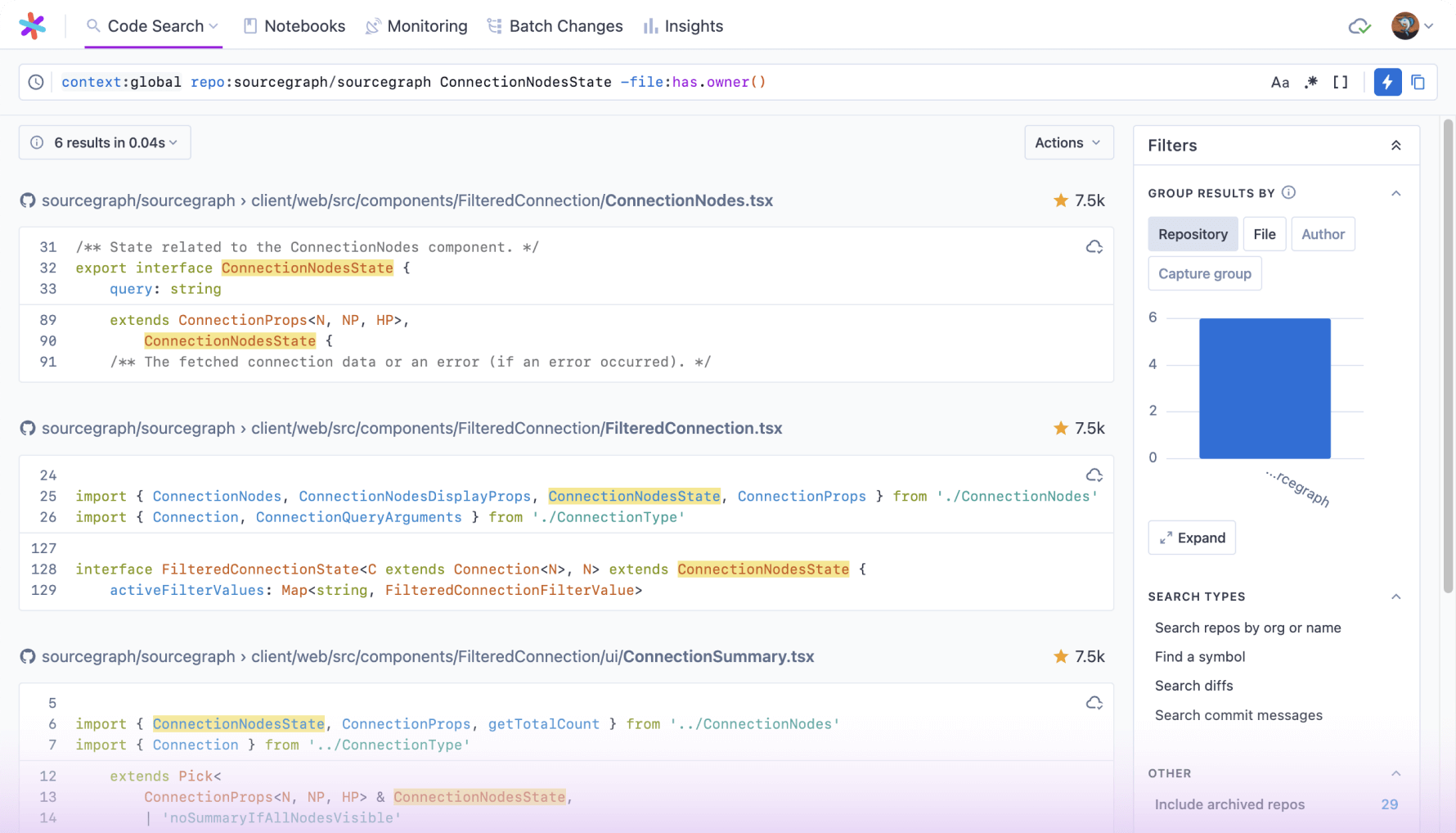
What is the connection between your 10-year-old relative and Sourcegraph’s artificial intelligence tool? Both of them go by Cody.
By itself, Sourcegraph is a productivity tool for code-searching that lets developers traverse, fix, and automate code—even across different repositories. This functionality is increased by its AI component, Cody, which reads your whole codebase, responds to inquiries, and writes code on your behalf.
The best features of Cody
- With inline chat, you can use conversational language to optimize and repair your code swiftly.
- Workflows have already been created to help you work with Cody more quickly. Select if you require a detailed explanation of the code, better variable names, translations, change summaries, or comments to be generated.
- Use real-time autocomplete to create code quickly.
Limitations of Cody
- Cody’s UX is not the most user-friendly.
Cody cost
For every Sourcegraph user on a paid plan, the Cody app is free:
Business plan: $99 a month for each active user
Enterprise: Get in touch for customized prices.
6. SpellBox
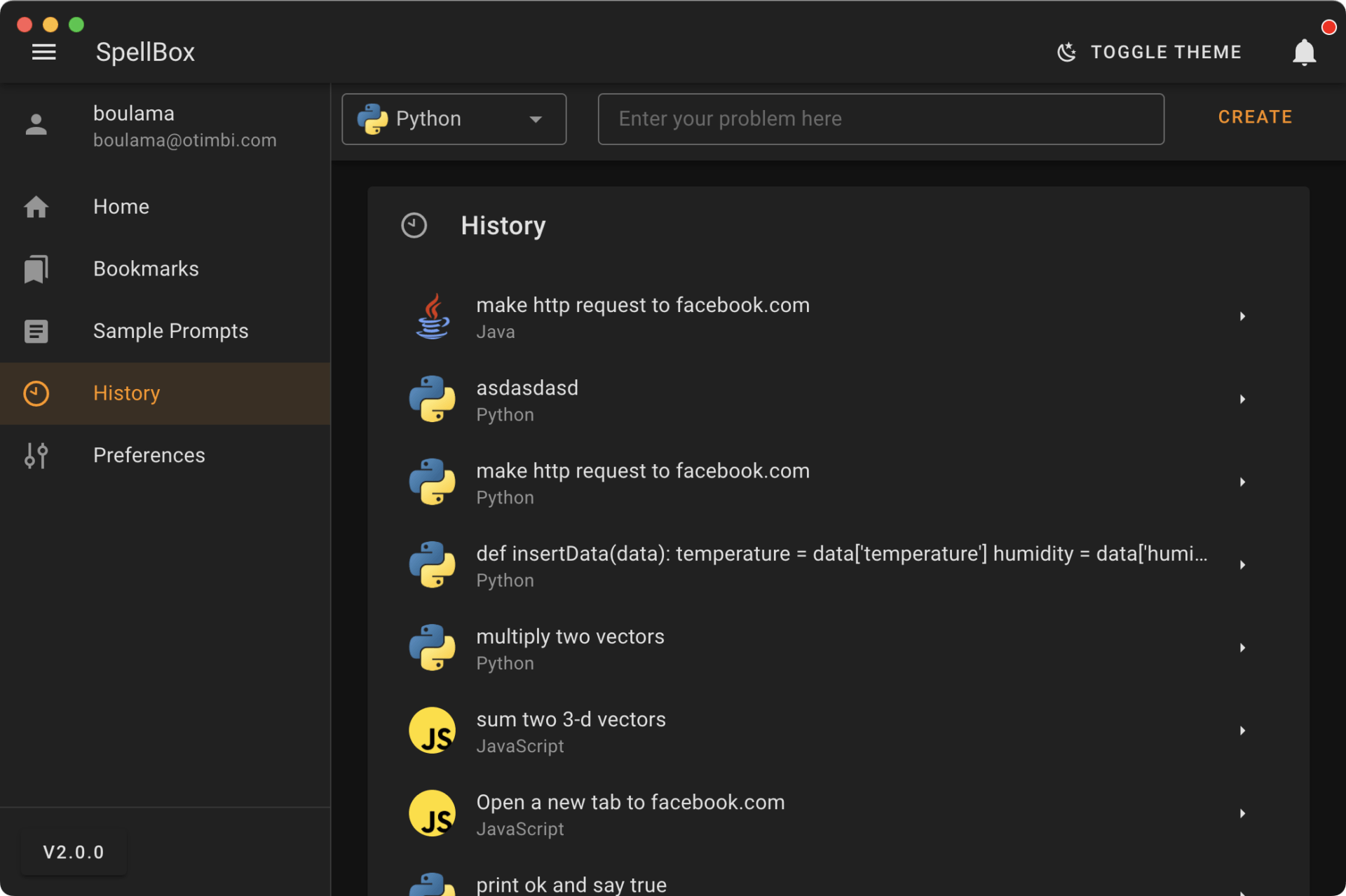
SpellBox eases the burden of creating code, fixing problems, and debugging, allowing developers to prioritize quality. SpellBox can quickly and accurately generate codes by using basic prompts. This saves valuable time that would otherwise be spent exploring the internet for solutions.
The best features of SpellBox
- Use the code explanation features to comprehend the code you’re working with fully.
- Creating bookmarks allows you to save and access code fragments quickly.
- Additionally, it is offered as a Visual Studio code extension for seamless integration with your other preferred code editors.
- Generating code using conversational cues.
Limitations of SpellBox
- Restricted programming languages: Less popular languages might not be supported by SpellBox.
- Sporadic false negatives and positives.
- There are a few issues with contextual comprehension for the most precise recommendations.
SpellBox cost
- Early Bird pricing: $40 is the early bird price for each one-year license.
- Regular: each one-year permit costs $65
7. AskCodi
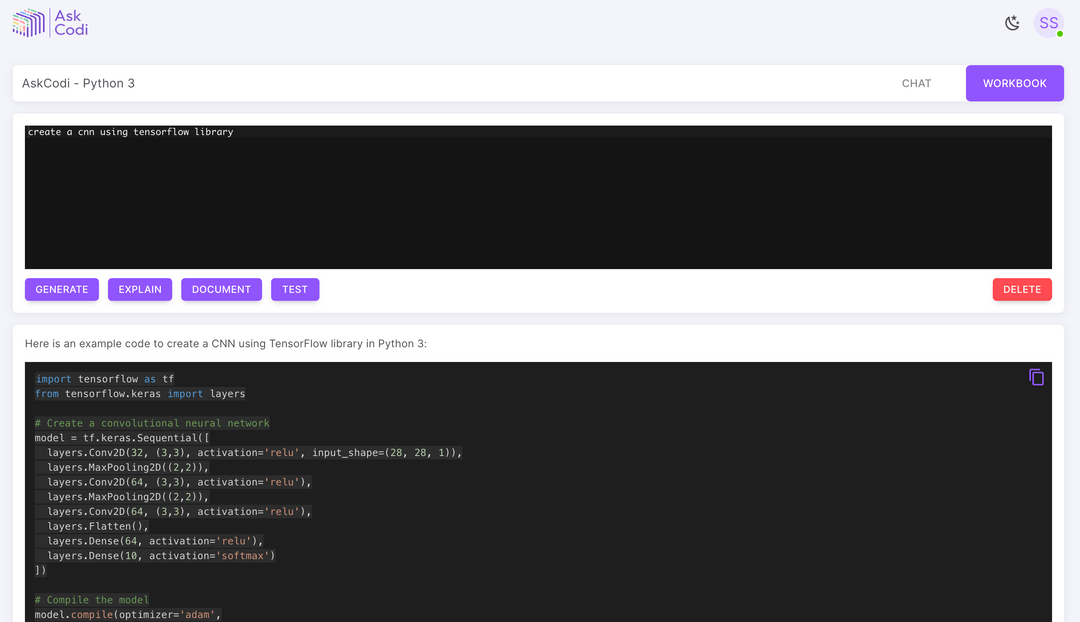
AskCodii is its developer-friendly sibling, and it comes from the same minds who brought you AskJarvis. Three items make up this assistant software suite: Codi Projects, Codi Chat, and Codi Workbook, which is a resource for all things coding.AskCodi allows developers to produce code responses in many other languages, such as VB Script, Python, Java, C, HTML, and many more, based on written requests in English, German, Polish, and Spanish.
The best features of AskCodi
- Use interactive conversation to communicate with Codi’s AI technology and get help, recommendations, and task completion.
- Code may be easily generated, tested, explained, and documented.
- Code can be arranged both by programming language and by language.
- Supports over fifty different frameworks and programming languages.
- They are moreover, it is offered as an add-on for several IDEs.
Limitations of AskCodi
- The functionality of AskCodi’s integrations varies. Before purchasing, confirm that it is entirely compatible with your tech stack.
- It could take more time to become familiar with AskCodi’s capabilities and utilize the tool to its full potential.
AskCodi cost
- Free
- Premium: $9.99 per month
8. BlackBox
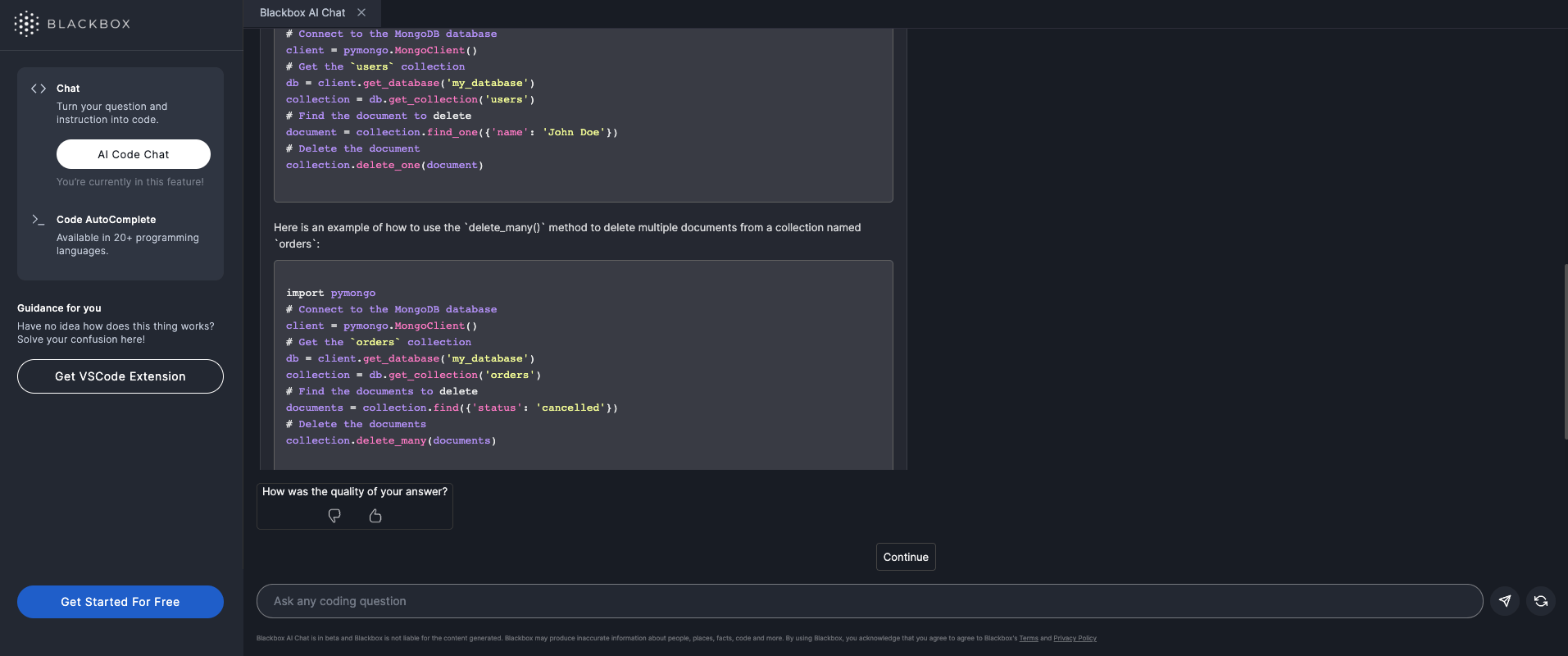
BlackBox is a tool that developers may use to write code, find the best snippets, and build faster. Ask BlackBox a basic query that will provide you with the answer in code, sparing you the headache of exiting your coding environment to search for a function or solution.
The best features of BlackBox
- BlackBox works with all IDEs, web browsers, and databases and is available in over 20 programming languages.
- The purpose of this utility was to operate with incredibly sluggish connection speeds.
- Use the BackBox desktop application or a web browser to access your work.
- Examines more than 100 million code repositories to produce more precise answers.
Limitations of BlackBox
- There can be a lack of transparency in understanding how BlackBox arrived at its conclusions making it difficult to validate its accuracy.
- Some users found BlackBox to be susceptible to bias and had to retrain the model to avoid unfair outcomes.
BlackBox cost
- Free trial
- Good Developer Plan: $0.99 a month
- Awesome Developer Plan: $1.99 a month
- Legendary Developer Plan:Up to 20 users for $7.99 a month
Conclusion
In conclusion, navigating the ever-evolving landscape of coding has never been more exciting, thanks to the incredible advancements in artificial intelligence. The top 12 AI tools discussed in this blog post have showcased the transformative power they bring to the world of coding, making the process more efficient, intuitive, and enjoyable for developers of all levels.
From intelligent code completion to automated bug detection and code generation, these tools have proven their worth in streamlining workflows and boosting productivity. As technology continues to progress, embracing these AI-powered solutions is not just an option but a strategic imperative for any coder looking to stay ahead in the game.
As you explore these tools, keep in mind that the best AI tool for coding is the one that aligns with your specific needs and coding preferences. Experiment, integrate, and adapt these tools into your coding arsenal to elevate your development experience. Embrace the future of coding with open arms, as AI continues to shape and redefine the boundaries of what’s possible in the world of software development. Happy coding!
More about the topics: AI TOOLS
