





Success in content strategy hinges on your ability to extract, analyze, and act on data. Tools like Julius AI and Tableau have emerged as game-changers in this space. But when it comes to Julius AI vs. Tableau, which one is better suited to meet your needs?
This guide is for content marketers, entrepreneurs, and strategists. It will provide actionable insights into both tools. It will break down their features, strengths, and use cases. By the end, you’ll know exactly how to integrate data-driven tools into your workflow for maximum ROI.
I. Quick Comparison of Julius AI and Tableau
Before we begin dissecting their capabilities, here’s an overview of the two platforms:
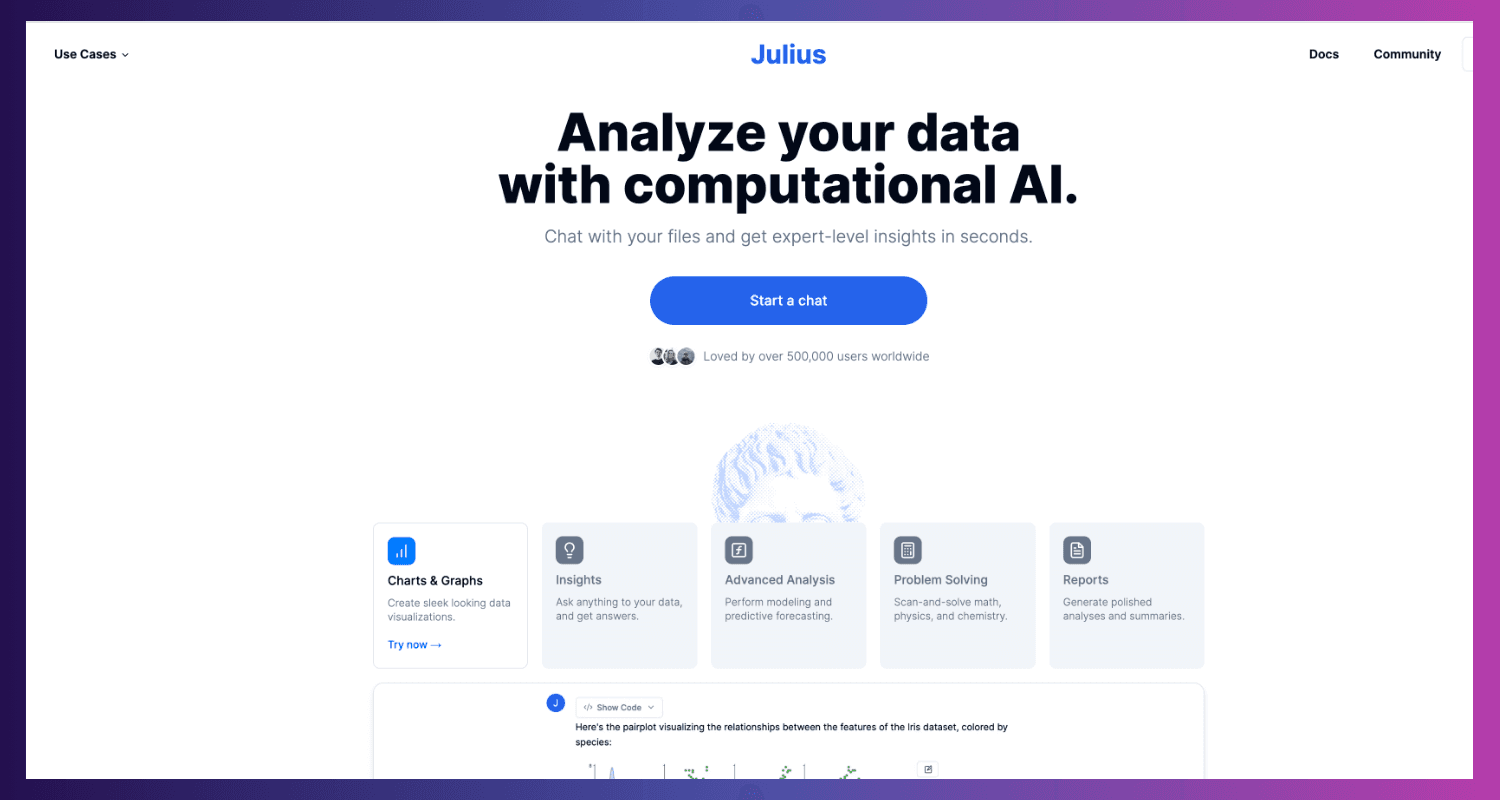
- Julius AI is a no-code platform. It streamlines AI data analysis for marketers, content creators, and non-technical business professionals. Its focus is automation and accessibility.
- Tableau, by contrast, excels in data visualization and business intelligence. It’s built for users and teams who need robust tools to explore data and craft actionable insights visually.
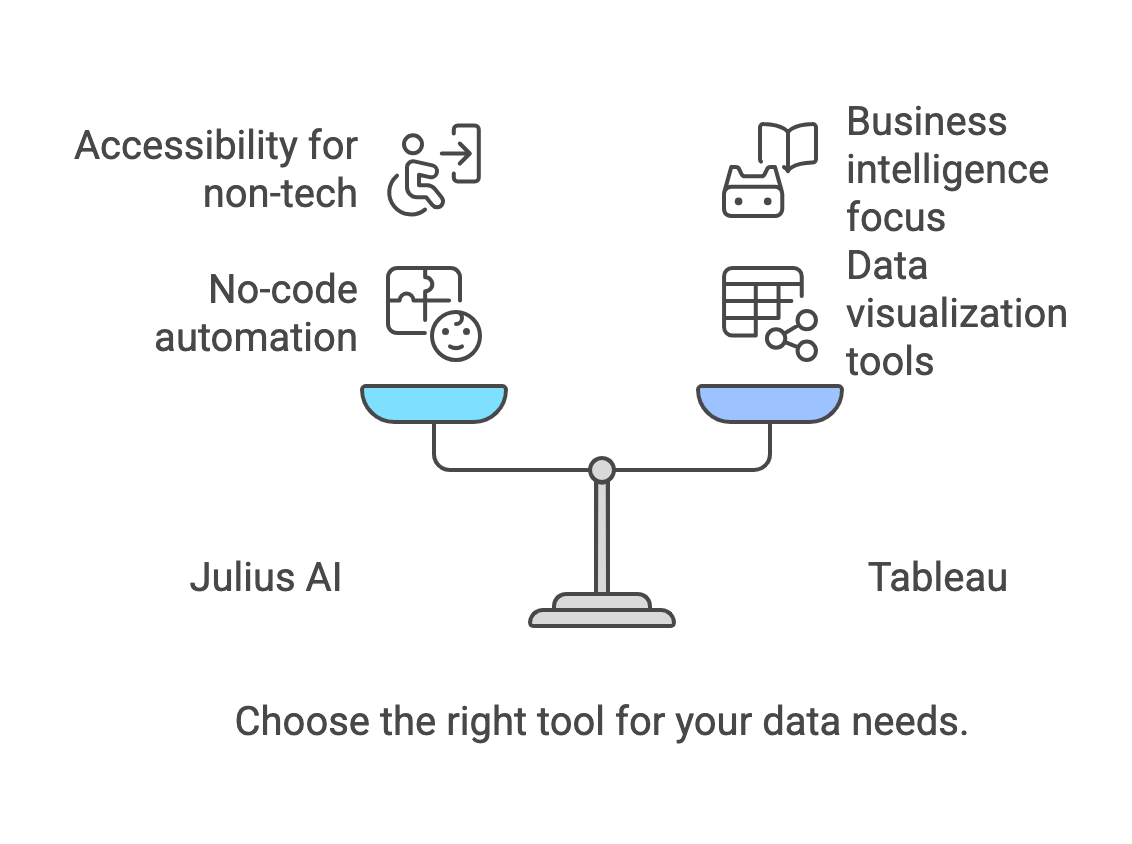
Both tools serve unique purposes. Below, we’ll explore where each one shines and how they stack up for different types of users.
II. Julius AI vs. Tableau: Best Data Visualization Software
2.1. Julius AI – Smarter Analytics Without the Coding
Julius AI is leading the charge in democratizing AI analytics. No-code AI platforms like Julius AI let almost anyone use advanced data processing. There's no need for complex programming.
Notable Features of Julius AI:
- No-Code AI Functions: Unlock insights without needing advanced coding or technical knowledge.
- Automated Insights & Anomaly Detection: Use AI to find trends, patterns, and outliers in your data. It eliminates guesswork.
- User-Friendly Interface: Designed for simplicity so small teams and individuals can hit the ground running.
Benefits of Julius AI for Content Strategy:
- Content Optimization: Understand what’s working (and what isn’t) in real-time to refine your strategy.
- Trend Prediction: Use AI to identify emerging topics and trends in your niche, enabling you to stay ahead of your competition.
- Audience Insights: Gain a deeper understanding of your audience without complicated tools.
Ideal For:
Julius AI is perfect for small teams and marketers. It suits content creators too. They want AI analytics tools but lack a technical background.
2.2. Tableau – Powerhouse for Visual Storytelling
Tableau has long been the gold standard for data visualization tools. It’s robust, scalable, and highly customizable, making it ideal for professionals who need an in-depth look at complex datasets.
Standout Features of Tableau:
- Stunning Visual Dashboards: Quickly organize data into dashboards that make insights easy to grasp.
- Data Blending & Integration: Connect seamlessly to multiple data sources, from cloud services to local files.
- Custom Visualizations: Build interactive charts, heatmaps, and timelines to tell compelling stories.
Benefits of Tableau for Content Strategy:
- Performance Visualization: Monitor your content campaign ROI with detailed graphs and interactive dashboards.
- Cross-Dataset Integration: Combine website traffic, campaign results, and audience metrics in one workspace.
- Scalability: Handle massive datasets and advanced analyses without performance bottlenecks.
Ideal For:
Tableau serves data analysts, BI teams, and marketers. They use visuals to share insights with stakeholders.
The takeaway? Julius AI is simpler, while Tableau is more advanced—but these differences are where they complement one another.
III. Julius AI vs Tableau: Which is Best for Content Marketers?
1. Ease of Use
- Julius AI: Its no-code design makes it accessible to everyone, even those without technical expertise. This makes it an excellent option for marketers juggling analytics tools.
- Tableau: Offers a user-friendly drag-and-drop interface. However, harnessing the full power of Tableau can come with a steep learning curve for beginners.
2. Data Visualization Tools
- Tableau: Dominates this area with highly visual, interactive charts and dashboards. It’s the go-to platform for presenting data and storytelling.
- Julius AI: While it provides basic visualization capabilities, its primary focus is automation and real-time insights rather than chart creation.
3. AI-Powered Analytics
- Julius AI: The clear winner here. It uses AI to uncover patterns, predict trends, and identify content opportunities in seconds.
- Tableau: Lacks built-in AI. However, advanced users can integrate data science tools like Python or R for custom machine learning applications.
4. Data Connectivity
- Tableau: Excels with its ability to connect to multiple data sources (databases, APIs, and spreadsheets). Perfect for managing complex datasets.
- Julius AI has limited data integrations. But, it is great for marketers analyzing small, focused datasets.
5. Scalability
- Tableau: A better option for larger organizations with enterprise-level data operation needs.
- Julius AI: Well-suited for small-to-medium-sized teams prioritizing no-code environments and simplicity.
6. Cost and Accessibility
- Tableau: Known for its premium price tag, making it less accessible for startups or individuals.
- Julius AI: Positioned as a more affordable solution for smaller teams, though more pricing transparency would be welcomed.
Both tools offer a complementary value for businesses willing to layer specialized insights with extensive reporting capabilities.
IV. Julius AI vs. Tableau Comparison Table
| Feature/Criteria | Julius AI | Tableau |
| Core Focus | No-code AI-powered analytics | Advanced data visualization and reporting |
| Ease of Use | Extremely user-friendly, no technical skills needed | User-friendly but requires training for advanced use |
| AI Capabilities | Built-in AI insights, trend prediction | Requires integration with external tools (e.g., R, Python) |
| Visualization | Basic charts and graphs | Industry-leading interactive dashboards and storytelling |
| Data Integration | Limited sources, best for smaller datasets | Robust multi-source data connectivity |
| Ideal Users | Non-technical marketers, small teams | Analysts, business intelligence professionals |
| Pricing | More budget-friendly | Premium-tier pricing |
| Scalability | Best for SMEs and individual users | Ideal for enterprise-level operations |
| Collaboration Features | Basic sharing options | Advanced collaboration tools and sharing |
The table above highlights the core distinctions to help you identify the most suitable tool for your needs.
V. Tableau. Use Cases to Inform Your Decision
5.1. Julius AI in Action
Imagine you’re developing a content marketing campaign and need to optimize topics and formats quickly. Julius AI can scan audience engagement patterns. It will then recommend changes—no manual analysis required.
Example Use Cases for Julius AI:
- Content Recommendations: Identify themes and topics driving the most engagement.
- Trend Detection: Uncover new trends in your niche. Stay ahead of competitors.
- Audience Analysis: Analyze how specific segments interact with your content in real time.
5.2. Tableau in Action
If you need to present campaign performance to executives, use Tableau's data tools. They will help you communicate your findings clearly. It's especially effective for creating dashboards to monitor long-term KPIs.
Example Use Cases for Tableau:
- Cross-Team Reporting: Share insights across departments using interactive dashboards.
- Advanced Campaign Analysis: Explore the granular details of ROI on multi-channel campaigns.
- Executive Presentations: Create polished, presentation-ready visuals that leave a lasting impression.
Pro Tip: Many teams actually use both tools in tandem. Julius AI for trend analysis and Tableau for detailed reporting.
VI. Real-World Case Studies: Julius AI and Tableau in Action
Julius AI: Simplifying Academic Research
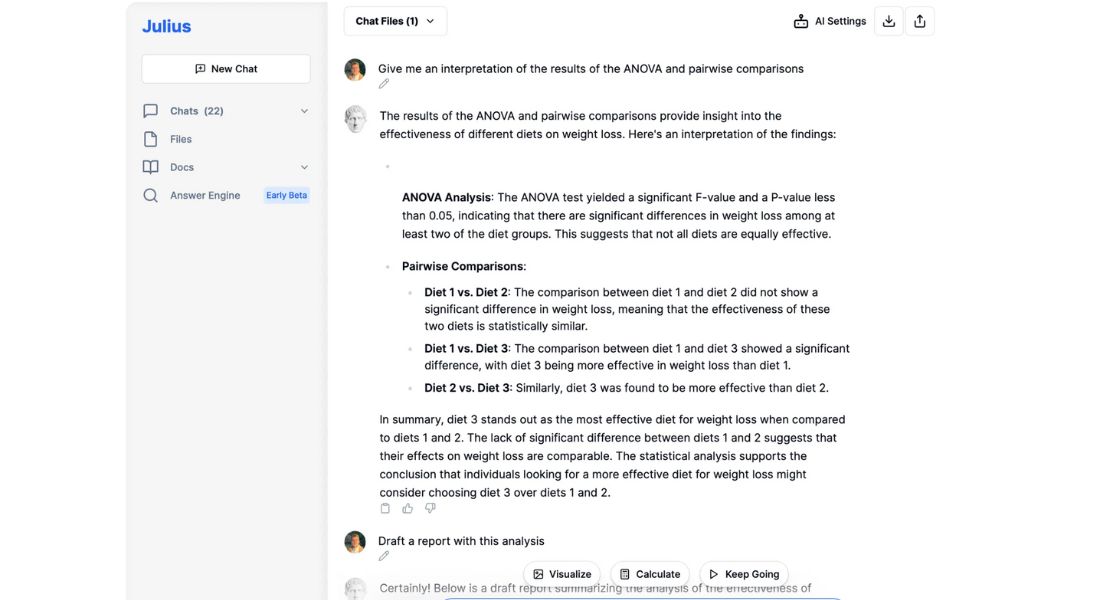
Julius AI has made a big impact on academic research. Take the case of a university team analyzing survey data. They needed insights fast but lacked coding skills.
Using Julius AI, they:
- Automated data preprocessing, saving hours of manual work.
- Identified patterns in their data with AI-powered insights.
- Simplified complex analysis like regression tests.
Result:
The team focused on their findings instead of wrestling with raw data. This streamlined their workflow and made their research more impactful.
👉 Learn more: How Julius AI helps researchers.
Tableau: Boosting Business Intelligence
Tableau’s data visualization tools are transforming industries. The Australian Football League (AFL) used Tableau Cloud to improve fan engagement.
Here’s what they achieved:
- Centralized data management across teams.
- Built dashboards to track memberships and audience behavior.
- Increased memberships by 10% through better insights.

Result:
Tableau helped AFL turn data into action, boosting their growth and fan loyalty.
👉 Discover more: Tableau’s customer success stories.
Key Takeaway
- Julius AI is perfect for researchers who need fast, AI-driven insights without coding.
- Tableau is ideal for businesses wanting interactive dashboards to drive smarter decisions.
Both tools shine in their own way. Choose based on your goals—or better yet, use them together for the best of both worlds.
VII. Final Recommendations
The Julius AI vs. Tableau decision depends on your specific needs and goals. Here’s a quick guide to help you decide:
- Choose Julius AI if you prioritize:
- Accessibility and user-friendliness.
- Quick, actionable AI-driven insights.
- Budget-conscious solutions for small or lean teams.
- Choose Tableau if you prioritize:Scalability for large datasets and enterprise needs.
- Advanced data visualization and storytelling.
- Detailed reporting for stakeholders or executives.
Best Use Case? Combine Them. Julius AI can offer real-time, AI-powered insights to kickstart campaigns effectively. Tableau can then take those insights and turn them into visually compelling reports to guide long-term strategy.
Ultimately, the right choice depends on where you are in your content strategy journey. Want to grow fast while keeping it simple? Julius AI has you covered. Need deep dives into big data for robust planning? Tableau is your solution.
Now it’s your turn—give both a test drive and elevate your data-driven content strategy today!
👉 If you’re still exploring options, check out how Julius AI stacks up against other top contenders like Looker AI and Power BI. These posts dive into their features and use cases
VIII. FAQs for Julius AI vs. Tableau
1. What is the main difference between Julius AI and Tableau?
The key difference lies in their focus. Julius AI is for no-code AI analytics. It's perfect for users who want automation and insights, but lack tech skills. Tableau, on the other hand, is a data visualization powerhouse. It is famous for its ability to make stunning, interactive dashboards for deeper analysis.
2. Who should use Julius AI?
Julius AI is perfect for:
- Content creators and marketers who need quick, AI-driven insights to optimize strategy.
- Small-to-medium-sized teams that prioritize simplicity and accessibility.
- Non-technical professionals looking to harness data-driven tools without complex setups.
3. Who should use Tableau?
Tableau is best suited for:
- Data analysts and business intelligence professionals.
- Teams that regularly work with large datasets and require extensive reporting capabilities.
- Those who value customizable, presentation-ready visuals for stakeholders or executives.
4. Can I use both Julius AI and Tableau together?
Absolutely! Many organizations use Julius AI for insights and trend detection. They use Tableau for advanced visualization and reporting. The combination can provide both high-level recommendations and granular, in-depth analysis.
5. Does Julius AI offer the same level of data visualization as Tableau?
No. Julius AI’s focus is on providing automated insights and AI-driven analytics, and while it does offer basic visualizations, it doesn’t match Tableau’s robust visual storytelling capabilities.
6. Which tool is more beginner-friendly?
Julius AI is more beginner-friendly due to its no-code functionality and intuitive interface. Tableau, while user-friendly in some aspects, has a steeper learning curve due to its advanced feature set.
7. How do pricing models for Julius AI and Tableau compare?
- Julius AI usually has lower prices for smaller organizations, but they may vary.
- Tableau is known for its premium pricing, reflecting its advanced, enterprise-grade capabilities.
8. Can Tableau integrate AI features like Julius AI?
Tableau has no built-in AI like Julius AI. But, it can integrate with tools like Python and R to enable custom machine learning and AI.
What industries benefit most from using Julius AI and Tableau?
- Julius AI: Ideal for industries focusing on marketing, content creation, and simplified data analytics, such as e-commerce or small businesses.
- Tableau: Commonly used in finance, healthcare, and large enterprises, where sophisticated data analysis and reporting are essential.
9. Which tool should I choose for a lean marketing team?
For lean teams with limited technical expertise, Julius AI is the better option. It’s quick to set up, easy to use, and provides actionable insights without the complexity of Tableau.
10. How do I know which tool fits my content strategy?
Consider these factors:
- If you need AI-powered insights and simplicity, go for Julius AI.
- If you prioritize visualization and scalability, Tableau is the better fit.
- For a balanced approach, consider leveraging both tools.
