
Seedance 2.0 On ClipDance
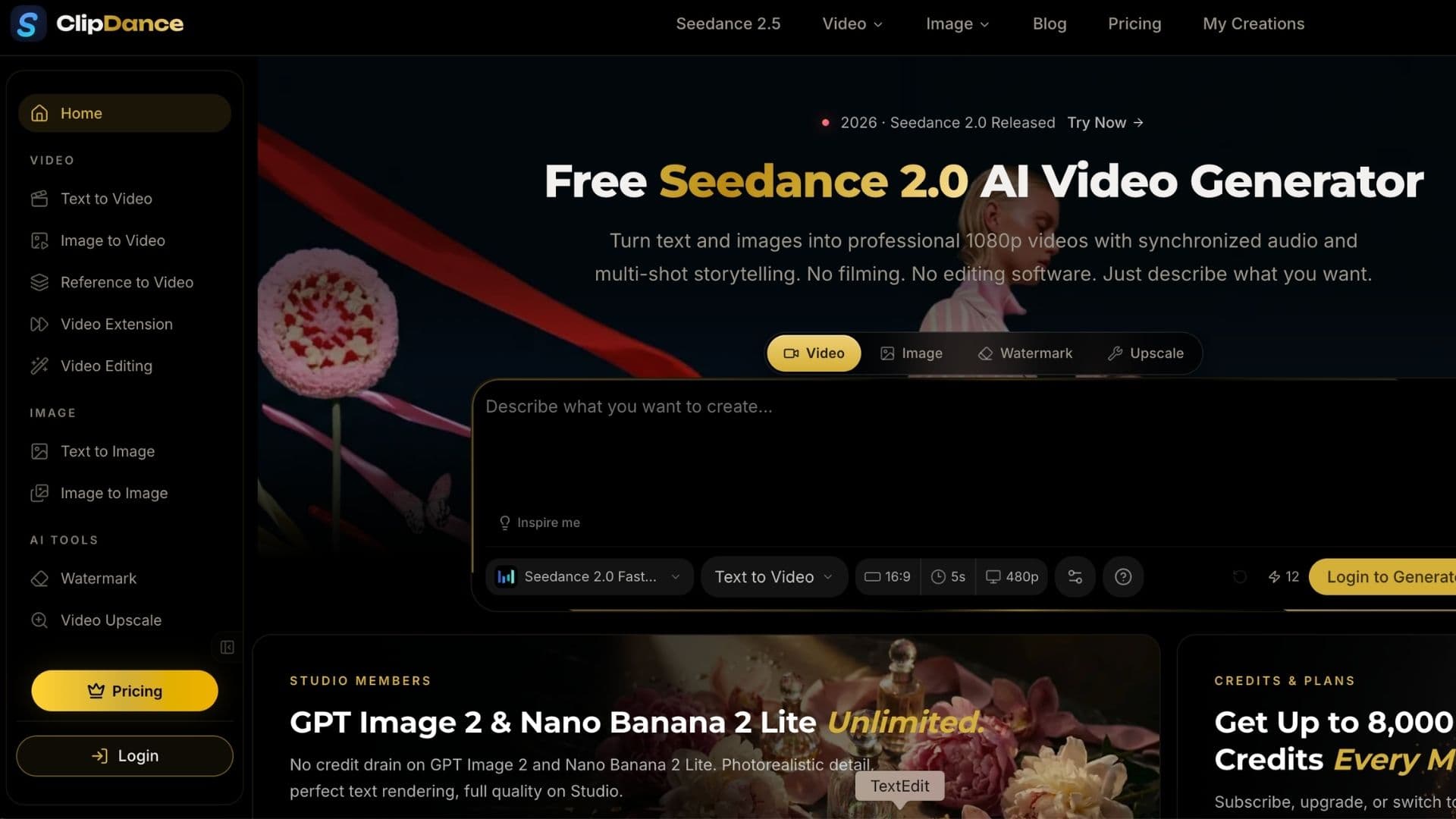

ClipDance Review 2026: Multi-Model AI Video Generator
ClipDance is a browser-based AI creation platform that brings multiple video and image generation models into one workspace.
Instead of relying on a single AI model, users can switch between options such as Seedance, Kling, Vidu, MiniMax, Veo and Wan depending on the type of video they want to create.
If you are already exploring tools like Seedance 1.0 or other multi-model platforms such as A2E AI, ClipDance follows a similar idea: giving creators more model choices without managing several separate platforms.
What Can You Do With ClipDance?
ClipDance supports common AI video workflows including:
- Text-to-video
- Image-to-video
- Reference-to-video
- AI video editing
- Video extension
- AI image generation
- Video upscaling
Its biggest strength is flexibility. You can test the same concept across different models and choose the result that works best for your project.
For example, creators interested in reference-driven video generation can use Seedance models, while other models may be better suited to different motion styles, durations or creative workflows. You can learn more about how Seedance fits into the current AI video landscape in our Seedance 2.0 analysis.
Who Is ClipDance For?
ClipDance is particularly useful for:
- Social media creators
- Marketers
- Small creative teams
- AI video enthusiasts
- Users who regularly compare different AI video models
It can be used for short videos, product visuals, social ads, cinematic clips and image animation.
Users mainly interested in Seedance may also want to compare ClipDance with Seevio AI, another browser-based AI video platform built around the Seedance model family.
Pros and Cons
Pros
- Multiple AI models in one platform
- Easy browser-based workflow
- Video and image tools in the same workspace
- Useful for testing different models
Cons
- Different models consume different amounts of credits
- Experimenting heavily can become expensive
- Output quality still depends on the selected AI model
Final Thoughts
ClipDance is most interesting as a multi-model AI video workspace, rather than simply another AI video generator.
For creators who frequently switch between Seedance, Kling, Vidu and other video models, having them available under one account can make experimentation much easier. For users committed to only one model, however, using that model's dedicated platform may still be simpler.
Seedance 2.0 On ClipDance Launch embeds
Use website badges to drive support from your community for your AI Journey Launch. They're easy to embed on your homepage or footer.


Empowering You With AI JOURNEY Discover, Learn, Master!
Get the latest on AI!
Subscribe for helpful tips, updates, and exciting news delivered straight to your inbox. Stay in the loop and level up your skills. Join us today!
Categories
Resources
Copyright © 2024 AI Journey LLC. All rights reserved.