
Seevio
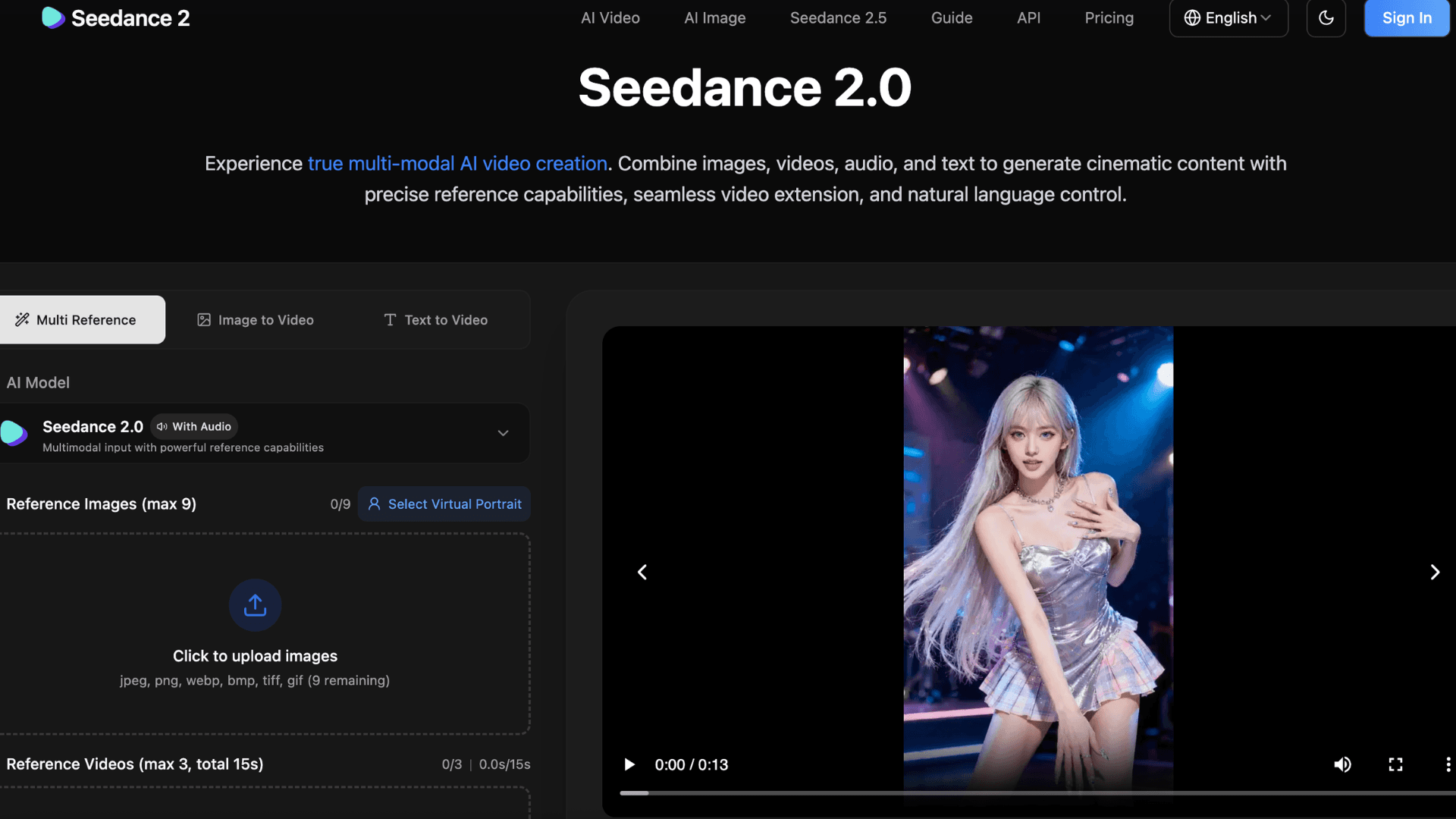

Seevio.ai is a browser-based AI video generation platform for creators who want more control than a standard text-to-video tool provides. Previously known as Seedance2.ai, the platform has moved to the Seevio.ai domain while preserving existing accounts, credits, subscriptions, and generation history.
In this Seevio AI review, we examine its features, workflow, pricing, advantages, and limitations to help you decide whether it fits your video creation needs.
What Is Seevio.ai?
Seevio.ai is an AI video generator powered primarily by the Seedance model family. It supports multimodal creation, allowing users to guide videos with images, clips, audio files, and written instructions.
This approach is useful for projects that require consistent characters, product visuals, specific camera movements, or audio direction. Instead of describing every detail in a long prompt, users can upload reference assets and explain how the AI should apply them.
Key Features of Seevio AI
Multimodal AI Video Generation
The platform’s strongest feature is its reference-based workflow. Seedance 2.0 can work with multiple images, videos, and audio files in one generation, providing control over:
- Character appearance and visual consistency
- Camera movement and shot composition
- Clothing, products, locations, and art direction
- Motion, choreography, and scene pacing
- Background music, dialogue, and sound effects
Seevio supports common aspect ratios including 16:9, 9:16, 1:1, 4:3, 3:4, and 21:9. Seedance 2.0 can generate videos between four and 15 seconds, making it suitable for YouTube, TikTok, Instagram Reels, advertisements, and cinematic concepts.
Seedance Model Options
Seevio provides several model options, including Seedance 2.0, Seedance 2.0 Fast, and Seedance 2.0 Mini. The Mini version uses fewer credits, making it practical for testing prompts or creating drafts before committing to a more expensive render.
The platform also promotes Seedance 2.5 as an expanded experience with native 30-second videos, up to 50 joined reference assets, improved video continuation, and more controllable editing. However, users should confirm its current availability before buying credits specifically for these capabilities.
AI Video Upscaler
Seevio includes an AI video upscaler for existing footage. Users can upload videos up to ten minutes long and enhance them to 720p, 1080p, 2K, or 4K.
This is useful for generating lower-resolution drafts and upscaling only the strongest results. However, upscaling improves perceived clarity rather than recreating details missing from heavily blurred or compressed footage.
API Access for Developers
Seevio offers an API for integrating video generation into external products and workflows. Its documentation covers asynchronous generation tasks, status tracking, webhooks, usage logs, and credit history.
Failed or timed-out API tasks automatically return the reserved credits, which may help businesses manage generation costs more effectively.
This may benefit agencies, automated content platforms, and marketing tools that need scalable AI video generation.
Seevio AI Pricing
Seevio uses a credit-based system rather than charging a fixed amount per video. Credit consumption depends on:
- The selected Seedance model
- Video duration and output resolution
- Whether input video is included
- The number of generations or variations
For example, a five-second Seedance 2.0 video without video input requires 30 credits at 480p, 60 credits at 720p, 150 credits at 1080p, or 350 credits at 4K. Mini and Fast options require fewer credits at supported resolutions.
The system is flexible, but beginners may struggle to estimate a project’s total cost because repeated drafts can quickly increase credit usage.
Seevio AI Pros and Cons
Pros
- Supports text, image, video, and audio references
- Offers stronger control than basic prompt-only tools
- Provides aspect ratios for major content platforms
- Includes an upscaler with output up to 4K
- Offers API access for developers
- Produces watermark-free videos
- Allows commercial use of generated content
Seevio’s terms state that users retain rights to submitted content and own the generated images and videos, subject to applicable laws and platform terms.
Cons
- Credit usage can be difficult to predict
- High-resolution generations may become expensive
- Short clips require external editing for longer projects
- Results depend on prompt and reference quality
- The Seedance2.ai rebrand may cause temporary confusion
Is Seevio.ai Worth Using?
Seevio.ai is best suited to marketers, social media creators, filmmakers, product teams, and developers who want a reference-driven AI video workflow. Combining images, video, audio, and text offers more control than many entry-level generators.
It is less suitable for users seeking unlimited generation at a simple monthly price or complete long-form videos from one prompt. Serious projects will still require multiple generations, selection, and external editing.
Overall, Seevio.ai is a promising AI video generator with a strong multimodal workflow, useful production tools, and flexible model options. Its main weaknesses are the learning curve and potentially unpredictable credit costs.
Overall rating: 4.2/5
Seevio Launch embeds
Use website badges to drive support from your community for your AI Journey Launch. They're easy to embed on your homepage or footer.


Empowering You With AI JOURNEY Discover, Learn, Master!
Get the latest on AI!
Subscribe for helpful tips, updates, and exciting news delivered straight to your inbox. Stay in the loop and level up your skills. Join us today!
Categories
Resources
Copyright © 2024 AI Journey LLC. All rights reserved.