



Transcribing audio and video files can be a time-consuming and tedious task, especially for businesses and professionals who deal with large amounts of recorded content. However, with the advancements in technology, there are now AI-powered transcription tools that can make this process faster, more accurate, and more efficient. In this article, we will discuss the top 7 best AI transcription tools in 2024 that you should consider using for your transcription needs.
Introduction
Transcription is the process of converting spoken words into written text. It is an essential tool for businesses, researchers, journalists, and many other professionals who need to record and document conversations, interviews, meetings, and other types of audio and video content. Traditionally, transcription was done manually, which was not only time-consuming but also prone to errors. However, with the emergence of AI transcription tools, this process has become much easier and more accurate. Let's take a look at the top 7 best AI transcription tools in 2024.
1. Otter.ai

Otter.ai is an AI-powered transcription tool that can transcribe audio and video files in real-time. It uses advanced machine learning algorithms to accurately transcribe your recordings, making it a popular choice among professionals. One of its key features is the ability to identify different speakers and label them accordingly, making it easier to follow conversations. Otter.ai also offers a user-friendly interface and allows you to edit transcripts as needed.
Pros:
- Real-time transcription
- Accurate transcripts
- Speaker identification
- User-friendly interface
Cons:
- Limited free version
- May struggle with accents or background noise
Opinion: Otter.ai is a great option for those looking for real-time transcription and accurate transcripts. Its speaker identification feature is particularly useful for group discussions or interviews. However, the limited free version may not be suitable for those with high transcription needs.
2. Temi
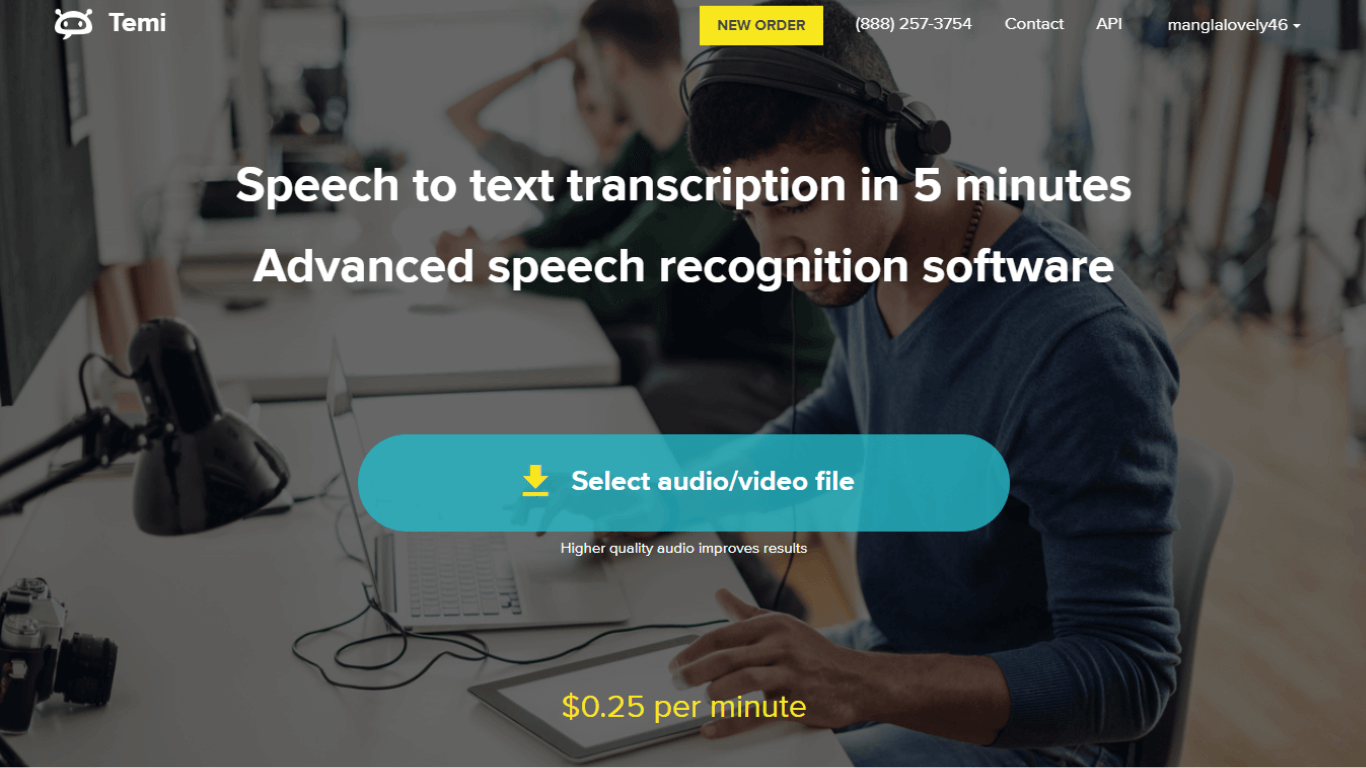
Temi is a cloud-based transcription service that uses AI to transcribe audio and video files. It offers a variety of features, including speaker identification, time-stamping, and editing tools. Temi also has a user-friendly interface and allows you to upload files from various sources, such as Dropbox and Google Drive. It also offers a quick turnaround time, making it a popular choice for businesses and professionals.
Pros:
- Quick turnaround time
- User-friendly interface
- Speaker identification
- Time-stamping feature
Cons:
- May struggle with complex terminology
- Limited editing options
Opinion: Temi is a reliable option for fast and accurate transcription. Its user-friendly interface and time-stamping feature make it a convenient choice for professionals. However, it may not be suitable for highly technical or specialized content.
3. Trint
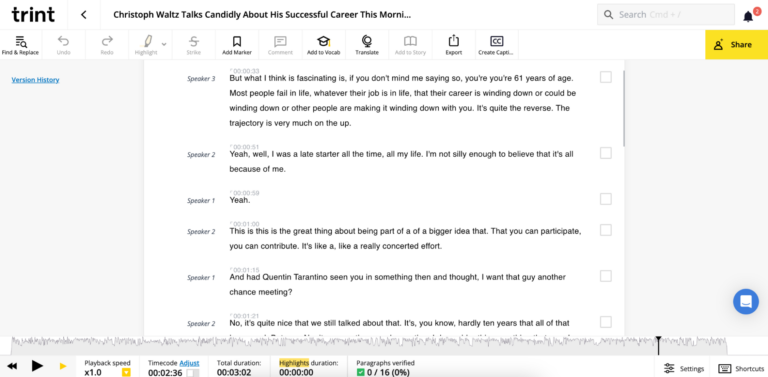
Trint is an online transcription tool that uses AI to transcribe audio and video files. It boasts a high accuracy rate and offers a variety of features, including automatic punctuation, speaker identification, and time-stamping. Trint also has a user-friendly interface and allows you to edit transcripts as needed. It also offers integrations with other platforms such as Adobe Premiere Pro and Slack.
Pros:
- High accuracy rate
- Automatic punctuation
- Speaker identification
- Integrations with other platforms
Cons:
- Limited free version
- May struggle with background noise or accents
Opinion: Trint is a reliable option for accurate transcripts and offers useful features such as automatic punctuation. Its integrations with other platforms make it a convenient choice for professionals. However, the limited free version may not be suitable for those with high transcription needs.
4. Descript
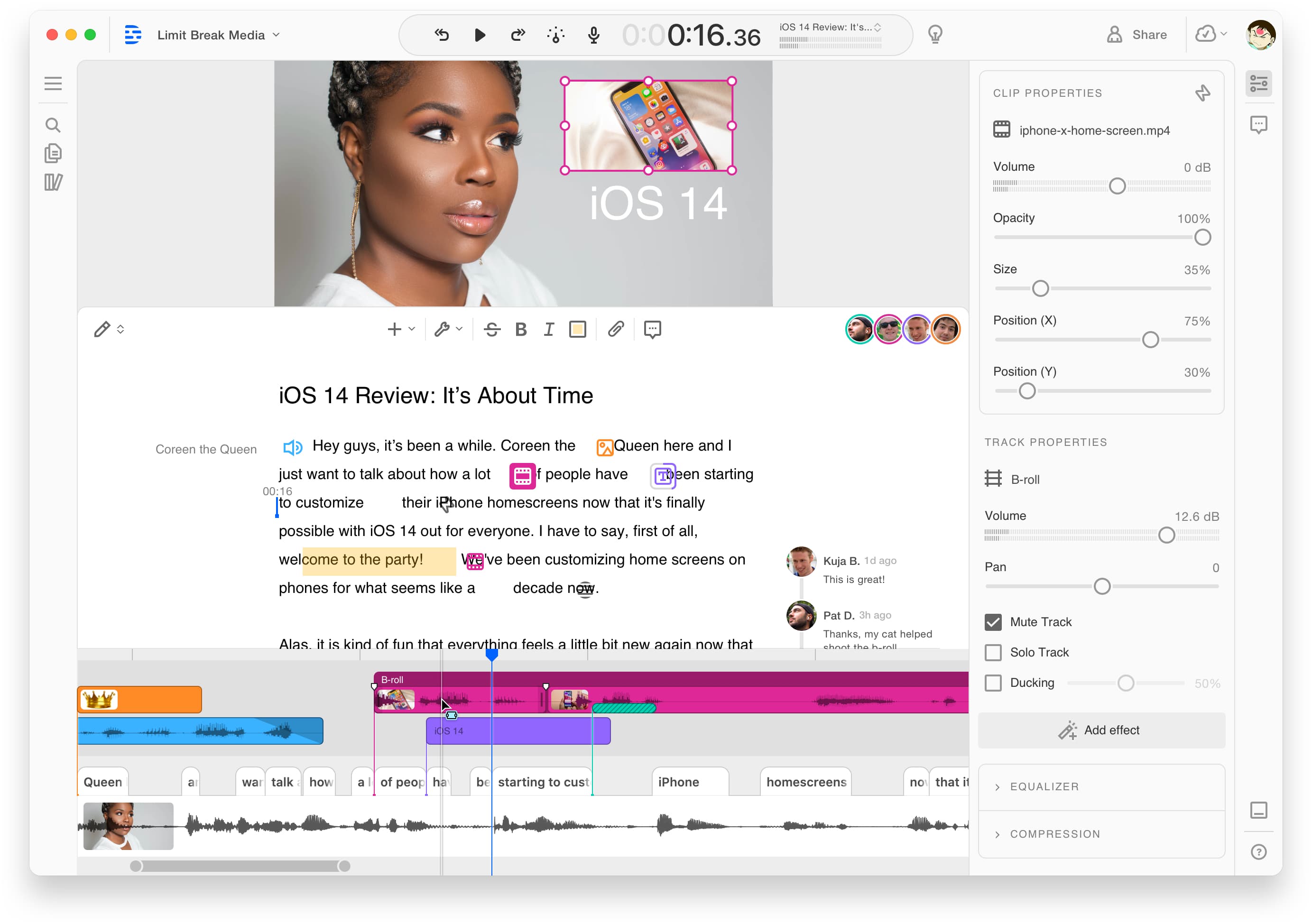
Descript is a cloud-based transcription and editing tool that uses AI to transcribe audio and video files. It offers a variety of features, including automatic punctuation, speaker identification, and time-stamping. One unique feature of Descript is its ability to generate a transcript while you record your audio or video, making the editing process more efficient. It also offers integrations with other platforms such as Adobe Premiere Pro and Final Cut Pro.
Pros:
- Automatic punctuation
- Speaker identification
- Time-stamping feature
- Integrations with other platforms
Cons:
- Limited free version
- May struggle with complex terminology
Opinion: Descript is a great option for those looking for an all-in-one transcription and editing tool. Its automatic punctuation feature and integrations with other platforms make it a convenient choice for professionals. However, the limited free version may not be suitable for those with high transcription needs.
5. Sonix
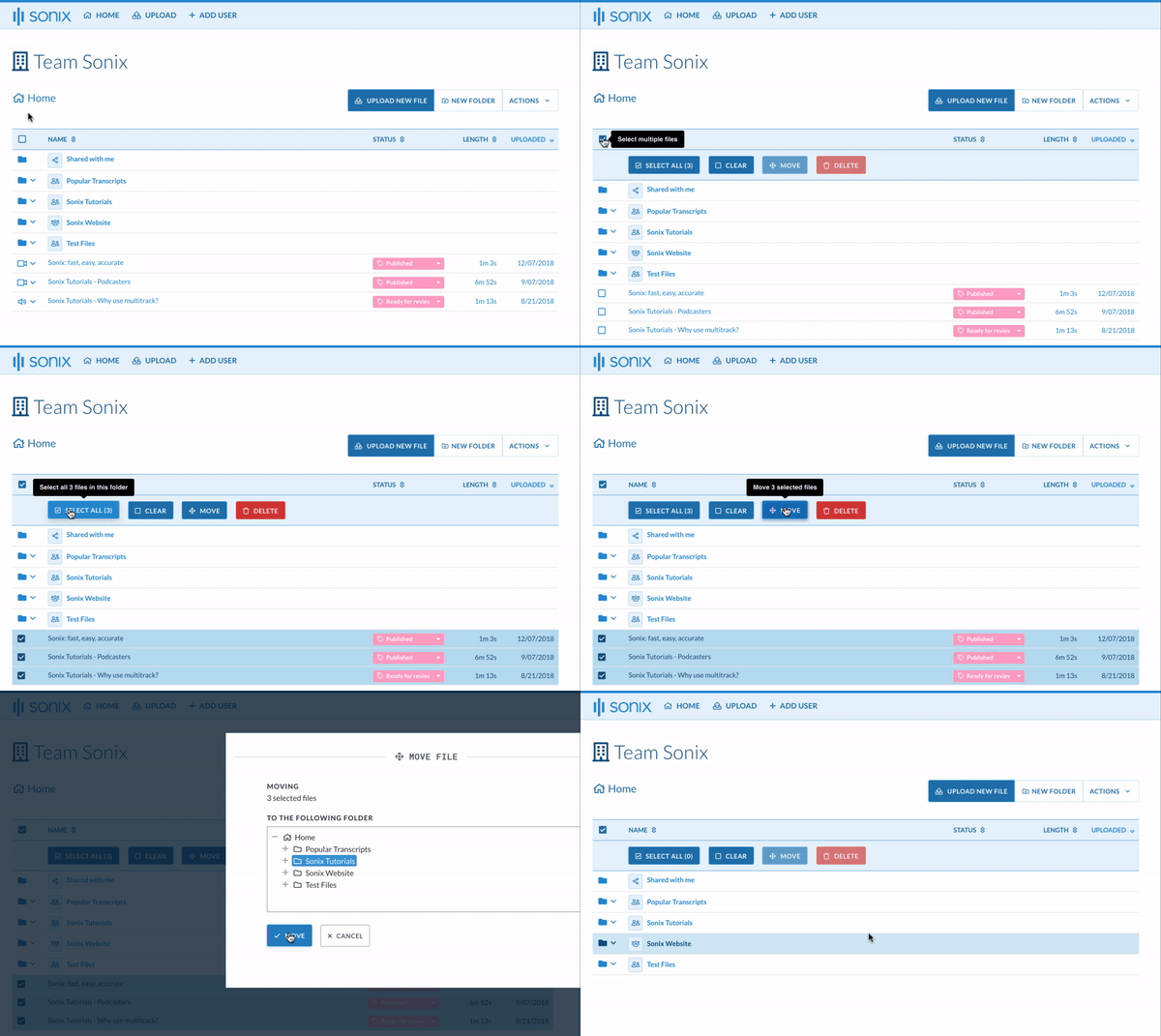
Sonix is a cloud-based transcription service that uses AI to transcribe audio and video files. It is known for its fast turnaround time and high accuracy rate. Sonix also offers a variety of features, including automatic punctuation, speaker identification, and time-stamping. It has a user-friendly interface and allows you to edit transcripts as needed.
Pros:
- Fast turnaround time
- High accuracy rate
- Automatic punctuation
- User-friendly interface
Cons:
- Limited free version
- May struggle with background noise or accents
Opinion: Sonix is a reliable option for fast and accurate transcription. Its user-friendly interface and automatic punctuation feature make it a convenient choice for professionals. However, the limited free version may not be suitable for those with high transcription needs.
6. Rev Max
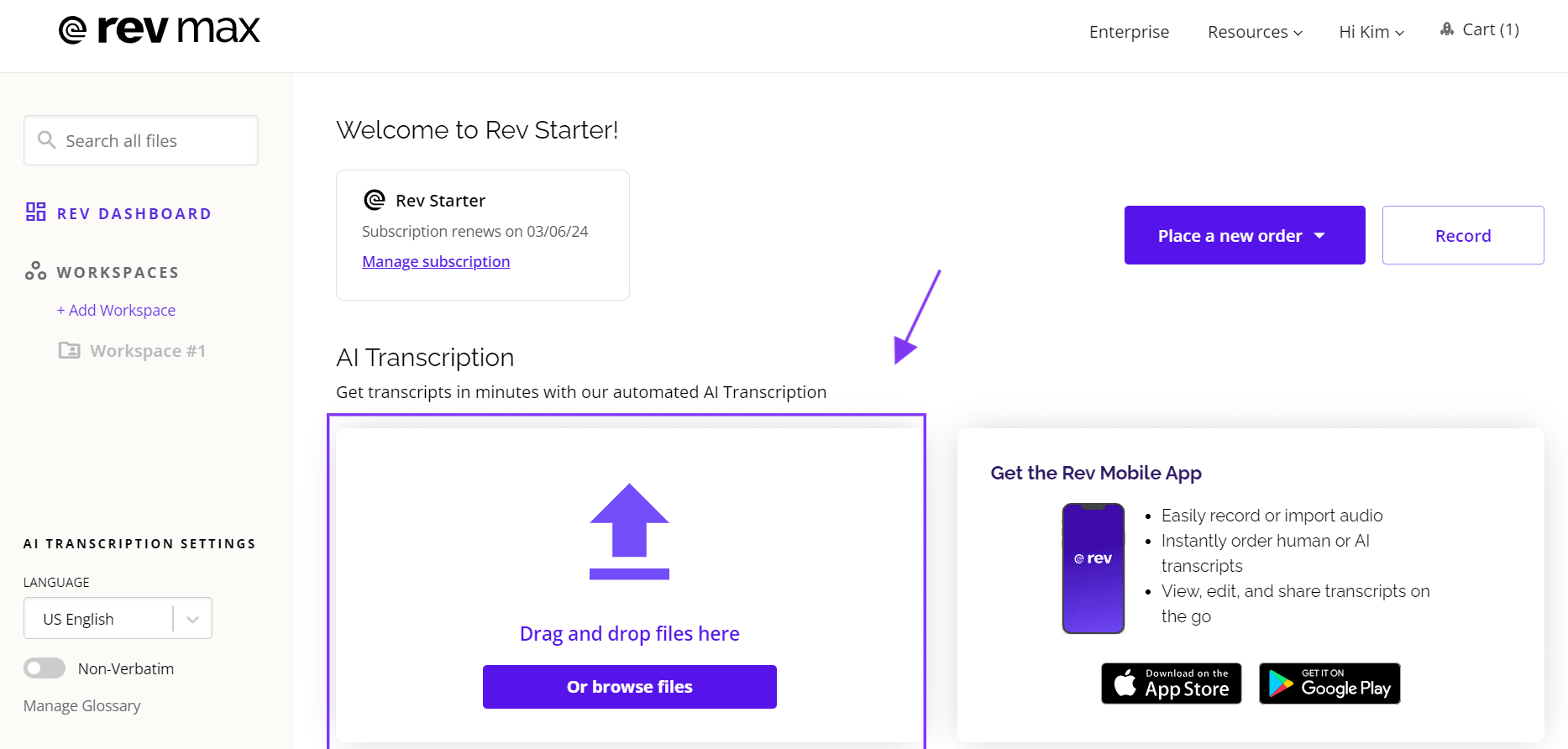
Rev is a human-powered transcription service that offers a wide range of transcription services, including audio and video transcription. It is known for its high accuracy rate and quick turnaround time. Rev also offers a variety of features, including time-stamping, editing tools, and customer support. It also has a user-friendly interface and allows you to upload files from various sources.
Pros:
- High accuracy rate
- Quick turnaround time
- Time-stamping feature
- User-friendly interface
Cons:
- More expensive than AI-powered tools
- May not be suitable for those with high transcription needs
Opinion: Rev is a reliable option for accurate transcripts and offers useful features such as time-stamping and editing tools. Its human-powered service may be more suitable for highly technical or specialized content. However, it may not be the most cost-effective option for those with high transcription needs.
7. Gglot
Gglot is a cloud-based transcription service that uses AI to transcribe audio and video files. It offers a variety of features, including automatic punctuation, speaker identification, and time-stamping. One unique feature of Gglot is its ability to translate transcripts into multiple languages, making it a popular choice for businesses and professionals who deal with international clients.
Pros:
- Automatic punctuation
- Speaker identification
- Time-stamping feature
- Translation into multiple languages
Cons:
- Limited free version
- May struggle with background noise or accents
Opinion: Gglot is a great option for those looking for a transcription tool with translation capabilities. Its automatic punctuation feature and ability to transcribe in multiple languages make it a convenient choice for businesses and professionals. However, the limited free version may not be suitable for those with high transcription needs.
FAQs
1. Are AI transcription tools accurate?
Yes, AI transcription tools are highly accurate and can provide transcripts with an accuracy rate of up to 99%.
2. Can AI transcription tools identify different speakers?
Yes, most AI transcription tools have speaker identification features that can label different speakers in a conversation or interview.
3. Can I edit transcripts generated by AI transcription tools?
Yes, most AI transcription tools allow you to edit transcripts as needed.
4. Are there any free AI transcription tools available?
Yes, some AI transcription tools offer limited free versions, while others may have a free trial period.
5. Which AI transcription tool is the best for my business?
The best AI transcription tool for your business will depend on your specific needs and budget. It is recommended to try out a few options before deciding on one that works best for you.
Conclusion
AI transcription tools have revolutionized the way we transcribe audio and video files. They offer fast, accurate, and efficient transcription services, making them an essential tool for businesses and professionals. In this article, we discussed the top 7 best AI transcription tools in 2024, their features, pros and cons, and our opinions. We hope this article has helped you in choosing the right AI transcription tool for your needs.
