




In today's digital age, video content has become an essential part of our daily lives. From social media to marketing campaigns, videos are used to convey messages, tell stories, and capture memories. However, creating high-quality videos can be a time-consuming and challenging task. This is where AI-powered video editing tools come in.
AI (Artificial Intelligence) has revolutionized the way we edit videos by automating tasks, enhancing visual effects, and improving overall video quality. In this article, we will explore the top 7 AI tools for video editing that can help you create professional-looking videos with ease.
1. Adobe Premiere Rush
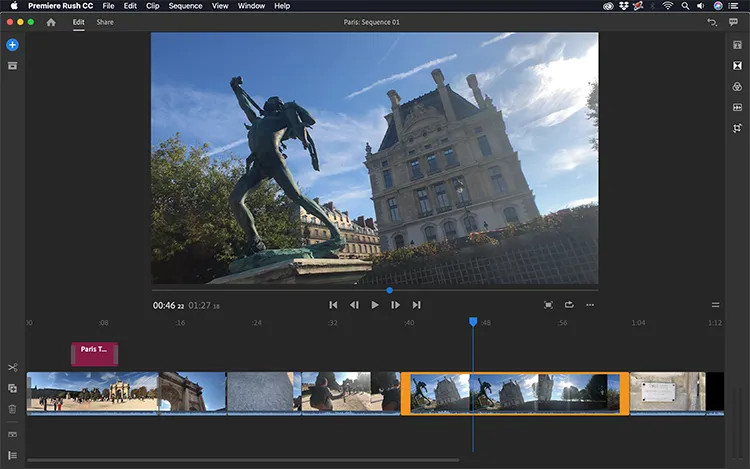
Adobe Premiere Rush is a popular video editing software that offers AI-powered features for automated editing, smart trimming, and speech-to-text transcription. It is a user-friendly tool that allows you to edit videos on your desktop or mobile device seamlessly. With its AI capabilities, you can save time and effort by letting the software handle tedious tasks like color correction and audio syncing. Additionally, it also offers a wide range of filters, transitions, and effects to enhance your videos.
Features:
- Automated video editing
- Smart trimming
- Speech-to-text transcription
- Wide range of filters and effects
Pros:
- User-friendly interface
- Available on desktop and mobile devices
- Time-saving AI features
- Extensive library of filters and effects
Cons:
- Limited advanced editing options
- Requires a subscription for full access
My Opinion: Adobe Premiere Rush is a great option for beginners or those who want to edit videos quickly and easily. Its AI features make the editing process more efficient, but it may not be suitable for advanced users who require more control over their edits.
2. Filmora X
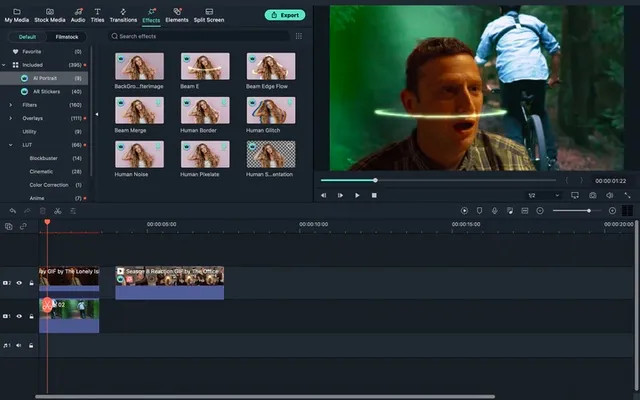
Filmora X is another user-friendly video editing software that offers AI-powered features for scene detection, object tracking, and motion tracking. Its simple drag-and-drop interface makes it easy to use, even for beginners. With its AI capabilities, you can easily edit and enhance your videos with precision and advanced effects. It also offers a wide range of templates, filters, and transitions to add a professional touch to your videos.
Features:
- Scene detection
- Object tracking
- Motion tracking
- Templates, filters, and transitions
Pros:
- User-friendly interface
- Advanced AI features for precise editing
- Wide range of templates and effects
- Available on both Windows and Mac
Cons:
- Limited audio editing options
- Some features require a subscription
My Opinion: Filmora X is a great option for those who want to create high-quality videos without spending too much time learning complex editing techniques. Its AI features make it easy to edit and enhance videos, but it may not have enough advanced options for professional editors.
3. Kapwing
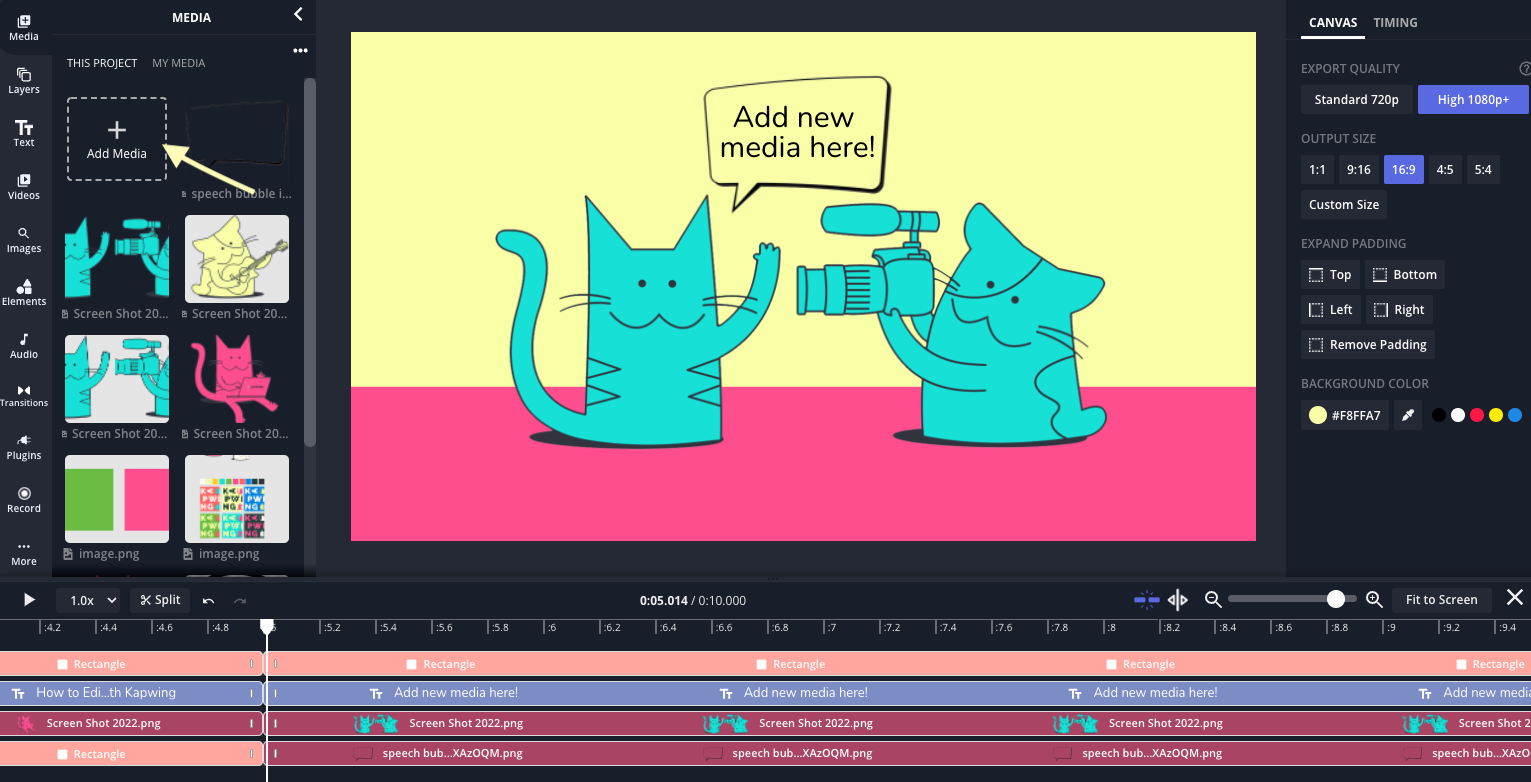
Kapwing is a cloud-based video editor that offers AI tools for automatic video resizing, background removal, and text-to-speech generation. It is a versatile tool that allows you to edit videos online without the need for any software installation. With its AI capabilities, you can easily resize your videos for different platforms, remove backgrounds from images or videos, and even generate speech from text. It also offers a variety of templates and effects to enhance your videos.
Features:
- Automatic video resizing
- Background removal
- Text-to-speech generation
- Templates and effects
Pros:
- Cloud-based, no software installation required
- Versatile AI features
- Easy to use interface
- Offers a free version with limited features
Cons:
- Limited advanced editing options
- Some features require a subscription
My Opinion: Kapwing is a great option for those who want to edit videos online without the hassle of downloading software. Its AI features make it easy to resize and enhance videos, but it may not have enough advanced options for professional editors.
4. Magisto
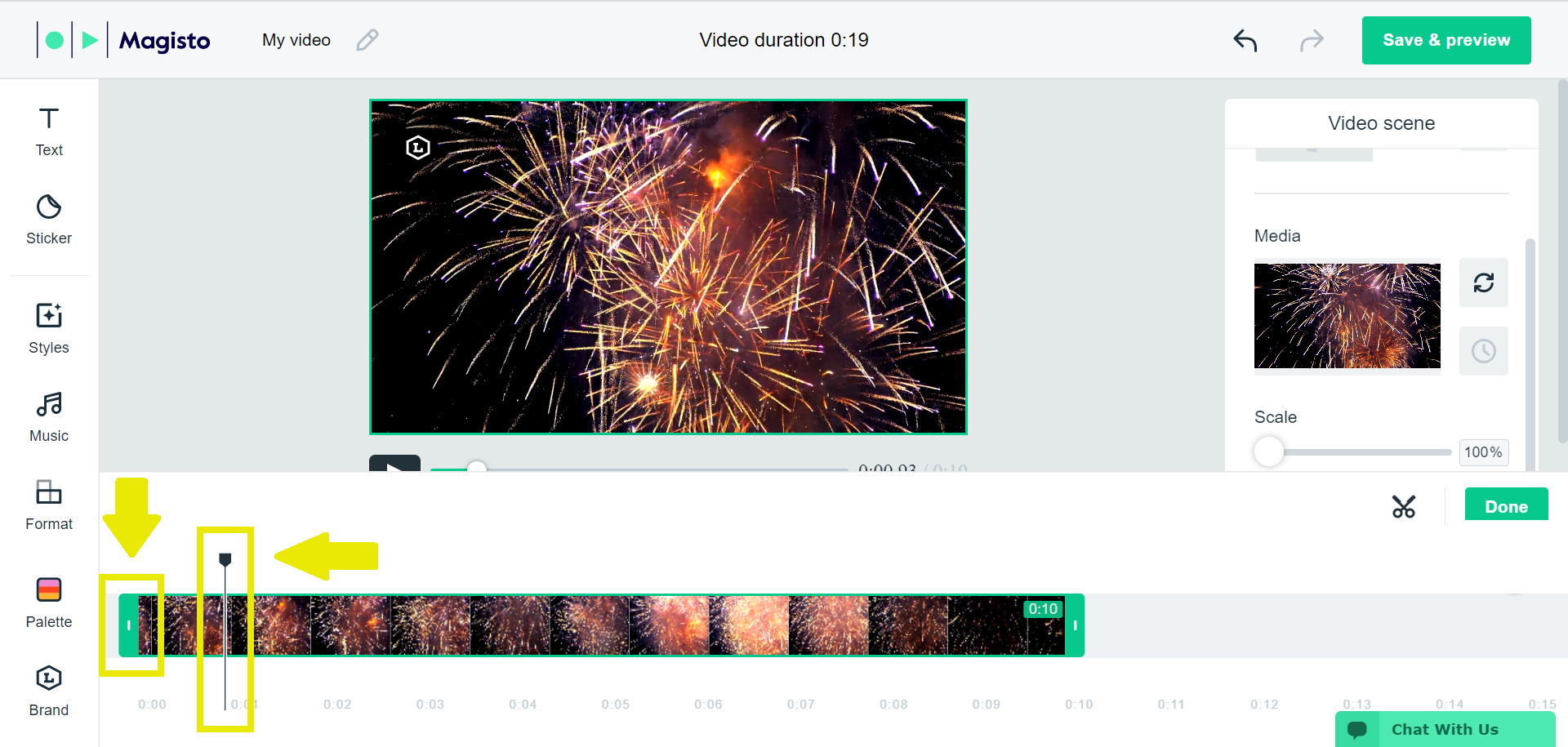
Magisto is an AI-powered video creation platform that automatically selects and assembles clips, adds music, and applies effects to create professional-quality videos. It is a user-friendly tool that allows you to create videos in just a few clicks. With its AI capabilities, you can save time and effort by letting the software handle the editing process. It also offers a variety of templates and effects to add a professional touch to your videos.
Features:
- Automatic clip selection and assembly
- Music and effects
- Templates and filters
Pros:
- User-friendly interface
- Time-saving AI features
- Wide range of templates and effects
- Available on both desktop and mobile devices
Cons:
- Limited customization options
- Some features require a subscription
My Opinion: Magisto is a great option for those who want to create videos quickly and easily without any prior editing experience. Its AI features make it effortless to create professional-looking videos, but it may not have enough advanced options for professional editors.
5. Panzoid
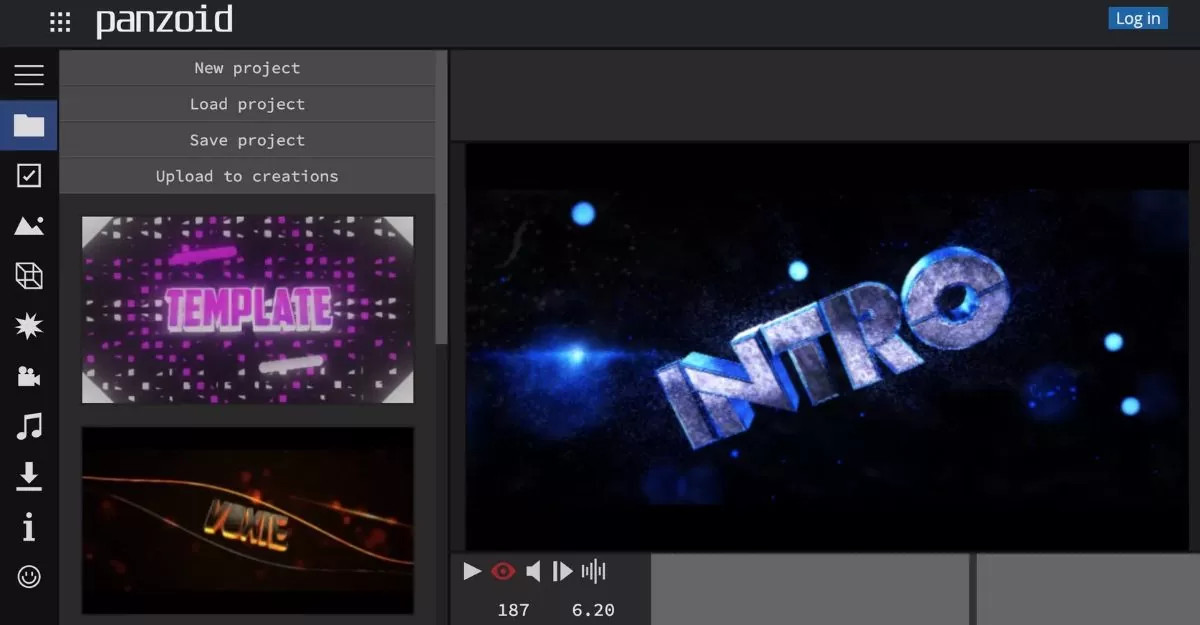
Panzoid is an online video editor with AI capabilities for video enhancement, face detection, and object removal. It is a free tool that offers a wide range of features to enhance your videos. With its AI capabilities, you can easily improve the quality of your videos, detect faces, and remove unwanted objects from your footage. It also offers a variety of templates and effects to add a creative touch to your videos.
Features:
- Video enhancement
- Face detection
- Object removal
- Templates and effects
Pros:
- Free to use
- Advanced AI features for video enhancement
- Offers a wide range of templates and effects
Cons:
- Limited advanced editing options
- May have a learning curve for beginners
My Opinion: Panzoid is a great option for those who want to enhance their videos without spending any money. Its AI features make it easy to improve the quality of your videos, but it may not have enough advanced options for professional editors.
6. PowerDirector
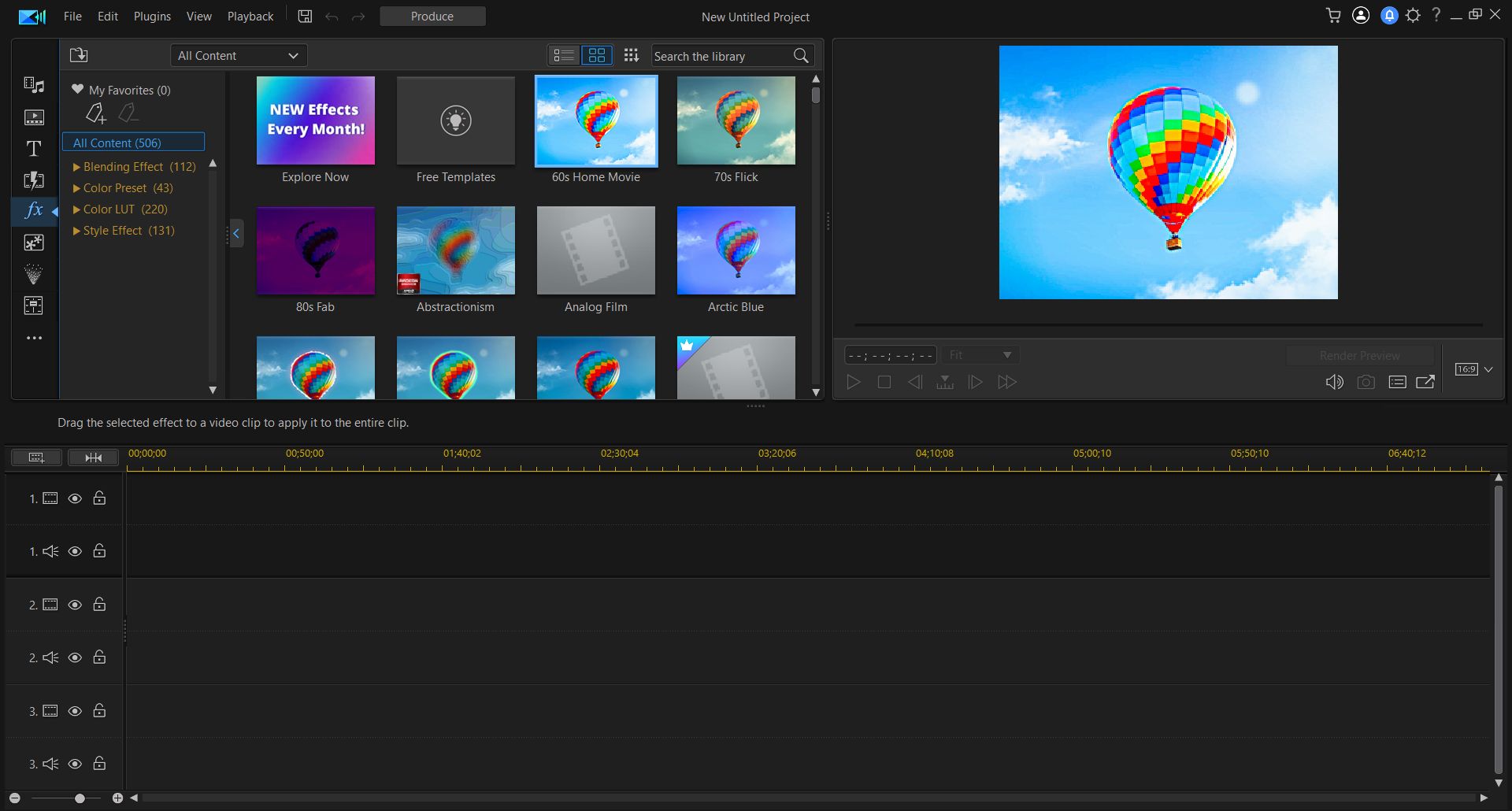
PowerDirector is a comprehensive video editing software that features AI-assisted smart editing, object masking, and motion tracking. It is a powerful tool that offers advanced editing options for both beginners and professionals. With its AI capabilities, you can easily edit and enhance your videos with precision and efficiency. It also offers a variety of templates, filters, and effects to add a professional touch to your videos.
Features:
- Smart editing
- Object masking
- Motion tracking
- Templates, filters, and effects
Pros:
- User-friendly interface
- Advanced AI features for precise editing
- Offers a wide range of templates and effects
- Available on both Windows and Mac
Cons:
- Some features require a subscription
- May have a learning curve for beginners
My Opinion: PowerDirector is a great option for those who want a comprehensive video editing software with advanced AI features. Its user-friendly interface makes it suitable for both beginners and professionals, but some features may require a subscription.
7. Wondershare Filmora Pro
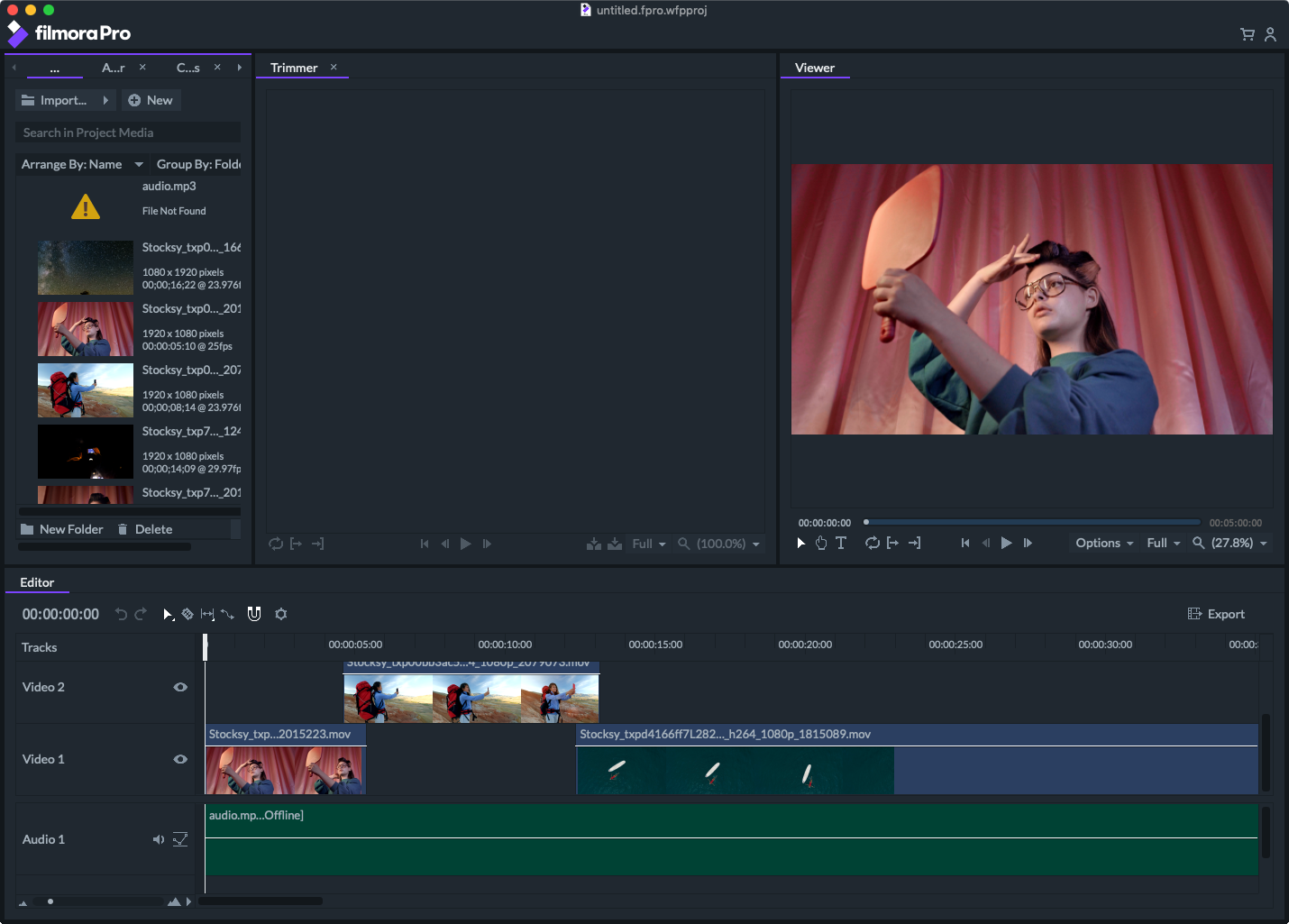
Wondershare Filmora Pro is a professional video editor with AI-powered tools for advanced color correction, video stabilization, and object tracking. It is a powerful tool that offers a wide range of features for professional video editing. With its AI capabilities, you can easily enhance your videos with precision and efficiency. It also offers a variety of templates, filters, and effects to add a creative touch to your videos.
Features:
- Advanced color correction
- Video stabilization
- Object tracking
- Templates, filters, and effects
Pros:
- User-friendly interface
- Advanced AI features for precise editing
- Offers a wide range of templates and effects
- Available on both Windows and Mac
Cons:
- Requires a subscription for full access
- May have a learning curve for beginners
My Opinion: Wondershare Filmora Pro is a great option for professional video editors who want advanced AI features. Its user-friendly interface makes it easy to edit and enhance videos, but it may not be suitable for beginners or those on a budget.
FAQs
1. Are these AI tools suitable for beginners?
Yes, most of these AI tools are user-friendly and suitable for beginners.
2. Do I need a subscription to use these AI tools?
Some of these AI tools offer a free version with limited features, while others require a subscription for full access.
3. Can I use these AI tools on my mobile device?
Yes, some of these AI tools are available on both desktop and mobile devices.
4. Are there any limitations to using AI tools for video editing?
While AI tools can make the editing process more efficient, they may not have enough advanced options for professional editors.
5. Can I customize my videos using these AI tools?
Yes, most of these AI tools offer a variety of templates, filters, and effects to add a personal touch to your videos.
Conclusion
AI-powered video editing tools have made it easier than ever to create high-quality videos without spending hours on tedious tasks. From automated editing to advanced effects, these tools offer a wide range of features to enhance your videos. Whether you're a beginner or a professional, these top 7 AI tools for video editing can help you take your videos to the next level. So why not give them a try and see the difference for yourself?
