



It's unlikely that a graphic designer would respond that text formatting or backdrop removal is their favorite aspect of their work.
Fortunately, you are no longer restricted to these menial duties. An abundance of AI tools for designers has emerged in today's AI-powered environment. In addition to making duties for marketing or creative initiatives easier, these tools may help you get out of a design rut by providing you with fresh ideas.
For you, we've selected ten expert AI design software products. We'll go over their features, costs, restrictions, and reviews before deciding on the one that appeals to you the most!
What Do Designers Use AI Tools for?
Software programs that use artificial intelligence to help design teams are known as AI design tools.
These tools free up time and give you more freedom to concentrate on more creative projects by automating repetitive or laborious activities like resizing photographs and eliminating backgrounds. They also use natural language processing (NLP) to create whole new material in response to suggestions.
Notably, AI design tools pick up knowledge through user input and interactions. They gradually adjust to deliver recommendations and material that are more precise and tailored to the individual.
Above all, these technologies aid in organizing your design process and in discovering novel strategies to assist business specializations such as product development and marketing.
How AI is used by design teams
AI tools help designers at every step of the process, from ideation to refining. Additionally, they provide a variety of specializations, including web, product, and graphic design.
The following six instances highlight typical use of AI technologies for designers:
- Automation: Taking care of some of the tedious tasks for you, such maintaining consistency in style
- material creation is the process of creating fresh material, such original social media posts and website promotion.
- Market research: Compiling information about users across platforms to ascertain their taste in aesthetics
- Optimization: Making recommendations for changes to components like typography and layout
- A/B testing: Analyzing user reaction to various design variants using A/B testing
- Productivity: Simplifying the process of designing, planning, and implementing
10 AI-Powered Tools for Graphic Design in 2024
We searched the market for products that will improve your designs, streamline your design workflow, and generally make your work more pleasurable.
With the greatest AI design tools, you can produce work that is both higher quality and higher quantity regardless of your area of expertise in design. Although it is by no means exhaustive, this list touches on a variety of design-related topics.
1. ClickUp
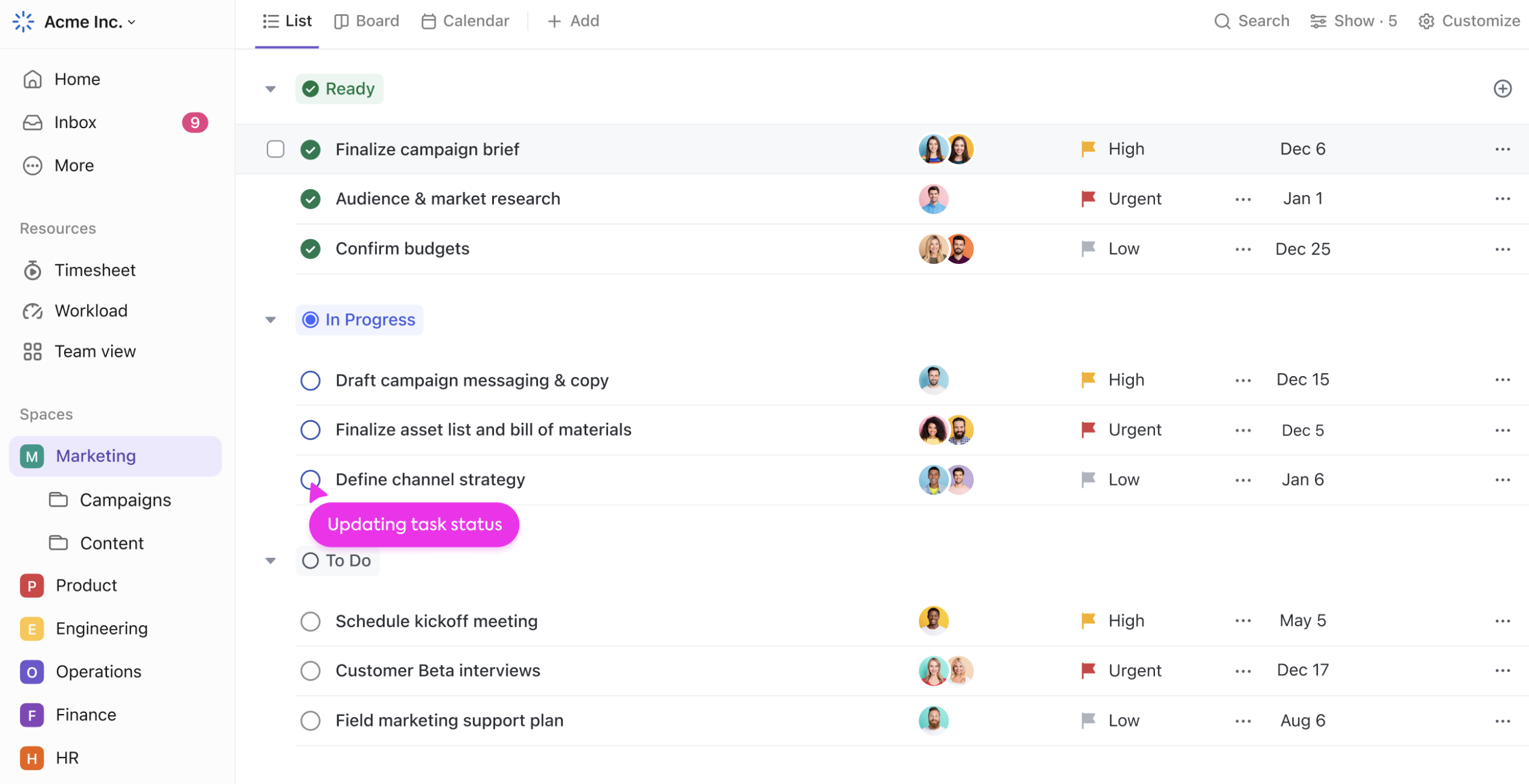
For technical and creative teamwork across design teams, ClickUp is a flexible project management tool with amazing capabilities. The introduction of ClickUp AI has completely changed the game because it acts as a reliable work helper for all departments, roles, and ability levels.
Conceive concepts, design frameworks, marketing material, and procedures while on the road with the AI assistant, which can support your whole creative process and workflows. In addition, it produces marketing campaign plans, taglines, presentation outlines, user personas and journeys, and creative briefs.
ClickUp and ClickUp AI collaborate to promote teamwork in the workplace. with ClickUp Whiteboards, brainstorm ideas in real time with your peers. Assign tasks to yourself or your collaborators with the Assigned Comments function.
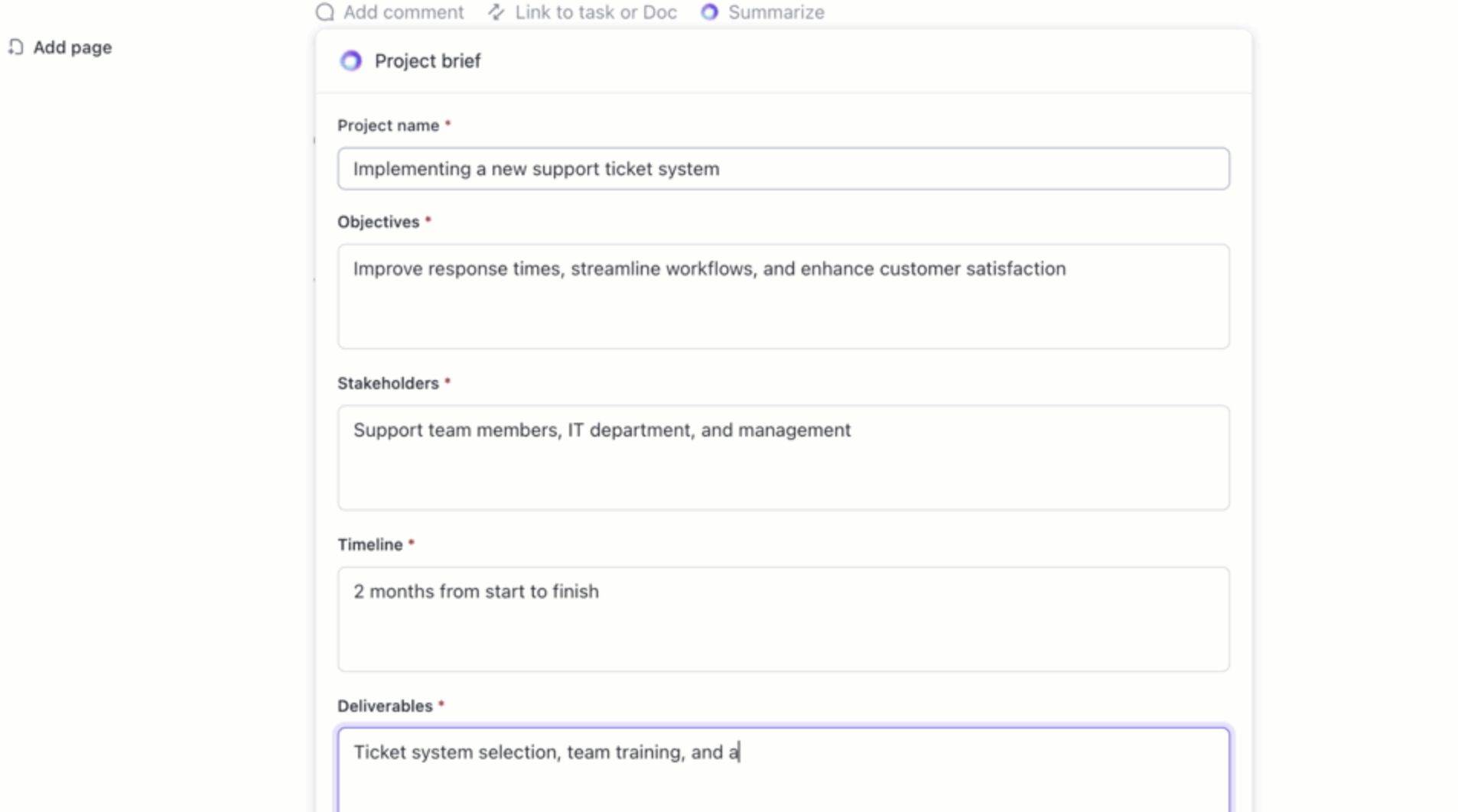
Unable to keep up with those comment threads that go on forever? To summarize them, use ClickUp AI, or pluck action items directly.
In order to prioritize customer requests and offer input on pictures, videos, and other design mockups, you may also investigate the Proofing option.
Creative teams in a variety of sectors find ClickUp to be a dependable ally, thanks to its many templates, task automation, and more than fifteen views for monitoring your design workflow.
ClickUp best features
- AI-driven design, content production, and project management
- More than fifteen views for cooperation and visibility (including Chat view)
- Aids in generating and documenting design elements
- Management of workload
- Automating regular procedures
- Annotation and proofreading for all kinds of design work
- forms for gathering requests from within
- A vast collection of free, editable templates for graphic designers, web designers, and other teams
- Combines with other design tools
ClickUp limitations
- Not every view is currently accessible on the mobile app.
- In the event that you don't adjust preferences in settings, the notification center may get cluttered.
ClickUp pricing
- Free Forever
- Unlimited: $7/month per user
- Business: $12/month per user
- Enterprise: Contact for pricing
- ClickUp AI: Available on all paid plans for $5/Workspace member/month
ClickUp ratings and reviews
- G2: 4.7/5 (8,000+ reviews)
- Capterra: 4.7/5 (3,000+ reviews)
2. DreamStudio
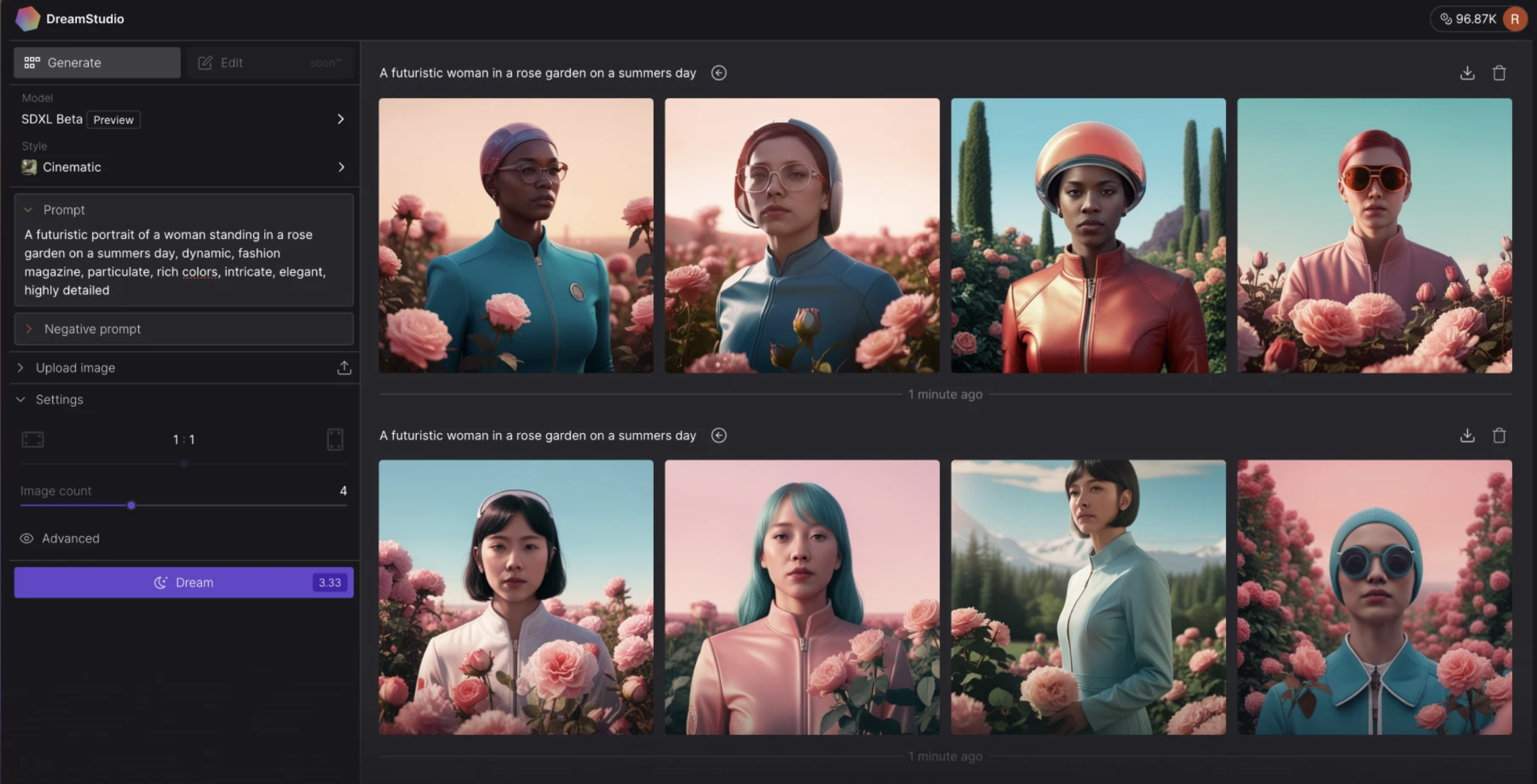
DreamStudio (formerly Stable Diffusion), an AI design tool owned by industry titan Stability AI, assists in producing high-quality artwork for any purpose, from illustrations to photorealistic graphics.
Choose your preferred style and size after entering your prompt or uploading a photo. DreamStudio will quickly set to work creating many versions of what you have in mind. The program stores your history in memory so you can trace all of your works and come back to them at a later time.
Use the editor if you need to make any modifications to a picture. With its endless canvas and layers, you may edit, delete, and add details to your creation as you see fit. Additionally, you may quickly improve the resolution of your photos!
DreamStudio best features
- Different style presets
- Editor with an endless workspace and several layers
- Adjusting the image resolution
- StableStudio is the open-source version.
- API incorporation
DreamStudio limitations
- Not a predefined color palette
- Prior to signing up, prompts are lost.
DreamStudio pricing
- $10 for 1,000 credits (~5,000 images)
DreamStudio ratings and reviews
- Product Hunt: 4.7/5 (20+ reviews)
- G2: 4.3/5 (2 reviews)
3. Midjourney
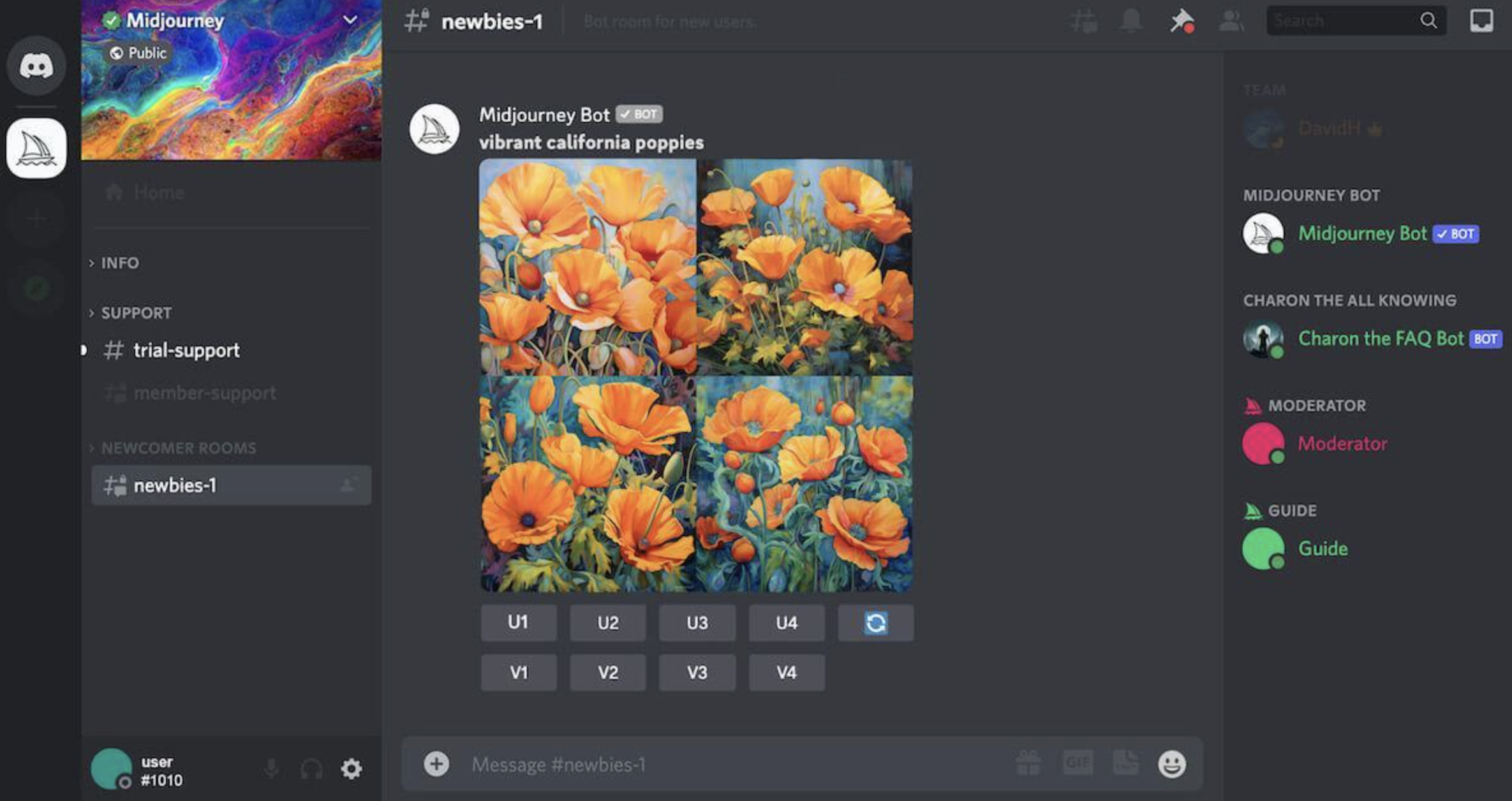
You're probably aware of Midjourney if you've worked with artificial intelligence technologies before. It is one of the most well-known AI picture generators available today because of its powerful default style for productions. One simple word command on Discord may produce professional-quality artwork in a matter of minutes.
Four different picture options are shown to you by the creative tool bot. Utilize each to generate fresh iterations or select and modify a single image. Right now, you may use arrows to move the composition and zoom out of the image. The latest update ensures that all photos are created at their maximum size.
Use short instructions to request assistance from the Midjourney bot if you run into trouble. You can ask specific questions or get general advice. 💬
Midjourney best features
- Four alternative images
- creates pictures with the largest possible size
- Repositioning and zooming out of tools
- Midjourney bot for support and advice
- Instructions and parameters described in a handbook
- Gallery of Favorites
Midjourney limitations
- No free trial
- Editing capabilities can improve
- Only available through Discord
Midjourney pricing
- Basic: $8/month*
- Standard: $24/month
- Pro: $46/month
- Mega: $96/month
Midjourney ratings and reviews
- G2: 4.4/5 (70+ reviews)
- Product Hunt: 4.5/5 (15+ reviews)
4. Adobe Sensei
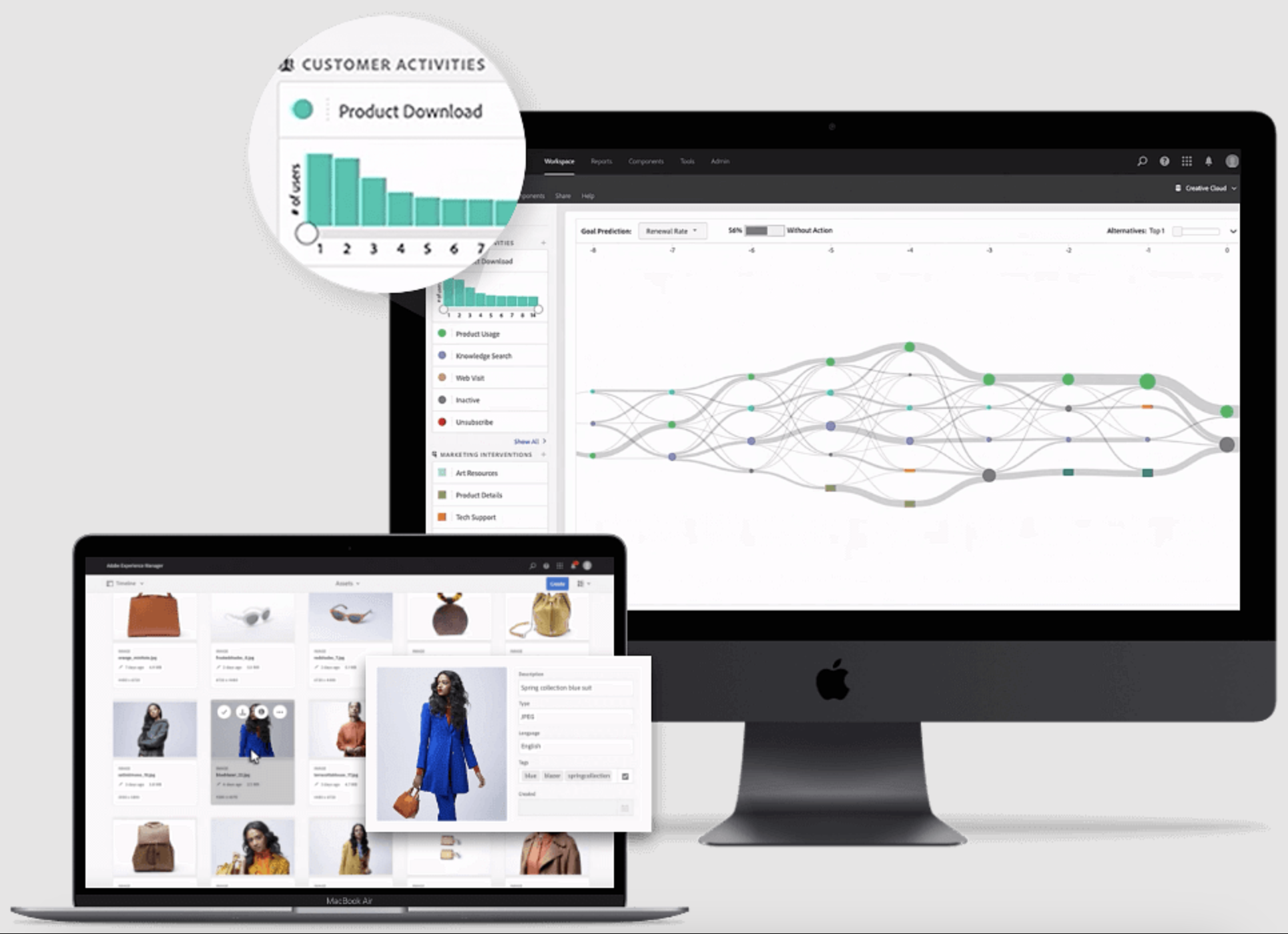
When it comes to machine learning technology, Adobe Sensei is a hidden treasure. It is extensively utilized inside the Adobe ecosystem and has been around since 2016. It is integrated with many of Adobe's marketing and analytics tools and services, as well as the Creative Cloud Suite.
Sensei's AI algorithms have been taught using a variety of publicly available content with expired licenses, freely licensed items, and stock photos from Adobe. All you need to do is run the command Generate to get pictures that work for you. It can discern an image's profound and even sentimental ideas from components like the background details and color scheme.
Photographers and marketers that handle several photographs every day will find the platform useful since it automatically recognizes and labels images.
Adobe Sensei best features
- Enhance and customize promotional materials
- Knowledgeable of Content Fill to eliminate extraneous elements from pictures and videos
- To optimize movies for various channels, use auto-reframe.
- Face and motion detection combined with auto-animation
- Sound and video optimisation
- Connectivity across Adobe Experience Cloud
Adobe Sensei limitations
- Not a stand-alone tool in comparison to other all-inclusive graphic design programs; primarily useful for Adobe users
Adobe Sensei pricing
- Integrated throughout the whole line of Adobe Experience Cloud products
Adobe Sensei ratings and reviews
- There are no independent ratings available.
5. Canva
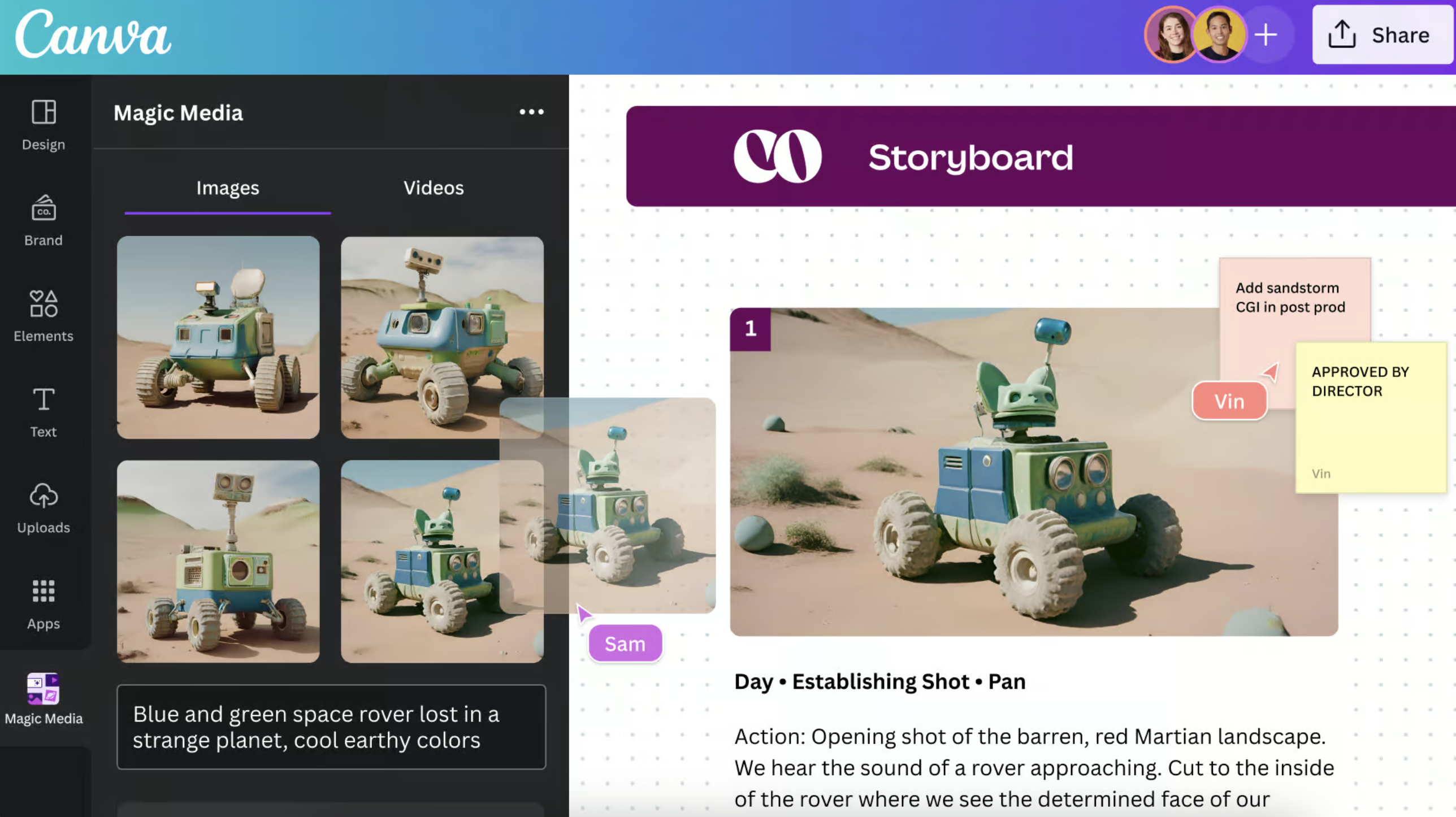
Few brands in the design industry have the same resonance as Canva. This free design platform is well known for its intuitive user interface, which is even more true now that a text-to-image generator is included!
In just a few minutes, create stunning visual content on the platform by selecting a style and adding basic text prompts. Using the Image Enhancer and additional AI graphic design tools, you may fine-tune your work by:
- Raising the resolution
- Adjusting the saturation, lighting, and focus
- Taking backgrounds out
- Adding, deleting, and modifying items (using Magic Eraser or Magic Edit)
Use text and animations to increase the engagement of the images, or use stickers, icons, and other accessible collection designs. Utilize Canva's content planner and text generator to help you plan and organize your design and marketing initiatives.
Canva best features
- Ready-made fashions
- many editing tools
- Enchantment Create a text generator.
- Easily navigable interface
- Utilize brand kits to create unique color schemes
- Real-time design collaboration
Canva limitations
- Might not offer the degree of personalization that experienced designers anticipate
- Improves might be made to the background removal.
- Some functions (such as Content Planner and Magic Eraser) cannot be used for free.
Canva pricing
From Text to Image:
- Up to 50 lifetime inquiries are free.
- Benefit: 500 inquiries each month
- Teams: 500 inquiries per month maximum
Enchantment Write:
- No cost: up to 25 inquiries
- Benefit: 250 inquiries each month
- Teams: 250 inquiries per month maximum
Canva evaluations and ratings
- G2: 4.7 out of 5,000+ reviews
- Capterra: 11,000+ reviews, 4.7/5
6. Mokker
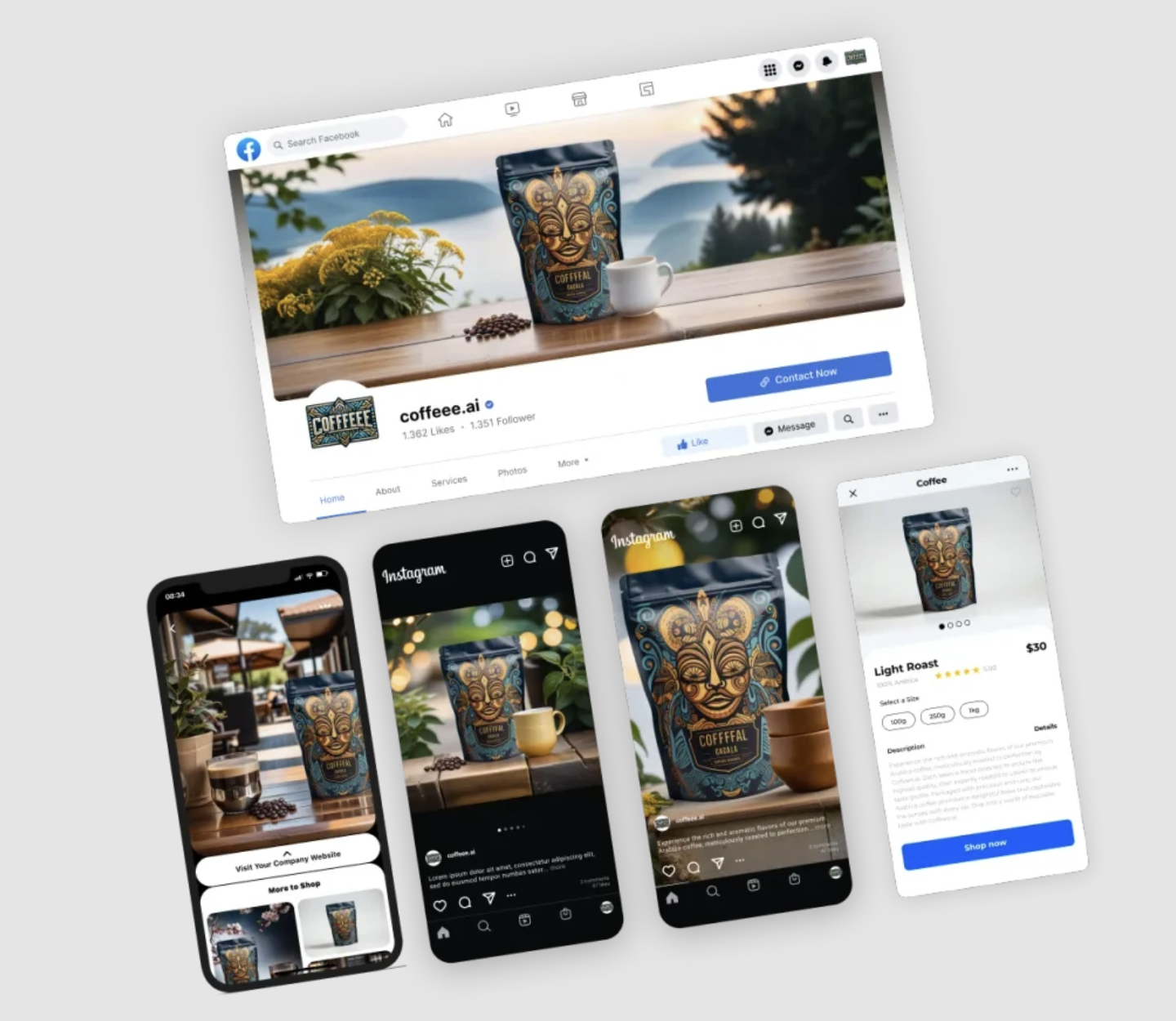
Although many designers find background removal tedious, it's a necessary step if you want to create an e-commerce page that looks legitimate. That is the role of Mokker. With the aid of this artificial intelligence application, you may produce polished and visually appealing product photos by replacing the backdrop.
Mokker is the most basic tool available. Simply submit a picture of your item, then choose from hundreds of backdrop design options. Instantaneously, the tool will produce high-resolution, print-ready photos. To make the finished product look nicer, you may add different picture accessories.
Mokker best features
- Easy-to-use backdrop removal tool for product promotion
- More than a hundred backdrop templates
- Picture props
- High-quality images
- API for incorporation
Mokker pricing
- Free: 40 photos + 12 photos/month
- Starter: $13/month*
- Team: $29/month
- Organization: $83.25/month
*All listed prices refer to the annual billing model
Mokker ratings and reviews
Product Hunt: 4.4/5 (8+ reviews)
7. Galileo AI
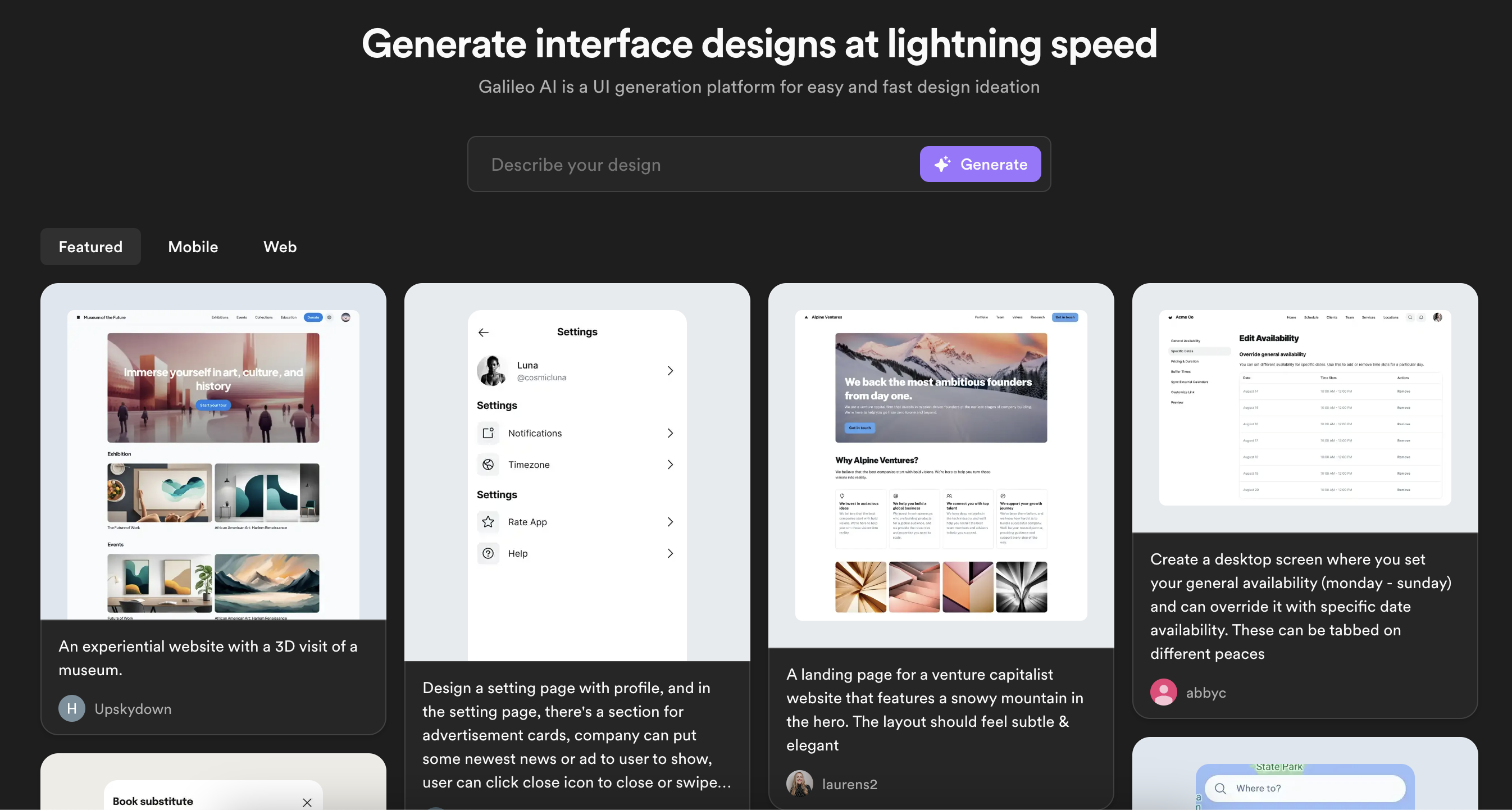
Galileo AI, which debuted in 2022, completely changed the process of designing user interfaces. Its UI design generator produces high-fidelity layouts and drawings for many platforms by training it on thousands of outstanding designs.
The program is easy to use; all you need is a written description. After that, Galileo AI will provide an end-to-end interface design that includes customized copy and icons! Make little adjustments to avoid boring user interface patterns and distinguish your design.
Galileo AI best features
- Produces UI designs with great quality.
- Easy to use
- Consists of both material and graphics and pictures produced by AI.
Galileo AI limitations
- Not yet completely made available to the general public (early access must be requested)
Galileo AI pricing
- Pricing info not available
Galileo AI ratings and reviews
- No determinable ratings yet
8. DALL•E 2 by Open AI
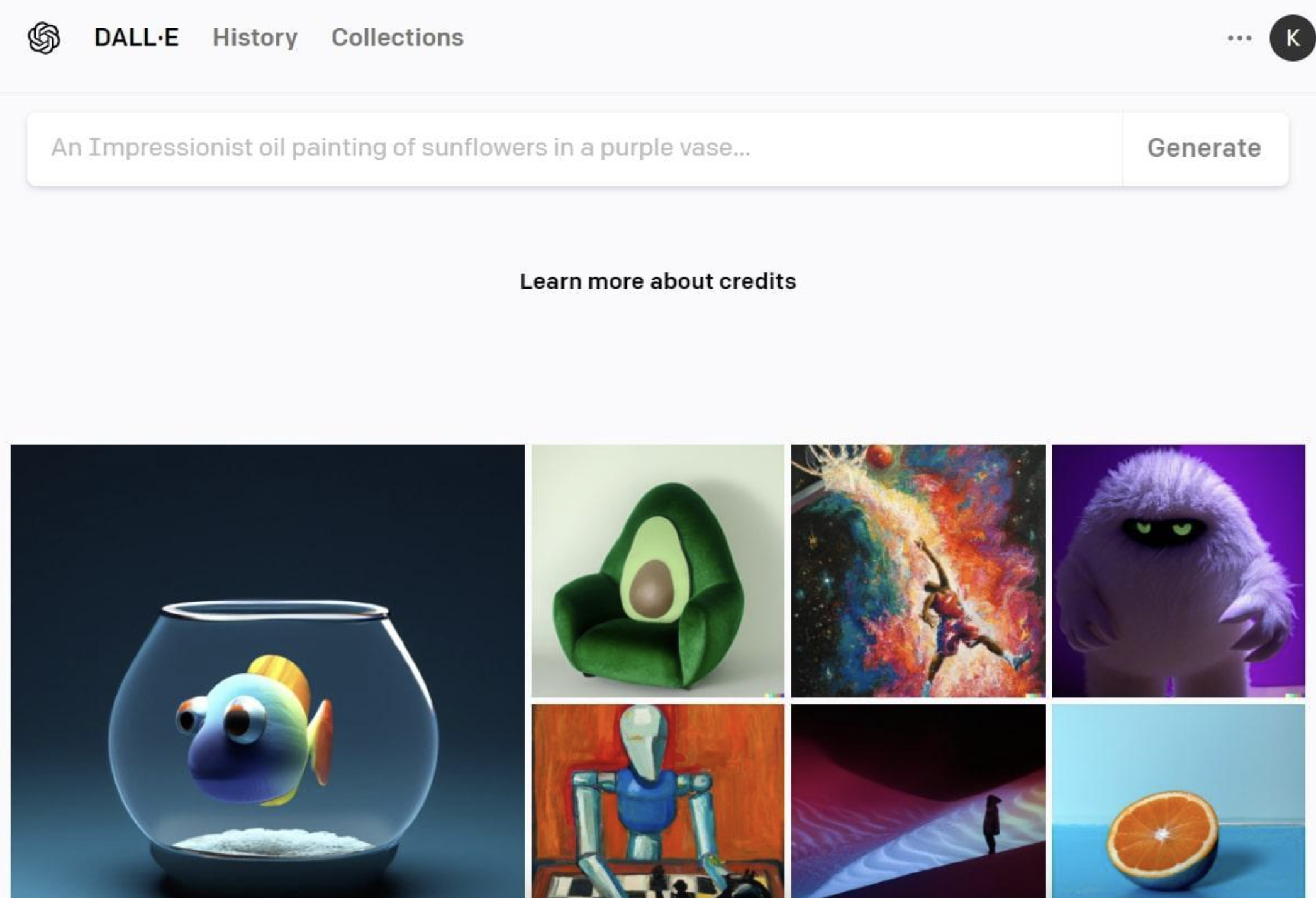
When DALL·E was introduced in 2021, its capacity to create powerful visuals from everyday words grabbed the globe by storm. After around a year, OpenAI bestowed upon us the DALL·E 2, an enhanced version of this instrument. With four times the resolution of the previous generation, it generates images that are more realistic and accurate.
This program not only lets you combine concepts and styles to create AI-generated graphics, but it also lets you experiment with variants. You may account for shadows, textures, and reflections by using the Inpainting feature of the DALL·E 2 editor, which allows you to add and remove items based on extra prompts. Zooming out to enhance the visual composition is made possible via outpainting.
DALL•E 2 by Open AI best features
- Producing photographs of superior quality
- many editing tools
- Regular updates
- preventative measures against the production of graphic or violent material
DALL•E 2 by Open AI limitations
- The free trial is no longer accessible.
- Possibly ignore longer cues
DALL•E 2 by Open AI pricing
- $15 for 115 credits
DALL•E 2 by Open AI ratings and reviews
- G2: 3.8/5 (20+ reviews)
- Capterra: 5/5 (less than 5 reviews)
9. Khroma
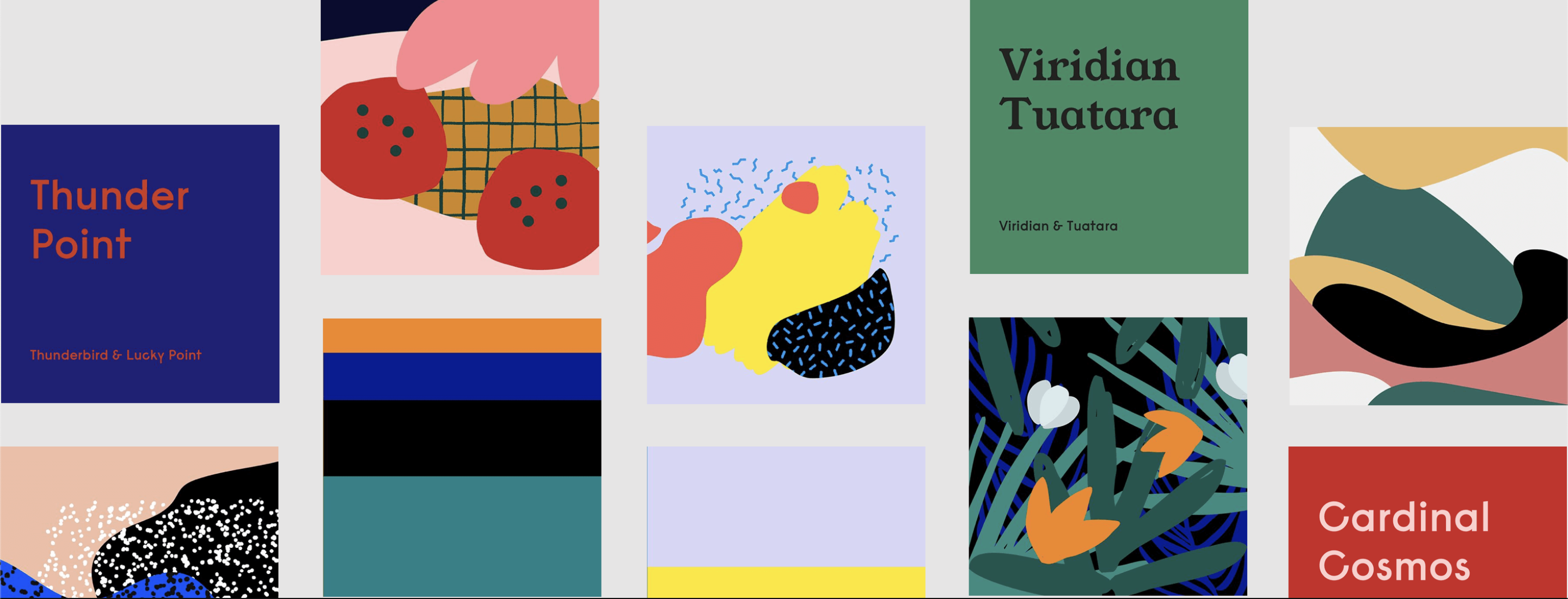
Color is a psychological design component that can affect how your users make decisions. However, choosing the appropriate shade pool might be quite difficult. Use Khroma's AI color tool to help you choose the ideal palette!
Khroma is an AI graphic design tool that is invaluable as a generator of bespoke color palettes. It was trained to generate effective color combinations using thousands of human-made palettes.
By choosing colors that speak to you, you may also train its neural network. The results are exquisite and customized color schemes that can be interpreted as gradients, text, or original artwork.
Keep a note of your favorites, their names, hex codes, and WCAG accessibility ratings for future reference. Are you trying to find a certain item? Use parameters like hue, tint, and color to filter the generator.
Khroma best features
- AI palette creator for colors
- Algorithm that can be trained
- Consider colors as gradients, typography, pictures, or palettes.
- Favorite pages for Handy generator filters at a later date
Khroma limitations
- Not yet a download or export feature
Khroma pricing
- No cost
Khroma ratings and reviews
- Product Hunt: 4.3/5 (15+ reviews)
10. Jasper.ai
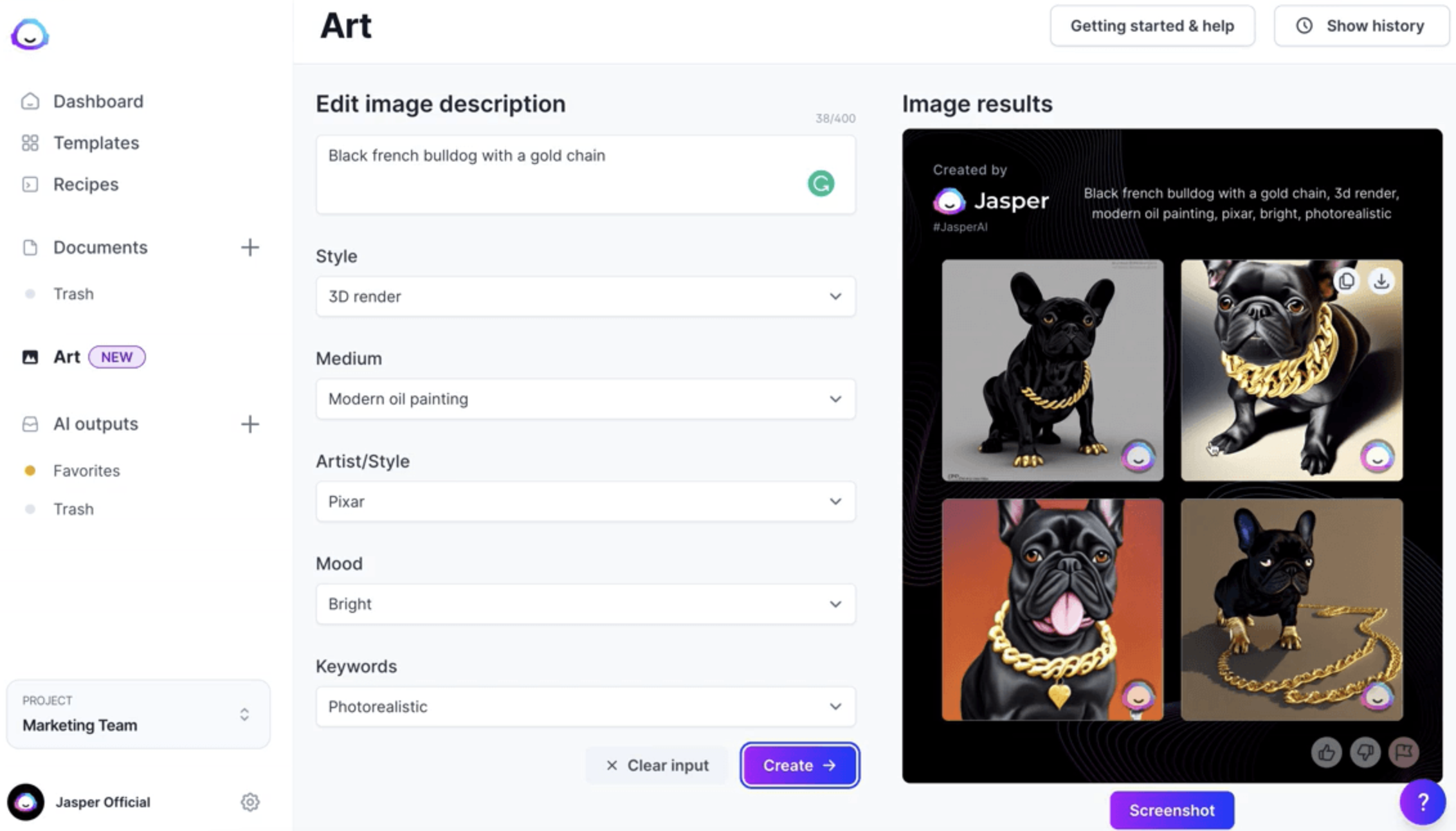
The creativity block is a familiar enemy that all artists fear. Fortunately, AI solutions such as Jasper aid designers, marketers, and writers who are stuck by providing brilliant prompts that help them produce amazing content.
The platform is an AI writer and art generator for many applications. To produce visual designs, simply do the following:
- Start the generator.
- Compose a prompt.
- Choose a genre, such oil painting or anime.
- Provide the stuff without a copyright.
Jasper produces four pictures at once. Its content screening guarantees that works deemed dangerous or sensitive are not included in the results.
Jasper.ai best features
- An AI engine that can be trained to discover your favorite style
- available in more than 30 languages
- High standards for privacy and safety
- A free trial is offered.
Jasper.ai limitations
- Help on how to utilize certain functions would be beneficial.
- Images created with a copyright cannot be used.
Jasper.ai pricing
- Creator: $39/month*
- Teams: $99/month
- Business: Contact sales
*All listed prices refer to the annual billing model
Jasper.ai ratings and reviews
- G2: 4.7/5 (1,000+ reviews)
- Capterra: 4.8/5 (1,000+ reviews)
Create Without Limits Using ClickUp AI Tools
Our selection of AI tools may help you on your creative path, regardless of whether you're a designer or just a regular person in need of a fast design. Use their potential to get beautiful designs for your home or place of work.
Like ClickUp, a lot of these platforms can provide content for a variety of use cases, assist with your marketing campaigns, and increase your return on investment.
So, why do you hesitate? Collaborate with one of your preferred AI companions to embrace the creative future!
