



Meetings are nothing new to the majority of us. There's usually much more to focus on than the meeting itself, whether you're in charge of scheduling them, required to attend them, or assigned to take notes.
We may delegate some of the administrative labor to be more engaged attendees thanks to the development of artificial intelligence (AI) solutions for meetings.
Do you want an AI note-taking app that generates clean summaries and highlights important points? Or maybe you just need someone to assist you plan and take notes for your upcoming video conference? There is an AI meeting tool for any scenario that arises.
Let's examine some of the greatest AI meeting assistants available, covering features that are essential, advantages and disadvantages, costs, and more to help you choose the finest AI meeting assistant.
What Should You Look For in AI Tools for Meetings?
Whether it is automatically generating meeting summaries or transcribing your meeting in real-time, artificial intelligence (AI) technologies for meetings should streamline the whole meeting or decision-making process. It's important to pick the ideal AI meeting assistant for you since they may save you money, time, and effort.
Consider the following queries when you evaluate AI meeting tools:
- Features: Does this product contain the capabilities and features you really must have?
- Expertise: Does the tool provide a variety of functions, or does it excel at only one task?
- Use: Is the platform limited to internal meetings, or can you use it for other kinds of meetings as well?
- Integrations: Does the assistant tool integrate with Zoom, Webex, or Google Meet, or with other video conferencing or meeting platforms? What about messaging programs like Microsoft Teams or Slack? Exists a Chrome addon for AI?
- User experience: Is it simple to use and learn?
- Pricing: Can you afford the AI meeting management software?
Each team will have somewhat different demands, so consider what makes yours stand out. Perhaps you need a quicker approach to write meeting recaps or wish to save time while writing meeting minutes. Make a selection of the best choices by taking into account your needs and using the aforementioned list.
The 10 Best AI Meeting Tools to Use in 2024
It might be confusing to choose the finest AI tool for meetings with all the hype about them. Which is why we completed the task for you. This is our selection of the top AI meeting tools, which will optimize your workflow from beginning to end.
1. ClickUp
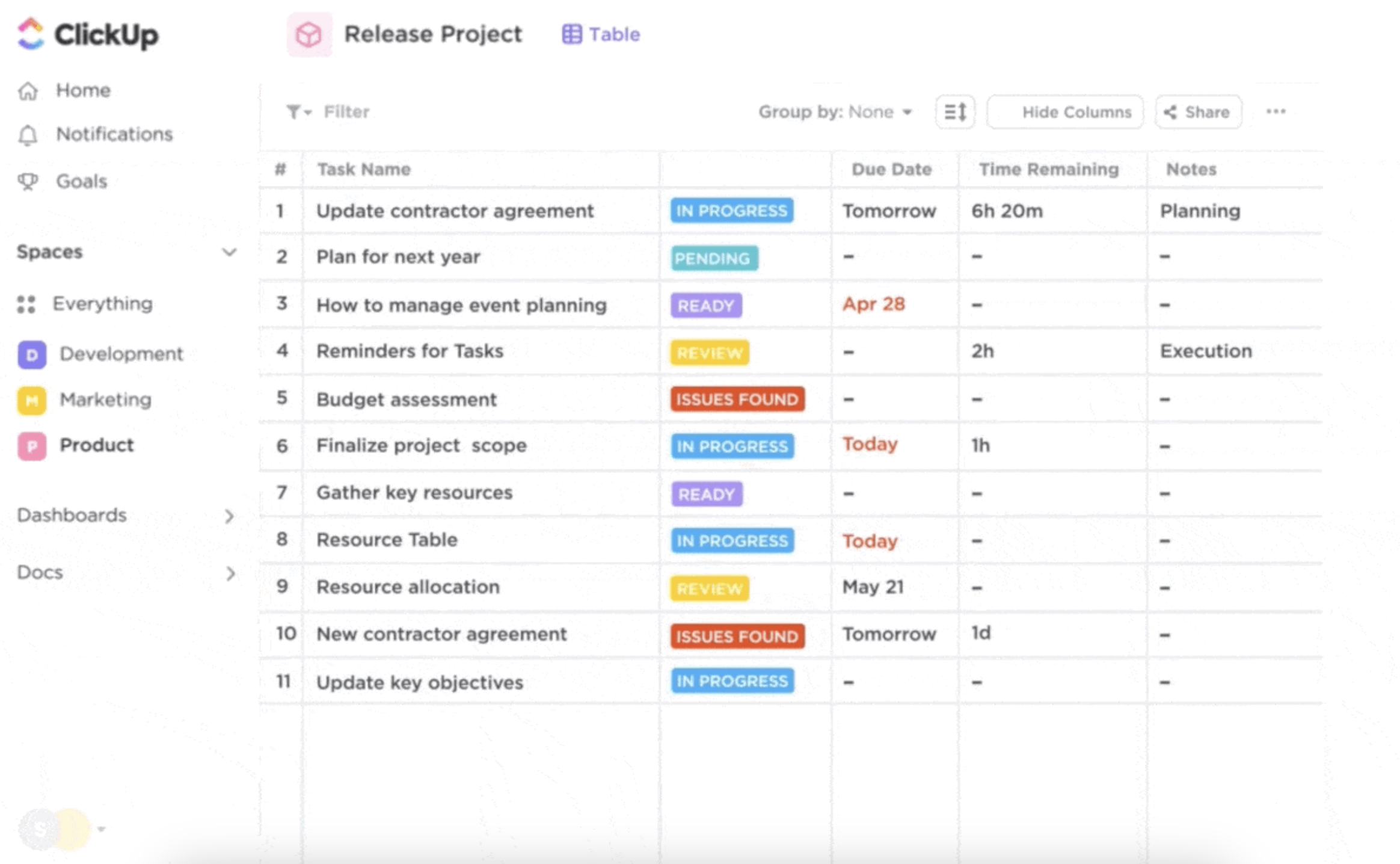
The most popular project management tool is now among the greatest AI meeting assistants on the market thanks to the release of ClickUp AI. Thanks to hundreds of carefully designed AI tools, this AI-powered assistant is customized for the tasks you perform.
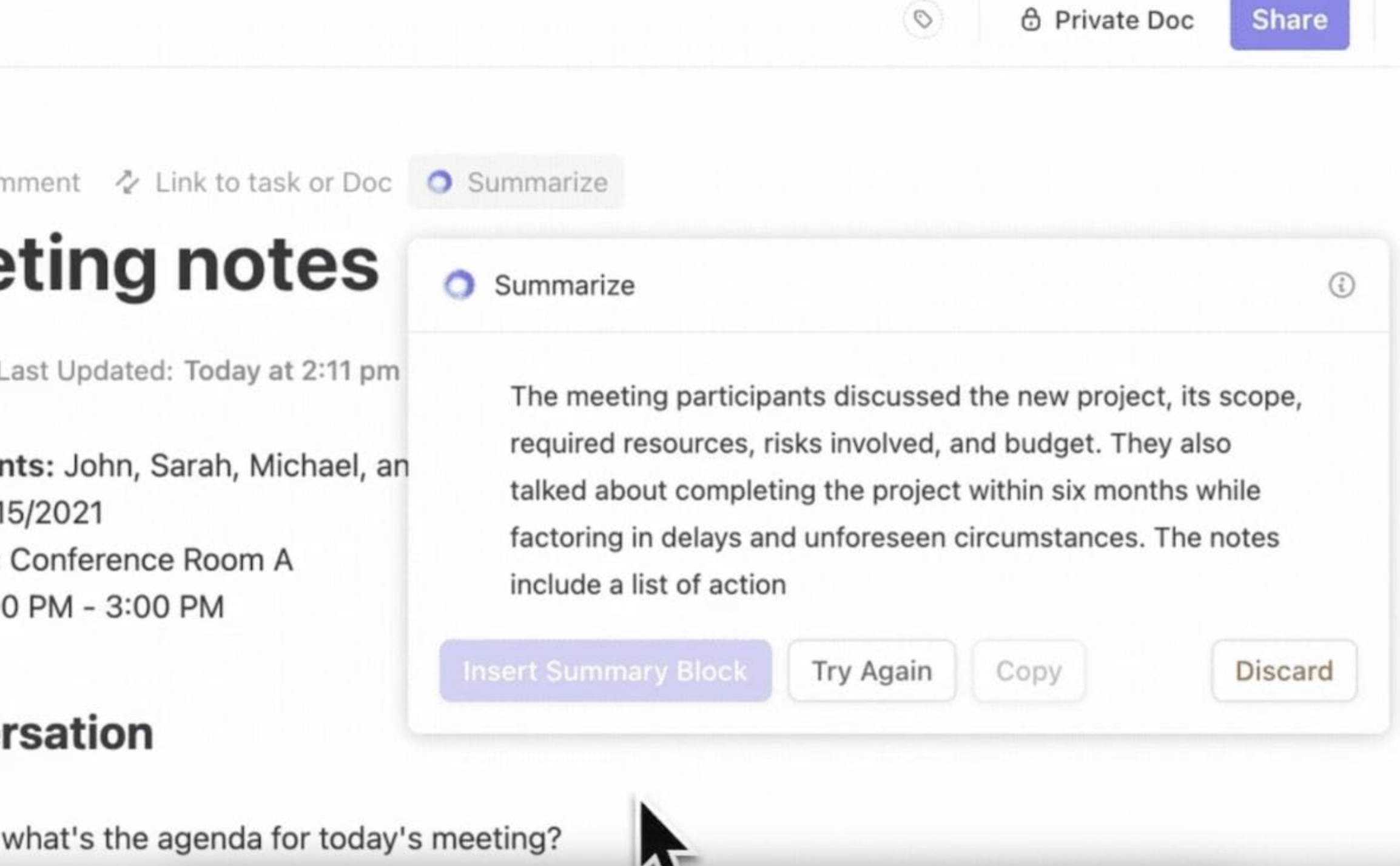
After using ClickUp AI to compile a summary of your meetings, you can quickly convert the list of action items into tasks. Quickly converting your meeting notes into to-do lists helps you stay productive, save time, and hold your team accountable.
Naturally, ClickUp is the location where you do all of your tasks at once. You also have access to a large collection of ClickUp-made templates, such as this Agenda Template, to help you optimize your productivity in addition to ClickUp AI. ClickUp Tasks lets you keep track of all your action items and to-do lists. Use ClickUp Docs to build collaborative meeting agendas and to develop and distribute papers among team members.
ClickUp best features:
- Obtain a quick, excellent meeting summary that highlights important points and choices.
- To create a to-do list, take action items out of meetings, documents, and tasks.
- Create and distribute agendas for meetings with ClickUp Docs.
- To save time while producing fresh agendas and meeting notes, make use of the built-in templates.
- Soon to come: Creation of tasks and subtasks with metadata Time-saving Smart Fill
- Soon to come: Obtain transcripts of the standups and project meetings.
ClickUp limitations:
- Not every view is currently accessible on the mobile app.
- ClickUp AI is limited to premium plans.
ClickUp pricing:
- Free Forever
- Unlimited: $7/month per user
- Business: $12/month per user
- Enterprise: Contact for pricing
- ClickUp AI is available on all paid plans for $5 per Workspace member per month
ClickUp ratings and reviews:
- G2: 4.7/5 (8,500+ reviews)
- Capterra: 4.5/5 (3,700+ reviews)
2. Airgram
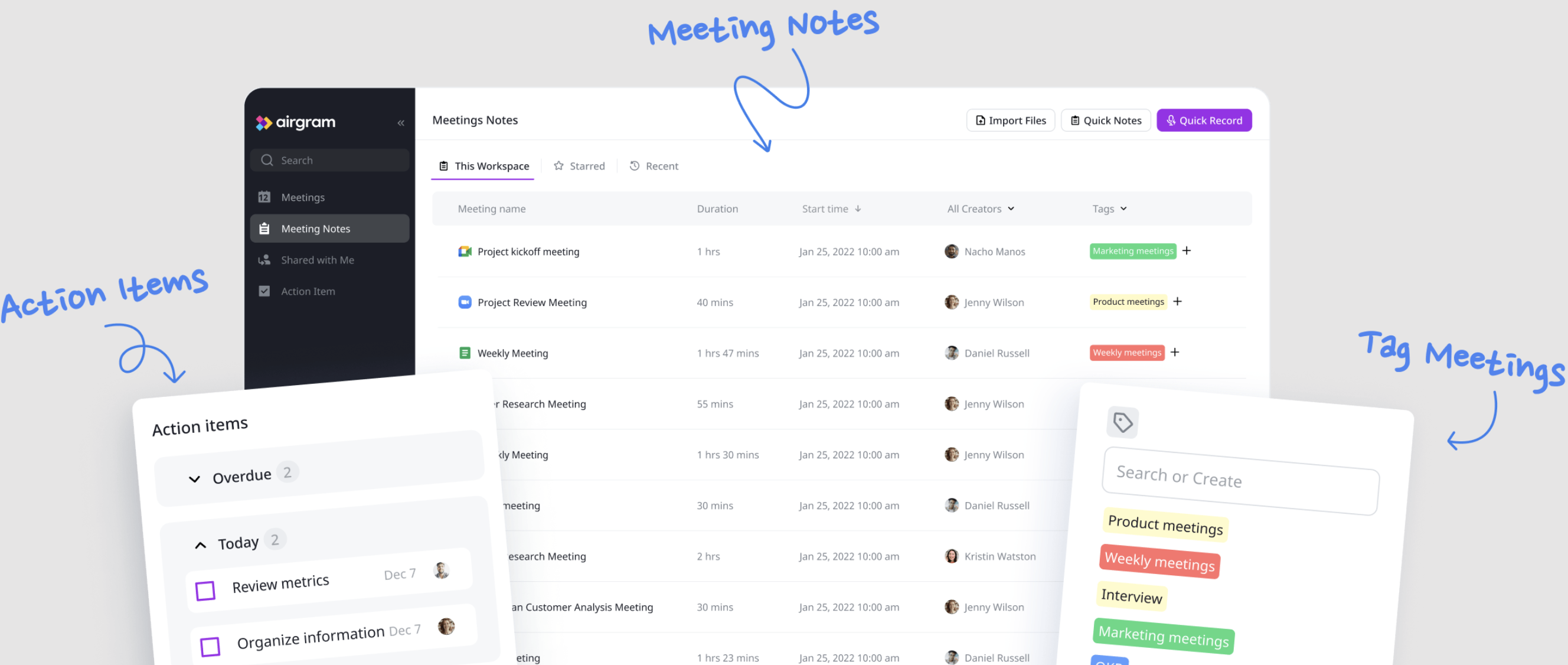
With Airgram, an AI meeting assistant, you can concentrate more on the meeting itself by leaving the details to us. For ease of sharing meetings and voice discussions with others, the technology records, transcribes, and summaries sessions.
Airgram best features:
- Transcribing audio and video content into text is possible using Airgram's AI.
- Allow Airgram to automatically log meetings that are arranged.
- Put all of your meeting notes in one location.
- Send links and meeting highlights to contacts both inside and outside the company.
Airgram limitations:
- According to certain users, the AI has trouble telling one speaker from another.
- At this time, transcriptions are only accessible in English.
Airgram pricing:
- Free plan
- Plus: $18/month per user
Airgram ratings and reviews:
- G2: 4.6/5 (60+ reviews)
- Capterra: n/a
3. Otter
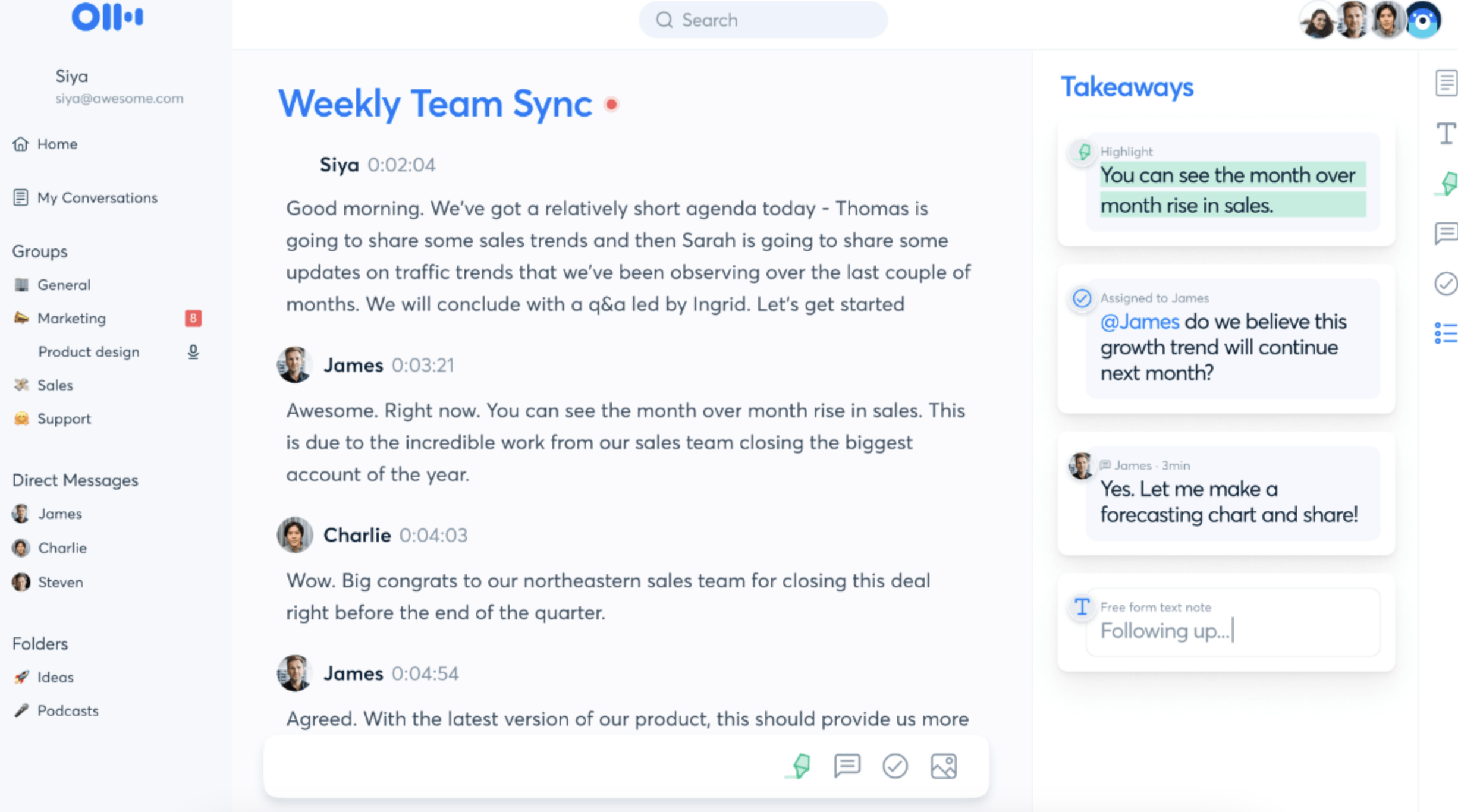
Voice meeting notes and real-time transcription are handled by Otter, an AI-powered application. This AI meeting solution allows participants to assign action items, provides a live in-meeting summary, and allows collaborative note-taking and transcription.
Best attributes of Otter:
- Meeting transcripts can be enhanced with highlights and comments to create action items.
- Organize online meetings with Otter and take notes even if you are unable to attend.
- Use Otter AI Chat to get immediate responses from the AI and your team without having to leave the conference.
- Immediately provide attendees of the meeting a summary
Otter limitations:
- Because there is no notification to stop the recording, it is simple to unintentionally leave Otter recording your call.
- Users claim that when the audio file is created, it is not possible to alter it to delete any private information before sharing.
Otter pricing:
- Free plan
- Pro: $10/month per user
- Business: $20/month per user
- Enterprise: Contact for pricing
Otter ratings and reviews:
- G2: 4/5 (100+ reviews)
- Capterra: 4.5/5 (60+ reviews)
4. Fathom
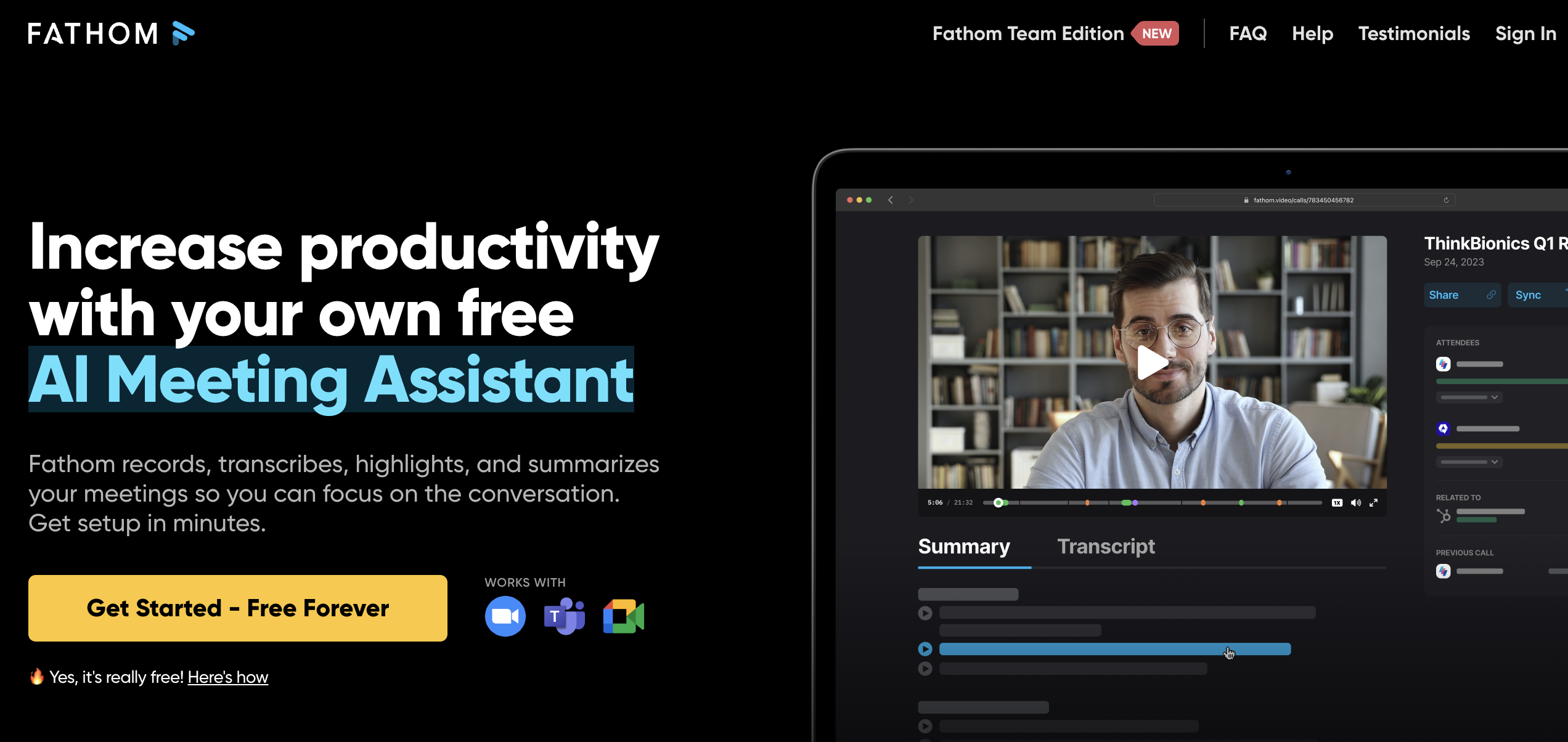
You may ask Fathom, a free AI note-taking tool, to participate in video meetings with you in order to record, transcript, and summarize discussions. You may instantly view transcriptions, any of your highlight clips, and the call recording following your meeting using this tool. 📹
Fathom best features:
- Synchronize your meetings automatically
- Call notes should be synced with your CRM.
- Synopses and notes may be copied between systems without any formatting problems.
- Utilize in seven languages, such as French, Spanish, and English
Fathom limitations:
- According to some users, this note-taking app's AI finds it difficult to discern between voices during lengthy sessions.
- The lack of a "light mode" version might provide a problem for some astigmatic users.
Fathom pricing:
- Free
Fathom ratings and reviews:
- G2: 5/5 (1,000+ reviews)
- Capterra: 4.8/5 (8 reviews)
5. Fireflies.ai
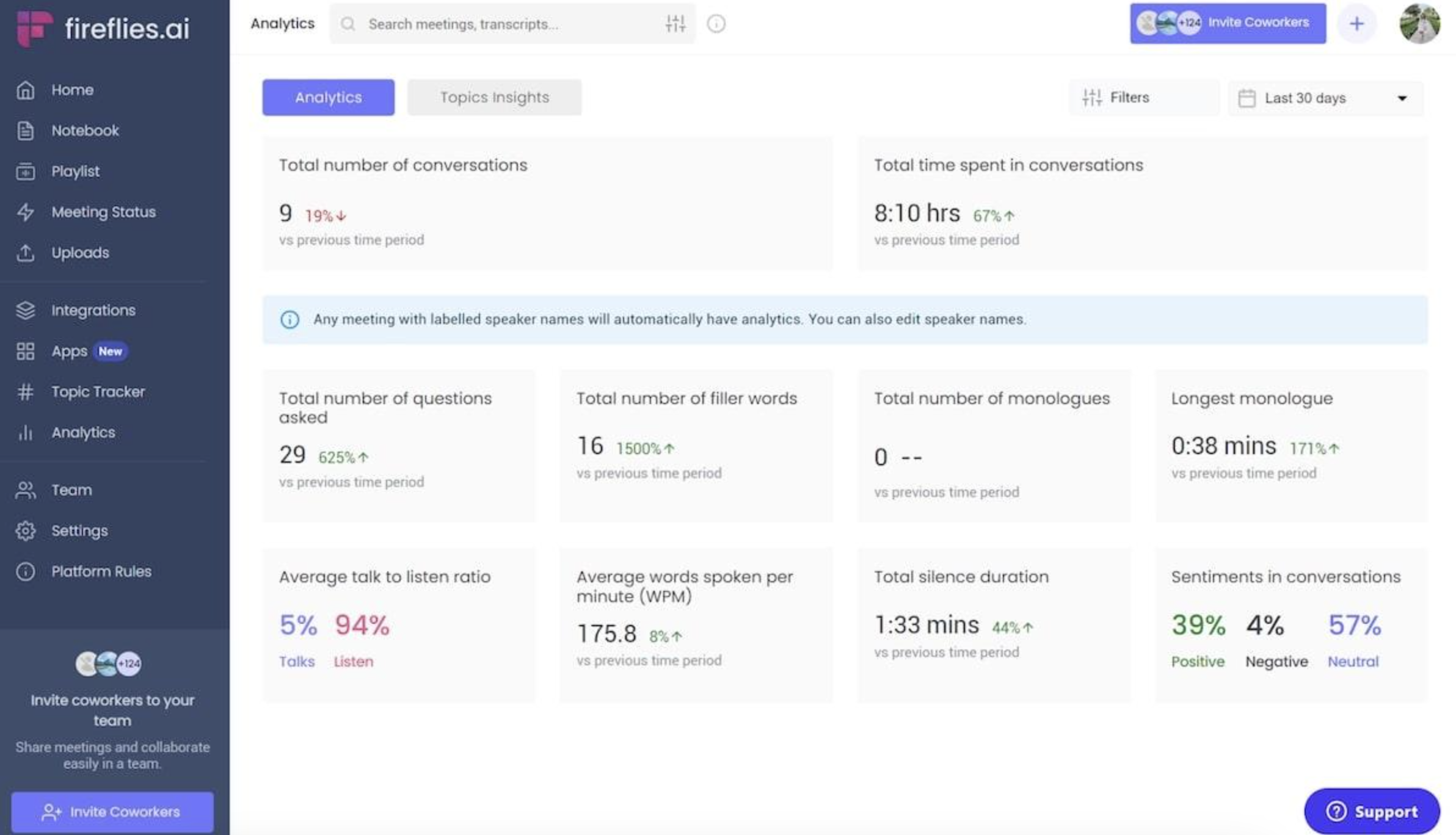
Your meeting notes are automatically generated by Fireflies.ai, an AI meeting assistant. Utilize it for meeting transcription, summarization, and creating a searchable archive of past sessions.
Fireflies.ai best features:
- Transcribing talks from audio files, dialers, and video call applications
- Utilize the AI-powered search function to narrow down previous discussions.
- Analyze speaker talk duration, gauge audience attitude, and keep tabs on your own unique themes, such as comments from competitors.
- Slack and other collaboration tools allow you to share meeting notes with other users.
Fireflies.ai limitations:
- For the duration or in-depthness of their meetings, several users felt that there were too many action item recommendations.
- You cannot use Fireflies.ai as a note-taking aid during external calls as it is only compatible with internal meetings.
Fireflies.ai pricing:
- Free plan
- Pro: $10/month per user
- Business: $19/month per user
- Enterprise: Contact for pricing
Fireflies.ai ratings and reviews:
- G2: 4.5/5 (80+ reviews)
- Capterra: 4/5 (5 reviews)
6. Sembly
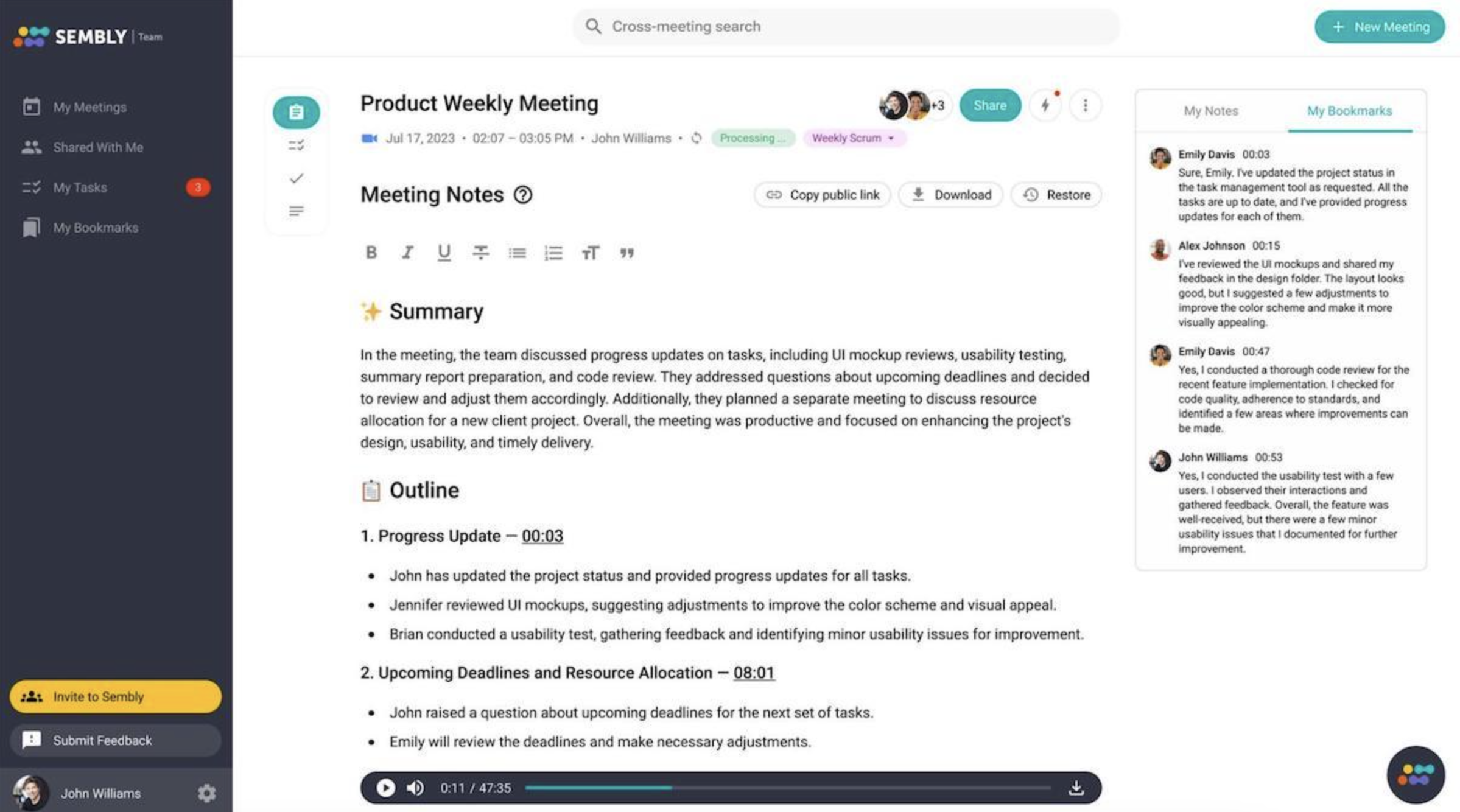
Thanks to its integrated chat function, Sembly is an AI solution for meetings that records minutes, summarizes sessions, and provides you with insightful information. To increase productivity, sync your meeting notes with task management software. ✍️
Sembly best features:
- Utilize the search feature to locate prior meetings.
- Include bookmarks and time-stamped notes to emphasize important ideas and lessons learned.
- After your call or meeting, use Semblian, the integrated chat feature, to gather responses and create a follow-up email.
- When you are unable to attend a meeting, send Sembly, and when you have time, go over the call notes.
Sembly limitations:
- A few users have reported having trouble last-minute adding Sembly to calls.
- At the moment, Sembly is only accessible in English.
Sembly pricing:
- Free plan
- Professional: $10/month for one user
- Team: $20/month for up to 40 users
- Enterprise: Contact for pricing
Sembly ratings and reviews:
- G2: 4.3/5 (10+ reviews)
- Capterra: n/a
7. Avoma
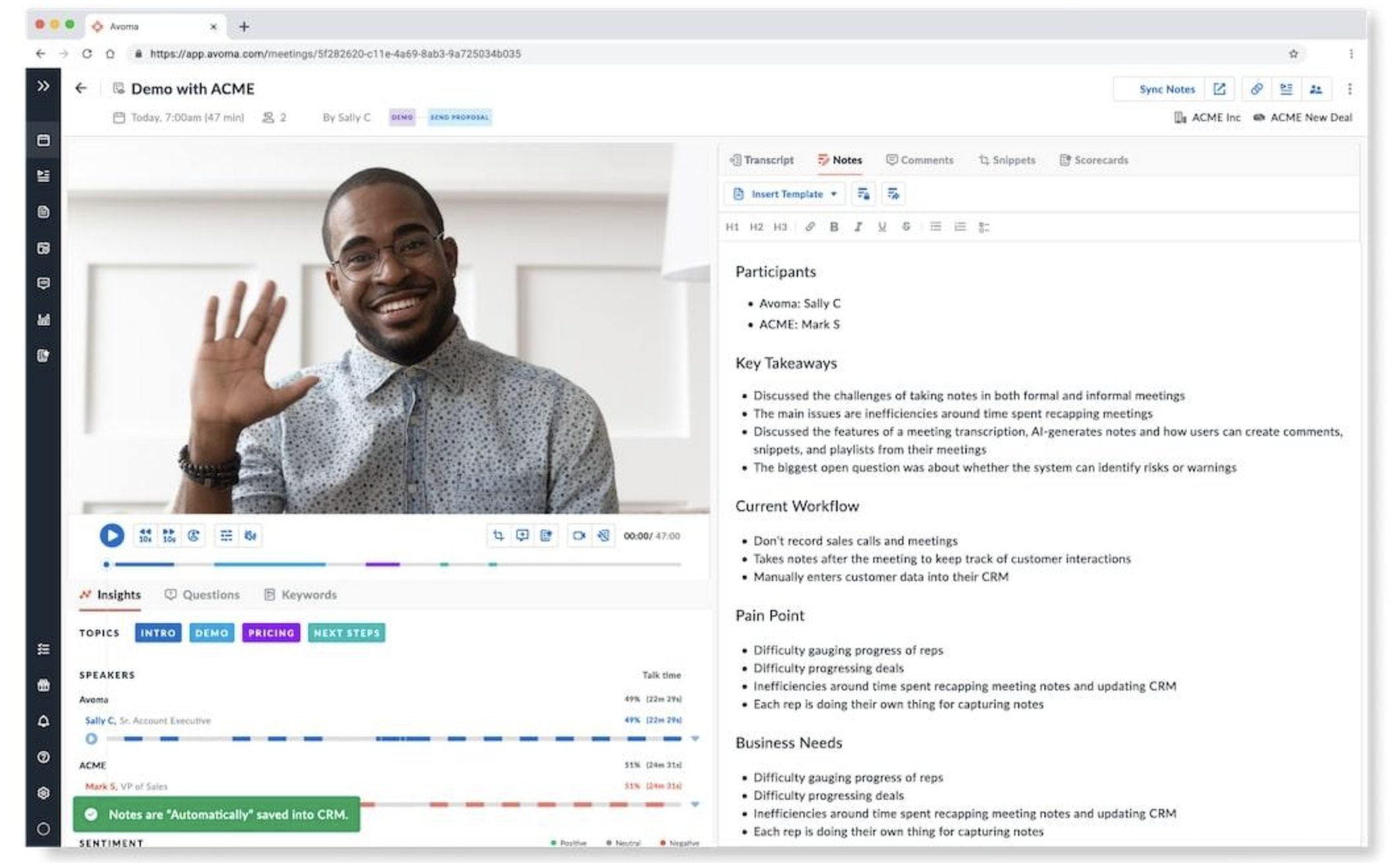
Avoma simplifies the entire meeting process as an end-to-end AI meeting assistant and revenue intelligence tool. The application provides agenda templates, AI-generated notes, live transcription, automated recording, and collaborative note-taking.
Avoma best features:
- Utilize the pre-made agenda templates and distribute them to your attendees for feedback.
- Look through recordings and transcriptions, then go back to areas you've bookmarked.
- Create AI-powered meeting notes that resemble humans.
- Include remarks, observations, and mentions in the call or meeting notes.
Avoma limitations:
- Some users discover that words are omitted while listening to transcriptions at faster rates.
- Avoma may take a few minutes to arrive to an impromptu meeting.
Avoma pricing:
- Free plan
- Starter: $19/month per user
- Plus: $49/month per user
- Business: $79/month per user
- Enterprise: $149/month per user
Avoma ratings and reviews:
- G2: 4.6/5 (900+ reviews)
- Capterra: 5/5 (5 reviews)
8. Supernormal
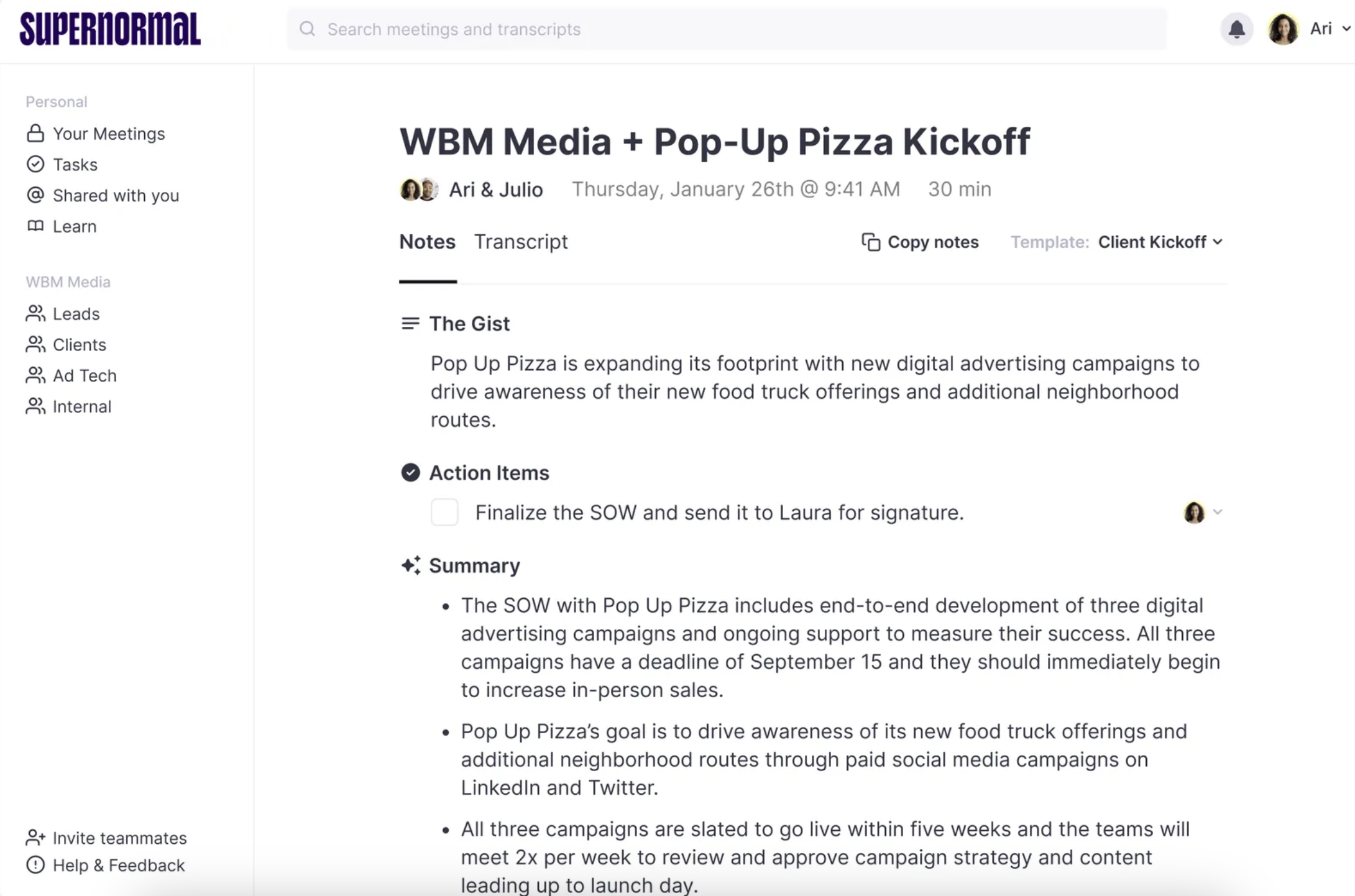
Supernormal is an AI meeting tool that will take notes for you automatically and format, polish, and make them ready for use. All of your meeting notes may be kept in one location, synchronized with external applications, and shared instantaneously with attendees. 🖋⸏
Supernormal best features:
- AI note-taking allows you to automatically record the crucial information.
- Create templates that are unique to your writing and note-taking style.
- Create a searchable archive of earlier meetings, calls, and exchanges of information.
- Make a to-do list so you can cross things off.
Supernormal limitations:
- Some customers complained that the AI program had trouble telling one voice from another.
- Instead of charging a fixed monthly price for each user, pricing is determined by the amount of minutes you record each month.
Supernormal pricing:
- Free plan
- Pro: Starting at $24/month for 1,000 minutes per month
Supernormal ratings and reviews:
- G2: 4.4/5 (10+ reviews)
- Capterra: n/a
9. Rewatch
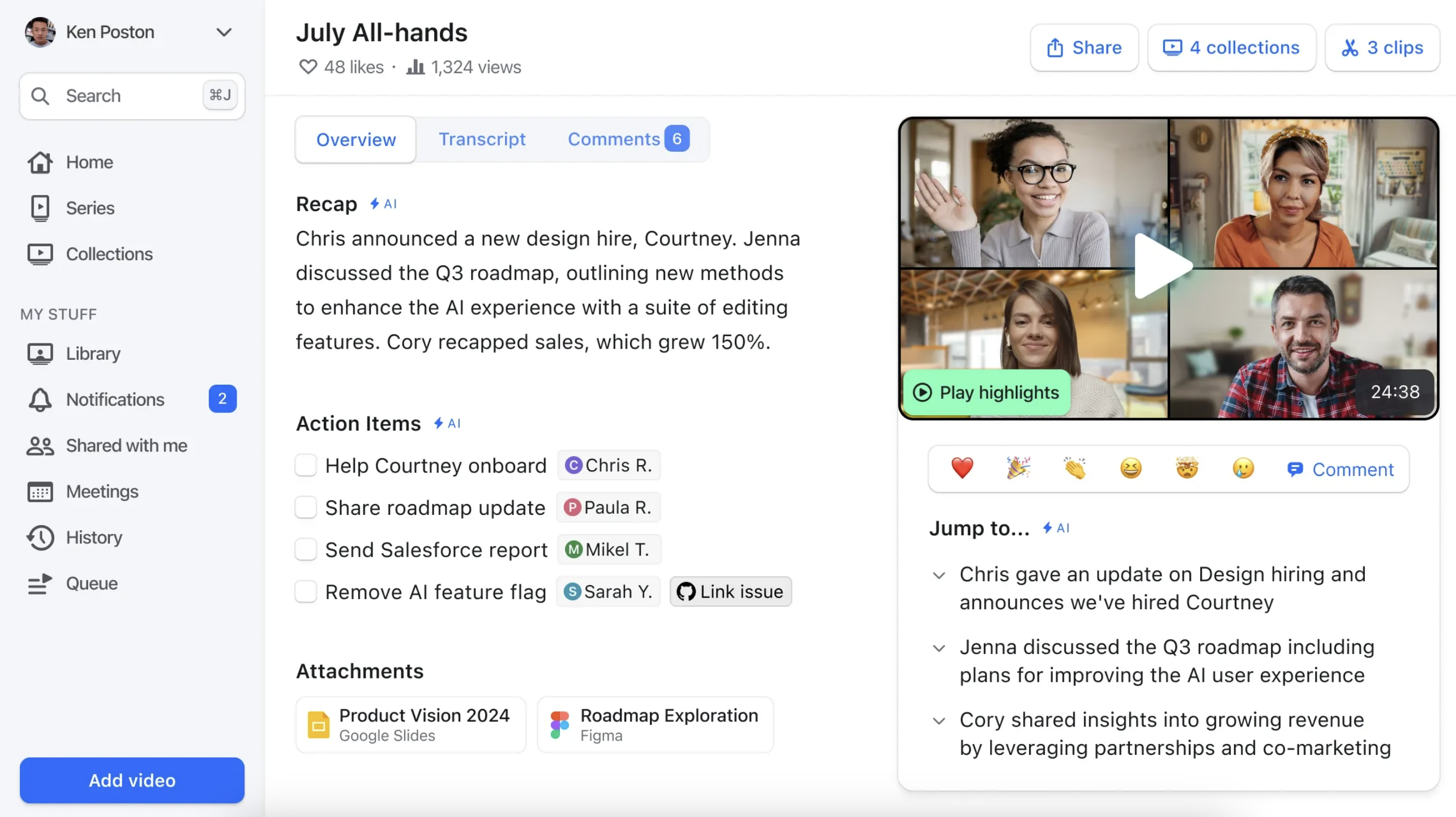
You can automatically record, share, and collaborate on video meetings with your team using Rewatch's AI feature. Discover the specifics through meeting recordings, revisit crucial moments with time stamps, and retrieve your recordings from a single video center.
Rewatch best features:
- Virtual meetings can be automatically recorded and transcribed.
- Keep track of all of your screen captures and video calls in one location.
- Work together as a team by exchanging ideas, debating criticism, and posing queries.
- Receive assistance in over 30 languages.
Rewatch limitations:
- Certain users might want it to be simpler to locate or sort chats according to the speaker
- Videos may be downloaded from the mobile app, but not from the online version.
Rewatch pricing:
- No cost scheme
- Team: $19 per user each month
- Particular: Get in touch for a quote.
Rewatch ratings and reviews:
- G2: 46.75 out of 80 reviews
- Capterra: 1 review, 5 stars
10. Jamie
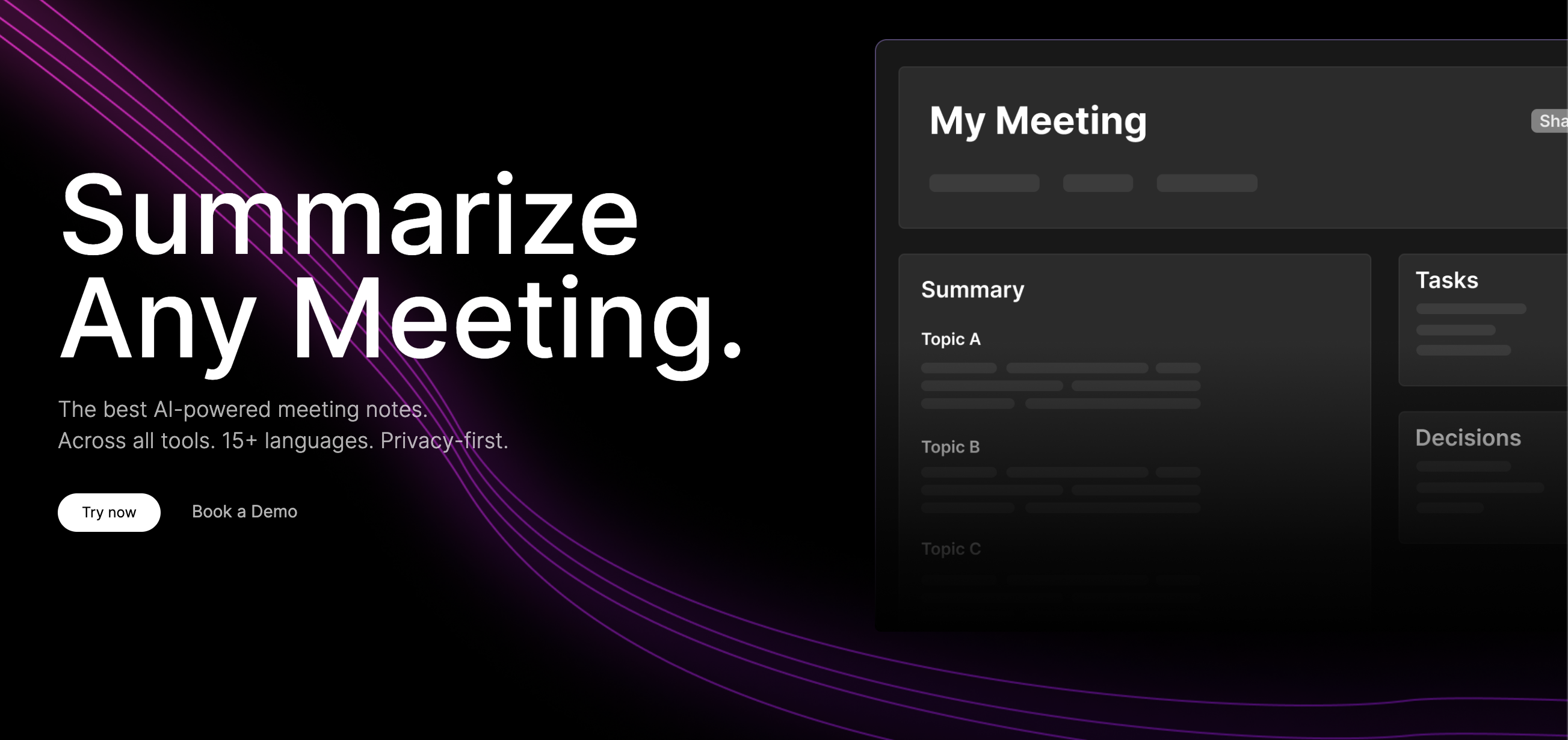
The goal of Jamie, a new artificial intelligence tool for meetings, is to generate conference summaries. This AI meeting assistant listens to the audio recording and compiles a summary of all the topics addressed when you invite it to your conversation.
jamie best features:
- Create a meeting recap using AI in a matter of seconds.
- Utilize it with any conference software.
- Decide if you want a brief or comprehensive synopsis.
jamie limitations:
- Jamie only writes meeting summaries; for recordings, snippets, or complete transcriptions, you'll need to use a different program.
- Jamie is presently onboarding new users from a waitlist because it's a new tool.
jamie pricing:
- From €24/month (Approx. $26/month)
jamie ratings and reviews:
- G2: n/a
- Capterra: n/a
Utilize These AI Meeting Tools to Save Time
AI technology has made it possible for you to be more present in meetings, sales calls, and live demos with a variety of tools. You may begin optimizing your workflow by selecting the ideal AI meeting helper from this list of software solutions.
ClickUp is the only option to consider when you're ready to organize your complete process. Our comprehensive productivity platform assists you in streamlining your workflows, collaborating with others without difficulty, and integrating with thousands of additional apps that you now utilize.
Additionally, ClickUp AI is your very own AI-powered assistant that can quickly generate action items that you can add to your to-do list and write meeting recaps.
Don't, however, just believe what we say. To find a better approach to organize your meetings and your professional life in general, try ClickUp for free!
