


Learn about efficient onsite SEO techniques for startups, the key on-page elements, and practical advice to enhance your pages.
Have you ever felt that your startup's website is like an unknown hit song waiting for ample opportunity? You have company!
Surprisingly, 75% of people get within the first page of search results. (WebFX)
How does one become the center of attention rather than just a supporting act? Your startup's path to success lies in an onsite SEO plan.
Take on the leading role in the online concert. I will increase your website's visibility with 17 effective on-page techniques that enhance your internet presence.
Are you prepared to achieve top ranking on page one? Let's dominate this SEO stage!
Onsite SEO: What is it?
Onsite SEO (or on-page SEO) is improving a website's content and HTML source code to increase its exposure in search engines. It ensures that headings, keywords, links, meta tags, URLs, and other page elements match user queries.
The objective is to improve rankings, attract more valuable site visitors, and improve the user experience.
The Significance of Onsite SEO for Startups
Onsite search engine optimization is the unsung hero of a successful online presence. However, why is it such a significant matter?
It enhances the exposure of your website and links your business with the appropriate audience.
Here's why on-page SEO strategies are essential for startups:
- Increases Organic Traffic: Who doesn't appreciate free traffic? Effective on-page SEO helps your website get higher rankings on search engines and attracts more organic visitors. And you know what? These visitors are actively seeking what you provide!
- Increased Conversion Rates: A well-optimized website allows users to find what they are searching for quickly. This frequently results in increased conversions, whether individuals are subscribing to a newsletter or making a purchase.
- Establishes Trust and Credibility: A well-optimized website demonstrates professionalism. It shows to your visitors that you appreciate their experience. In addition, achieving a prominent position on search engines enhances credibility.
- Improved User Experience: On-page SEO extends beyond keywords. It's about creating a website that is easy for all visitors. Consumers may easily access the information they are looking for.
- First Impressions Are Important: Consider your website as a digital storefront. It needs to create an impressive initial impact like a brick-and-mortar shop. On-site SEO guarantees that your website stands out for consumers and search engines.
- Search Engine Accessibility: Make sure search engines can efficiently crawl and comprehend the content on your website. Technical SEO is crucial for ensuring that your site gets indexed and ranked.
- Stay ahead of the competition: Every advantage matters in the busy digital economy. On-site SEO gives your startup a competitive edge, guaranteeing that you participate in the contest and lead the group.
Also Read: How to Grow Your Startup with SEO in 2024: A Guide to Boost Your Business
Onsite SEO versus Offsite SEO: What is the distinction?
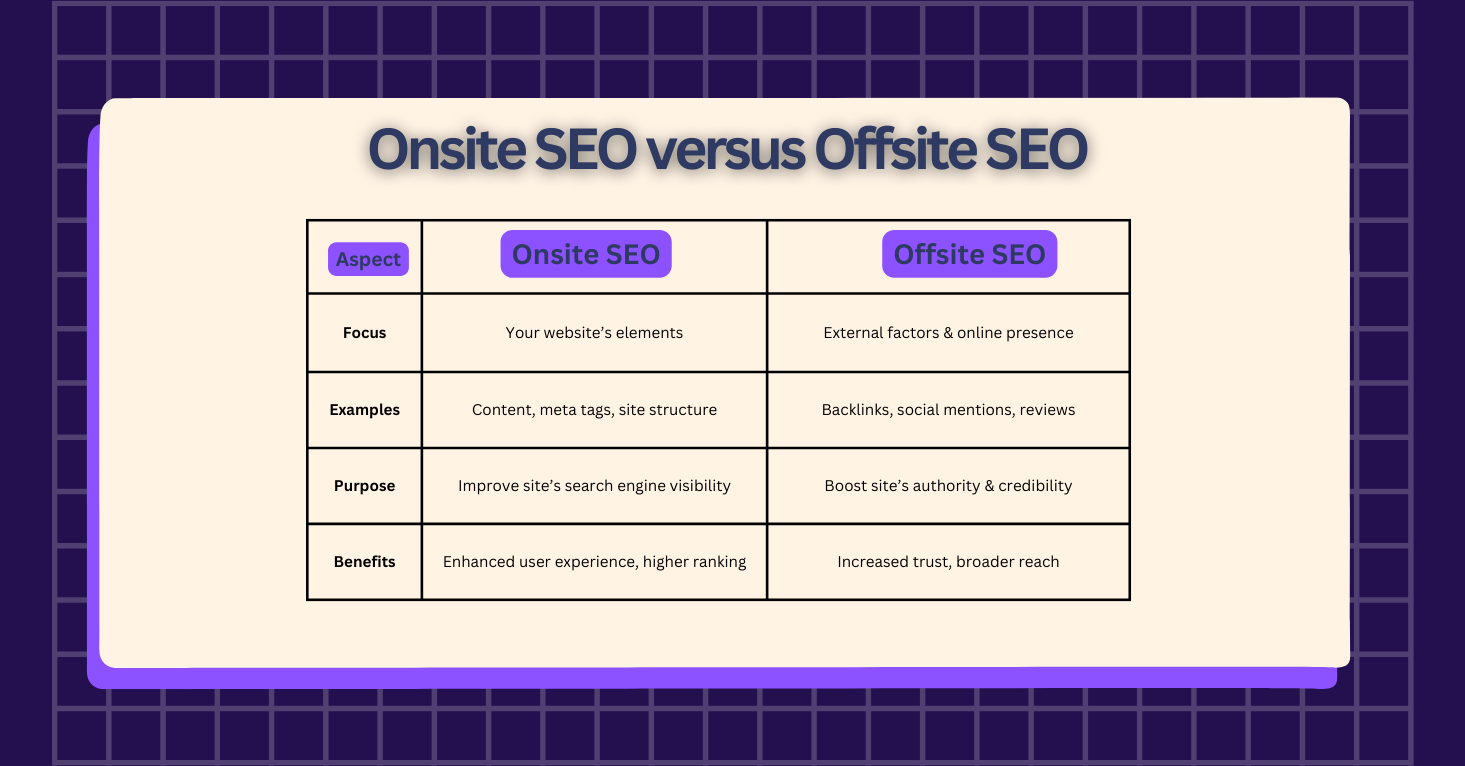
Onsite optimization centers on the fundamental parts of your webpage. We're discussing content, keywords, meta tags, links, header organization, page speed, etc.
What is the objective? Ensure that search engines and users favor your website. (Further details will be provided later.)
Why it is significant for startups:
Optimizing your website for search engines is the key to being seen online. It guarantees that your website stands out the most when potential clients search for topics related to your business.
Improving your site also enhances rankings, enhances user experience, and boosts organic traffic.
What is the outcome? Confidence increases significantly, and inquisitive clicks transform into devoted clients.
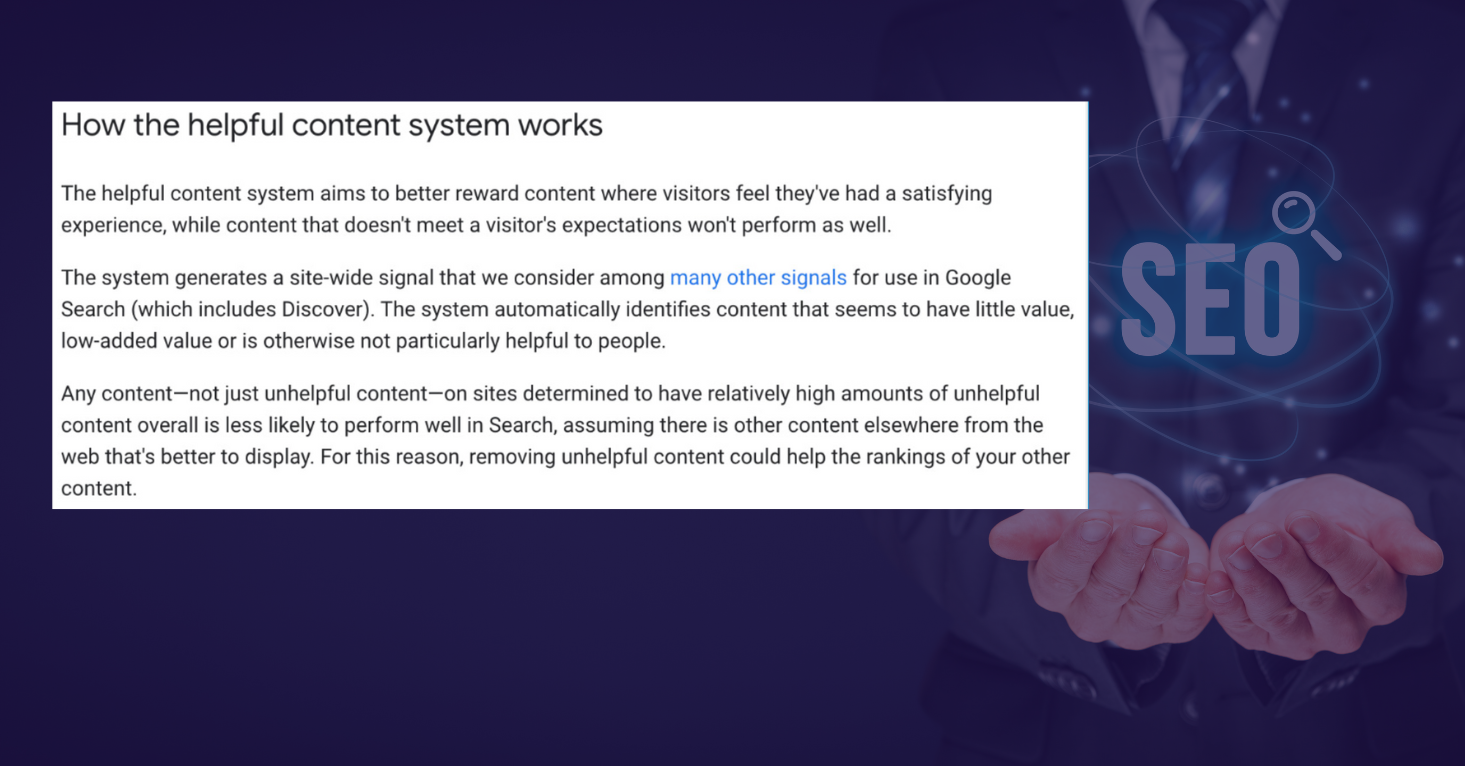
Hear it from Google’s Helpful Content Update:
Off-Site SEO
Offsite optimization (or off-page SEO) utilizes external elements to enhance the authority and trustworthiness of your website. It’s your digital handshake with the broader online community.
Key strategies involve:
- Backlink Building: Well-regarded websites linking to your site establish credibility. They exclaim: "This content is authentic!"
- Social Media Mentions: Sharing and posting increase your reach and raise brand awareness.
- Online Reviews: Positive reviews on Google, Yelp, or Trustpilot enhance the trust in your brand and boost sales.
Why your startup should be concerned:
Consider offsite SEO as your online reputation. For example, a well-regarded influencer brings up your product. Their supporters pay attention, and your revenues increase.
Backlinks are important. They are similar to expressions of support from other websites. In addition, high-ranking pages on Google typically have many backlinks, which is essential for determining their position.
What is the outcome? Impressive search ranks, more visits, and a rise in revenue!
17 Most Important Onsite SEO Elements to boost your rank
Immerse yourself in these effective onsite SEO methods! Mastering these aspects will greatly enhance your startup's online visibility and user experience.
Are you prepared to excel in on-site optimization? Let's proceed!
TEMPLATE FOR FREE CONTENT
Checklist of 36 Actionable Tips for Optimizing Content Before Publishing
1. E-E-A-T (Experience-Expertise-Authority-Trust)
E-E-A-T represents Experience, Knowledge, Authority, and Trust. It is mentioned in Google’s guidelines for assessing the quality and reliability of content.
- Expertise: The level of knowledge the author possesses in a subject.
- Expertise: The author's level of understanding and ability in a subject.
- Credibility: Users see the author as trustworthy in a subject.
- Reliability: The author provides truthful and precise information that users may rely on.
For example, do you have confidence in health guidance from an arbitrary blog or a trained physician? E-E-A-T assists in distinguishing between the two.
Why It Matters:
Google uses these criteria to determine the ranking of content. High E-A-T scores enhance your website's trust, credibility, and authority.
When Google considers your business to be reliable, a more significant number of individuals will come across your website in search results. This results in an increase in consumers and sales for your firm.
The Advantages:
- Establishes Trustworthiness: Content with high expertise, authoritativeness, and trustworthiness (E-A-T) helps to build credibility for your website, improving your brand's reputation.
- Enhanced Rankings: High-quality content that adheres to E-A-T criteria performs higher.
- Increased Conversions: Reliable and influential websites tend to see improved conversion rates.
Actionable Tips:
- Author Qualifications: Emphasize the knowledge and experience of content writers, particularly in YMYL (Your Money Your Life) subjects.
- Provide References: Support your statements with reliable sources and research.
- Update Content: Conduct site audits twice a year. Next, update the text to ensure it remains accurate and relevant.
- Collect Feedback: Promote client evaluations and testimonials to establish confidence.
- Connect with Professionals: Work with industry specialists for guest pieces or interviews.
2. Keyword Usage
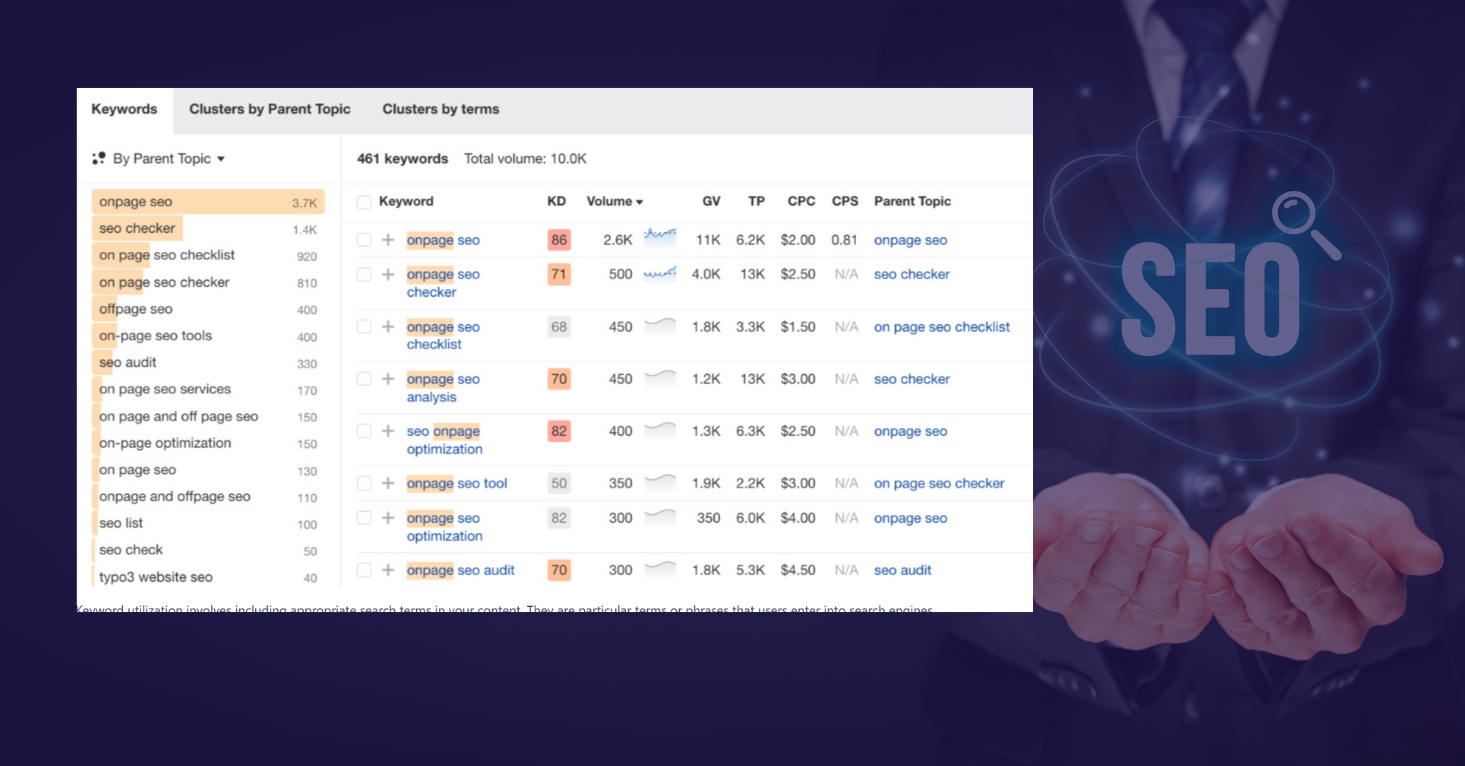
Keyword utilization involves including appropriate search terms in your content. They are particular terms or phrases that users enter into search engines.
Consider keywords as your audience's vocabulary. For instance, if you're discussing "coffee," include a statement such as "the process of preparing coffee."
To enhance your local search ranks and attract nearby customers, focusing on a term such as "top coffee shop in Portland" for local SEO is beneficial.
The Significance:
Keywords serve as links, linking potential customers to your information, products, or services. By utilizing the RIGHT keyword, your page will also be aligned with the user's search query.
The Advantages:
- Increased Position: Appropriate keywords enhance your placement on search engine results pages (SERPS).
- Focused Traffic: Precise and appropriate keywords attract natural visitors interested in your material.
- Boosts Sales: Tailored content results in increased user involvement and conversions.
Actionable Tips:
- Preliminary Investigation: Utilize tools such as Ahrefs or Google Keyword Planner to discover appropriate keywords.
- Strategic Positioning: Incorporate your desired term in the H1 heading, subheadings, title tag, meta description, URL, and initial 100 words.
- Keyword Alternatives: Include words with similar meanings or related keywords to encompass a broader scope.
- Long-Tail Keywords: These specific phrases have less competition and higher conversion rates.
- Match Search Intent: Make sure your keywords match what users search for for better results.
3. Match Search Intent
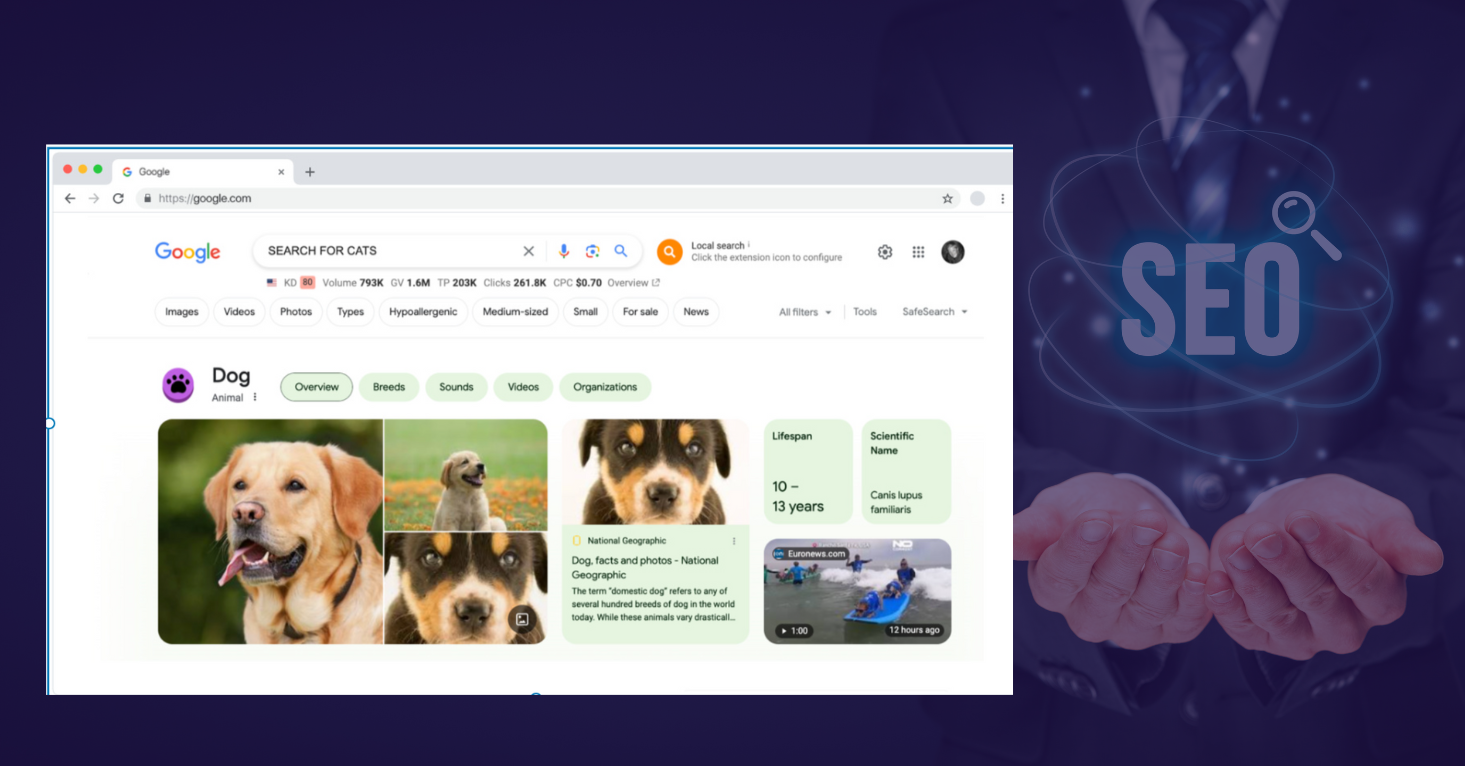
Search intent refers to the reason behind a user's search query. It's the distinction between desiring to purchase a thing, acquiring knowledge about it, or evaluating it compared to others.
For instance, someone searching for "how to prepare green tea" is probably seeking detailed instructions rather than a webpage selling a product.
The Significance:
Aligning with search intent is like tuning in to the preferred radio station of your audience. They are searching for a PARTICULAR tune.
If your content isn't appealing to them, they'll change channels. This implies your website will stay the same in search engine rankings and generate traffic.
However, if your content connects with customer expectations, happiness and revenues increase.
In addition, search engines prioritize pages that meet the intended purpose. It is a factor that affects search visibility and traffic significantly.
The Advantages:
- Enhanced ranks: Matching your content with user intent results in improved search ranks. (and purchases!)
- Prolonged Interaction: Users spend more time on your website when the material aligns with their intentions.
- Improved Conversions: Addressing users' requirements enhances the likelihood of converting them into leads or customers.
Actionable Tips:
- Examine Leading Results: Investigate the top 10 pages that rank for your desired term. Determine the type and format of material that users enjoy.
- Utilize Keyword Tools: Use Google's "People also ask" feature or a keyword research tool to discover comparable questions and topics.
- Segment Keywords: Classify keywords based on their purpose: informative, navigational, transactional, or commercial.
- Keep your content up to date: User behaviors and trends evolve. Update content to be up-to-date and in line with current purpose.
- Track User Behavior: Review user data in Google Analytics. Elevated bounce rates could indicate a discrepancy in intent. Next, make the necessary adjustments.
4. Quality of Content
Content quality refers to the extent to which information is thorough, precise, and valuable. It's about something other than being skillfully composed. It's about offering solutions, practical guidance, and responding to inquiries.
For instance, imagine the contrast between a generic "How to Begin a Business" article and a comprehensive guide with practical methods.
The Significance:
Top-notch content meets users' requirements, provides value, and demonstrates your competence. Consequently, your startup promotes confidence and becomes a dependable source.
For search engine optimization, applicable content attracts valuable links, strengthens website credibility, and increases organic traffic.
The Advantages:
- Establishes Trust: Useful and appropriate information encourages readers to come back.
- Prolonged Involvement: High-quality content helps maintain visitor engagement for extended periods.
- Shares and Backlinks: Outstanding articles are shared, and backlinks are received.
Actionable Tips:
- Competitor Analysis: Identify deficiencies by examining high-performing content related to your desired keyword.
- Use Reliable Sources: Support your statements with information from trustworthy sources.
- Capture your audience's attention: Utilize relatable illustrations, graphics, and narrative.
- Demonstrate Actual Outcomes: Incorporate examples, data, or achievements to enhance credibility.
- Stay Informed: Update content to ensure it remains up-to-date and pertinent.
5. Timeliness of Content
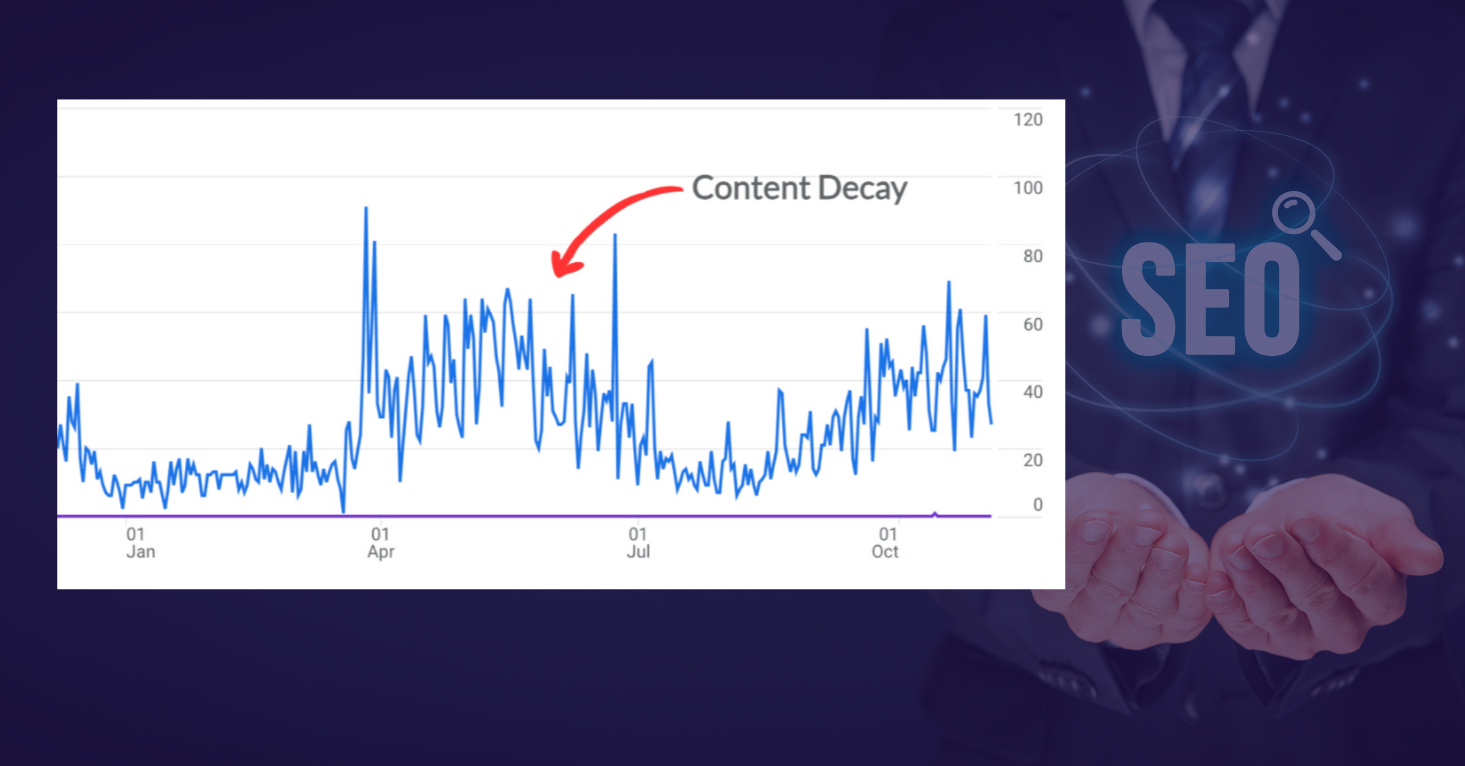
Content currency highlights the significance of maintaining your current knowledge. The focus is not on generating new content but refreshing existing articles to stay up-to-date.
For example, a blog post about "2022 SEO Trends" should be revised yearly to incorporate the most recent tactics. (You wouldn't want obsolete advice, correct?)
The Significance:
Search engines prefer up-to-date content. It indicates that your website is active and up-to-date. Consistent updates also demonstrate to users that you are dedicated to delivering the most up-to-date information.
Refreshing older material is also a cost-efficient strategy, allowing you to maintain your current rankings, traffic, and backlinks.
On the other hand, generating fresh material necessitates additional resources and time to get visibility.
The Advantages:
- Improved ranks: Updated content enhances search ranks and increases traffic.
- User Retention: New content encourages users to return regularly.
- Establishes Trust: Keeping up-to-date improves the trustworthiness of your brand.
Actionable Tips:
- Plan Site Audits: Establish a consistent plan to assess and refresh your content.
- Revise Content: Include additional information, illustrations, data, visuals, etc., to previous posts.
- Reuse Old Content: Transform obsolete blog content into alternative media such as videos.
- Track trends: Keep up with industry changes and integrate them.
- Monitor Performance: Utilize Google Analytics to find content that requires an update.
6. Title Tag Optimization
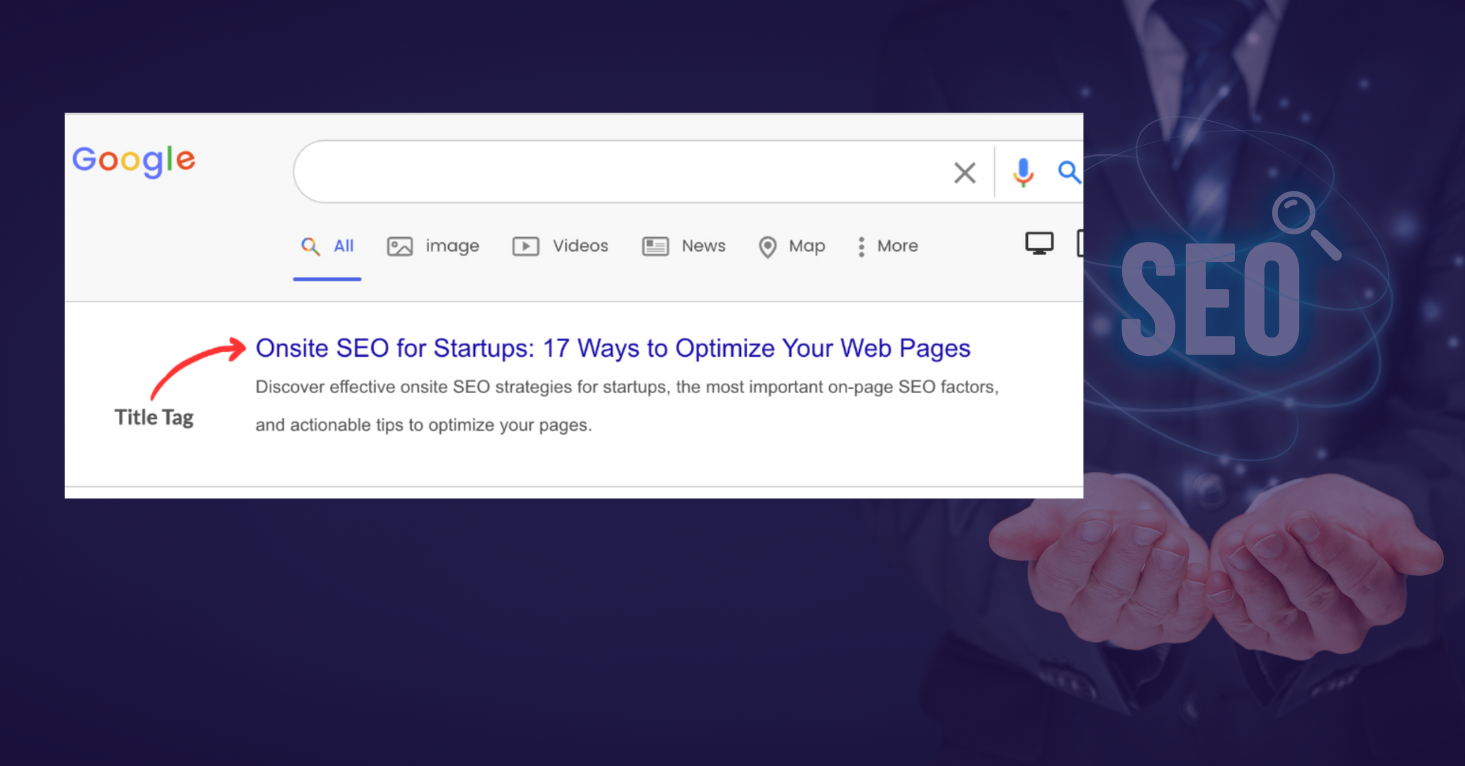
Title tags are the clickable headings shown on search results pages. They provide information to search engines and visitors regarding the page's content.
For instance, a page title such as "10 Proven SEO Tips for 2024" is more appealing than "Top SEO Tips."
The Significance:
Title tags have a direct impact on click-through rates. They are the initial impression users receive of your material. Thus, a well-optimized title can significantly increase organic traffic.
The Advantages:
- Increased click-through rate: An engaging title captures attention and encourages clicks.
- Enhanced Rankings: Appropriate keywords in titles improve search visibility.
- Initial Impressions: Title tags establish the mood and anticipation for your content.
Actionable Tips:
- Include Key Terms: Incorporate your primary term to enhance search exposure.
- Please stick to the guidelines: Ensure that titles are no longer than 60 characters (580px) to prevent them from being cut off.
- Provide a detailed description: Communicate your article's core subject or value.
- Utilize Strong Vocabulary: Incorporate words such as "Superior," "Manual," or "Leading" to capture interest.
- Avoid Repetition: Make sure each page has a distinct title that aligns with the purpose of the search.
7. Meta Description Optimization
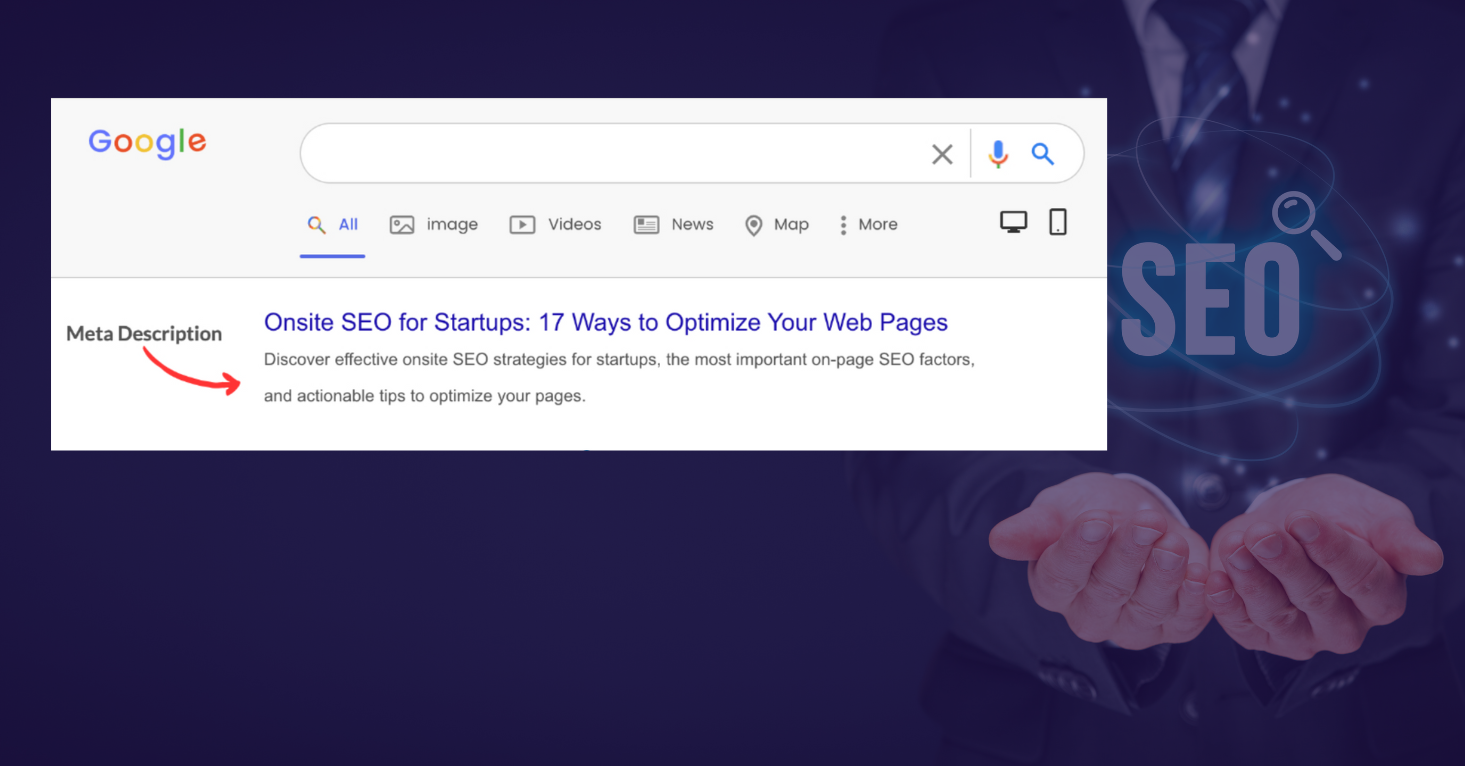
The meta description provides an overview of the material on your page. It appears beneath the title tag on search results pages.
For example, a meta description is similar to a movie teaser. It provides a glimpse of what to anticipate without disclosing the complete storyline.
A well-crafted description such as "Learn effective digital marketing techniques to boost your online sales" will attract clicks.
The Significance:
An engaging meta-description can influence a person to select your link instead of a competitor's.
Meta descriptions do not have a direct impact on rankings. Nevertheless, they play a crucial role in generating clicks. Moreover, click-through rate plays a role in determining SEO rankings.
The Advantages:
- More Clicks: A captivating meta description boosts click-through rates and organic traffic.
- Additional Conversions: An engaging request for action in your description might encourage user activities.
- Enhanced User Experience: Descriptions establish clear expectations, decreasing bounce rates from dissatisfied clicks.
Actionable Tips:
- Include Key Terms: Incorporate your primary term to enhance search exposure.
- Be brief: Limit descriptions to 50-160 characters (maximum 920px) to prevent them from being cut off.
- Utilize a Call-to-Action: Promote clicks using "Find out more" or "Explore."
- Attract Clicks: Emphasize advantages, solutions, and valuable information to entice clicks.
- Avoid Repetition: Every page should have a distinct meta description that aligns with the purpose of the search.
8. URL Structure Optimization
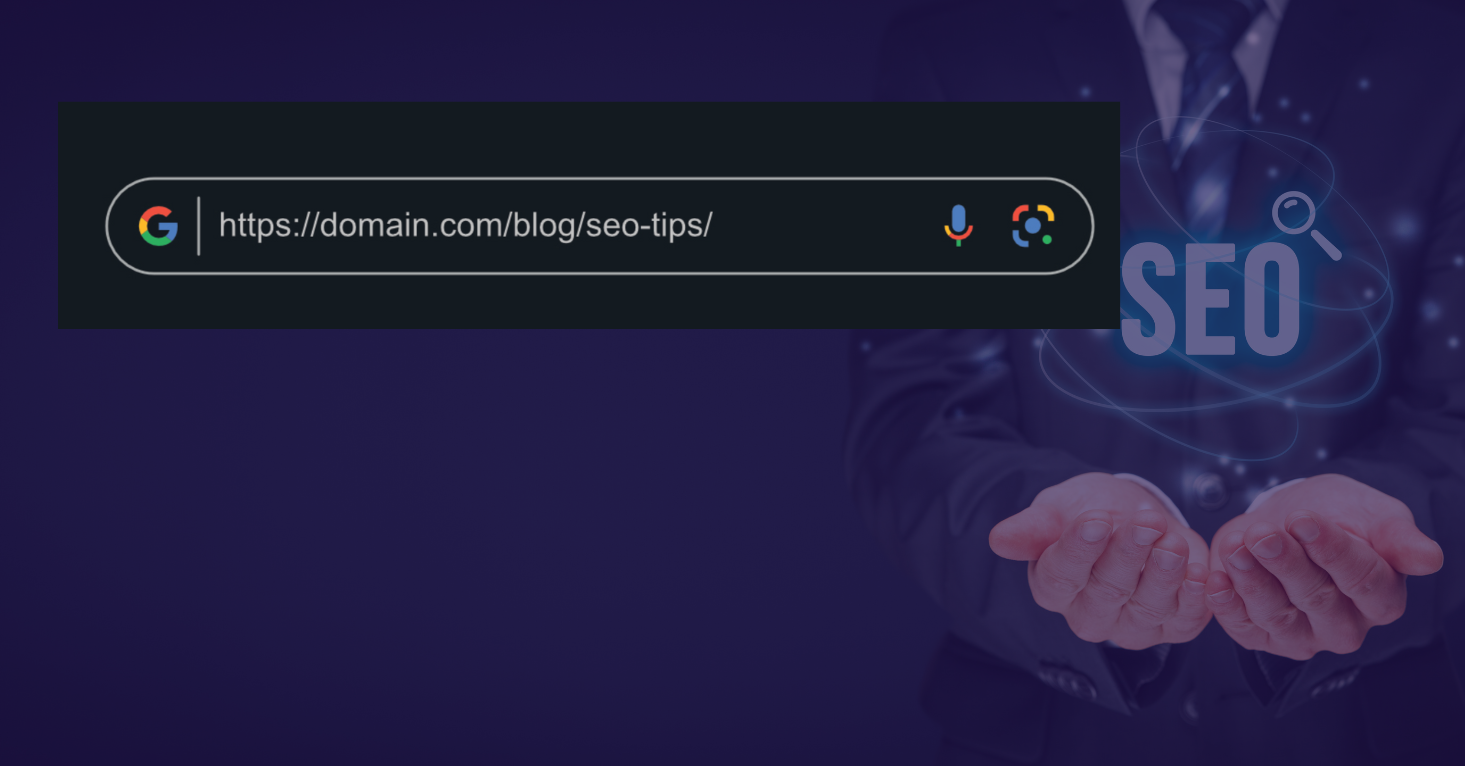
URL structure optimization guarantees that your web addresses are easy to understand, brief, and informative.
Consider it as the electronic location of your material. An SEO-friendly URL assists users and search engines in comprehending your page.
For instance, which URL is more accessible for users to navigate?
www.example.com/post12345/
www.example.com/blog/seo-advice
The second option!
The Significance:
An organized URL structure helps search engines crawl and index websites more effectively. Informative URLs also give users a clue about the page's content, increasing their likelihood of clicking.
Take a look at this! A study from Backlinko indicates that shorter URLs have a higher ranking than longer URLs.
URL structure optimization ensures your web addresses are clear, concise, and descriptive.
Think of it as the digital address of your content. An SEO-friendly URL helps users and search engines understand your page.
For example, which URL is more user-friendly?
- www.example.com/post12345/
- www.example.com/blog/seo-tips
Clearly, the second one!
Why It Matters:
Search engines can better crawl and index pages with a clear URL structure. Users are also given a signal about the website's content via descriptive URLs, which increases the likelihood that they will click.
Check this out! A Backlinko study shows short URLs rank above long URLs.
The Advantages:
- Better Results: succinct and unambiguous URLs are preferred by search engines.
- Improved Readability: Short URLs are easier to use and share since they are readable.
- Greater CTR: Clicks from social media and search results are increased when descriptive URLs are used.
Actionable Tips:
- Add Keywords: To improve search exposure, add your primary keyword.
- Keep URL short: Utilize short, uncomplicated URL slugs that range from one to five words.
- Employ Hyphens: Use hyphens to divide words rather than underscores or spaces.
- Use Lowercase Letters: ALWAYS use lowercase letters to prevent problems with duplicating content.
- Steer clear of special characters: Use alphanumeric characters to avoid mistakes.
9. Header Tag Structure
Your information is arranged with header tags to make it easier to read and skim. They emphasize the primary subjects of your website and go from H1 to H6.
Consider headers to be similar to a book's chapter titles. The heading is H1, the chapters are H2s, and the subsections are H3s.
An example of an H2 beneath the primary H1 title "Ultimate Guide to Green Tea" could be "Benefits of Green Tea."
Why It Matters:
Headers direct readers and search engines through your material. They also help to better readability, arrange your content, and facilitate skimming.
Therefore, a well-structured header improves both the user experience and search engine rankings.
The Advantages:
- Content Clarity: To help with more precise indexing, search engines rely on headers to interpret content.
- Encourages Engagement: Clear headers make Your information more accessible to read, browse, and comprehend. More extended page visits are another result of this.
- Content Breakdown: Headers break up long text blocks, highlight important points, and divide the content into logical sections.
Actionable Tips:
- Placement of Keywords: Include main keywords and their variants in the header tags of H1 and H2.
- H1 is King: The main topic or title should be reflected in a single H1 tag on every page.
- Observe the Directive: Begin with H1, go on to H2, and then use H3 tags to go even further. Avoid skipping any levels.
- Descriptive Header: Write evocative headers to raise the ranks of long-tail keywords and increase relevancy.
- Divide Long Sections: Every 100–350 words, use a header to break up long text blocks.
10. Internal Linking
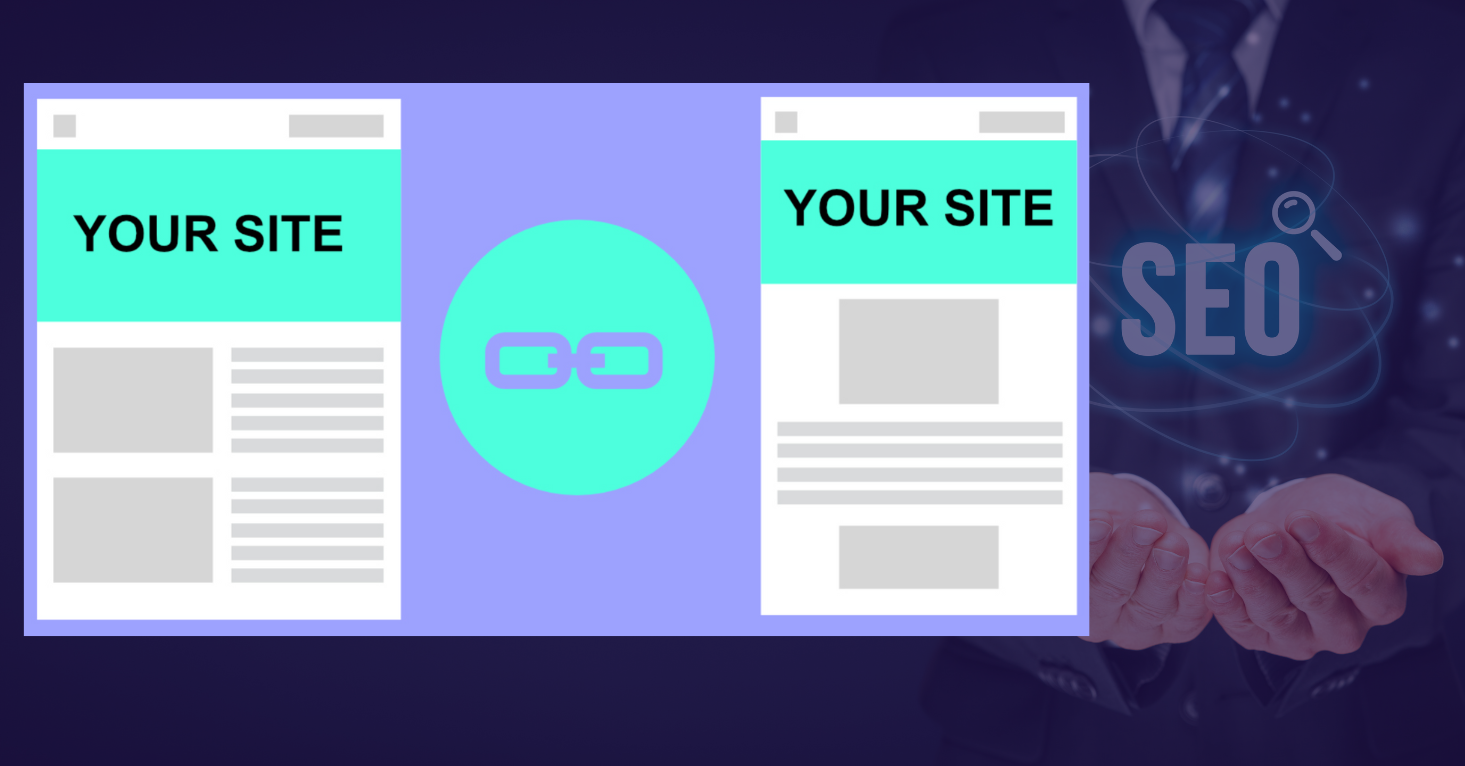
Internal links connect different pages on your website. Imagine it as creating a web of connected material that leads users from one subject to another.
An in-depth manual on "Onsite SEO Best Practices" may be internally linked from a blog post discussing the "Benefits of SEO," for instance.
Why It Matters:
There are two benefits to internal connecting. Links help visitors navigate relevant content more efficiently and improve their learning experience.
Links help search engines understand the hierarchy and structure of your website.
Links from outside sources are also important. Including links to reliable external websites gives your work more authority and benefits readers.
The Advantages:
- Simple Navigation: Users and search engines are directed to related material via internal and external connections.
- Authority Boost: Internal links help your website's pages rank higher and have more authority.
- Increased Conversions: Taking users on a sales journey brings them closer to points of conversion.
Actionable Tips:
- Relevant Linking: When appropriate, include links to relevant content. Building topical authority also involves connecting pertinent content.
- Descriptive Anchor Text: Steer clear of general phrases like "click here." Use text that provides information about the linked content instead.
- Avoid Overlinking: Excessive link density dilutes link equality and is annoying. Aim for a ratio of three to six linkages.
- Link Deep: Internal link to pages that are hidden away on your website and difficult to find from the home page.
- Use DoFollow Links: Make sure internal links are set to "dofollow" rather than "nofollow." DoFollow permits bots to crawl the linked page and passes link equity.
11. Anchor Text Optimization
The visible, clickable words that link material are known as anchor text. It provides context for visitors and search engines regarding the subject matter of the linked page.
Consider anchor text to be similar to a door label. Best Chocolate Shop appears instead of "Enter Here." Before you open it, it informs you exactly what's beneath it.
Compared to generic words like "click here," descriptive anchor text such as "content marketing for startups" is more illuminating.
Why This Is Important:
Anchor text serves as the stage spotlight, emphasizing the content of the connected page.
Anchors provide clues to search engines on how to rank pages. It is, in reality, a ranking component.
It serves as a distinct signpost for users, directing them to pertinent content.
The Advantages:
- Better User Navigation: Users' browsing experience is improved by explicit anchor texts that direct them to relevant content.
- Improved Rankings: The connected page's search rankings are improved by relevant and well-optimized anchor text.
- Enhanced Page Authority: Other pages gain authority from internal links with well-crafted anchor text.
Actionable Tips:
- Remain Relevant: Make sure the content linked to the anchor text is relevant.
- Don't Use Generic Terms: Expressions such as "click here" or "read more" are not contextual. Give specifics.
- Limit Length: Use at most five words in your anchor texts.
- Diversify Anchor Text: Combine exact match, partial match, and branded anchor texts to diversify your material.
- Refrain from Over-Optimization: Avoid constantly employing the exact anchor text. It could seem spammy.
12. Image Optimization
Image optimization is the process of preparing high-quality images for web use. It ensures images have ideal formats, dimensions, and resolutions for varying devices while minimizing file size.
They are also more easily found thanks to SEO-friendly images with relevant alt text and file names.
For example, a product image named “blue-sneakers.jpg” with alt text “Blue Adidas Sneakers” is more SEO-friendly than “image1.jpg” without alt text.
Why This Is Important:
Optimized pictures improve site performance and user experience.
Smaller files, for example, speed up websites and keep users from leaving. Faster sites also rank higher on search engines, driving more traffic.
Also, descriptive alt text makes images accessible to visually impaired users. Plus, proper file names and alt text improve indexing and ranking.
The Benefits:
- Fast Site Performance: Your website will load more quickly and be easier to use if its images are optimized.
- Improved User Experience: Immediately loading images increases visitor engagement and decreases page abandonment.
- Rankings Boost: Websites with quicker load speeds are given preference by search engines and may achieve higher ranks.
Actionable Tips:
- Pick the Correct Format: JPG works best on the internet. Compared to PNG, this format compresses images more, enabling reduced file sizes and quicker loading times.
- Compress Images: One can compress images without sacrificing quality by utilizing programs such as Photopea or TinyPNG.
- Use Descriptive File Names: For clarity, use "blue-sneakers.jpg" rather than "IMG1234.jpg."
- Provide Alt Text: Explain pictures to individuals with vision impairments and search engines.
- Enable Lazy Loading: Turn on lazy loading to ensure that images only load when visible.
13. Graphic Resources (Pictures, Videos, Infographics)
The appeal and engagement of your material are increased by using visual assets like photos, videos, and infographics. They are more than ornamental. They make content readable, dissect text, and convey information.
Additionally, pictures convey ideas more clearly than words can. A tutorial video, for example, can explain a method more clearly than a long paper.
Why This Is Important:
Visuals draw viewers in and increase interaction. They also enhance the depth of your content, accommodate visual learners, and transmit information more quickly than text.
The Advantages:
- Enhanced Engagement: Images grab readers' interest and entice them to stay on your page longer.
- Increased Conversions: Decisions to buy might be influenced by product photos or demo films.
- Increased Visibility: Search results containing graphics and videos may attract more users.
Actionable Tips:
- Relevance is Key: Ensure each graphic asset has a clear connection to the content issue. Relevance is crucial.
- Optimize for Speed: Reduce file size without sacrificing visual or audio quality.
- Quality Counts: Unique and high-quality images enhance the content of your page.
- Use Descriptive Captions: Employ descriptive captions to help readers and search engines comprehend images' significance by providing a clear context.
- Responsive Design: Make sure all visuals, videos, and infographics are mobile-friendly using responsive design.
14. Page Loading Speed
The speed at which a webpage loads and activates is known as its page loading speed. Increasing page speed improves user experience, conversion rates, and search rankings.
70% of consumers surveyed by Unbounce acknowledged that page speed influences their propensity to purchase an online business.
Why This Is Important:
Users may become irate and leave your website if it loads slowly. Sustaining a fast page loading time is essential for increased sales income and conversion rates.
When a website loads in one second, Portent states that the average conversion rate is approximately 40%.
However, after a 2-second load time, the conversion rate falls to 34%. Then, every second that passes makes it worse.
The Advantages:
- User Retention: Quicker websites decrease bounce rates and keep users interested.
- Increased Conversions: Faster websites improve user experience and increase conversion rates.
- Better Rankings: Websites with quick load speeds are rewarded by search engines.
Actionable Tips:
- Use caching: By minimizing the amount of data that needs to be retrieved, caching helps websites load faster on subsequent visits.
- Use a Content Delivery Network: Use a content delivery network (CDN) to accelerate load times and conserve bandwidth.
- Cut Down on 301 Redirects: Every redirect adds time to the page load process.
- Limit Plugins: If too many plugins are installed, your website may load more slowly.
- Track performance: To evaluate and enhance the performance of your website, use an SEO tool such as Google PageSpeed Insights.
15. Mobile-Friendliness
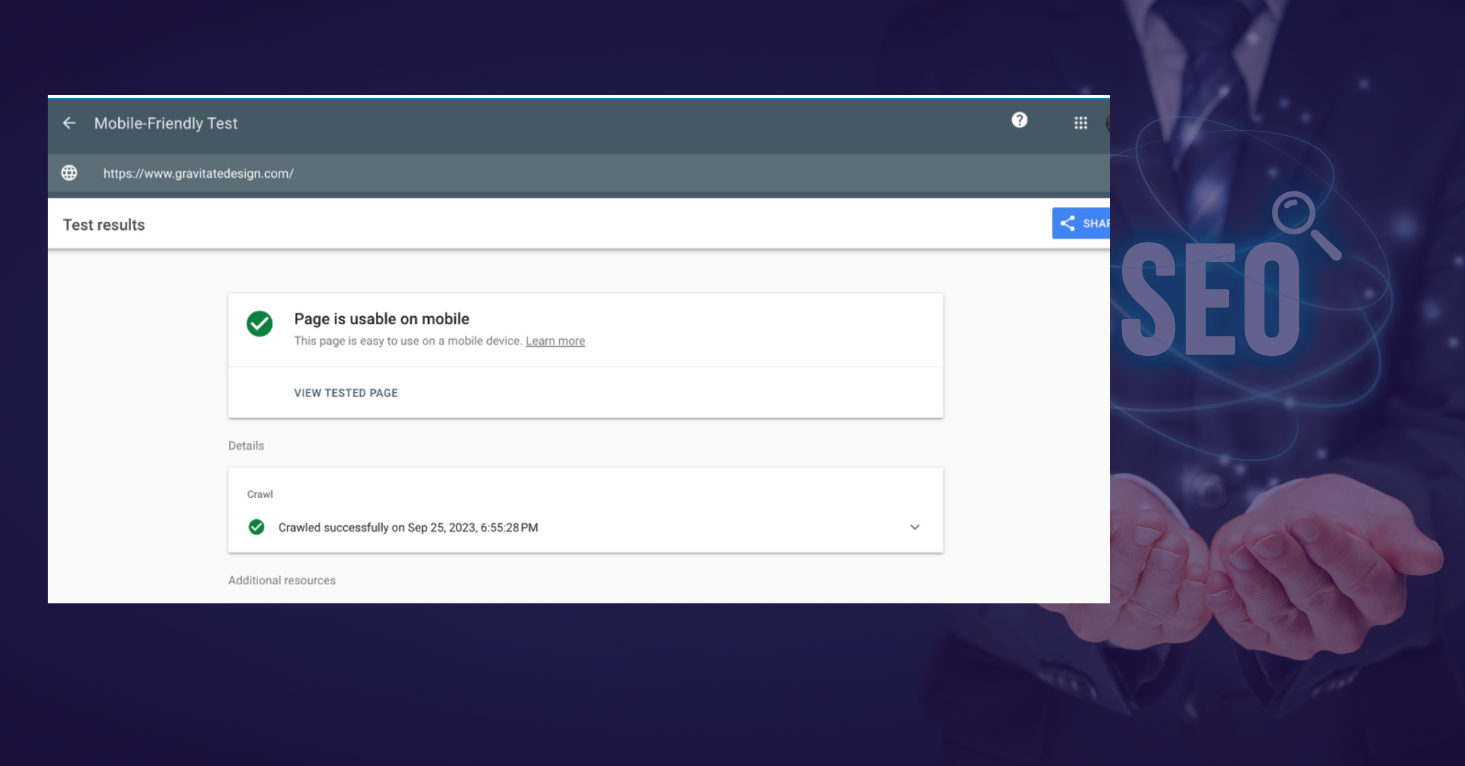
Your website will look great on tablets and smartphones if it is mobile-friendly. It involves maintaining your website usable and navigable on smaller screens.
Has your phone ever required you to pinch and zoom text? Annoying, huh? Users avoid mobile-unfriendly websites with small font, lag in loading pages, and non-clickable links.
52% of consumers are less inclined to interact with a business following a negative mobile experience. WebFX
Why This Is Important:
Mobile users make up 63% of online users. If your site is a mess on their gadget, they will leave quickly. A good mobile experience should be good for your business!
Mobile-friendliness also impacts rankings, mainly after Google switched to mobile-first indexing. This indicates that Google indexes and ranks websites based on their mobile versions.
The Advantages:
- User Retention: A mobile-friendly website lowers bounce rates and maintains user engagement.
- Improved Rankings: Google favors mobile-friendly websites. It even influences rankings!
- Increased Conversions: When users can navigate and interact on mobile devices easily, they convert more frequently.
Actionable Tips:
- Responsive Web Design: Use responsive web design to ensure your website adapts to different screen widths.
- Readable Text: Verify that the text can be read without zooming in.
- Large Tap Targets: Ensure that buttons, links, and navigation menus are large enough to be easily tapped.
- Get rid of pop-ups: on mobile, they are incredibly annoying. If you must, make closing them simple.
- Speed it up: Mobile consumers are impatient, so move quickly. Make sure every device can view your website fast.
16. Core Web Vitals
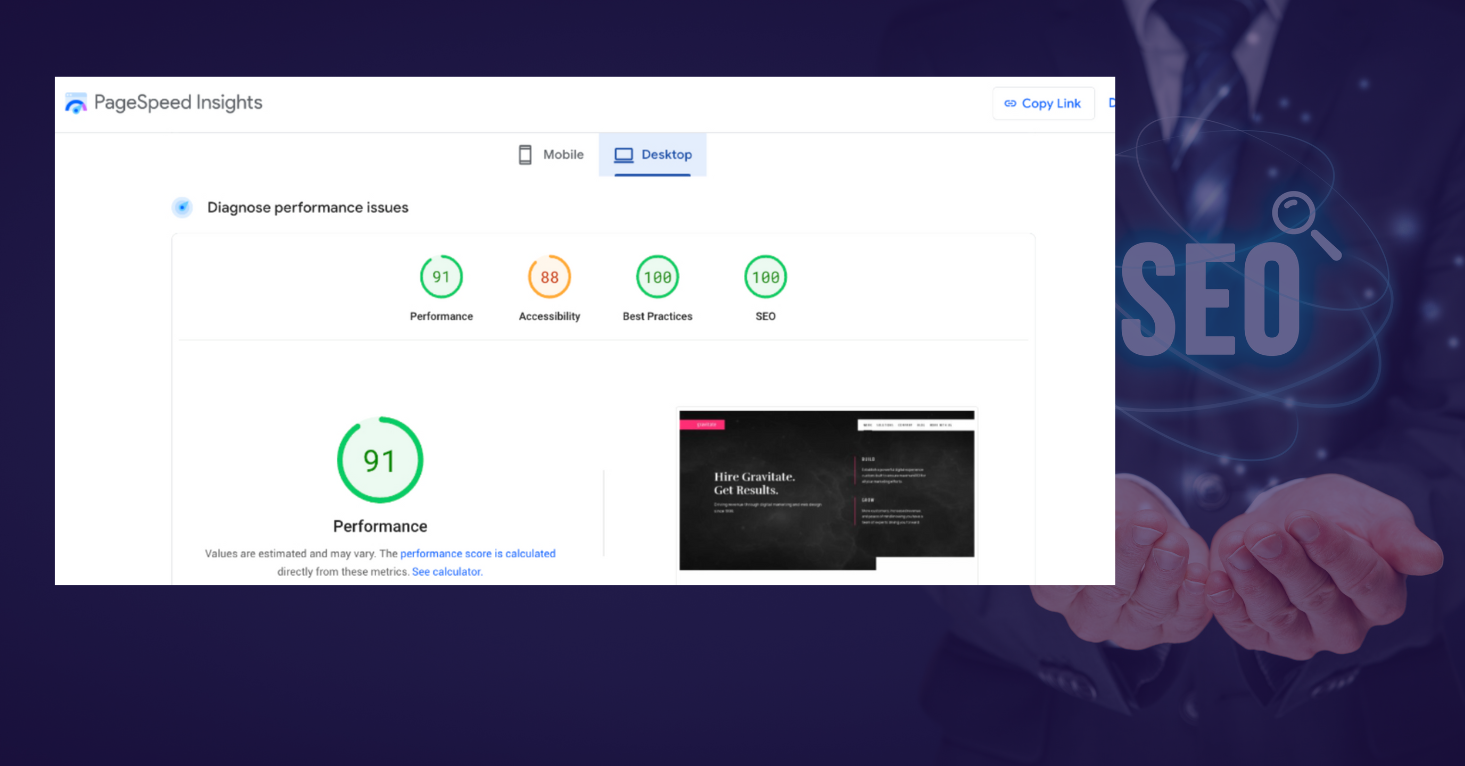
Google utilizes a collection of measures called Core Web Vitals to assess a website's user experience. They focus on three primary aspects: visual stability, interactivity, and loading performance.
Consider visiting a website where the visuals constantly move, and you keep clicking the wrong button. Yes, it is frustrating. Core Web Vitals seeks to address that.
Why This Is Important:
Core Web Vitals are a ranking criteria used by Google. A website with low vitals might rank low and hence lose out on critical organic visitors.
Additionally, consumers who enjoy their surfing experience are less likely to abandon the site.
The advantages:
- Users Satisfied: People are satisfied when a website loads quickly and functions smoothly.
- Increased Engagement: Users are captivated and motivated to explore more when a website loads quickly and fluidly.
- Increased Conversions: More sign-ups, purchases, and other desirable actions result from a quick, dependable website.
Actionable Tips:
- Track Performance: Check your vitals with tools like Lighthouse or Google's PageSpeed Insights.
- Optimize Images: Optimize images by enabling lazy loading, compressing them, and using more recent formats like WebP.
- Limit JavaScript: Reducing or postponing non-essential scripts is one way to limit the usage of JavaScript.
- Minify CSS: Reduce and order the importance of essential CSS. Defer to non-critical styles as well.
- Use a CDN: Employ a content delivery network (CDN) to expedite the loading of material for users throughout the globe.
17. Schema Markup (Structured Data)
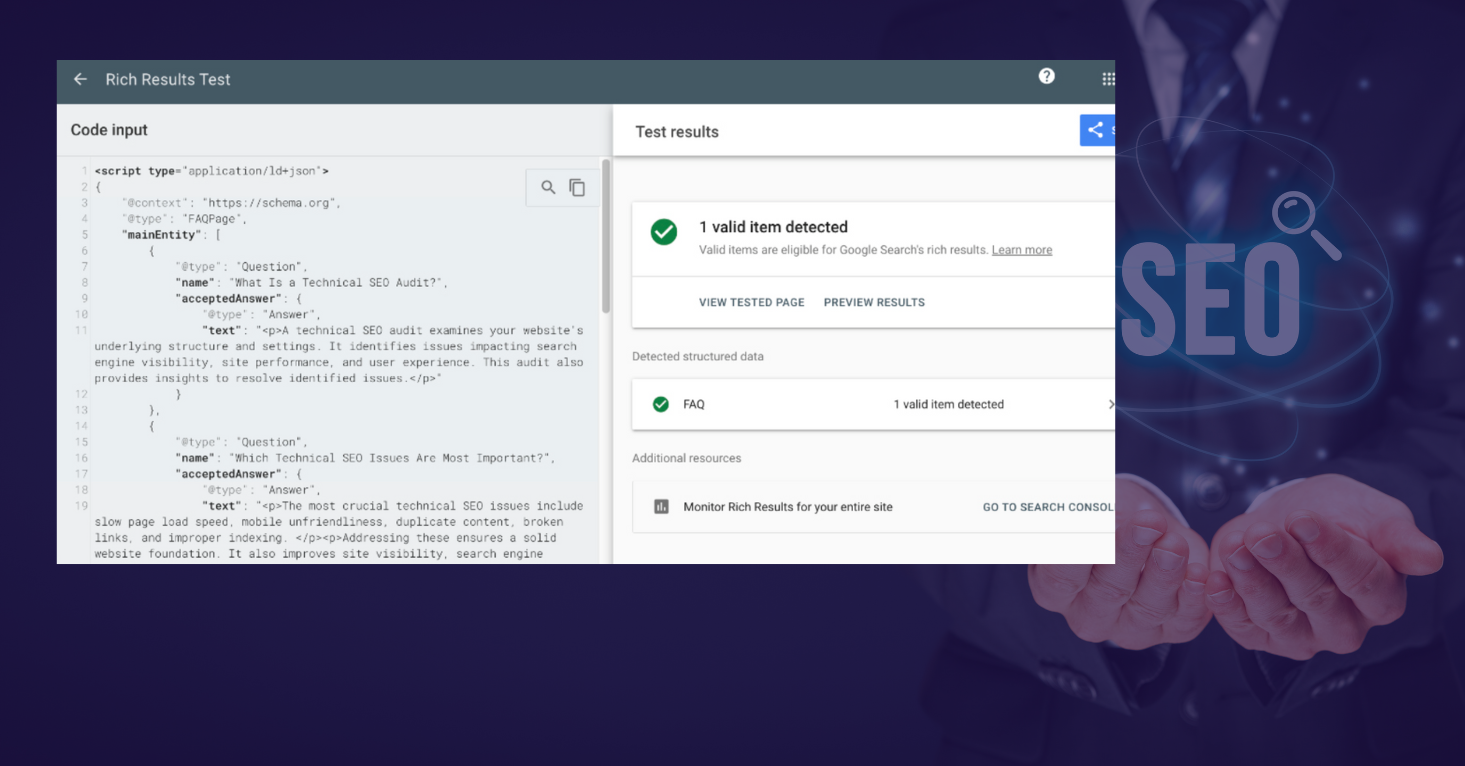
Schema markup is a code added to websites to help search engines provide more informative results for users. It also enhances the SERP display with rich snippets, like reviews and star ratings.
For instance, a recipe site will use Schema to specify ingredients, cooking time, and ratings. Google may display rich snippets like star ratings or preparation time in search results.
Why This Is Important:
Schema markup enhances your page listing in search results. It also provides users with more details upfront, which can influence their decision to click your link.
Rich snippets also grab more SERP space, catching eyes and boosting click-through rates.
The Advantages:
- More Clicks: Click-through rates are raised by visually appealing displays in search results.
- Competitive Advantage: Make an impression with more eye-catching features in search results.
- Enhance Google Listing: Rich snippets containing more details are produced by Schema markup, which enhances Google Listing.
Actionable Tips:
- Employ Schema Tools: Use Google's Structured Data Markup Helper to create markup code.
- Check Your Markup: Use Google's Structured Data Testing Tool to ensure everything runs smoothly.
- Leverage Schema Types: Product, service, article, review, FAQ, and event are examples of standard schemas.
- Observe the Rules: Ensure you follow Google's structured data requirements.
- Track Performance: To keep tabs on the performance of your structured data, use the Enhancements area of Google Search Console.
Learn more: AI Journey
