




Ever tried organizing complex data and ended up with a cluttered mess? Enter tree map AI tools—a game-changer for anyone looking to map a tree of ideas efficiently. Whether you're a data geek, a content creator, or a marketing pro, a solid tree diagram maker can turn your chaotic thoughts into structured, actionable insights.
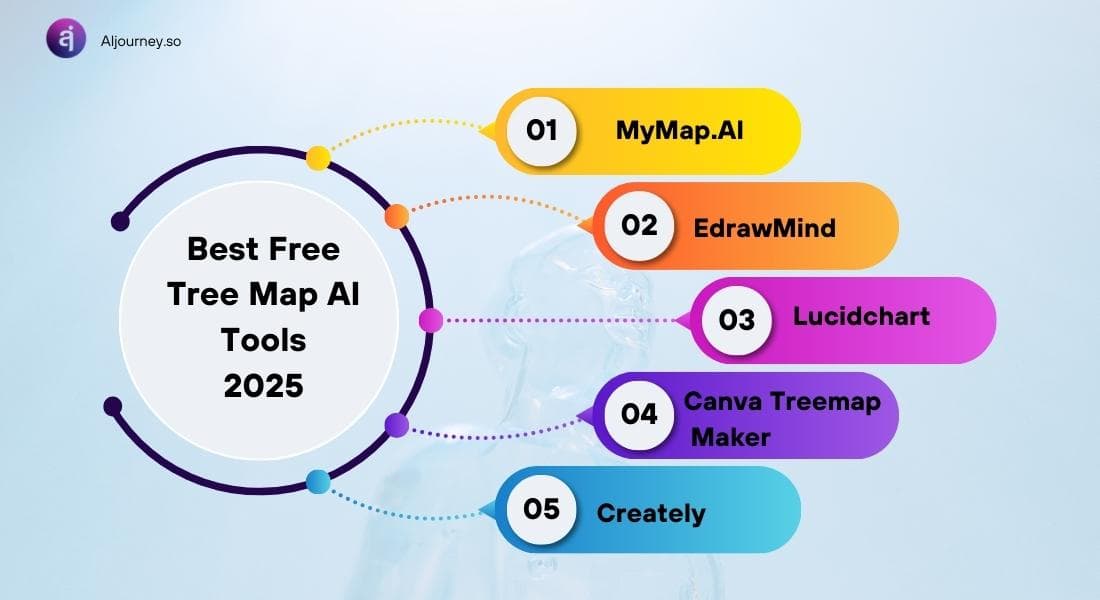
In this guide, we’re diving deep into the best free tree mapping tools of 2025, comparing MyMap.AI, EdrawMind, Lucidchart, Canva, and Creately to help you find the right tree map creator for your workflow.
What’s a Tree Map & Why Should You Care?
A tree map generator isn’t about drawing oak trees. It’s a way to visualize hierarchical data using nested rectangles, where size represents value. This makes it a killer tool for business planning, market analysis, content organization, and more. Think of it as a structured, visual way to make sense of complex datasets, from project planning to competitive analysis.
And AI? It makes things even easier. Instead of manually crafting your tree chart, AI tools automate layout, pull in real-time data, and help you design pro-level visuals without the grunt work.
Choosing the Right Tree Mapping Software Free? Here’s What to Look For
Picking a tree diagram generator isn't just about fancy visuals. You need something that actually works for your use case. Here’s what matters:
- Ease of Use – Can you create a tree chart in minutes, or will it take a 5-hour YouTube deep dive?
- AI Features – Does it auto-generate tree graphs and optimize your layouts?
- Collaboration – Can your team jump in and edit in real-time?
- Customization – Can you tweak the design to match your branding?
- Export Options – Does it support PDFs, PNGs, and embeddable links?
- Pricing – What’s actually free, and where do they sneak in the paywall?
Beyond these essentials, also consider scalability—if your needs grow, can the tool keep up?
The Best Free Tree Mapping Tools (Ranked & Reviewed)
1. MyMap.AI – The AI-Powered Tree Diagram Generator
If you want to build a tree map template in seconds, MyMap.AI is your best bet. Just chat with its AI, and it generates a tree chart based on your input. No manual drag-and-drop nonsense.
What Makes It Awesome:
- Chat-Based AI Builder – Just describe what you need, and the AI does the rest.
- Web Search Integration – Pulls real-time data from Google & Bing.
- Multi-File Support – Upload Word, PDF, or Excel files to auto-generate a tree mapping tool.
- Shareable Links – Easy to distribute your tree diagrams.
💡 Best for: Marketers, educators, and business pros who want AI-driven diagram creation without the hassle.
🚀 Pro Tip: Use MyMap.AI to quickly draft organizational charts, content plans, or even customer segmentation models without needing a design background.
📋 Use Case: MyMap.AI is perfect for creating organizational structures, content planning, and mapping customer journeys in seconds.
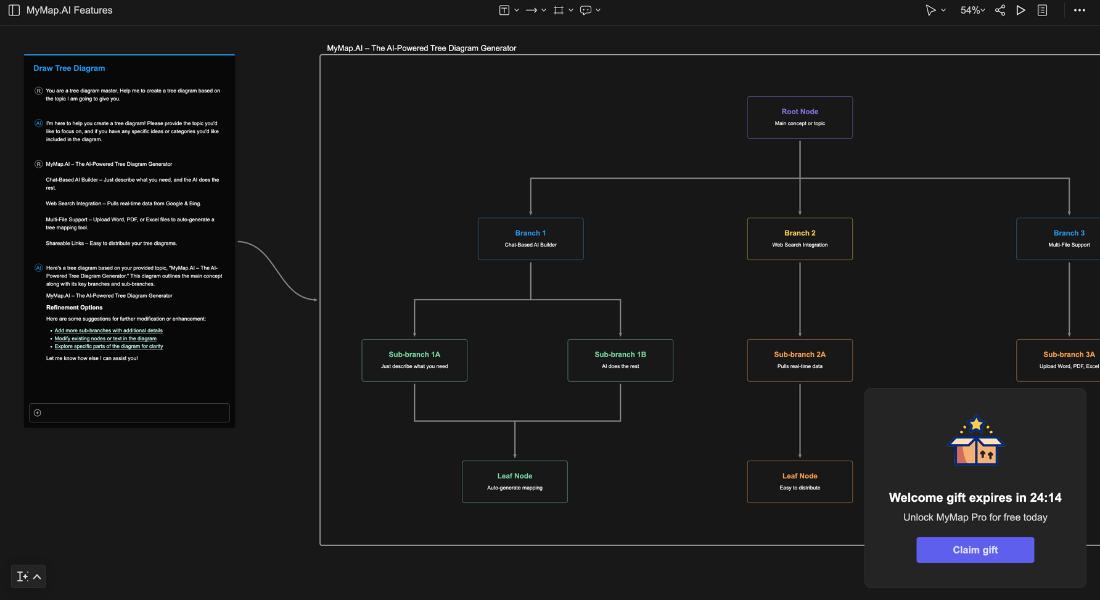
I used MyMap.AI to generate this tree map effortlessly! 🚀
Pricing:
MyMap.AI offers 5 free AI credits daily, with paid plans available for more premium features.

2. EdrawMind – The Ultimate Collaboration Tool
Looking for a decision tree diagram maker that works for teams? EdrawMind (also known as Edraw.AI) nails it.
Why It Rocks:
- AI Mind Map Generator – Type your idea, and it builds a structured tree diagram.
- AI Summarization – Turns long-winded notes into clear, concise tree maps.
- Cross-Platform Access – Available on web, mobile, and desktop.
- Presentation Mode – Instantly convert your tree diagrams into slides.
- Real-Time Collaboration – Work with your team in one shared workspace.
💡 Best for: Teams, students, and decision-makers who need a collaborative tree diagram designer.
📋 Use Case: EdrawMind is ideal for brainstorming sessions, academic research, and visualizing team structures in real-time.
3. Lucidchart – Data-Driven & Enterprise Ready
If you want data-powered tree maps, Lucidchart is a beast.
Key Features:
- Live Data Syncing – Connects diagrams to spreadsheets and databases.
- Smart Templates – Pre-designed tree chart generators to save time.
- Version Control – Track changes and revert if needed.
- Enterprise-Grade Security – Perfect for business use.
💡 Best for: Analysts, business pros, and anyone needing a tree map AI tool with data integration.
📊 Why It Stands Out:
- Lucidchart is perfect for mapping workflows, creating sales funnels, or breaking down financial reports in a visual format.
- It's an excellent choice for organizations that need data-driven diagramming and professional-looking visuals.
- Lucidchart is built for both in-office and remote teams and works on the cloud, PC, and Mac.
- Lucidchart is highly rated with thousands of 5-star reviews on top third-party apps.
📋 Use Case: Lucidchart is great for visualizing complex data, business intelligence dashboards, and process workflows.
🔗 Real-World Example: Learn how enterprises leverage Lucidchart for data visualization: Lucidchart Case Studies.
Pricing:

4. Canva Treemap Maker – The Design-First Treemap Maker
If aesthetics matter, Canva delivers. It's not the most AI-driven, but it shines in design.
- Key Features:
- Professionally Designed Templates: Fast-track your workflow with a wide variety of templates.
- Easy Drag-and-Drop Tools: Designed with the non-designer in mind.
- Collaboration: Invite teammates to collaborate and gather insights.
- High-Resolution Output: Publish, share, or download high-resolution graphs.
💡 Best for: Creatives, educators, and marketers who want visually stunning tree maps.
📌 Pro Tip: Canva is ideal for presentation-ready visuals, social media posts, and marketing assets. With Canva’s treemap maker, you can zoom in and out to get the complete picture or examine the finer details.
📋 Use Case: Canva excels at designing infographic-style tree diagrams, marketing visuals, and professional presentations.
🔗 Real-World Example: See how brands use Canva for impactful visual storytelling: Canva Tree Map Templates.
Pricing:

5. Creately – The All-in-One Diagramming Powerhouse
Creately isn’t as famous as the others, but it’s a solid tree mapping software free option with a bit of everything.
Why Choose Creately?
- AI-Enhanced Tree Mapping – Automatically generates visually appealing tree diagrams with minimal input.
- Real-Time Collaboration – Work with your team in a shared space, with live updates and feedback.
- Customizable Designs – Modify colors, layouts, and themes to fit your brand or presentation needs.
💡 Best for: Businesses, educators, and project managers who want a powerful yet intuitive tree mapping tool with AI-assisted automation.
📋 Use Case: Ideal for strategic planning, business processes, and decision-making workflows. Creately’s AI-driven features make it effortless to create insightful visualizations that adapt to your needs.
Pricing:

🌳 Best Free Tree Mapping Tools Compared: MyMap.AI vs. EdrawMind vs. Lucidchart vs. Canva vs. Creately
| 🔍 Feature🔄 | 🧠 MyMap.AI | 🤝 EdrawMind | 📊 Lucidchart | 🎨 Canva | Creately |
| 🚀 AI Integration | ✅ AI-Native: Chat-based AI generates diagrams instantly 🔥 | ✅ AI-Powered: Mind maps, AI summaries, AI article generation | ✅ AI Diagram Assistant: Smart auto-layout and AI-powered flowcharts | 🟡 Basic AI Assist: AI-driven design suggestions (not AI-generated diagrams) | ✅ AI-Enhanced Mapping: AI-assisted diagram creation |
| 🛠️ Creation Method | 🎙️ Chat + AI prompts → Upload PDF, Word, Excel | 📌 Pre-built templates + AI + Real-time editing | 📊 Decision trees + Flowcharts + Data Sync | 🖌️ Drag & Drop design templates + Custom charts | 🖍️ Shapes, colors, and smart connectors |
| 👥 Collaboration | ✅ Live Co-Editing + Shareable URLs | ✅ Real-Time Team Brainstorming + Multi-Device Access | ✅ Team Chat + Commenting + Role-Based Sharing | 🟡 Basic Sharing + Team Comments (No real-time co-editing) | ✅ Live Editing + Version History |
| 📤 Export & Sharing | 🔗 URL Sharing + PNG Export | 📂 PDF, PNG, JPG, SVG, Email Sharing | 🔗 Public Links + Site Embeds + Email Sharing | 📲 High-Resolution Downloads + Embeds | 📑 JPEG, PNG, SVG, PDF Export |
| 🎨 Customization | 🎯 AI-Driven Adjustments + Structure Refinements | 🎨 Pre-Made Templates + Clip Art + Custom Layouts | 🔧 Customize Shapes, Data Layers, Formulas | 🖍️ Full Creative Control: Fonts, Colors, Icons | ✏️ Manual Edits + Diagram Expansion |
| 💻 Platforms | 🌍 Web-Based (No Installation Needed) | 🖥️ Windows, Mac, Linux, iOS, Android | ☁️ Cloud-Based + PC/Mac | 📱 Web + Mobile Apps | 🌐 Online Editor |
| 💼 Use Cases | 🎓 Academic Research, Org Charts, Content Planning | 📚 Business Strategy, Research, Decision Trees | 💰 Financial Modeling, Process Workflows, BI Dashboards | 📢 Marketing Visuals, Infographics, Presentations | 📊 Project Management, Workflow Mapping |
| 📊 Data Handling | 📄 Upload PDFs, Docs, Excel, Auto-Extract Info | 🔢 Supports 210+ Diagram Types | 📡 Live Data Sync + Spreadsheet Integration | 📂 CSV, Google Sheets, Excel Upload | ❌ No Advanced Data Syncing Mentioned |
| 💰 Cost | 🆓 5 Free AI Credits Daily (Paid plans available) | 🎟️ Free Trial Available | 🆓 Free Plan (Paid for Premium Features) | 🆓 Free Tree Map Generator | 🆓 Sign Up Free |
🔥 Which Tool Is Right for You?
- **⚡ Want AI-powered automation? → MyMap.AI is for you!
- **🧑🤝🧑 Need team collaboration? → EdrawMind is the best pick!
- **📊 Work with data-driven workflows? → Lucidchart is ideal!
- **🎨 Need stunning visuals? → Canva shines!
- **🔄 Looking for a well-rounded tool? → Creately gets the job done!
This new table highlights key differences, adds direct links, and makes it easier to scan & compare! Let me know if you need more tweaks. 🚀
Looking for the best tree mapping tool to streamline your workflow? Check out our in-depth guide on the top AI-powered mind mapping tools here and find the perfect tool to visualize your ideas effortlessly! 🚀
Wrapping It Up: Get Your Tree Maps Sorted
If you want to map a tree quickly, efficiently, and with minimal effort, AI-powered tree mapping tools are a no-brainer. Whether you’re a marketer, a researcher, or a business leader, the right tree diagram maker can save you time and boost clarity.
🚀 Final Thoughts:
- MyMap.AI: Best for users who want a quick and effortless diagramming experience with minimal manual input. It allows generating tree diagrams by describing ideas to the AI chatbot and pulling real-time information from Google and Bing.
- EdrawMind: (Also referred to as Edraw.AI) is a top choice for brainstorming sessions, academic presentations, and team collaboration. The tool offers AI-driven diagram generation for diverse use cases, and can turn complex notes into concise tree diagrams.
- Lucidchart: An excellent choice for organizations needing data-driven diagramming and professional-looking visuals. Lucidchart is built for both in-office and remote teams and works on the cloud, PC, and Mac.
- Canva: Ideal for users who prioritize aesthetics and want to create visually stunning tree maps with minimal effort.
- Creately: Known as a versatile diagramming tool with collaboration features and templates to help users get started quickly.
Need a tree map creator that simplifies complex ideas in seconds? 🚀 Check out our expert guide on the best AI-powered tools here and start mapping smarter today! 🌿📊
FAQs
- What is a probability tree diagram generator?
A probability tree diagram generator is an AI-powered tool that helps visualize probabilities of different outcomes in a branching format. It is useful for decision-making, risk assessment, and statistical analysis.
- How can I create a probability tree diagram for free?
You can use free AI-powered tree diagram generators such as Lucidchart, SmartDraw, and Draw.io to create probability trees without any cost.
- Which is the best free probability tree maker online?
Some of the best free probability tree makers include Lucidchart, Diagram.net, and EdrawMax, which offer user-friendly interfaces and AI assistance for complex calculations.
- Can I use a probability tree creator for business decision-making?
Yes, businesses use probability tree creators to evaluate risks, plan investments, and analyze market trends with AI-powered predictive analytics.
- What are the top features of an AI-powered probability tree generator?
The best AI-powered probability tree generators offer automatic branching, real-time probability calculations, export options, and integration with other data visualization tools.
- Is there an AI tool for making probability trees with real-time data?
Yes, AI-driven tools like Tableau and Power BI allow users to create probability trees with real-time data input and updates. Check more comparison here.
- What are the benefits of using a probability tree diagram maker?
A probability tree diagram maker simplifies complex probability calculations, enhances decision-making, and provides clear visual representations of potential outcomes.
- Can AI-powered probability tree tools integrate with other software?
Many AI probability tree tools support integration with spreadsheet applications like Excel and data visualization platforms such as Tableau and Google Sheets.
- Are there mobile-friendly probability tree generators available?
Yes, some AI-powered probability tree generators have mobile apps or web-based versions that work on smartphones and tablets for on-the-go access.
- How does an AI probability tree creator improve efficiency?
AI-enhanced probability tree creators automate calculations, suggest logical pathways, and help users quickly generate accurate probability diagrams.
