





I once signed a rental agreement without noticing a hidden early-termination clause. It cost me an extra month’s rent just for moving out 3 days early.
I’ll be honest — I’ve made more than one dumb legal mistake in my adult life.
Most people have.
The problem? Legal documents are long, full of jargon, and frankly, nobody reads them properly until it’s too late. Hiring a lawyer for every agreement is expensive. But skipping the fine print can cost you even more.
So when I heard there’s an AI legal document reviewer that could summarize contracts and flag key terms for free, no signup required… I had to test it out.
In this review, we’re putting LawDistrict’s AI Legal Document Reviewer to work — to see if it’s truly helpful, or just another half-baked legal tech toy.
Introducing the Tool: LawDistrict’s AI Legal Document Reviewer
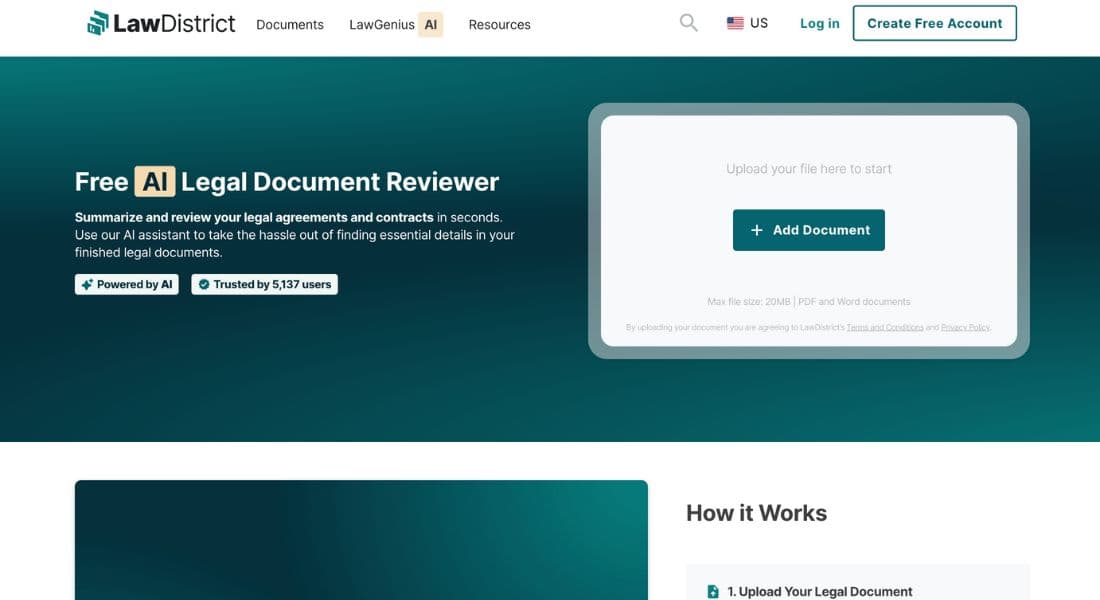
LawDistrict isn’t your average legal tech brand. Their free AI legal document reviewer promises something surprisingly simple:
Upload your contract. Get a plain-language summary. No account, no fees, no stress.
Here’s what it offers right out of the box:
- ✅ Upload any legal document — Word or PDF formats supported
- ✅ Instant AI summary — Highlights key clauses, deadlines, payment terms, and red flags
- ✅ Completely free — No login or signup required
- ✅ "Lawyer-Powered AI" — Combines AI processing with legal expert guidance under the hood
It’s positioned for non-lawyers: freelancers, students, renters, small business owners — basically anyone who signs contracts but can’t afford $300/hr legal help.
On paper, it sounds perfect for lightweight contract analysis. But we all know tools often look better in theory than in practice…
Let’s put it to the test.
Real-World Test: Putting the Tool to Work
To see how well LawDistrict’s AI legal document reviewer performs, I ran it through a real-world test using a common document: a freelance contract between a designer and a client.
Here’s exactly how it went.
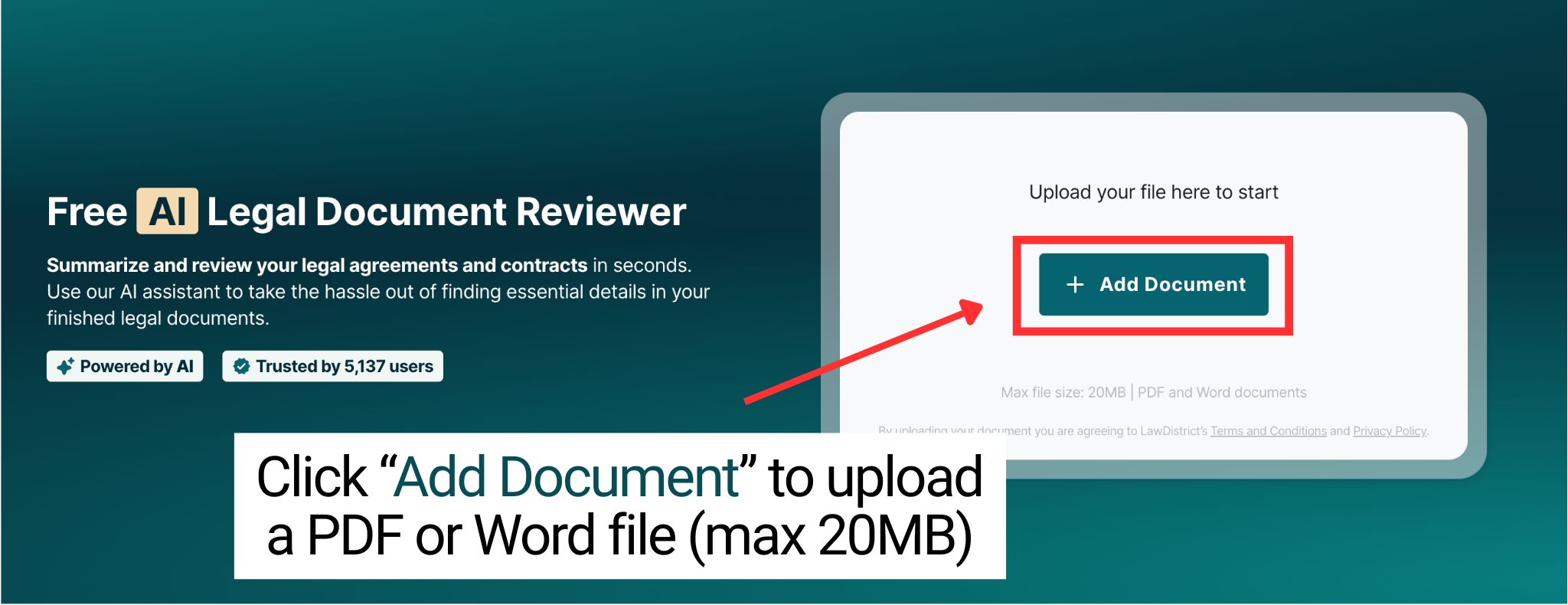
Step 1: Uploading a Sample Document
- File used: A 5-page freelance agreement in Word format
- File size: ~700 KB — well under the 20 MB limit
- Process:Go to the tool page
- Click “Add Document”
- Upload the file
- Wait for processing (~15 seconds)
First impression:
Super intuitive. No signup hoops. No confusing dashboard. Just a clean, single-function interface with one big goal — get your document reviewed fast.
Step 2: AI Summary Results
After processing, the tool generated a well-structured summary in bullet point format. Here's what it nailed:
What the AI Did Well:
- Clearly highlighted payment terms, project deadlines, and termination clauses
- Flagged late payment penalties
- Identified intellectual property terms (ownership of design work)
- Labeled all section headings correctly
- Downloadable summary available in .docx format
What It Missed:
- Didn’t fully explain vague terms like “fair use” or “reasonable revisions”
- Didn’t point out the lack of a dispute resolution clause
- Didn’t score risks or suggest next steps
While it captured the basics, it didn’t provide deeper risk analysis — which is fair, considering this is a free AI tool for the public.
Overall Experience
- Speed: < 20 seconds for a 5-page document
- Accuracy: Good for surface-level clause identification
- User experience: Dead simple — no legal knowledge needed
- Best part: Zero signup friction. No hidden popups. Refreshingly minimal.
How LawDistrict Compares to Other AI Legal Document Reviewer Tools
LawDistrict isn’t the only player in the AI contract review space. To understand where it fits, let’s compare it against two top competitors: Spellbook and DocJuris — each designed for different user groups and contract complexity.
🔍 Detailed Feature Comparison
| Feature | LawDistrict | Spellbook | DocJuris |
| Pricing | ✅ Free to use | ⚠️ Free trial, then paid | ❌ Enterprise only |
| Sign-up Required | ❌ No account needed | ✅ Yes, via Microsoft Word | ✅ Yes, demo/onboarding |
| File Types Supported | PDF, Word (.docx), up to 20MB | .docx inside Word | PDF, Word, plus integrations |
| Core Purpose | Fast, free AI legal document reviewer | Drafting + live redlining | Negotiation workflows + compliance |
| Risk Analysis | ⚠️ Basic clause highlights | ✅ Clause scoring, GPT-4 prompts | ✅ Deep policy-based analysis |
| Contract Summarizer | ✅ Bullet-point summary | ✅ Inline suggestions & notes | ✅ Clause libraries & dashboards |
| Redlining/Edits | ❌ Not supported | ✅ Yes, in Word | ✅ Yes, collaborative editing |
| Best For | Freelancers, renters, solo founders | In-house legal teams & firms | Enterprises, procurement, legal ops |
What This Means in Practice
- LawDistrict is best if you need a quick, free AI contract review. No account, no fees — just upload your contract and get a readable summary. It's perfect for renters, students, freelancers, or anyone needing a surface-level legal check before signing.
- Spellbook goes deeper. It’s built for lawyers and integrates directly with Microsoft Word. It uses AI (like GPT-4) to suggest edits, score risk, and auto-draft clauses. If you’re already working in legal documents daily, it’s a major time-saver.
- DocJuris is for large organizations. It’s not just a contract summarizer AI — it offers full negotiation workflows, clause tracking, redlining, versioning, and team approvals. If you manage hundreds of contracts, this is what you want.
Who Should Use What?
| Use Case | Best Tool |
| Quick, one-time contract review | LawDistrict |
| Daily legal drafting & redlining | Spellbook |
| Corporate contract negotiations | DocJuris |
Summary:
If you want to upload contract for AI review without jumping through hoops, LawDistrict is the easiest choice. For deeper legal work or risk-heavy agreements, Spellbook and DocJuris are worth exploring — but expect a learning curve and a price tag.
Pros & Cons of Using LawDistrict’s AI Legal Document Reviewer
Like any tool, LawDistrict’s AI document reviewer has strengths — and limitations. Here’s a clear breakdown to help you decide if it’s the right fit for your use case.
✅ Pros
1. Completely Free to Use
No hidden costs, no trial period. It’s a truly free AI contract review tool with unlimited uploads (within file size limits).
2. No Sign-Up Required
You can upload your contract for AI review instantly — no need to create an account or share personal data.
3. Clean, Minimal UX
Straightforward interface. No distractions, no confusing buttons. It’s all about reviewing your legal document, fast.
4. Works with Common Formats
Accepts both PDF and Word (.docx) files — up to 20 MB, which covers most personal and small business contracts.
5. Quick and Accessible Summary
The AI delivers a bullet-point contract summarizer AI output that highlights key clauses, deadlines, and financial terms in seconds.
6. Ideal for Non-Lawyers
If you're a freelancer, student, renter, or small business owner — this tool helps you understand legal docs without needing a legal degree.
⚠️ Cons
1. Only Surface-Level Analysis
The tool doesn’t provide clause-level risk scoring, legal advice, or suggest edits. It’s a summary, not a decision-maker.
2. No Collaboration Features
No redlining, no commenting, no sharing or team features — which makes it less useful in professional or legal team environments.
3. No Explanations for Legal Jargon
Terms like "indemnity" or "force majeure" are not explained in detail, which could still leave non-lawyers confused.
4. Static Output
The summary is downloadable, but not interactive. You can’t ask follow-up questions or adjust the focus of the review.
💬 Bottom Line
If you want a fast, free, no-hassle AI legal document reviewer to help you scan contracts before signing — LawDistrict is a fantastic entry-level tool.
But if you’re managing higher-risk documents or working in a legal setting, you’ll quickly feel its limitations.
Final Verdict: When (and When Not) to Use LawDistrict
So… should you trust an AI to read your contract?
That depends entirely on what kind of contract you’re dealing with — and what’s at stake.
Use LawDistrict If…
- You’re a freelancer reviewing a basic service agreement
- You’re a tenant double-checking a rental lease before signing
- You’re a startup founder screening early-stage NDAs or partnership MOUs
- You’re a student needing help understanding academic or housing contracts
- You want a fast, free AI legal document reviewer without jumping through hoops
In these cases, LawDistrict gives you clarity, peace of mind, and a solid first review pass — in less than a minute.
Don’t Rely on It If…
- You’re dealing with high-value contracts (e.g. investor deals, IP transfers)
- The document includes complex legal structures (e.g. jurisdiction clauses, M&A)
- You’re already in a dispute or negotiation
- You need clause-level redlining, legal Q&A, or audit trails
- You’re working within a legal team or corporate procurement process
In these situations, the stakes are higher — and so is the complexity. Tools like Spellbook or DocJuris offer far more depth, flexibility, and legal support.
✅ Our Recommendation
Use LawDistrict as a first-pass AI filter to flag obvious terms, risks, and questions — then escalate to a lawyer if something looks off.
It’s like Google Translate for contracts: great to get the gist, but not enough to finalize a business deal on its own.
Bonus: How LawDistrict Could Be Even Better
No tool is perfect — and LawDistrict’s AI reviewer has tons of potential to evolve. Here are a few high-impact features we’d love to see:
1. Clause-Level Risk Ratings
Imagine if each clause got a simple score like “Low Risk / Medium Risk / High Risk.” That would help users prioritize what needs human review.
2. Legal Term Explanations
Pop-up definitions for legal jargon (e.g., “indemnity,” “arbitration,” “non-compete”) would make the tool 10x more accessible for non-lawyers.
3. “Next Action” Suggestions
Simple AI prompts like “Ask for clarification on Clause 4.2” or “Consider requesting a termination clause” could turn a static summary into a dynamic checklist.
4. Integrations
Even just allowing Google Drive or Dropbox upload options would make the workflow smoother, especially for remote workers and small teams.
Closing Thoughts: Should You Let AI Read Your Contracts?
Let’s face it — most people don’t read their contracts.
We skim. We scroll. We hope for the best.
But hope isn’t a strategy. And hiring a lawyer for every document? That’s not realistic either.
That’s why tools like LawDistrict are so valuable. They don’t replace lawyers — but they bridge the gap between legal ignorance and informed action.
If you wouldn’t read a 20-page contract yourself, maybe it’s time to let AI take the first pass.
Just make sure it’s not the only set of eyes on it.
⚖️ Want to review your next contract with zero stress?
Try LawDistrict’s free AI legal document reviewer — no account, no legal jargon, just fast clarity.
✅ Upload your contract now →
