




Explore the upcoming trends in customer service for 2024 through our comprehensive report on the leading seven solutions. Enhance your support approach with advanced tools, ranging from chatbots driven by AI to predictive analytics. Enrich your customer interactions and maintain a competitive edge.
Note: Various customer support products in this list provide multiple functions that can cover various categories, but we are emphasizing their main advantage for clarity. For instance, Zendesk offers live chat and help desk capabilities, but we highlight its prominent feature as help desk software.
1. LiveChat
Ideal for: Adding live chat functionality to your website
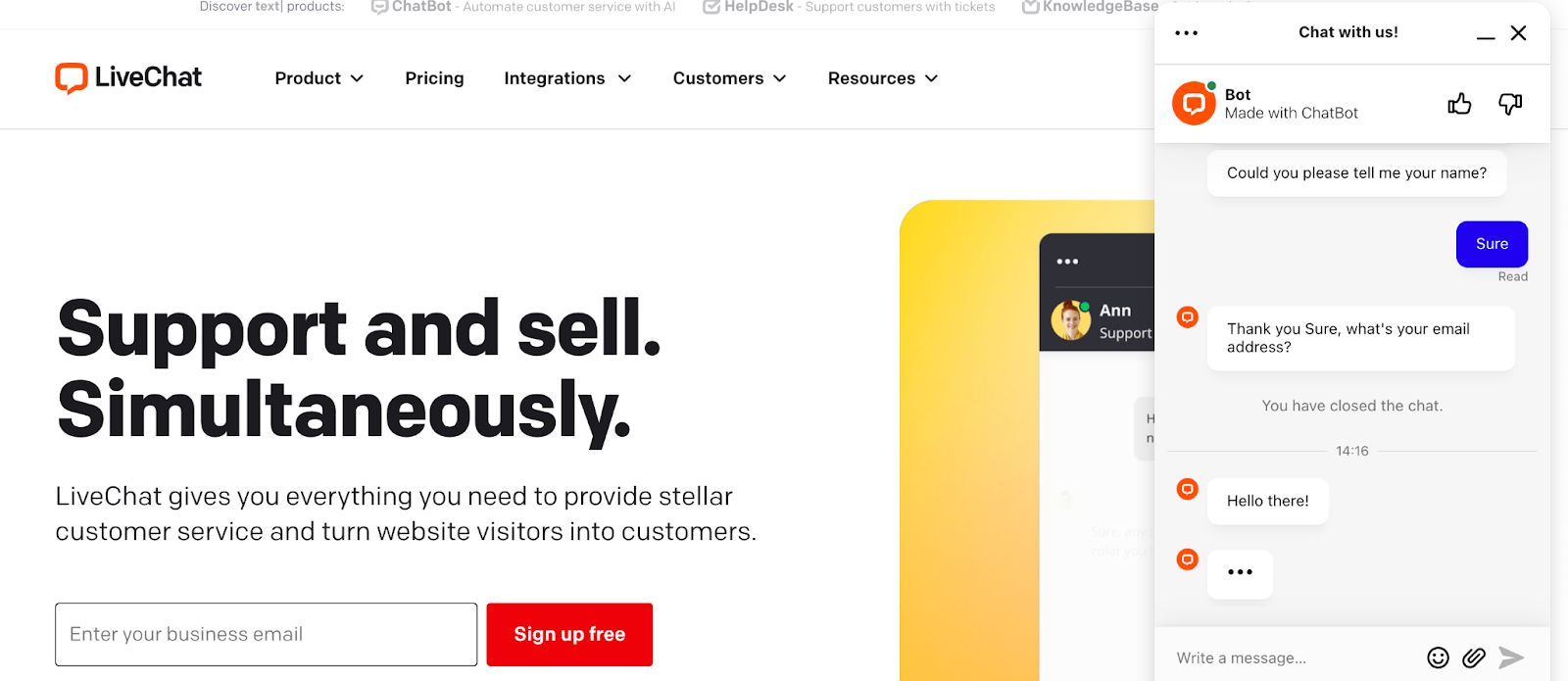
LiveChat is a complete customer support platform with a help desk, live chat, and online analytics features. Although the platform has various capabilities, its top-notch live chat functionality is its most notable feature. In addition to customer support, you can also utilize it to generate leads and actively contact new clients.
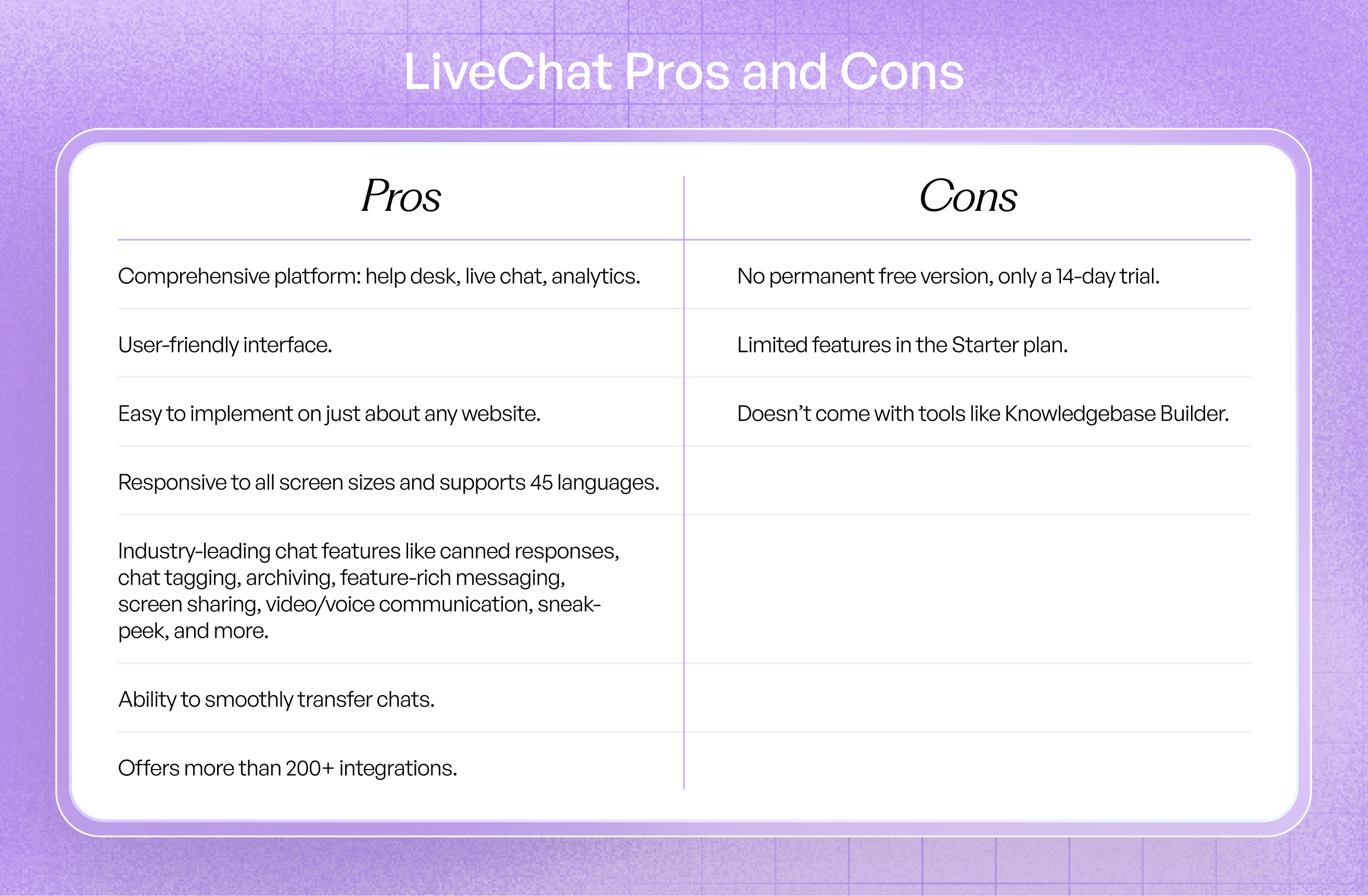
Pros:
Capable of adjusting to various screen sizes: LiveChat has a simple and easy-to-use interface and offers several functionalities, including some important ones:
Widget personalization: you can effortlessly incorporate the LiveChat widget into virtually any website without needing any coding expertise. Additionally, you can personalize it to suit your requirements to align with your branding aspects.
The live chat widget can adjust to multiple screen sizes, ensuring it appears correctly on mobile phones or tablets.
Provide support in several languages: LiveChat allows you to configure your widget in around 45 different languages. This makes it an excellent choice for international companies.
Predefined replies: LiveChat's chat system is quite effective and makes it easy to put up predefined replies. This function is a time-saving tool, particularly when handling recurring customer queries.
Tagging feature: LiveChat provides a tagging feature that enables your customer service representatives to add tags to conversation history and store chat records.
Enhanced messaging: you may include buttons, clickable menus, rapid reply suggestions, text cards, text carousels, and even enable clients to schedule appointments or make payments straight in the conversation.
Screen sharing and video/voice communication: LiveChat allows consumers to share their screens easily, transmit photographs, and engage in video/voice communication.
Sneak-peek: : a notable feature is "Preview," which enables your agents to see a part of the message your customer is entering before it is sent. This functionality can assist your representatives in preparing responses more efficiently and reacting more quickly.
Chat transfers: LiveChat also makes it easy to transfer chats so clients can get help from the most suitable team members.
In addition to this, LiveChat provides excellent analytics and team management options. Lastly, LiveChat may connect with over 200 third-party services like WhatsApp, Zoom, and Shopify.
Imagine you utilize WhatsApp as a means of contact with your customers. LiveChat's connection with WhatsApp allows customer support personnel to handle their WhatsApp chats within LiveChat easily.
Cons:
To begin with, there is no complimentary version of this tool. If you choose the 14-day free trial, that's the only thing you receive. In addition, you can preview LiveChat on your site, but you cannot do anything beyond that.
Additionally, the Starter package does not offer advanced capabilities such as file sharing, SMS, private prepared responses, chat takeover, and more, which could be better.
Finally, the platform lacks features such as a knowledge base builder, which is disappointing.
2. Zendesk
Ideal for: Receiving, arranging, handling, and addressing customer service inquiries
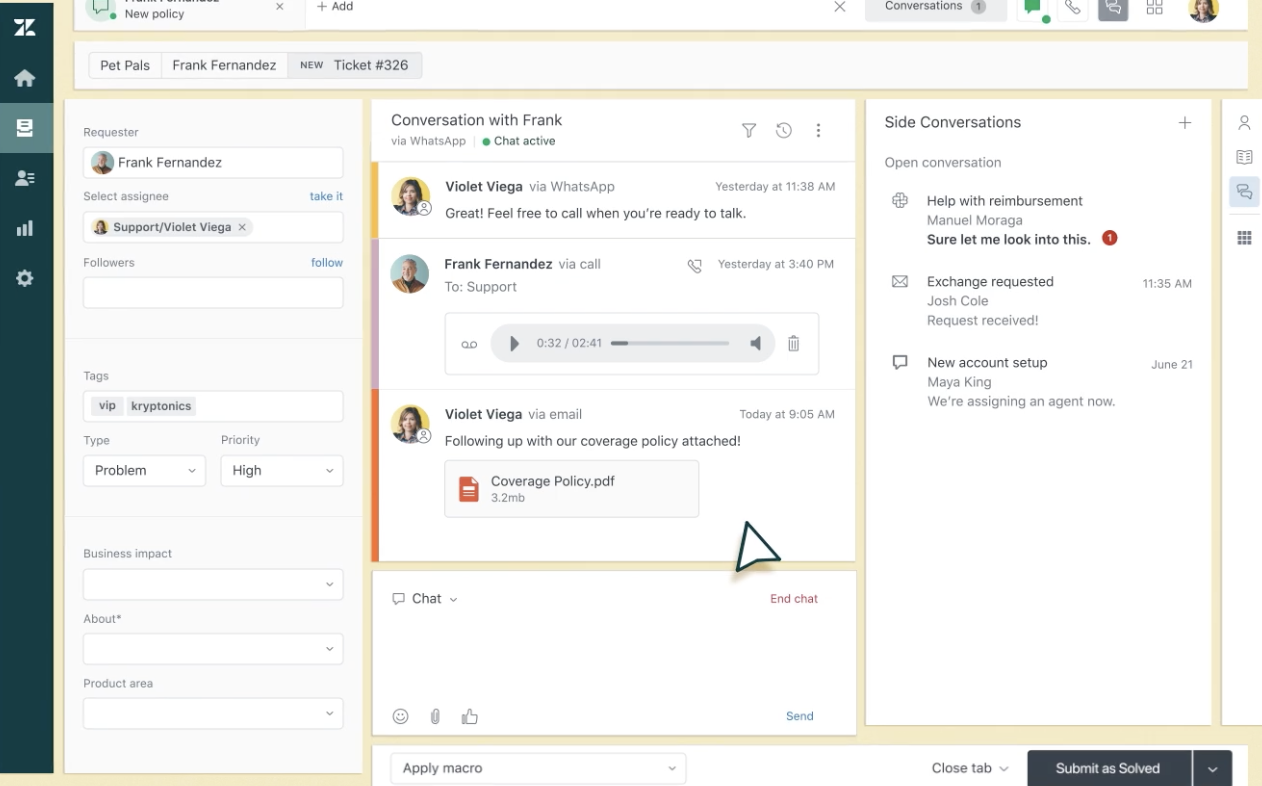
Zendesk is a widely known and utilized customer service software that is equipped with multiple capabilities to assist customer service teams in providing outstanding support. These features include a ticketing system, messaging and live chat, a knowledge base, and additional functionalities.
Zendesk is widely recognized for its robust customer support and ticket-handling capabilities. The platform consolidates all consumer communications in a single location.
Therefore, regardless of how your clients contact you (email, live chat, or social media), Zendesk consolidates all of these discussions into a single interface—facilitating your customer service staff's ability to monitor these requests and reply immediately.
Regardless of the platform your consumer contacts you on, Zendesk will generate a ticket. This ticket will contain complete information about the customer, including their previous order history, loyalty status, past conversations, and additional details.
Pros
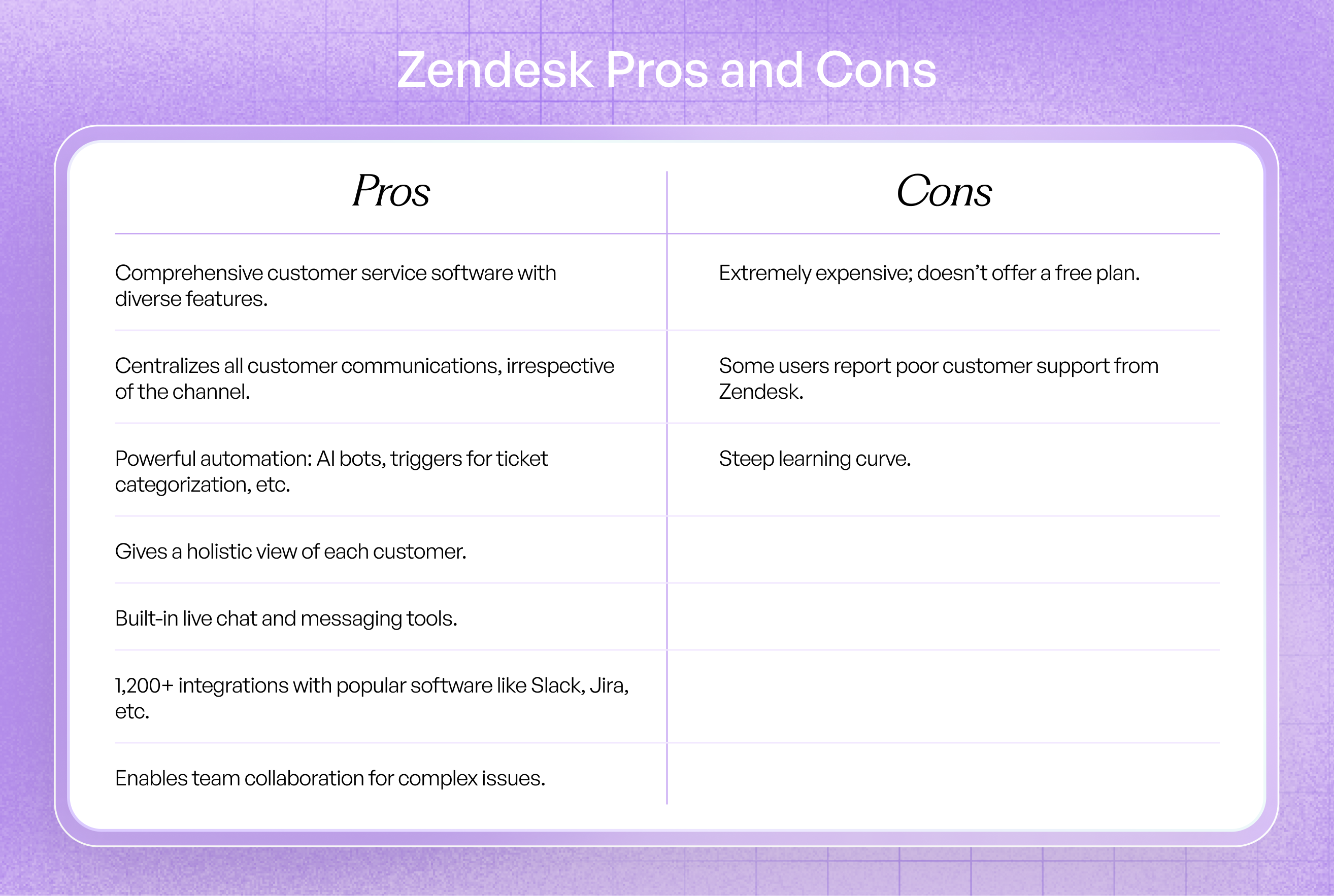
Consolidates all client communications: regardless of the channel your customer uses to contact you, Zendesk brings all discussions together on a single platform. Thus, your customer care representatives should be aware of all customer inquiries and manage numerous platforms simultaneously.
Effective automation capabilities: Zendesk's automation capabilities can alleviate part of the workload for your customer service representatives. You can configure the AI bot to respond to typical customer inquiries, engage with your clients without your support representatives, and perform more functions. You can also establish triggers to classify, give priority to, and direct tickets to suitable agents or departments.
Comprehensive client profile: customer service agents can access a complete overview of customers, including their previous discussions, buying records, support inquiries, and additional details. In this manner, whenever a representative approaches a ticket, they may obtain the entire context and provide excellent support.
Live chat and messaging: Zendesk provides integrated live chat and messaging features that enable businesses to interact with consumers immediately.
Over 1,200 Integrations: Zendesk may be integrated with widely-used applications such as Trello, Slack, Jira, MailChimp, etc.
Team collaboration: if a problem needs input or assistance from others in your firm, Zendesk provides effective collaboration options to facilitate working together with internal team members.
Cons:
Zendesk is a costly customer support system. Does not provide a complimentary plan.
Several G2 users have mentioned that their customer service could be better. It's unusual for a company that provides a customer assistance solution.
In addition to these, another disadvantage is that the platform requires a significant amount of effort to understand. Capable of adjusting to various screen sizes
3. Wordtune
Ideal for: Comprehending client inquiries, writing in multiple languages, and rephrasing messages
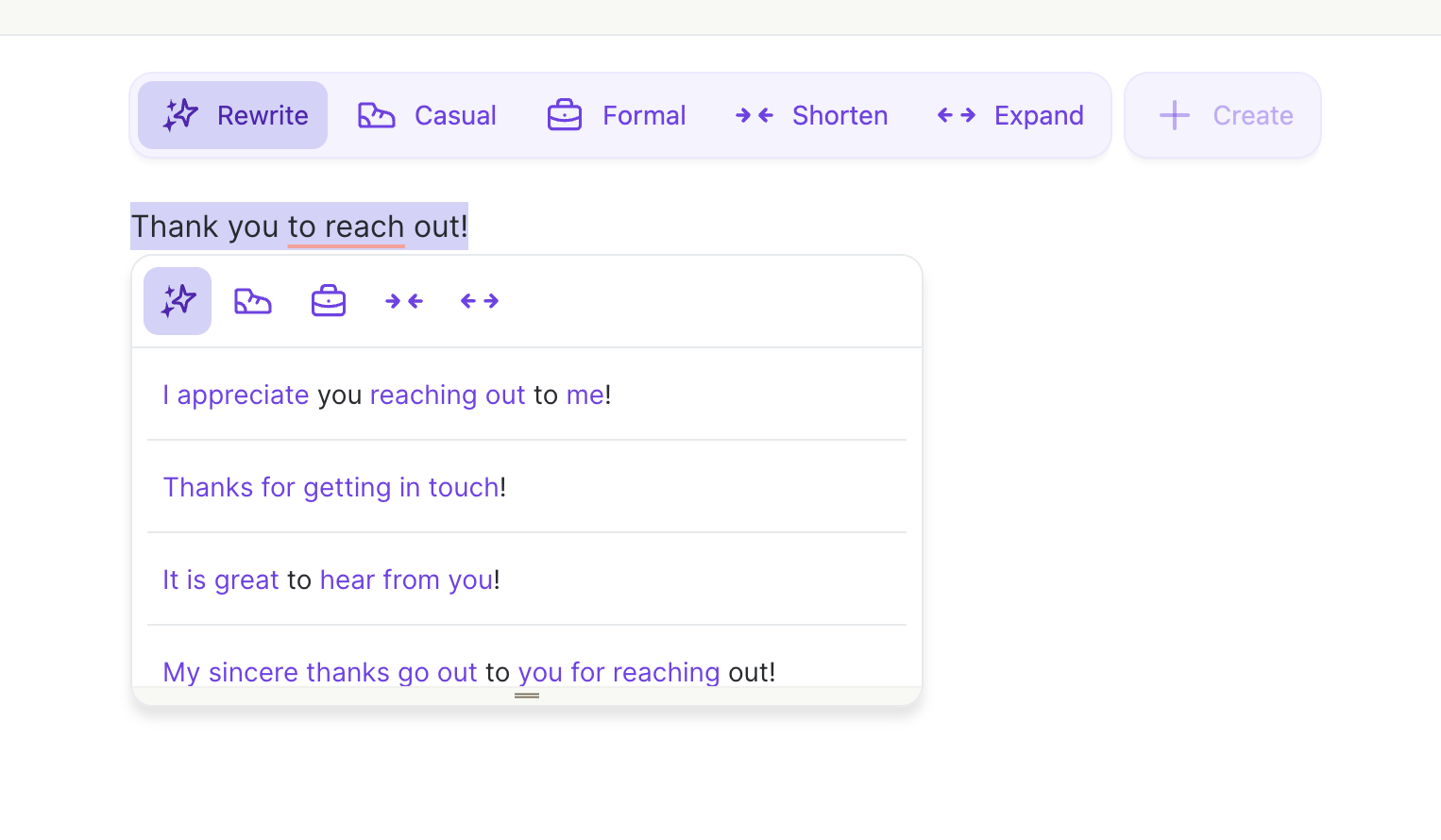
Wordtune is a highly used AI-based writing tool that assists customer care departments in providing superior support. The platform does not include conventional customer support capabilities such as live chat, help desk, knowledgebase, etc.
Instead, its main advantage is assisting customer care professionals in rewording their communications for precise, accurate, and impactful communication.
Wordtune offers several critical functions for customer support:
Writing in many languages
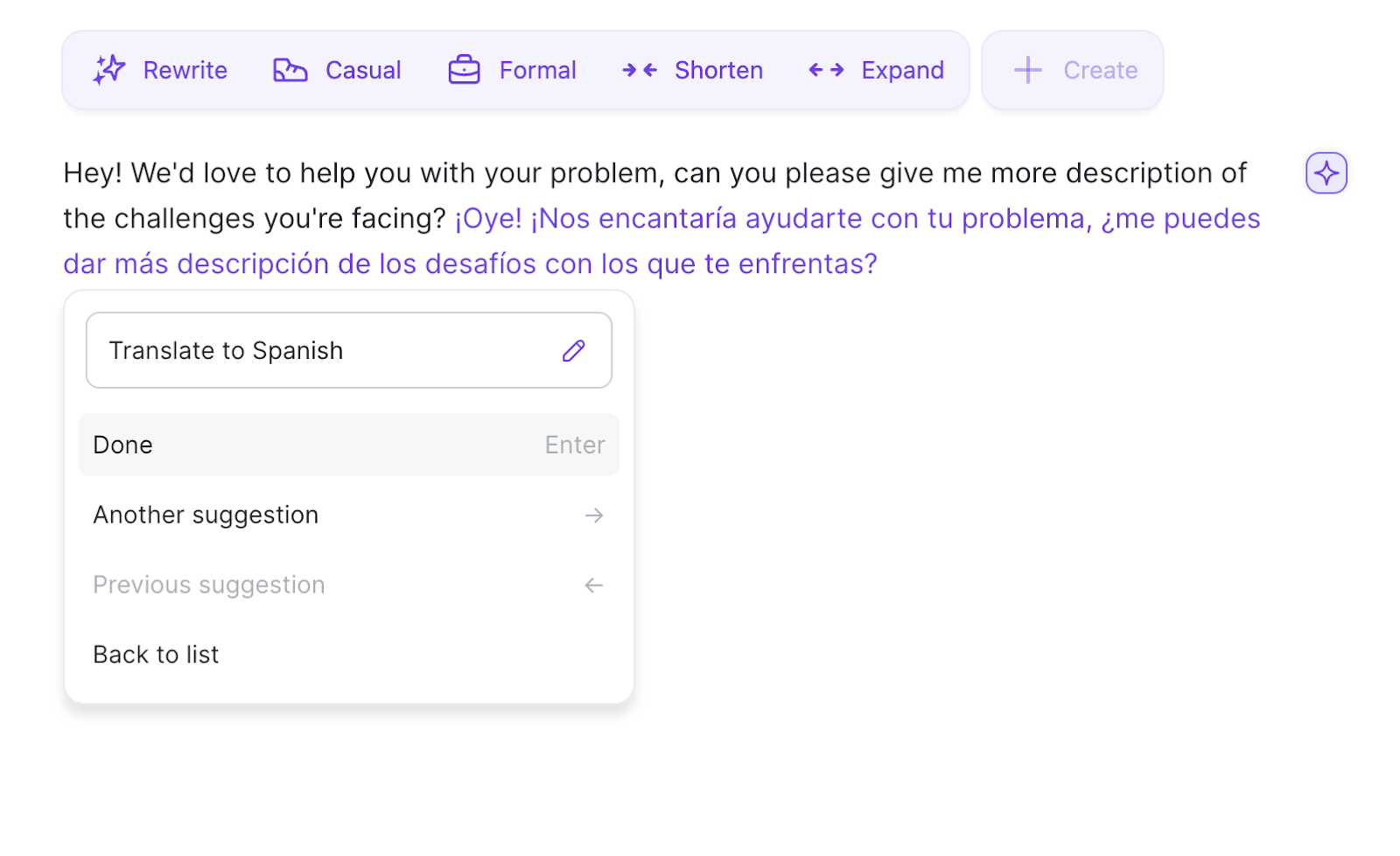
Wordtune makes engaging with international clients who communicate in their mother tongues very simple. It is challenging to depend on traditional technologies such as Google Translate, as they are not entirely accurate and cannot capture the nuances of ordinary English, particularly slang and colloquial expressions. Therefore, if you belong to a worldwide brand, instead of employing customer service representatives skilled in several languages, you can economize time, money, and energy by utilizing Wordtune.
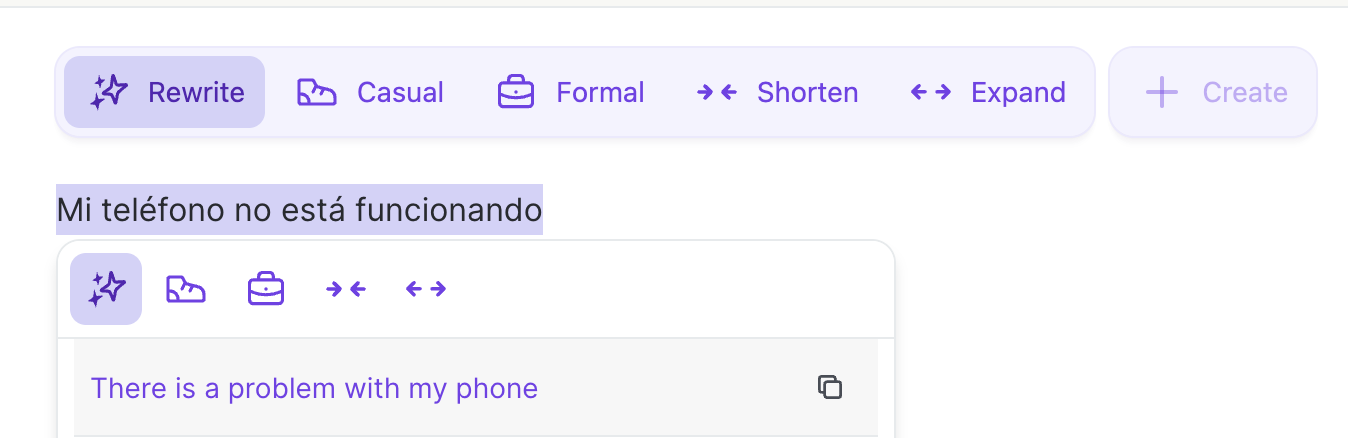
Your customer service representatives can now reply to your consumers in their mother tongues utilizing Wordtune's Spices function.
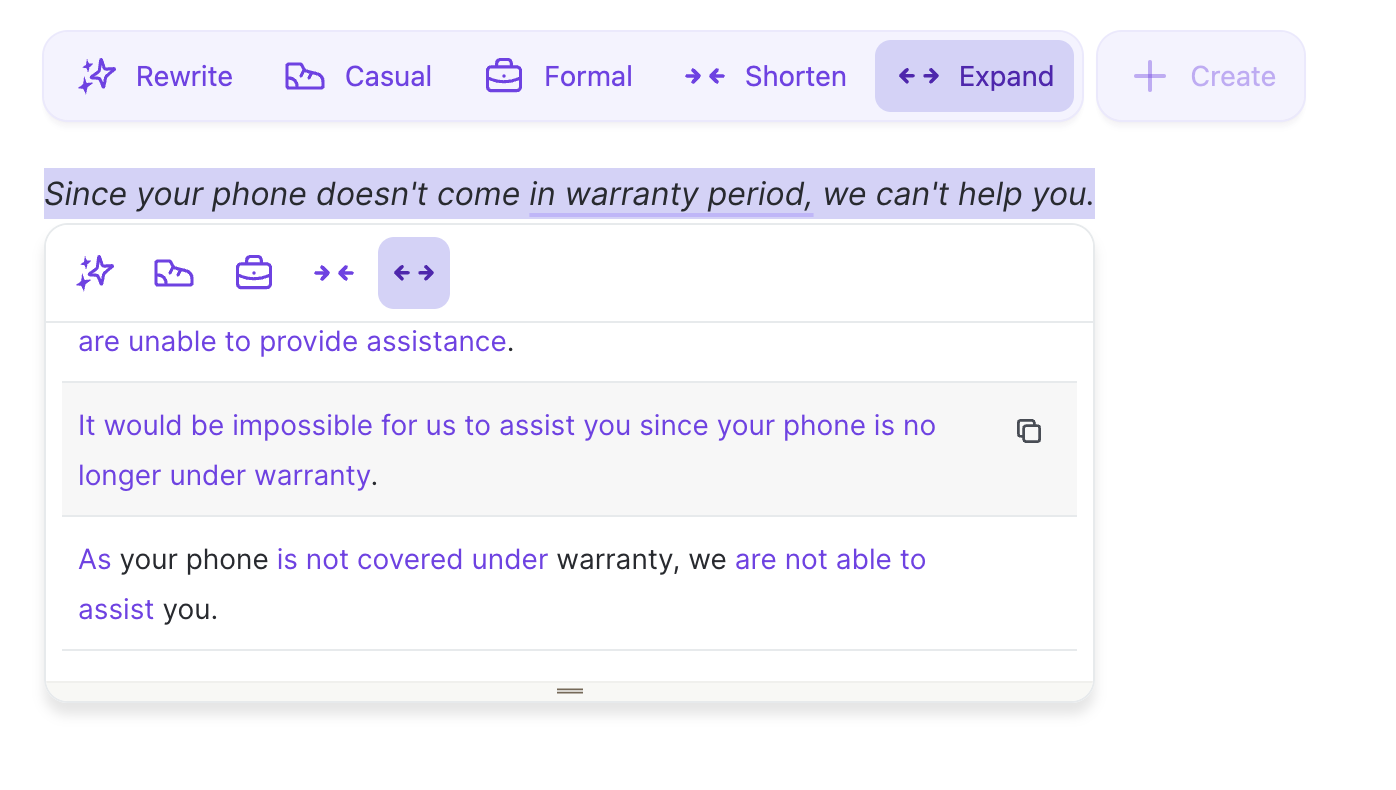
Rephrase messages
Using Wordtune’s rewrite feature, your customer support reps can paraphrase their messages such that they seem professional and humble, no matter how difficult the conversation gets.
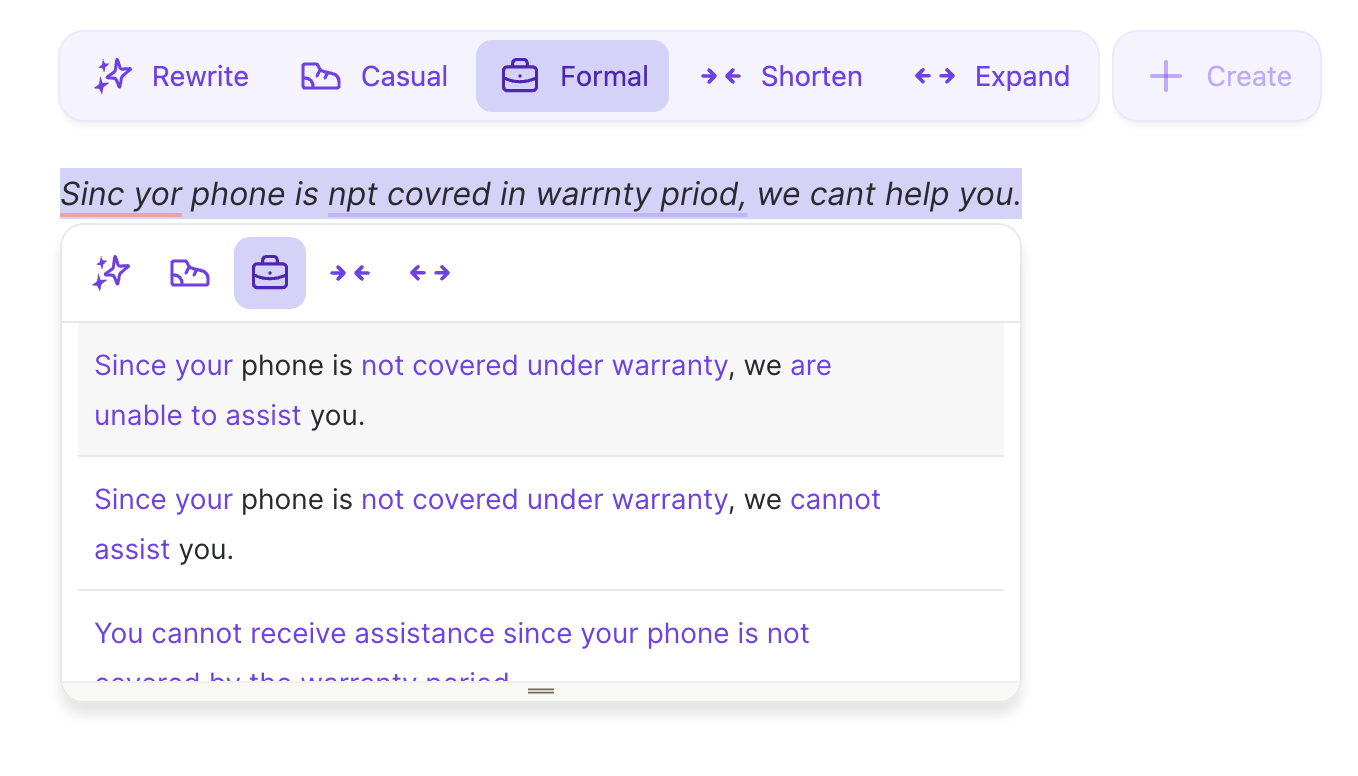
Correct grammar and spelling mistakes
The last thing you want is to send communications full of grammatical errors and spelling issues. Wordtune can also assist your customer service agents resolve these issues with their messaging.
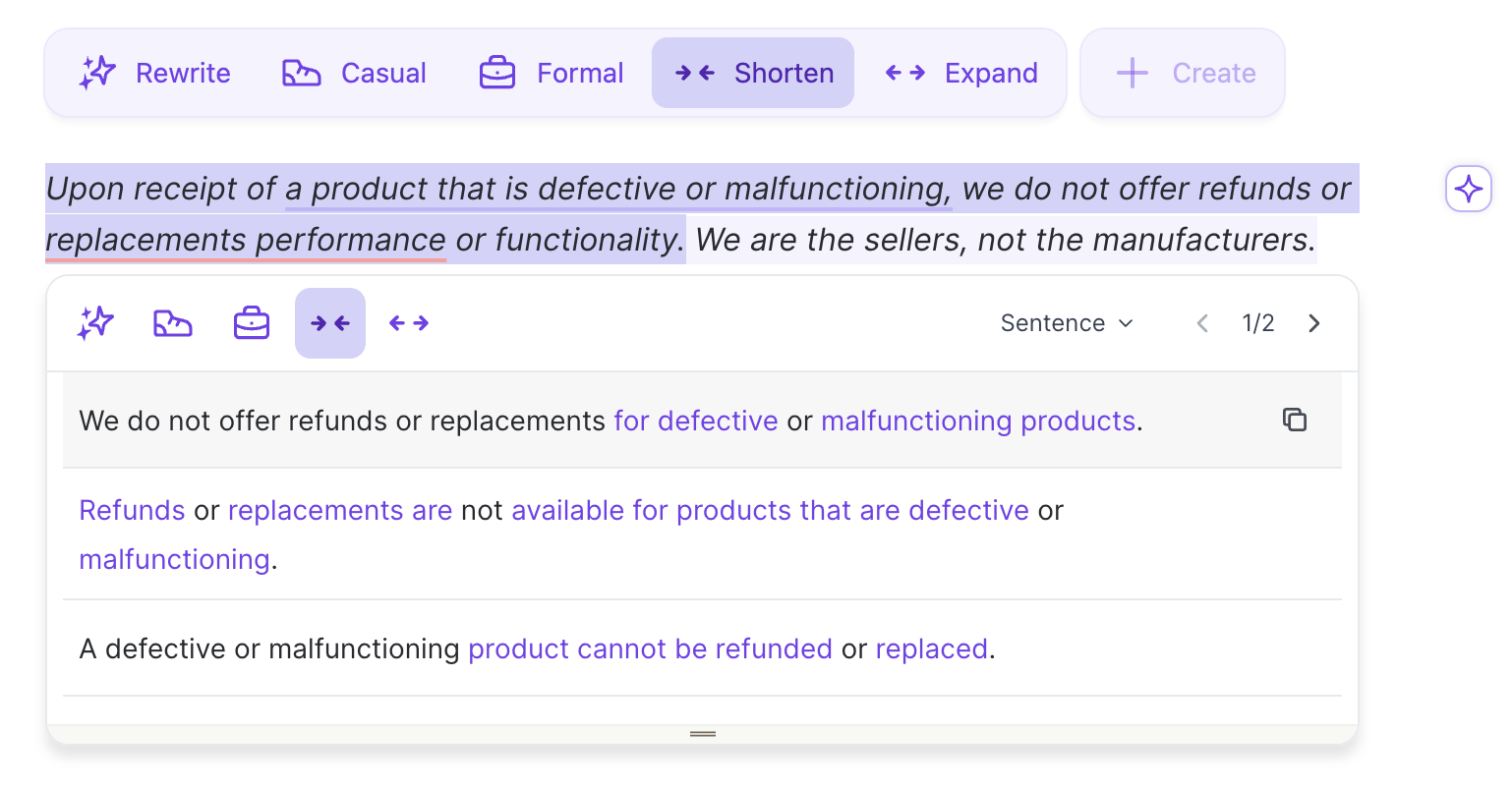
Enhance the clarity and brevity
Wordtune's Shorten function can assist your customer reps in making their messages more brief and understandable.
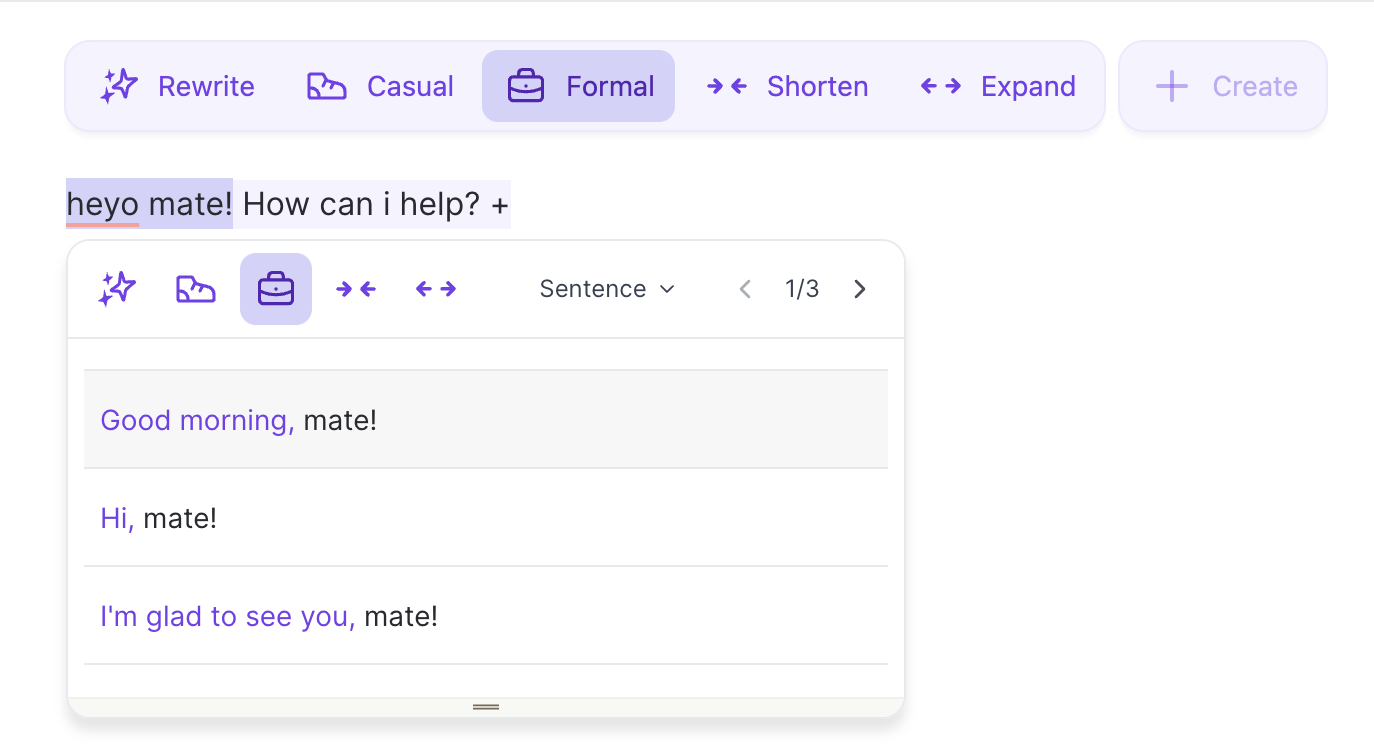
Modify tones
Your customer service representatives can also utilize Wordtune to transition from informal to formal language and vice versa. By adopting Wordtune across the entire firm, you can guarantee that your staff communicates uniformly.
Cons:
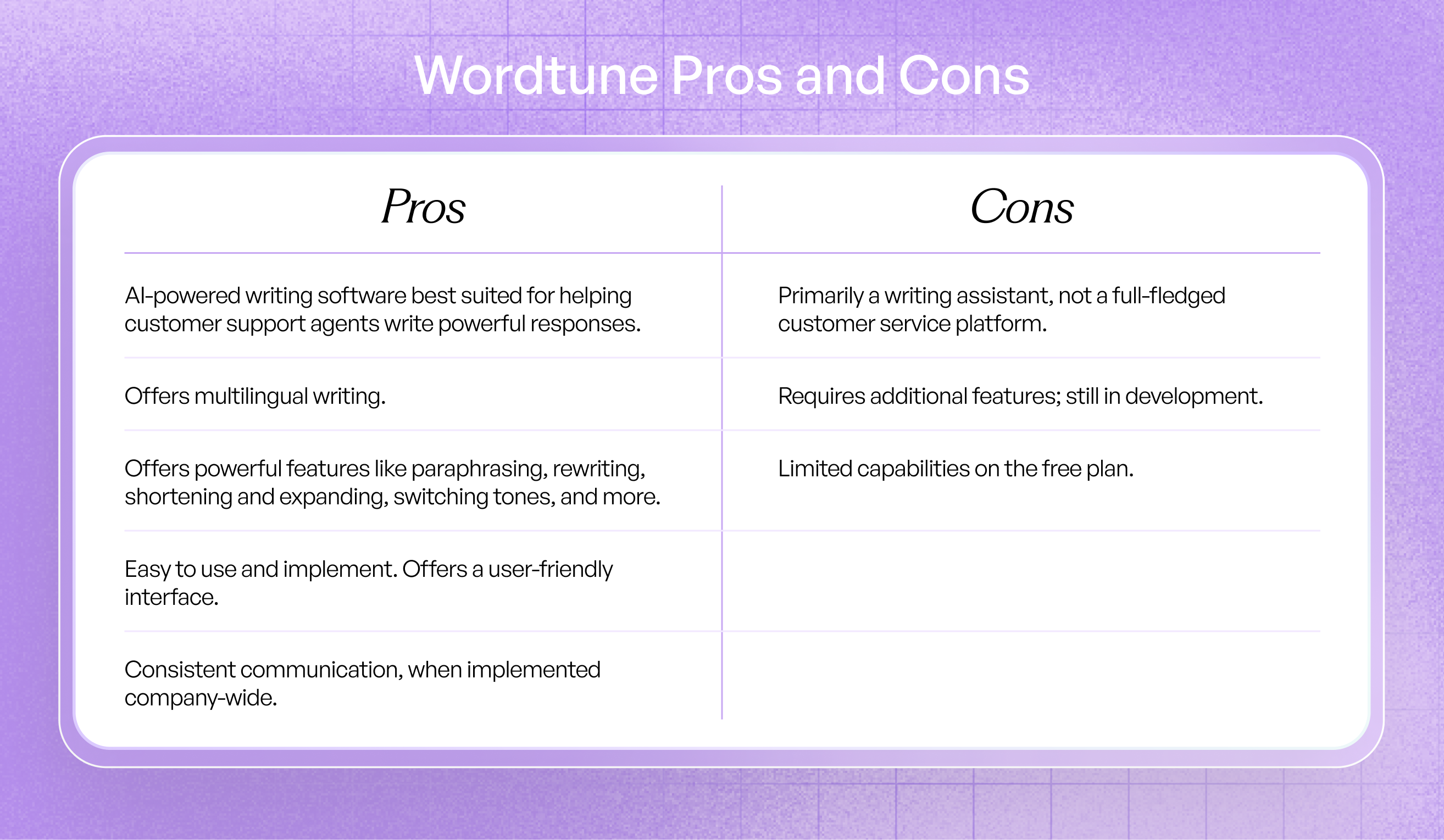
The basic plan may appear restrictive. Nevertheless, given that our platform is highly user-friendly and the subscription plans are reasonably priced, it might be worthwhile to consider moving to one of the paid plans.
Wordtune is an AI-driven writing and productivity tool rather than a comprehensive customer service program.
4. Helpjuice
Ideal for: Establishing a self-service repository of information
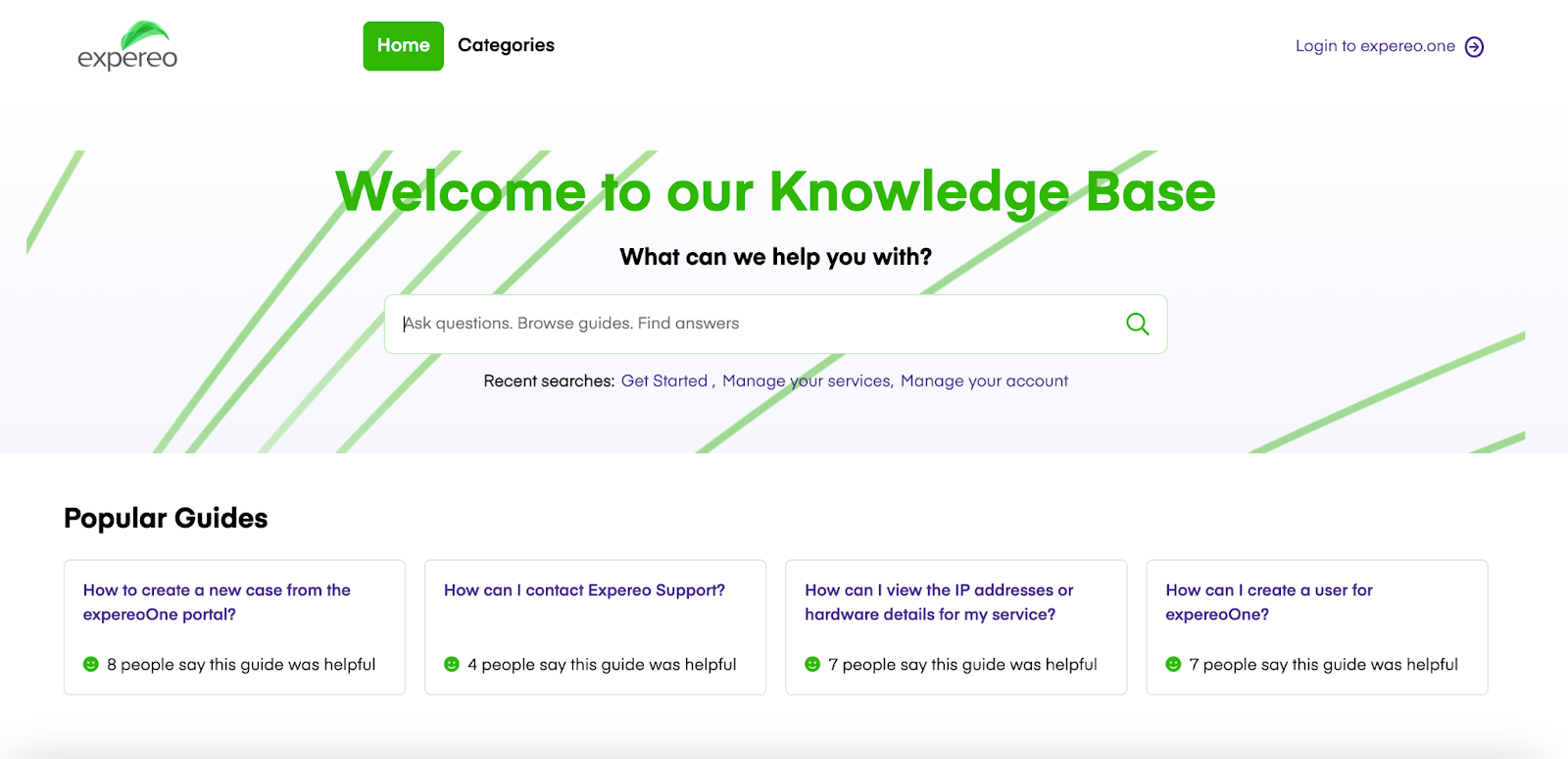
Helpjuice is a comprehensive knowledge base software that assists companies in creating self-service knowledge bases. By alleviating some of the workload on their customer service department, they can promptly address common customer inquiries and difficulties, eliminating the need for clients to reach out to the support team.
Pros:
Create a knowledge base: Helpjuice provides various useful tools to assist companies in quickly establishing knowledge bases. The platform also makes it easy to control the accessibility of the knowledge base, whether it is public, internal, or partially internal. This may be done at the category, article, or knowledge base level.
Search similar to Google: Helpjuice also has robust search features, making it more straightforward for your clients to find articles related to the problems they are experiencing.
Broad branding and customization choices: To assist you in creating a knowledge base with your company's branding aspects, the platform provides more than 12 themes and sophisticated customization options. The organization also offers excellent customer assistance, which includes complimentary professional customization of your knowledge base.
Multiple options: You can work with various versions of the same article and effortlessly revert to a prior version based on your requirements. Similar to how it is done within Google Docs.
Compelling collaboration features: You can work with other team members by adding comments and replying to them on knowledge-based articles, facilitating team cooperation effortlessly.
Comprehensive writing and formatting capabilities: To be regarded as a robust knowledge base software, your program should have strong writing and formatting capabilities that allow for easy customization of articles to meet the company's or author's requirements.
Simple structure: You can categorize and place your content into folders to maintain a systematic approach.
Effective integrations: Helpjuice provides effective integration solutions with organizations such as Slack, Salesforce, Zendesk Support, Freshdesk, Zapier, etc.
API integration: You may connect a Helpjuice knowledge base with a chatbot via an API to guide the user to a suitable knowledge base article.
Cons:
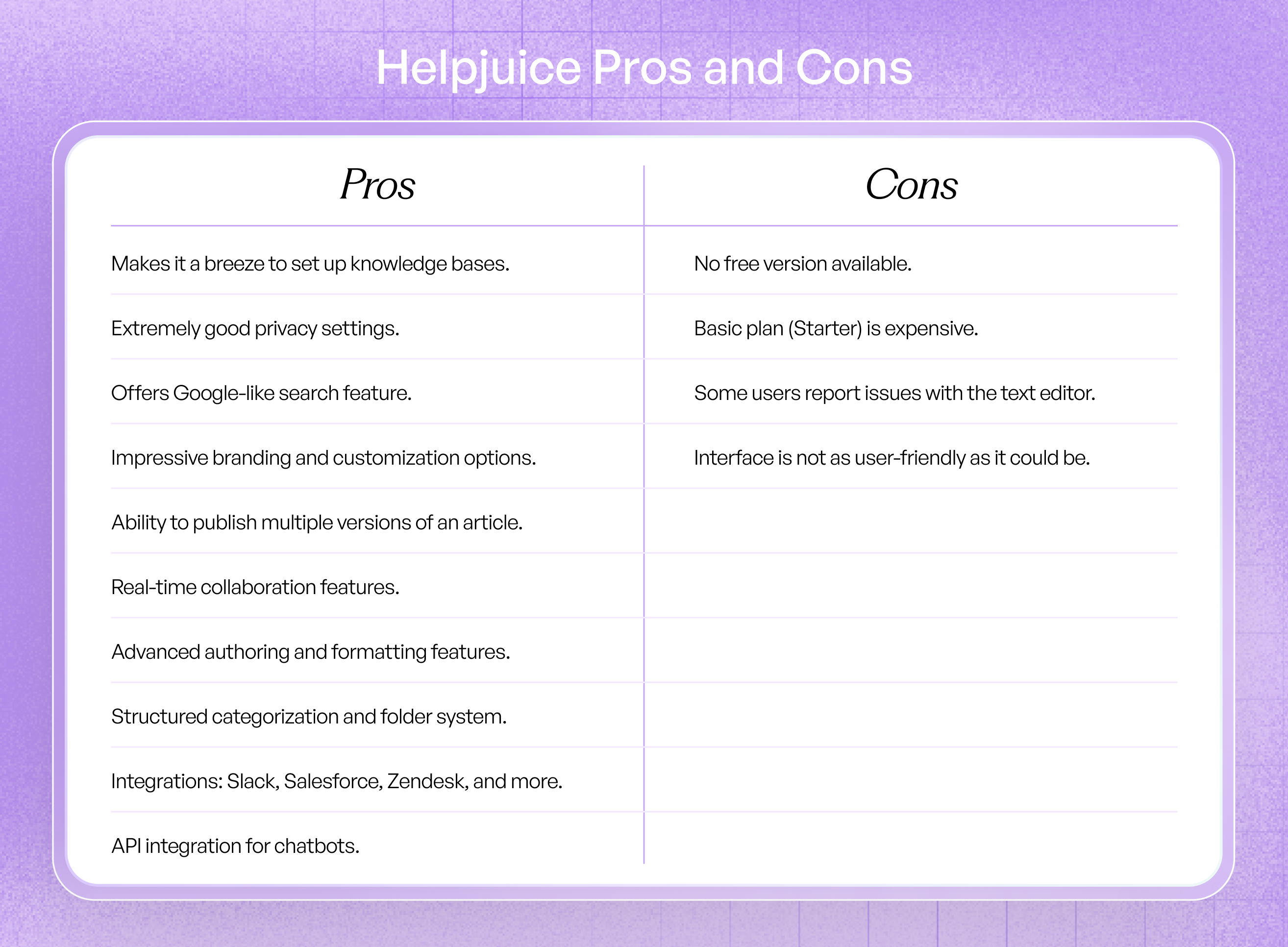
Helpjuice does not provide a version that is free of charge. The least expensive plan (Starter plan) is costly.
Several users (on G2) have experienced issues with their text editor.
The platform lacks a user-friendly interface; there is still potential for improvement.
5. Loom
Ideal for: Producing video tutorials
Atlassian purchased Loom, an internet-based platform for sending video messages with solid capabilities for recording videos and screens. For numerous customer care teams, Loom is their preferred platform when they believe that more than using written messages would be required to resolve their clients' problems.
Pros:
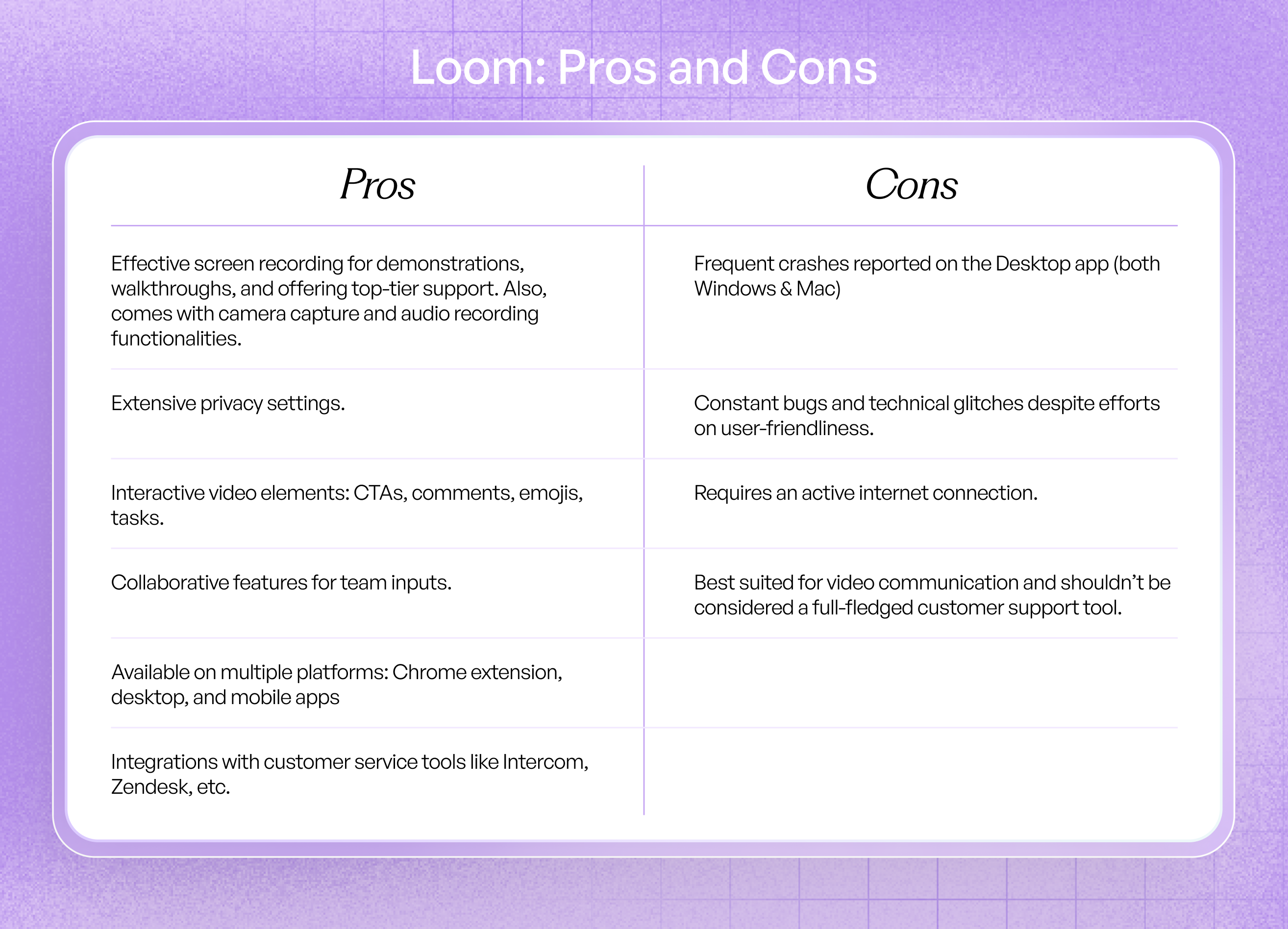
Screen recording: Loom makes it very simple to capture screens, whether it's for a complete screen demonstration, a particular application window, or even just a browser tab. This is particularly helpful for guiding a consumer through a complicated process or showcasing software features.
Camera recording: Loom lets you capture the screen and the presenter's face using its advanced camera recording feature. Displaying the faces of your customer support representatives might assist in providing a more individualized experience.
Immediate sharing: Once you finish filming a video, Loom will provide a link you can easily share with your consumers. Loom also offers excellent privacy options to ensure only the intended receivers can access your movies. You can send these films via email, make them available to all members of your organization, and make them public. You can also insert your Loom films (with a fixed size or responsive size) on many platforms directly or by utilizing an embed code.
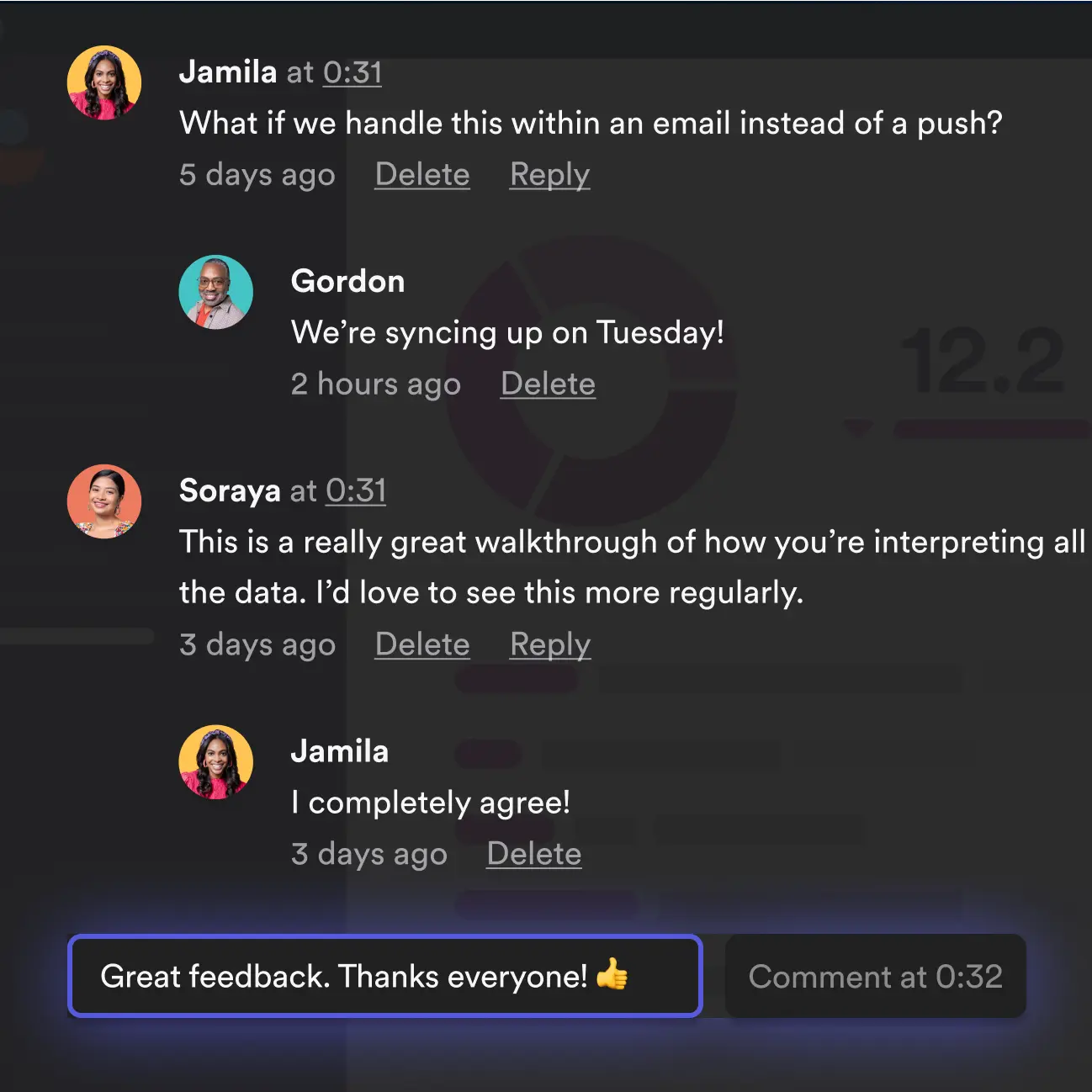
Include interactive features: Include interactive features in your videos, such as calls-to-action, comments, emojis, and tasks.
Compelling collaboration features: You can involve colleagues and obtain their input to deliver strong replies to your clients and cooperate to resolve issues more quickly.
Cross-platform accessibility: Loom has a user-friendly interface and can be accessed as a Chrome extension, desktop application (compatible with Mac and Windows), and mobile application (iOS and Android).
Customer service software integration options: You may easily connect Loom with customer support platforms such as Intercom, Zendesk, and others.
Cons:
Several customers have experienced frequent problems with the Desktop program on both Windows and Mac.
Although Loom prioritizes ensuring their application is easy to use, some customers have been frustrated by frequent problems and technical issues.
You require a functioning internet connection, but we do not perceive it as a significant disadvantage.
Loom is a video communication tool and not a complete customer support program.
6. Usersnap
Ideal for: Documenting software issues and gathering input from customers (for SaaS companies)
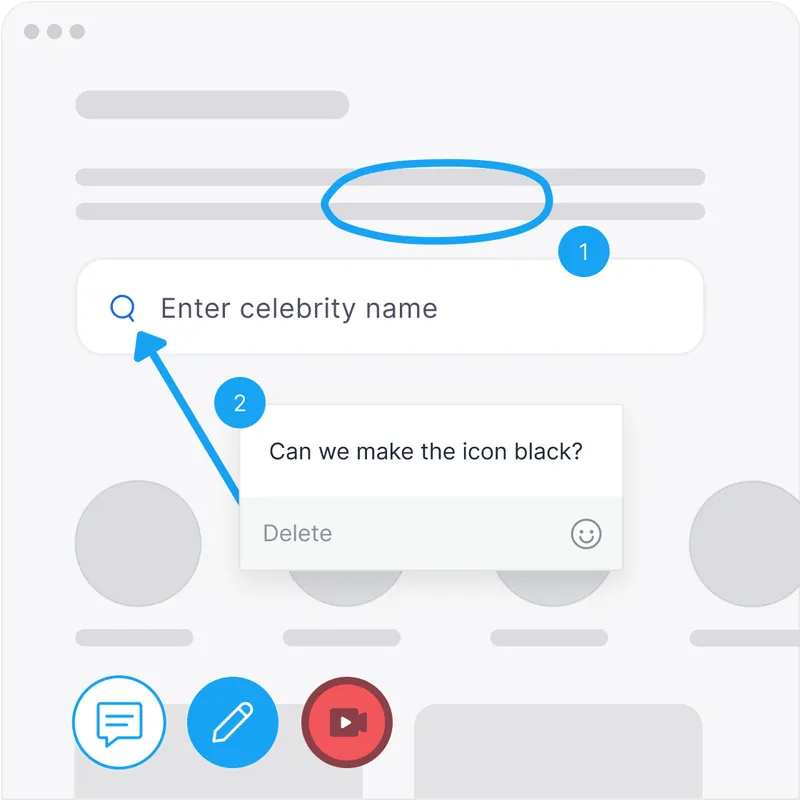
Usersnap is a customer feedback platform allowing customers to submit defects and technical difficulties easily. And for customer service teams to gather client feedback. It is an excellent tool for product development and customer success teams to collect feature requests. However, it is also an ideal platform for customer service departments.
Pros:
Feedback button and menu: Usersnap allows consumers to quickly report defects and technical malfunctions without utilizing a screenshot program or recording a Loom video. Instead, they can use this feature to capture screenshots and videos.
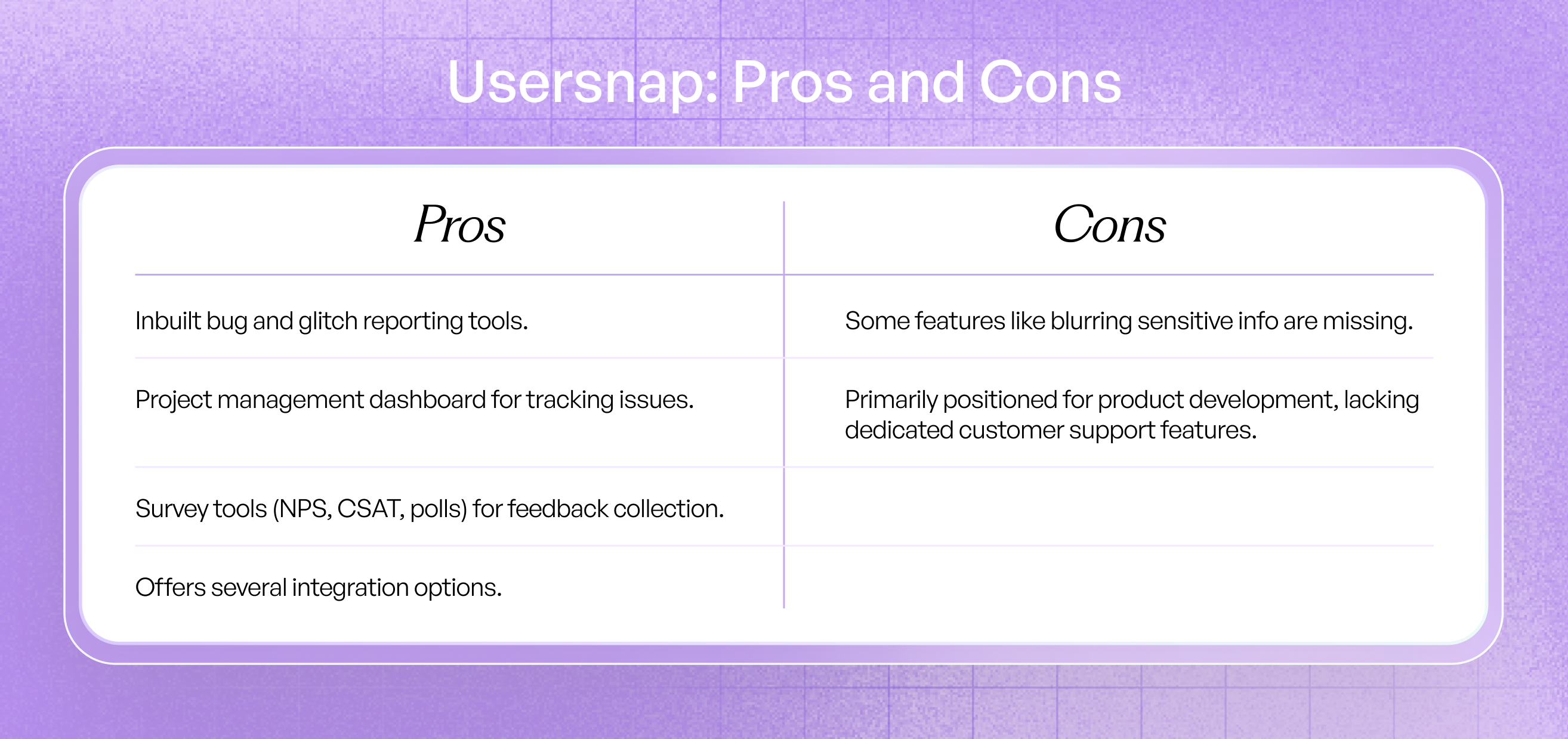
Project management dashboard: After the user files a bug, it is possible to assign the ticket to a specific team member, prioritize the issue, and watch its progress from start to finish directly within the Usersnap platform.
Tools for annotation: When users take screenshots or videos, they can emphasize key regions, include text comments, or utilize drawing tools to clarify the situation.
Obtain feedback with surveys: Usersnap enables the launching of NPS, CSAT, polls, and surveys with thumbs-up or thumbs-down options based on user events, time spent on a page, or URL paths.
Integration possibilities for customer service software: Usersnap can be integrated with popular customer service platforms such as Zendesk, HubSpot, and Salesforce.
Cons:
Specific clients have expressed a need for further functionalities, such as the option to obscure or conceal sensitive data.
The application is marketed as a customer feedback platform for product development teams. However, it has a strong customer support use case for which specific functionalities should be accessible.
7. Sprout Social
Ideal for: Monitoring social media
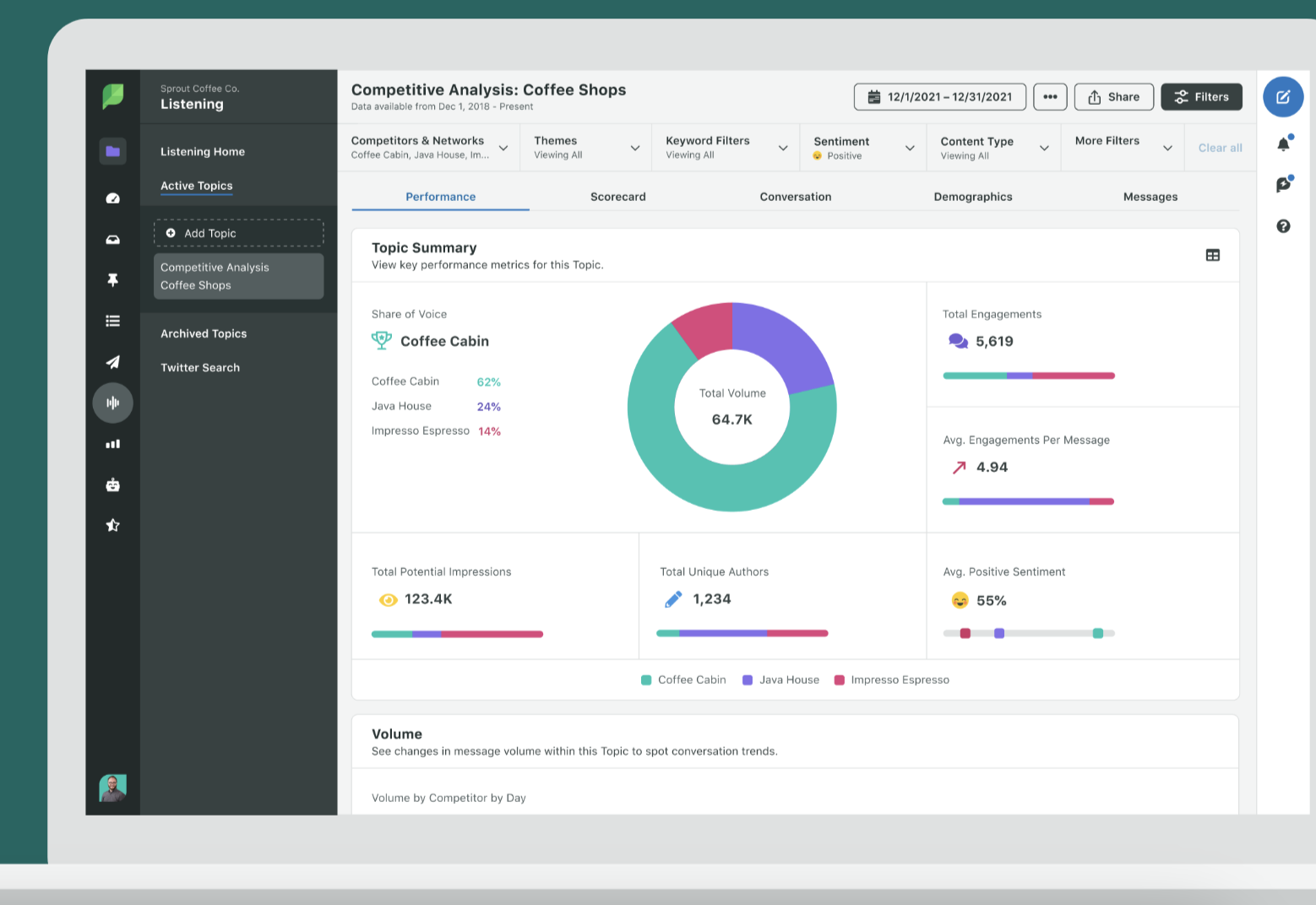
Sprout Social is a comprehensive social media management platform. One of its main benefits for customer care teams is monitoring social media. This function assists companies in promptly identifying the discussions surrounding their brand on social media by closely monitoring brand mentions and precise keywords.
Pros:
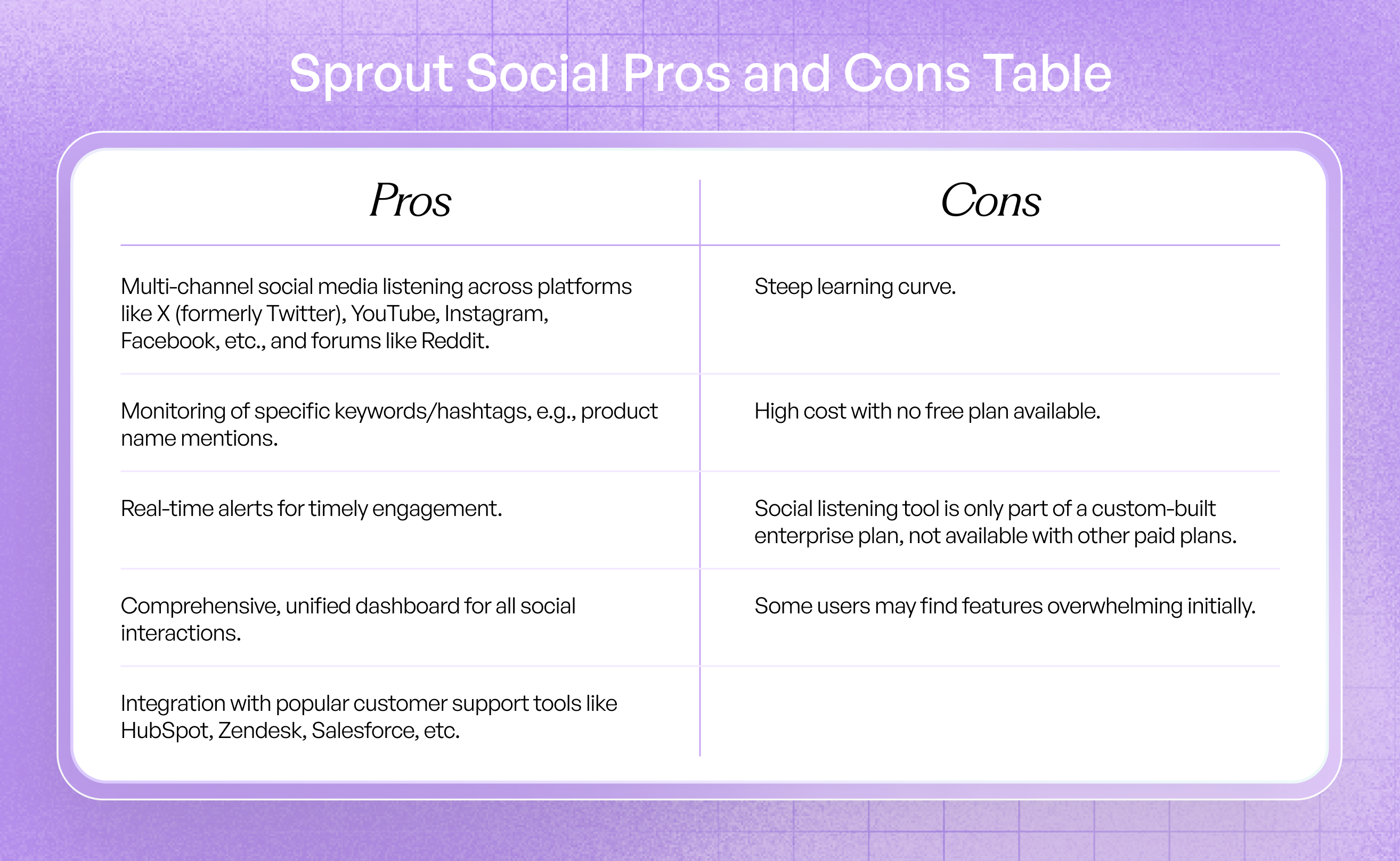
Multi-platform social media monitoring: Sprout Social allows you to track social media references on many channels, such as X (formerly known as Twitter), YouTube, Instagram, Facebook, and more. You can also keep track of references on platforms such as Reddit.
Track keywords/hashtags: You may also track individual keywords or hashtags. For instance, you can utilize Sprout Social to track mentions of a product name on social media.
Immediate notifications: Instant alerts for brand mentions or specified phrases to ensure prompt engagement.
All-inclusive panel: An integrated perspective of all social interactions, simplifying the procedure for customer support teams.
Integration choices: You can combine Sprout Social with well-known customer support solutions such as HubSpot, Zendesk, Salesforce, and others.
Cons:
The platform has a challenging learning process.
Sprout Social is quite costly and needs to provide a complimentary plan.
The social listening capability is only included in a custom-made enterprise plan and is not accessible with other premium plans.
Conclusion
In conclusion, as we step into the promising landscape of 2024, it's abundantly clear that elevating customer service through cutting-edge software solutions is no longer just an option; it's a necessity. The relentless pace of technological innovation has given rise to tools and platforms that empower businesses to redefine customer interactions. The possibilities are exciting and limitless, from advanced chatbots providing real-time assistance to predictive analytics forecasting customer needs.
Learn more: AI TOOLS
