
PDFSummarizer.net
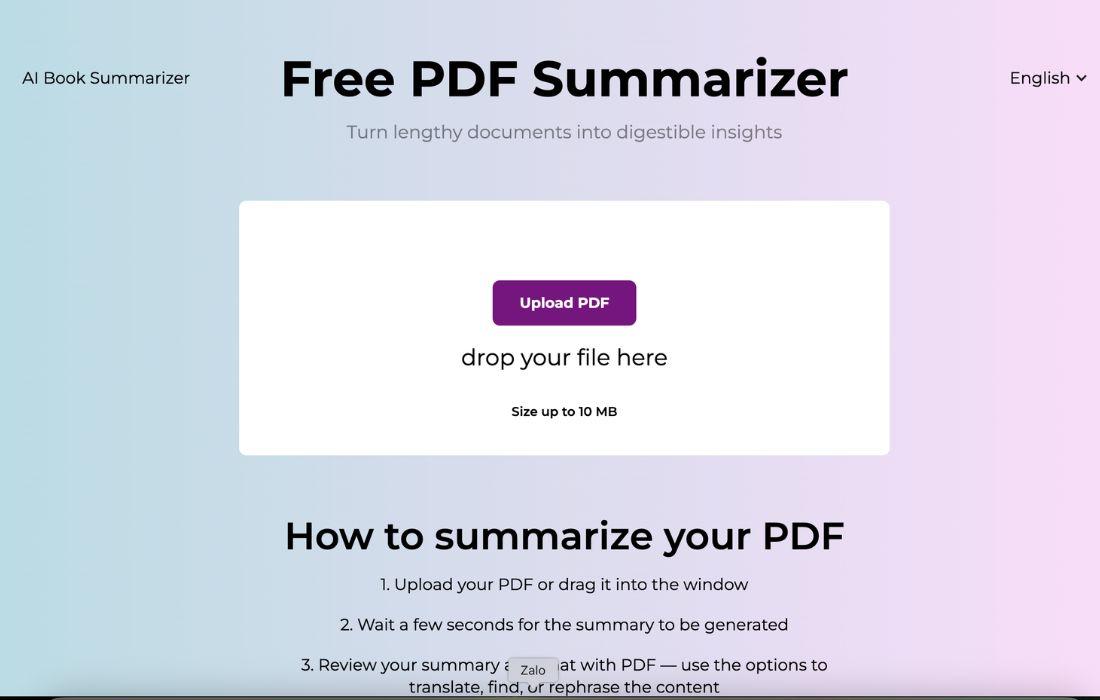

PDFSummarizer.net is a PDF summarizer that turns long PDF files into short, clear summaries in seconds. If you feel stuck reading long reports just to find the main points, PDFSummarizer.net can save you a lot of time. It also lets you chat with your PDF, so you can ask questions and get answers without scanning every page.
What is PDFSummarizer.net
PDFSummarizer.net is a web-based AI tool that summarizes PDF documents and helps you understand them faster. You upload a PDF, the tool creates a summary, and you can continue by asking questions about the content. It also supports actions like rewriting and translating parts of the document.
Key Features:
- Fast PDF upload and summarization: Upload a PDF and get a summary quickly, so you spend less time reading.
- Chat with PDF: Ask questions about the PDF and get direct answers, which helps you find details faster.
- Translate, rephrase, and simplify: Rewrite complex sections into simpler language, or translate content for wider use.
- Helpful structure for review: Use summaries and follow-up questions to build briefs, notes, and action items.
- Browser-based and easy to start: No install needed, so it fits quick workflows for busy teams.
Pros & Cons:
Pros
- Saves time when you need the main ideas from long PDFs.
- Helps onboarding and internal training by turning documents into quick summaries and Q&A.
- Flexible enough for different use cases across marketing, ops, and content teams.
- Works well for repeated workflows because the steps are simple and fast.
Cons
- Results improve when you write better prompts, so there is a small learning curve.
- Needs a stable internet connection because it runs online.
- File size limits can be a problem for large or image-heavy PDFs.
Who is Using PDFSummarizer.net?
PDFSummarizer.net fits people who deal with documents often and want faster understanding without extra tools.
- Tech-savvy entrepreneurs and operators: Summarize market reports, vendor docs, internal plans, and strategy PDFs.
- Marketing professionals: Pull insights from case studies, competitor reports, brand research, and campaign briefs.
- Content creators and editors: Turn research PDFs into outlines, talking points, and cleaner drafts.
- Students and researchers: Get the structure and key claims before doing deeper reading.
- Consultants and client teams: Extract key findings quickly and prepare meeting notes faster.
- Global teams: Translate sections to reduce language friction in shared documentation.
Pricing:
PDFSummarizer.net is presented as a free tool. You can start by opening the website and uploading a PDF.
Free Version: Free to use, simple setup, and fast summarization for typical PDFs.
Pro Version: A public pricing page is not clearly shown in the main flow. If a paid plan exists later, check the official site for updated limits and features.
What Makes PDFSummarizer.net Unique?
Many tools only give a summary. PDFSummarizer.net focuses on summary plus interaction. That matters in real work. Most users do not only want a shorter text. They want answers to specific questions like “What are the key risks?” or “What are the next steps?” or “What does the author recommend?” Chat-style follow-ups can reduce the time you spend searching inside a PDF.
It also fits practical workflows because it supports rewriting and translation. That is useful for marketing teams who need clean copy, and for operators who need clear action points. It reduces the back-and-forth that often happens when AI output needs constant editing.
Compared with larger platforms, PDFSummarizer.net feels lighter. It is fast to start. You do not need a complex setup to get value. The workflow is simple: upload, review the summary, then ask questions to extract what matters.
PDFSummarizer.net Tutorials:
The product flow is simple, so onboarding is fast.
- Upload your PDF or drag it into the upload area.
- Wait for the summary to generate.
- Review the summary, then ask questions to find details, rewrite sections, or translate content.
- To get stronger results, ask for a specific format. For example, ask for bullet points with headings. Then do a second pass. Ask for risks, assumptions, and next steps. You can also ask the tool to extract numbers, dates, and commitments, which is helpful for business and client work.
How We Rated It:
- Accuracy and Reliability: 4.2/5
- Ease of Use: 4.6/5
- Functionality and Features: 4.3/5
- Performance and Speed: 4.5/5
- Customization and Flexibility: 4.0/5
- Data Privacy and Security: 4.1/5
- Support and Resources: 3.6/5
- Cost-Efficiency: 4.8/5
- Integration Capabilities: 3.4/5
- Overall Score: 4.2/5
Summary
PDFSummarizer.net is a solid choice if you want a fast PDF summarizer that also lets you chat with your document. It is built for real workflows. You upload a PDF, get the key ideas, then ask questions to extract the details you need. This saves time and reduces frustration.
For entrepreneurs, marketers, and content creators, the tool can turn PDFs into usable outputs like briefs, outlines, talking points, and translated snippets. It will not replace deep reading for high-stakes decisions, but it can remove a lot of slow document scanning from your week.
PDFSummarizer.net Launch embeds
Use website badges to drive support from your community for your AI Journey Launch. They're easy to embed on your homepage or footer.


Empowering You With AI JOURNEY Discover, Learn, Master!