
HappyHorseAI
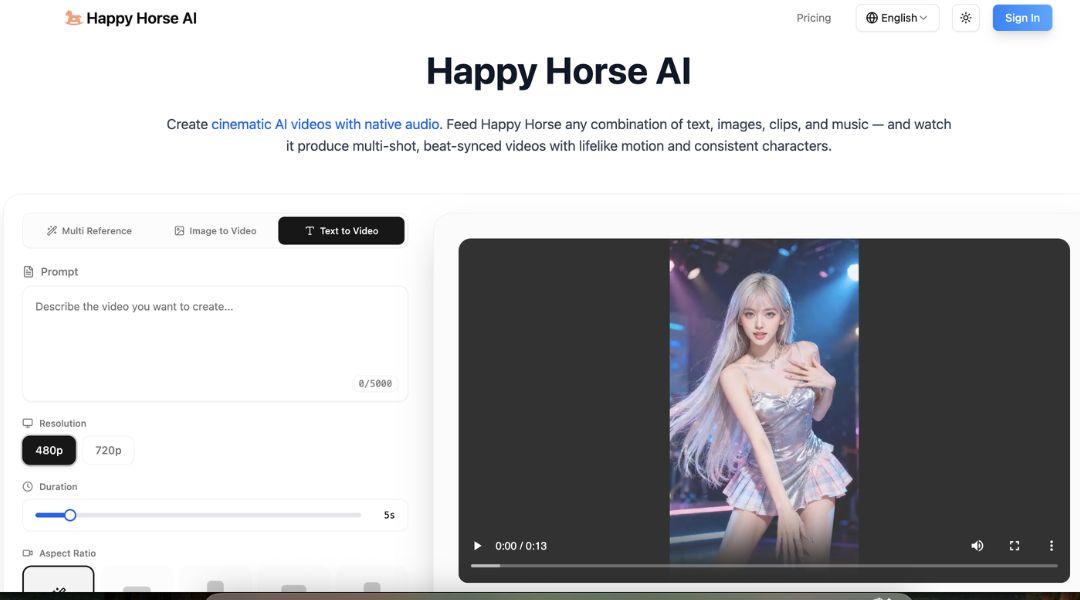

If you are searching for a powerful AI video tool, HappyHorseAI is worth your attention. HappyHorseAI is designed to turn text, images, and clips into cinematic videos with sound. It helps creators produce high-quality content fast without complex editing.
What is HappyHorseAI
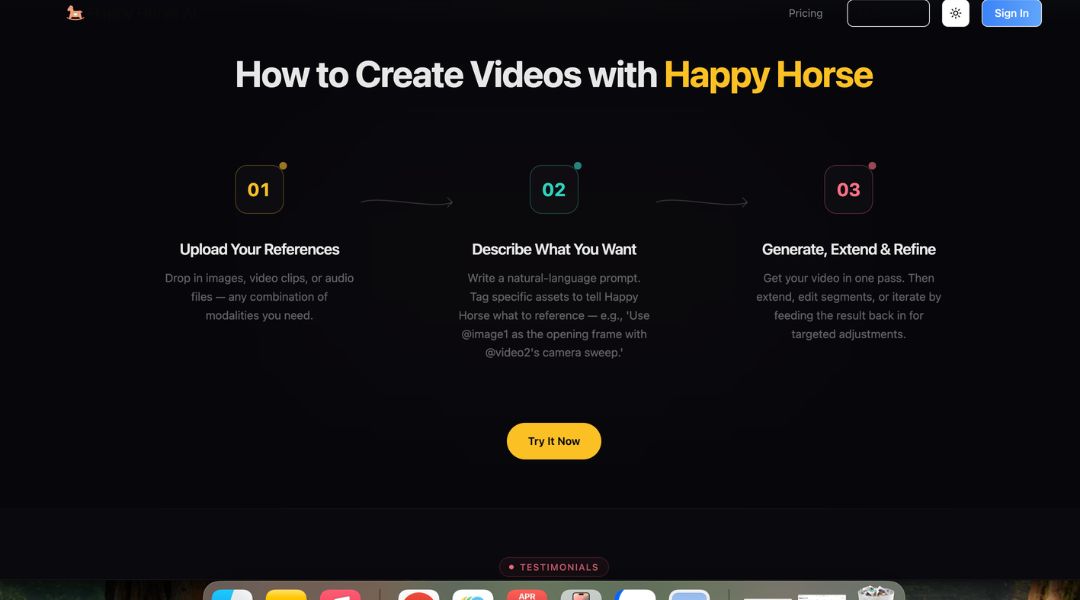
HappyHorseAI is an AI video generator that uses multimodal input. You can combine text, images, video clips, and audio to create full videos.
It focuses on cinematic results. That means better motion, scene transitions, and audio sync. This makes it more advanced than basic text-to-video tools.
Key Features:
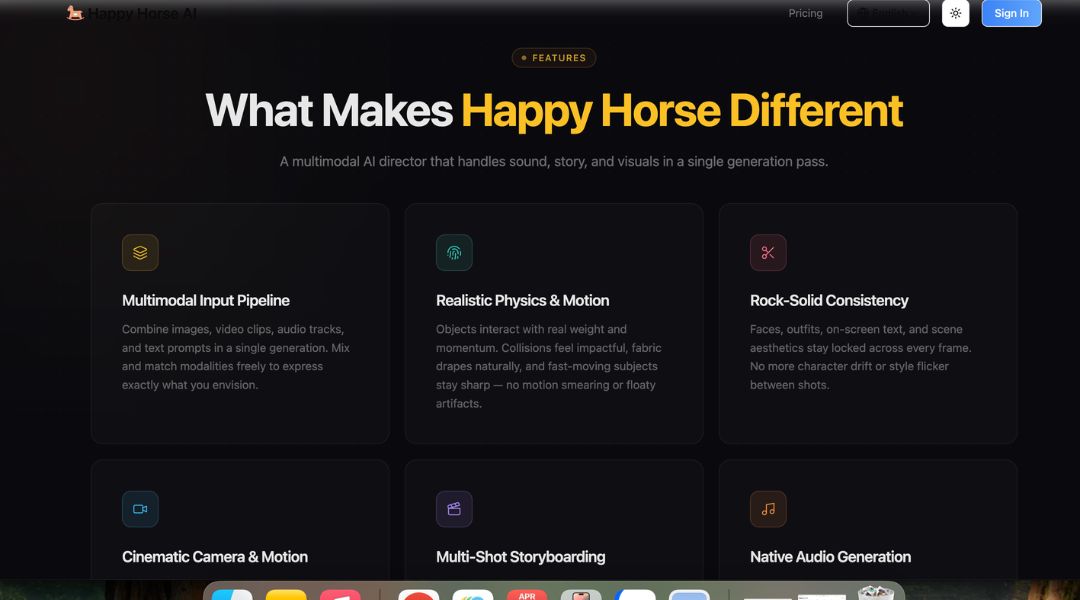
- Multimodal Input System: Combine text, images, video clips, and audio in one workflow. This gives more creative control.
- Text-to-Video & Image-to-Video: Turn simple prompts or images into full video scenes quickly.
- Native Audio Generation: Create sound effects, music, and dialogue with synced visuals. No need for extra tools.
- Multi-Shot Video Creation: Generate videos with multiple scenes, transitions, and camera cuts in one go.
- Character Consistency: Keep faces, styles, and objects consistent across scenes. This is key for storytelling.
Pros & Cons:
Pros
- Saves hours of video editing time
- Combines video and audio in one tool
- Supports advanced cinematic outputs
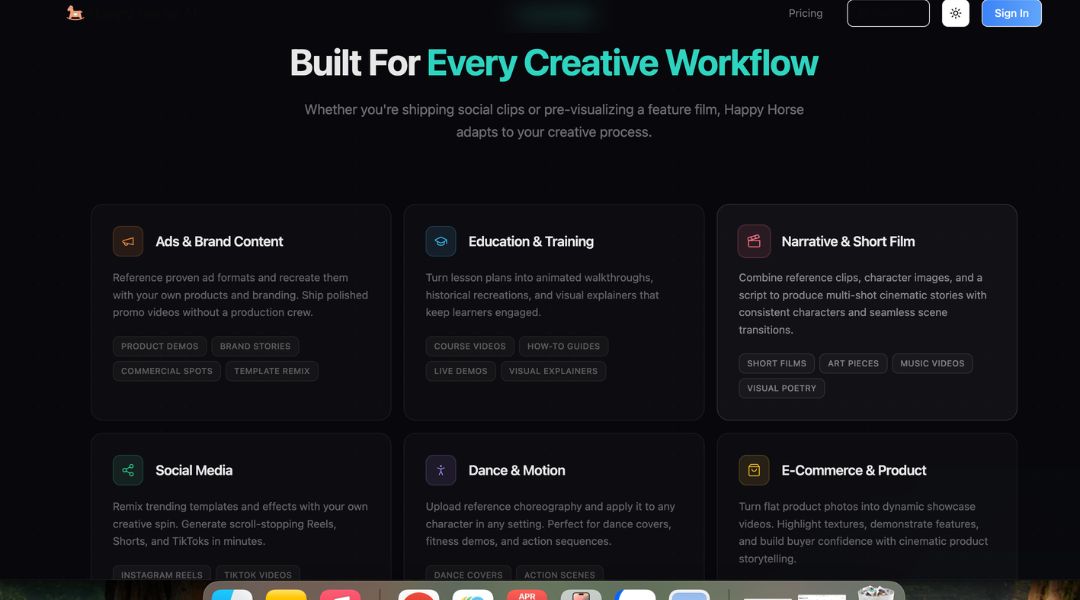
- Flexible for different industries and use cases
Cons
- Learning curve for best results
- Credit-based pricing may be confusing
- Needs internet connection
- Output may need small edits
Who is Using HappyHorseAI?
HappyHorseAI is used by:
- Content Creators creating TikTok, YouTube Shorts, and Reels
- Marketing Teams building ad videos and campaigns
- Entrepreneurs making promo videos without hiring editors
- E-commerce Brands generating product showcase videos
- Filmmakers creating short scenes and visual storytelling
Pricing:
Free Version:
Limited access may be available to test the platform.
Pro Version:
Paid plans use a credit-based system. More credits unlock more video generation. Annual plans offer discounts.
What Makes HappyHorseAI Unique?
HappyHorseAI stands out because it combines video, audio, and storytelling in one tool.
Most AI tools only generate visuals. HappyHorseAI also adds sound and scene transitions. This reduces the need for editing software.
It also focuses on multi-shot videos. This makes outputs feel more like real productions instead of simple clips.
HappyHorseAI Tutorials:
HappyHorseAI offers simple guides to help users start quickly.
You can learn how to upload inputs, write prompts, and refine videos. This helps reduce the learning curve.
How We Rated It:
- Accuracy and Reliability: 4.2/5
- Ease of Use: 4.3/5
- Functionality and Features: 4.6/5
- Performance and Speed: 4.2/5
- Customization and Flexibility: 4.5/5
- Data Privacy and Security: 4.3/5
- Support and Resources: 4.0/5
- Cost-Efficiency: 4.0/5
- Integration Capabilities: 3.8/5
- Overall Score: 4.2/5
Summary
HappyHorseAI changes how videos are created. It replaces complex editing with AI automation.
You can create cinematic videos with sound in less time. This is useful for marketers, creators, and businesses.
The tool is powerful but still easy to use. It balances automation and control well.
If you want faster video production with professional results, HappyHorseAI is a strong option.
HappyHorseAI Launch embeds
Use website badges to drive support from your community for your AI Journey Launch. They're easy to embed on your homepage or footer.


GALLERY
Featured image represents the contents

Empowering You With AI JOURNEY Discover, Learn, Master!
Get the latest on AI!
Subscribe for helpful tips, updates, and exciting news delivered straight to your inbox. Stay in the loop and level up your skills. Join us today!
Categories
Resources
Copyright © 2024 AI Journey LLC. All rights reserved.