
Animaker’s Subtitle Generator

What is Animaker?
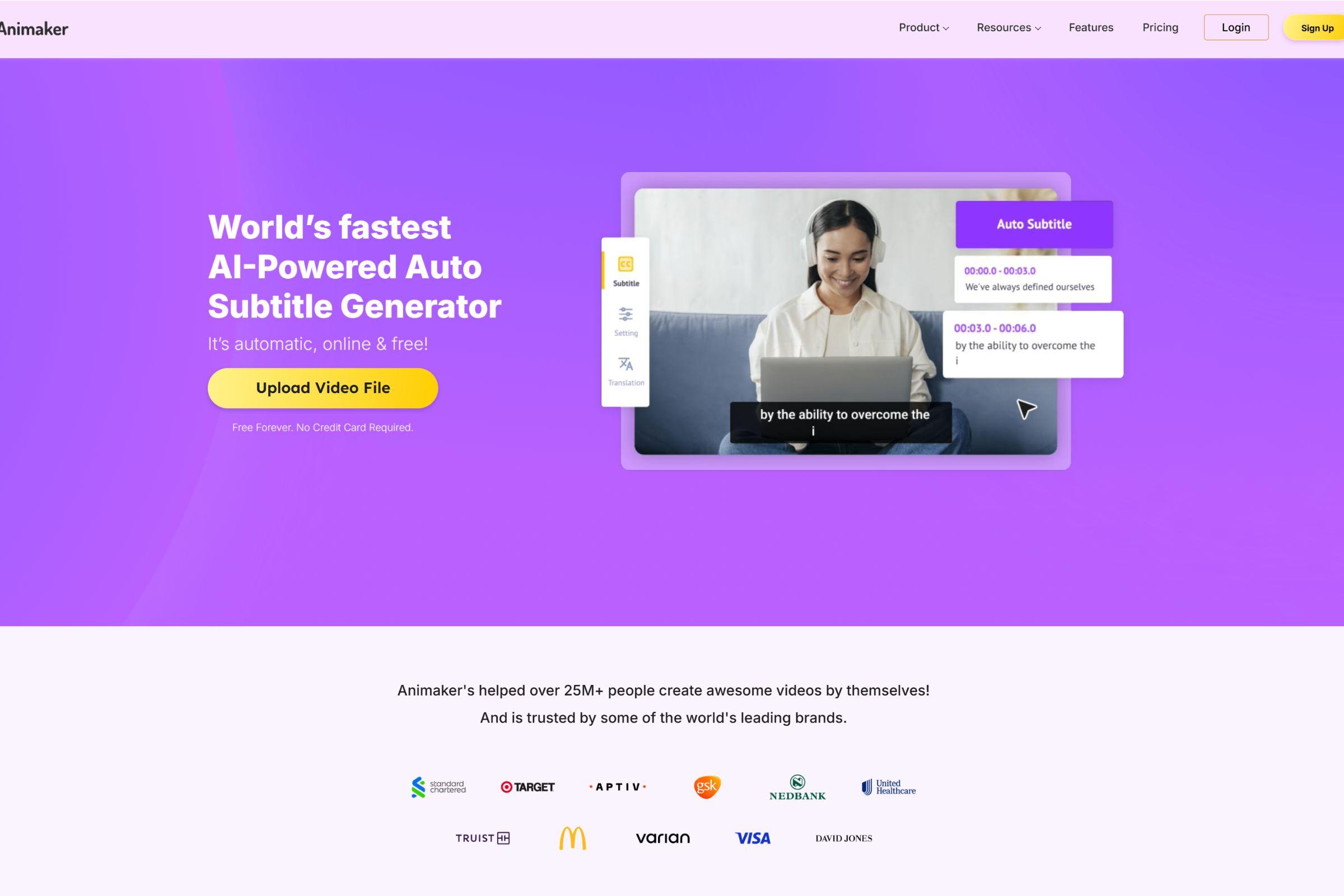
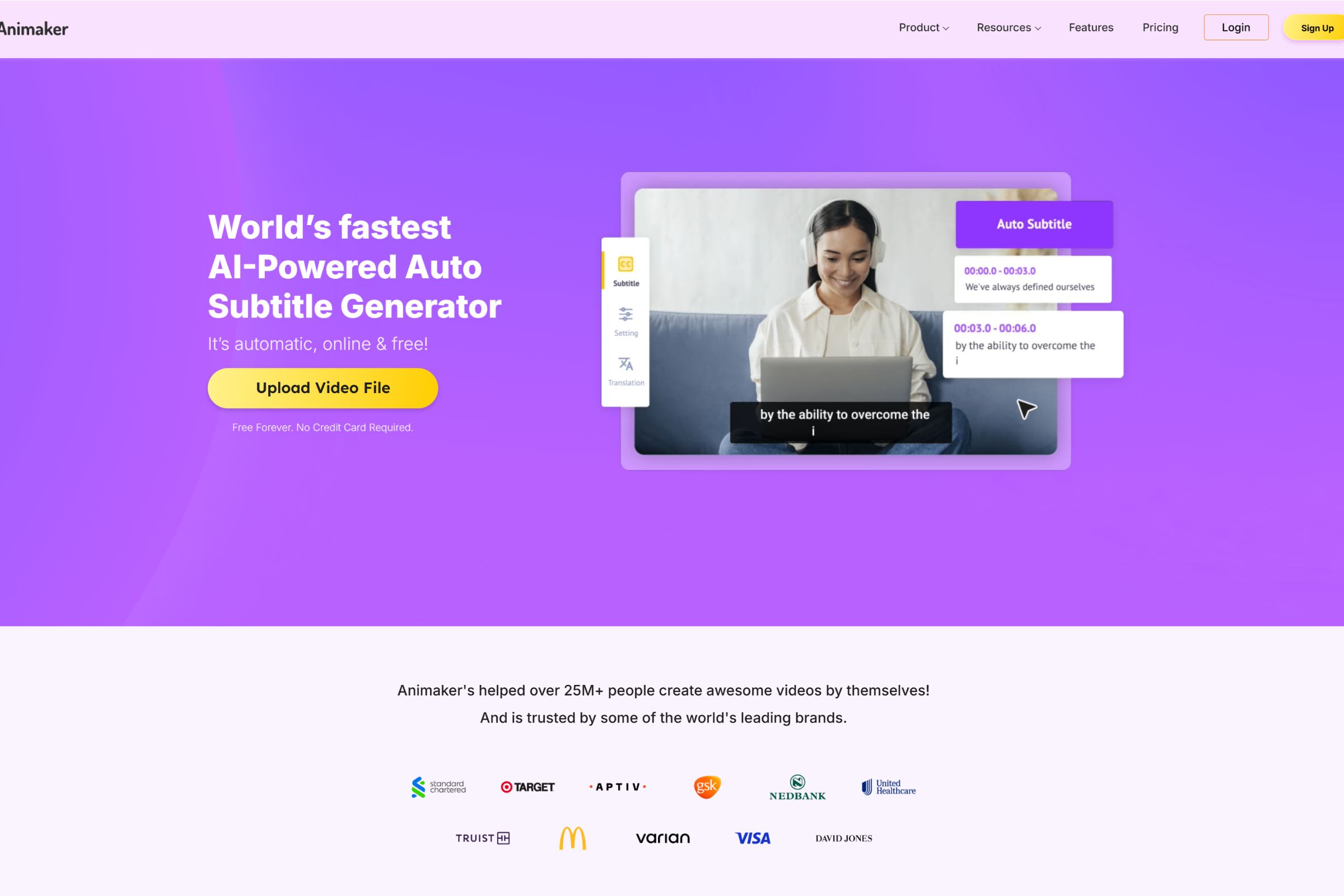
Animaker is a professional video creation platform that now includes one of the most powerful AI-powered auto subtitle generators available. It automatically adds accurate subtitles to videos in multiple languages, making content more accessible, SEO-optimized, and ready for a global audience.
This feature, combined with Animaker’s drag-and-drop video editing and animation tools, makes it a must-have for creators, marketers, and brands scaling content production.
Key Features:
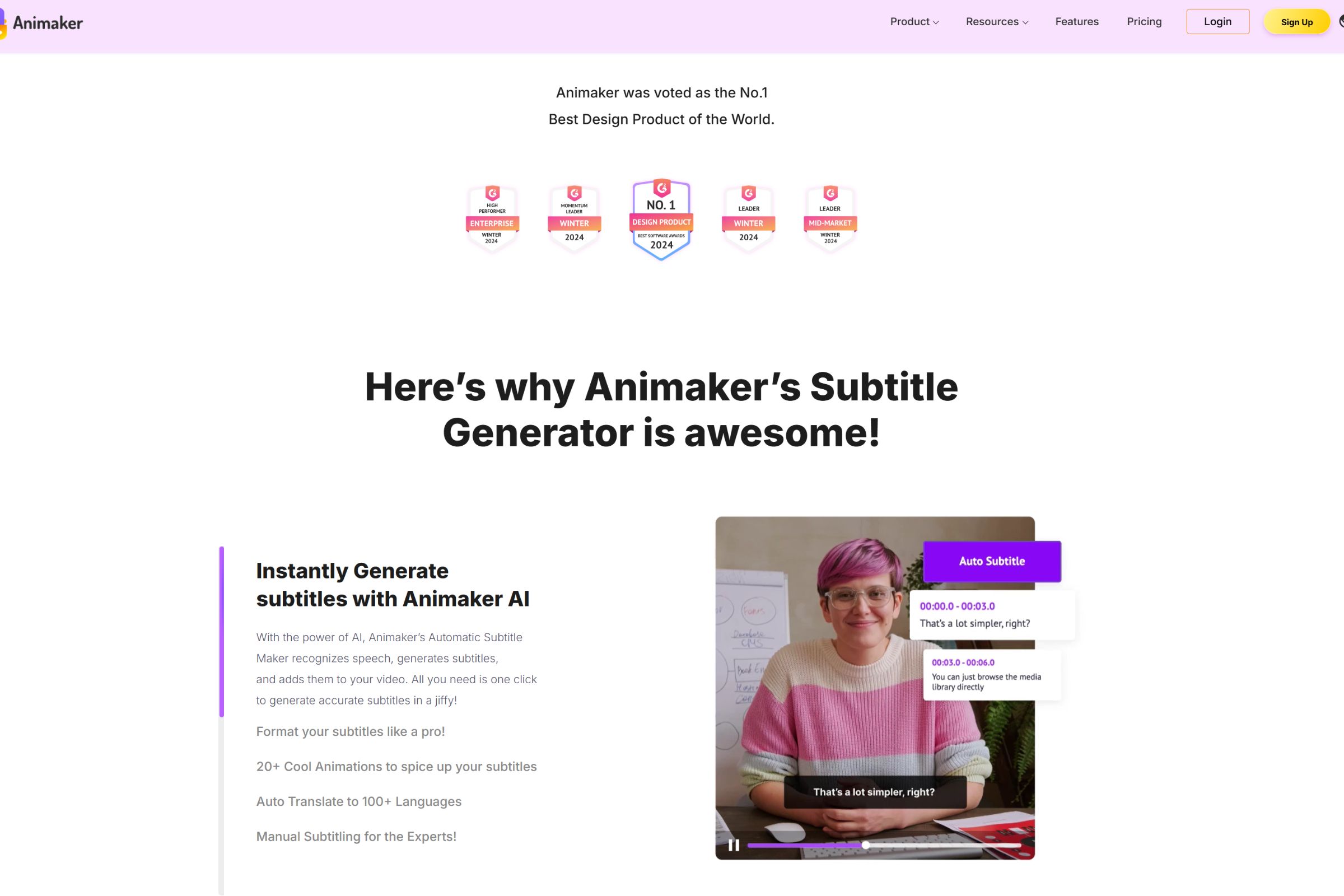
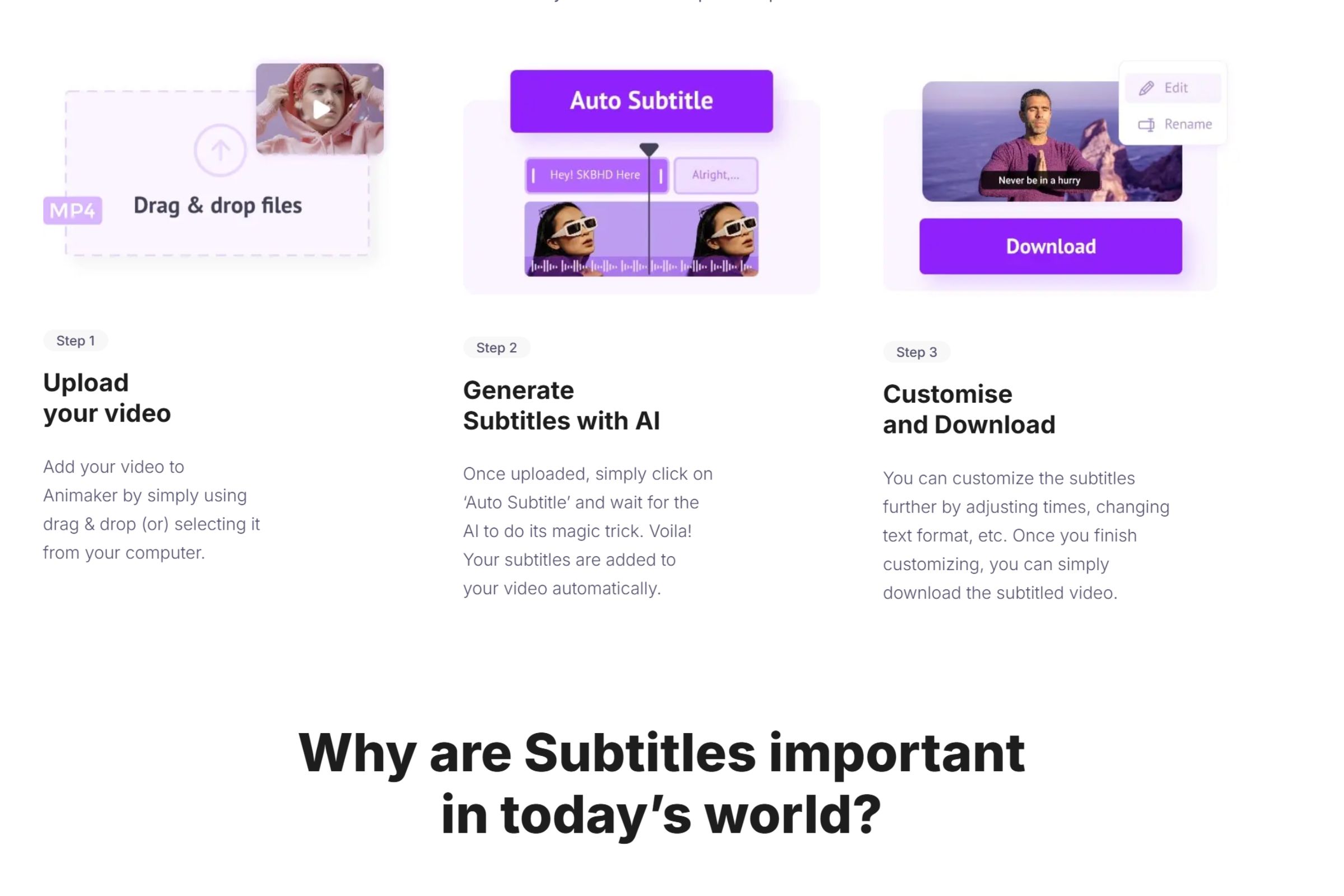
- AI-Powered Auto Subtitle Generator: Instantly create subtitles from your video’s voiceover or uploaded script. The tool detects language, timestamps, and syncs the subtitles accurately—saving hours of manual editing. 🧠
- Multilingual Subtitle Support: Generate subtitles in multiple languages, allowing you to reach global viewers and improve accessibility.
- Drag and Drop Video Editor: Quickly assemble professional videos without editing skills. Add scenes, characters, music, and effects with ease.
- Script-to-Video AI Tool: Paste your script, and Animaker generates a video with voiceovers, scenes, and animations in seconds.
- Template Library: Use animated templates for explainer videos, YouTube content, ads, and educational material.
- Character Builder & Brand Kit: Create branded characters and store fonts, colors, and assets in one place.
Pros & Cons:
Pros
- Generates subtitles in seconds with AI accuracy
- Supports multiple languages for international reach 🌍
- Boosts video SEO and accessibility with minimal effort
- Easy for beginners with no video editing experience
- Saves time across scripting, editing, and subtitle syncing
Cons
- Best subtitle export features require a Pro plan
- No offline access; browser-based only
- Requires proofreading if using in highly technical contexts
Who is Using Animaker’s Subtitle Generator?
Animaker’s AI subtitle generator is used by:
- YouTubers & Influencers: To boost viewer retention and improve accessibility
- Marketing Teams: For branded content with global or multilingual reach
- SaaS & Startup Founders: Turning demo and onboarding videos into SEO-ready content
- Online Educators: Making lessons accessible for diverse learners
- Agencies & Freelancers: Offering video localization services at scale
Pricing:
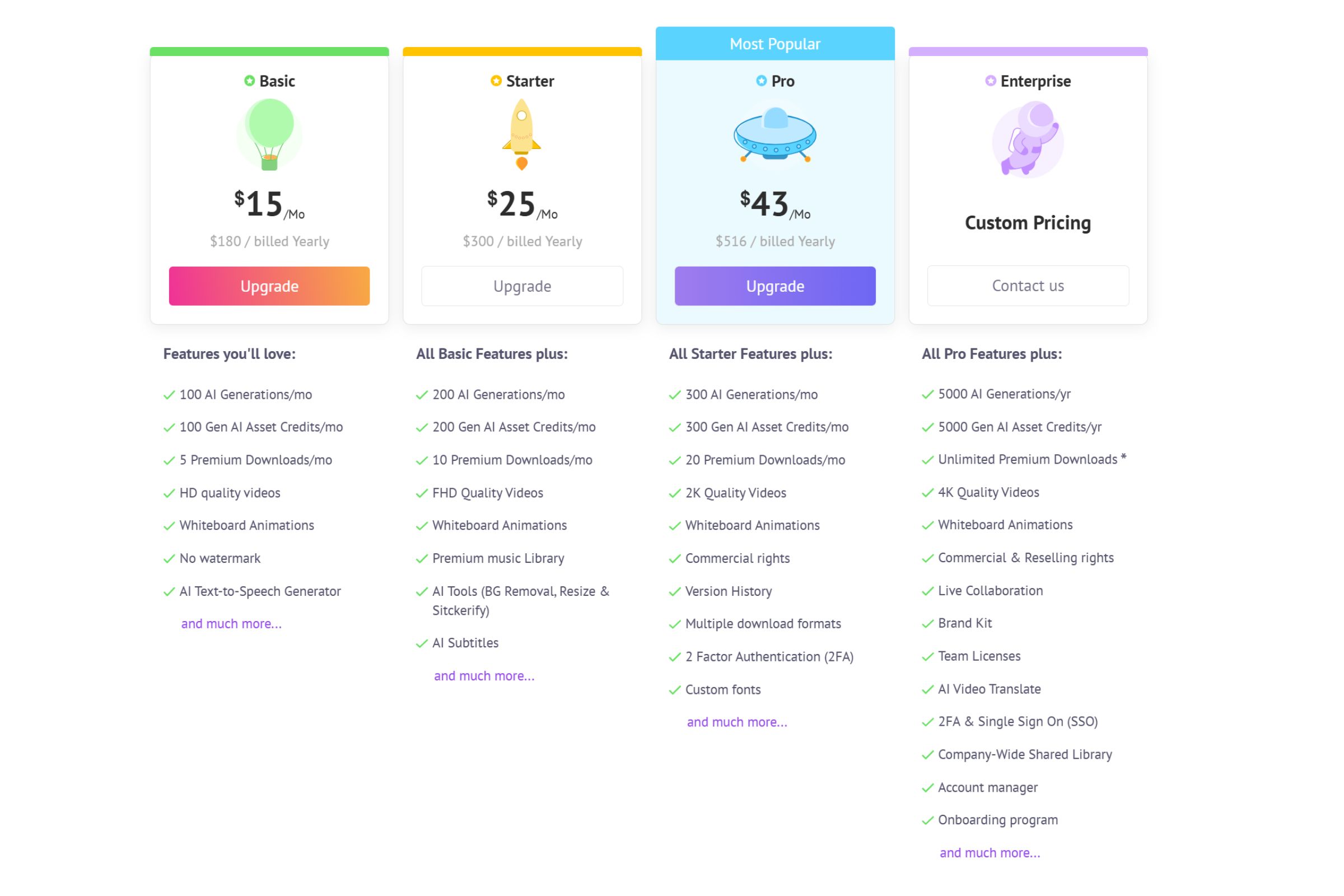
Free Version: Try basic video creation tools and test subtitle features with watermarking. Great for trial users.
Pro Version: Unlock subtitle exporting, translation, voiceovers, HD downloads, and commercial rights. Plans are tailored for individuals, teams, and enterprises.
➡ Visit Animaker’s pricing page for the latest details.
What Makes the Subtitle Generator Unique?
Most video editing tools require you to upload SRT files or manually add text to each scene. Animaker's AI-powered auto subtitle generator eliminates that.
It listens to your voiceover or reads your script, and automatically creates time-stamped captions—perfectly synced, with options for editing, styling, and translating. This feature is a game changer for anyone producing content at scale.
It’s ideal for:
- Boosting video SEO (search engines crawl subtitles)
- Improving engagement on social media (especially with sound-off viewing)
- Making content accessible for deaf or hard-of-hearing audiences
- Translating videos into new languages for global distribution 🌐
Animaker Tutorials:
The platform includes full walkthroughs for using the subtitle generator, including:
- Adding auto-captions to animated or voiceover videos
- Exporting in SRT, VTT, or burned-in subtitle formats
- Translating and localizing content
- Styling captions with fonts, colors, and positioning
Even non-tech users can subtitle like a pro within minutes.
How We Rated It:
- Subtitle Accuracy: 4.7/5
- Ease of Use: 4.8/5
- Multilingual Support: 4.6/5
- Integration with Video Editing: 4.7/5
- Speed of Generation: 4.5/5
- Customization: 4.6/5
- Accessibility Boost: 4.9/5
- SEO Benefit: 4.8/5
- Value for Money: 4.5/5
- Overall Score: 4.7/5
Summary
If you're looking for a smart, fast, and reliable way to subtitle your videos, Animaker’s AI-powered auto subtitle generator is one of the best tools available. It simplifies one of the most time-consuming parts of video editing while opening doors to broader audiences and better SEO.
From YouTubers and educators to businesses and agencies, this tool adds serious value with minimal effort.
👉 Don’t waste time typing subtitles manually—let AI do it for you with Animaker.!
Animaker’s Subtitle Generator Launch embeds
Use website badges to drive support from your community for your AI Journey Launch. They're easy to embed on your homepage or footer.


GALLERY
Featured image represents the contents
Empowering You With AI JOURNEY Discover, Learn, Master!