






When it comes to creating eye-catching images that can amplify your brand, a great photo editor is your best friend. But juggling complex software or shelling out a fortune for designers? That’s no one’s idea of fun.
Enter insMind, the AI photo editing tool that turns tedious editing processes into quick, one-click tasks. Whether you’re a budding entrepreneur trying to nail your product shots, a marketer hustling to engage audiences, or someone just dipping their toes into photo editing, insMind has you covered.
With its AI-powered background removal, image enhancer, and tools like Smart Resize, this platform makes creating professional-quality visuals feel effortless. I took it for a spin to see what insMind could do, and spoiler alert – it’s a total game-changer.
I. What Makes InsMind a Must-Have Tool?
At its core, insMind is all about empowerment. From saving time to simplifying intricate editing tasks, it’s designed for anyone – from total beginners to seasoned pros – who wants studio-grade product photos or social media-ready visuals without breaking a sweat.
Here’s a deep dive into the standout features that make insMind a winner.
1.1. Background Remover
Tired of spending hours trying to crop out cluttered backgrounds? InsMind’s Background Remover is your new secret weapon. This tool automatically detects the subject of your image and removes the background with jaw-dropping accuracy. Even tricky details like hair or transparent objects? Handled.
Use it to create crisp, distraction-free images for your e-commerce listings or social media posts. You’ll never feel the need to touch Photoshop again.

I want to change the background of my eCommerce product, so I tried insMind's AI Background Remove tool—and wow, just look at this before-and-after!
1.2. AI Background Generator
Need a backdrop that makes your products pop? InsMind’s AI Background Generator lets you replace dull backgrounds with high-definition, creative scenes in seconds. Your product can glow against sleek professional backdrops or colorful, visually engaging designs.
Imagine updating your catalog with no photo studio investment—all while creating unique, branded content that wows your customers.
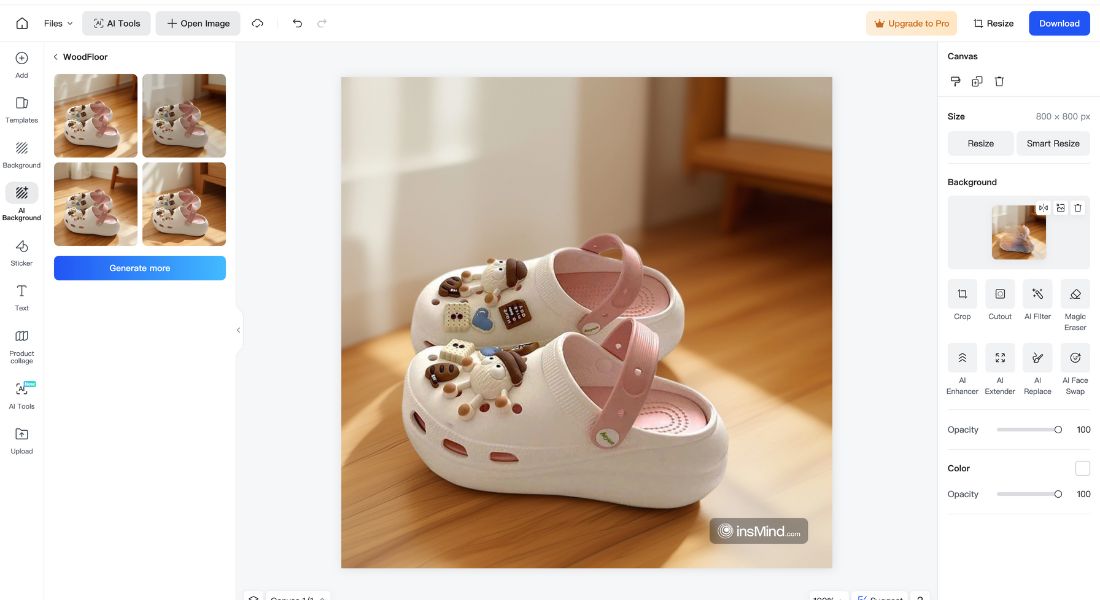
I gave insMind's AI Background tool a try, and honestly, I’m amazed at how great this turned out!
1.3. Magic Eraser
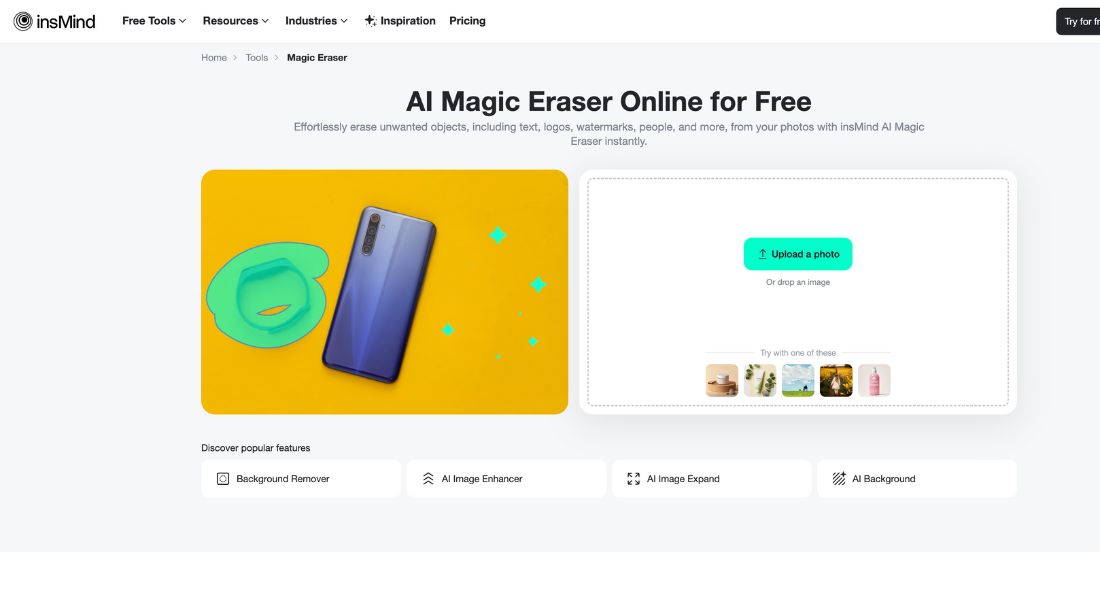
Sometimes, an otherwise perfect photo has a single, annoying flaw. Maybe it’s an unwanted object, watermark, or passerby ruining your shot. The Magic Eraser solves this effortlessly. Just brush over the offending area, and watch it vanish like it was never there. It’s ideal for cleaning up images for social media, advertising, or product displays.
1.4. AI Enhancer
Got an older image that looks flat, grainy, or blurry? The AI Enhancer can bring it back to life by sharpening resolution, reducing noise, and making every little detail crisp and clear. Whether you’re working with vintage team photos or uploading Ultra HD product images, this tool has you covered.
1.5. Smart Resize
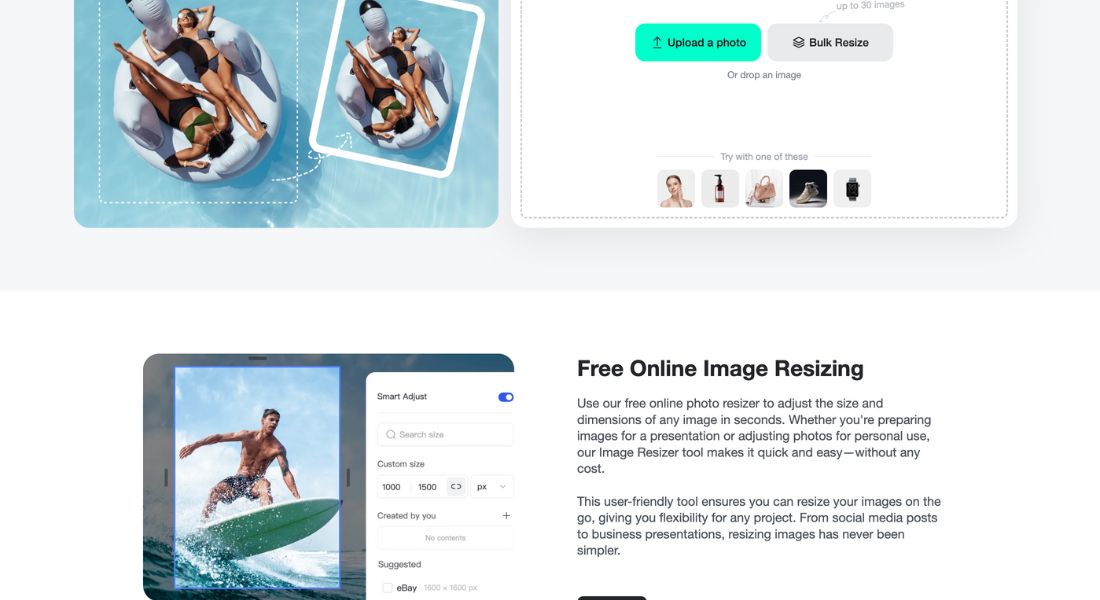
When it comes to sharing content on platforms like Instagram, LinkedIn, or Pinterest, size matters. Instead of resizing manually (or cropping half the important stuff out), use InsMind’s Smart Resize tool. With just a click, your images are perfectly optimized for all major media channels, saving you a ton of time and effort.
1.6. Inspiration
Users can explore inspirations categorized into themes like Indoor Scenes, Outdoor Scenes, AI Cartoon, and Promotional designs, helping you find ideas tailored to your needs.
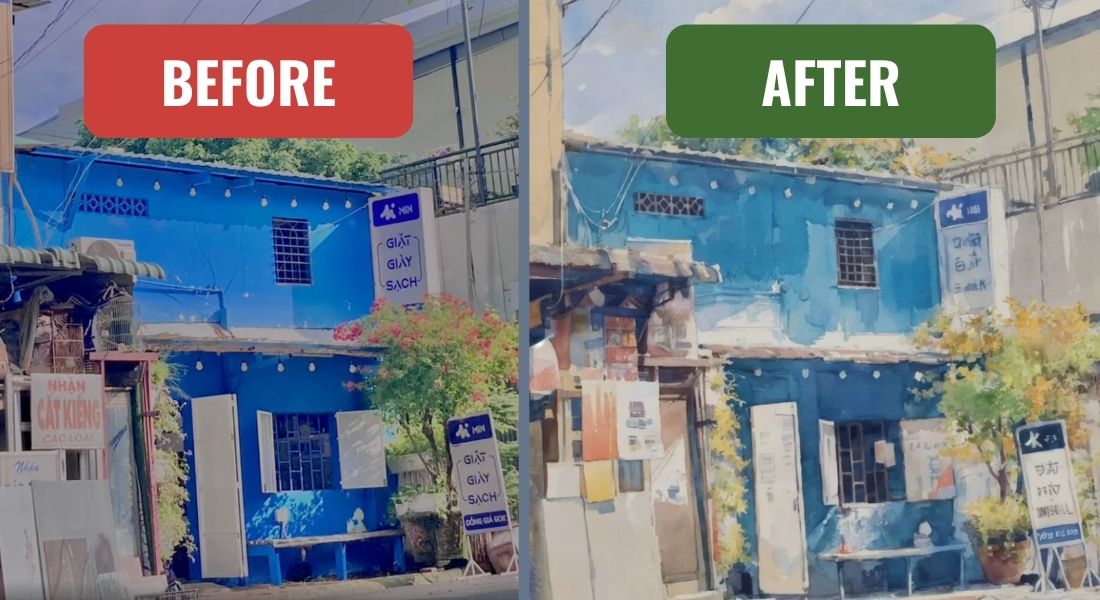
I used the Inspiration feature on InsMind AI to create this stunning image! It’s amazing how easy it is to transform a photo into something so creative and unique. Highly recommend trying it out! ✨
II. Why InsMind Stands Out
What makes InsMind different from tools like Photoshop or Canva? For starters, it’s beginner-friendly. You don’t need years of editing experience or endless YouTube tutorials to figure this out. Everything is intuitive, with powerful AI doing the heavy lifting.
And for the pros? InsMind’s efficiency ensures you spend more time creating and less time dealing with tedious tasks. For example, the Batch Photo Editor lets you remove backgrounds from 30 images in one click.
Combine that with features like AI-powered retouching and customizable designs, and you’ve got a tool set that’s both powerful and ridiculously easy to use.
While insMind shines in its own right, it's always good to compare it with other popular AI photo editing platforms to see how it stacks up. Here's a quick rundown:
| Platform | Features | Pricing | Ease of Use | Target Audience | Pros | Cons |
| insMind | Comprehensive AI tools, batch editing, smart resize, AI background generator, extensive templates, free plan available | Free plan, Pro plan starts at $9.99/month | Very user-friendly, intuitive interface, minimal learning curve required | Entrepreneurs, marketers, content creators, freelancers | ✅ Affordable, wide range of AI tools, excellent for e-commerce and social media | ❌ Limited advanced editing features compared to professional software |
| Canva | User-friendly interface, vast template library, design collaboration features, limited AI tools | Free plan, Pro plan starts at $12.99/month | Extremely easy to use, drag-and-drop interface, beginner-friendly | Beginners, small businesses, social media users | ✅ Huge template library, great for design collaboration | ❌ Limited AI capabilities, some features require a Pro plan |
| Photoshop | Industry-standard professional software, advanced editing features, robust AI capabilities, steep learning curve | Subscription-based, starts at $20.99/month | Powerful but complex, requires significant learning curve | Professional photographers, graphic designers, advanced users | ✅ Unmatched power and control, industry-standard software | ❌ Expensive, steep learning curve, not ideal for quick edits or beginners |
InsMind vs. Canva vs Photoshop
III. Where InsMind Could Improve
While insMind offers plenty of strengths, it's only fair to look at a few areas where it falls short. Every tool has room for improvement, and insMind is no exception. Here are a few considerations to keep in mind:
❌ Limited Advanced Features
- For professionals who need ultra-precise editing or advanced features like layering and intricate adjustments, insMind might feel limiting. While it shines in speed and accessibility, it doesn’t offer the depth of options you’d find in specialized software like Photoshop. If you’re editing on a professional or studio level, this might not fully replace high-end tools.
❌ Restricted Free Features
- The free plan is generous for anyone just starting out, but it does have its limits. Some of the more advanced tools, such as access to exclusive templates or high-resolution downloads, are locked behind the premium Pro plan. This might nudge users toward upgrading if they need access to the full suite of features.
❌ Short Free Trial for the Pro Plan
- InsMind’s Pro plan only offers a 3-day free trial, which might feel a little too short for users hoping to explore everything the platform has to offer before making a commitment. Extending this trial period could help users get a better sense of the premium tools.
❌ Watermarked Images on Free Plan
- For budget-conscious users, the free plan might still not meet professional needs, as edited images come with a watermark. While great for experimenting, this could be a deal-breaker for those needing seamless visuals for client work or publishing.
🦾 Balancing the Drawbacks
Despite these minor drawbacks, insMind provides incredible value for its cost-effective pricing and user-friendly features. For beginners, small businesses, and anyone prioritizing ease of use over intricate adjustments, the advantages clearly outweigh the cons. And if you’re willing to invest in the Pro plan, many of these limitations dissolve, offering a much more robust editing experience.
The key takeaway? InsMind is a fantastic tool for fast, AI-driven editing that simplifies workflows. It might not satisfy every need for power users, but for the majority of creators, it’s an efficient and budget-friendly solution. If you’re on the fence, the free plan is still a great way to dip your toes in and test the waters!
IV. Real-World Examples of InsMind in Action
How do these features translate to actual success? Here’s how insMind is making an impact across industries.
4.1. Entrepreneurs and E-Commerce Sellers
You already know high-quality visuals are non-negotiable for boosting conversions. InsMind’s background remover and AI-enhanced editing tools make your product photography look like it was done in a professional studio. Want those clean white backgrounds for Amazon listings? Done. Need lifestyle shots that pop? The AI Background Generator has your back.
4.2. Social Media Creators
Capturing attention in the noisy world of social media can feel next to impossible. But with InsMind’s AI filters and design tools, you can create visuals that are not just scroll-stopping but also perfectly sized for Instagram, Facebook, or TikTok.
4.3. Freelancers and Side Hustlers
Looking to tap into a profitable side hustle? Use insMind to offer quick and affordable photo editing for online stores, bloggers, or social media influencers. With smart tools doing most of the work, you can take on more projects, impress your clients, and watch your business (and bank account) grow.
V. Transparent Pricing That Grows with You
One of the best things about InsMind is its flexible pricing. Not ready to commit? No problem – the free plan gives you access to core features, making it ideal for small businesses and individuals on a budget. Need more power? The Pro plan unlocks extra features like higher resolutions, exclusive templates, and watermark-free downloads—all for less than the price of a fancy coffee per week.
VI. AI Power, Ethical Responsibility
With all this creative freedom, it’s important to keep ethics in mind. AI-generated visuals, while convenient, can blur lines between creativity and misrepresentation. Always use tools like insMind responsibly and stay true to your brand’s values.
VII. Final Takeaway
For creators, marketers, freelancers, or anyone relying on stunning imagery to get results, insMind isn’t just another tool. It’s a competitive advantage in your creative arsenal.
What sets insMind apart isn’t just the AI-powered background removal or the Smart Resize feature. It’s the combination of affordability, ease of use, and professional-grade results that make it indispensable.
Try it for yourself. Experiment with its tools, discover what works best for you, and take control of your visual storytelling like never before. Because with insMind, effortless photo editing isn’t just possible—it’s expected.
Discover the perfect solution to transform your design and media projects with ease. Click here to explore more tools now!
Frequently Asked Questions (FAQs) for InsMind AI Photo Editor
1. What is InsMind?
InsMind is an AI-powered photo editing tool that simplifies image enhancement, background removal, resizing, and other advanced editing tasks with just a few clicks.
2. What makes InsMind different from other photo editors?
Unlike traditional software like Photoshop, InsMind AI is beginner-friendly, requires no design skills, and automates tedious editing processes using AI-powered tools.
3. How does InsMind’s AI Background Remover work?
The AI Background Remover detects and removes the background from images instantly, handling even complex details like hair and transparent objects.
4. Can InsMind generate custom backgrounds?
Yes! The AI Background Generator creates high-quality, professional backdrops to enhance your product images or social media visuals.
5. What is the Magic Eraser tool?
The Magic Eraser lets you remove unwanted objects, watermarks, or distractions from photos with just a brushstroke.
6. Does InsMind enhance low-quality images?
Yes! The AI Enhancer sharpens resolution, reduces noise, and improves image clarity, making old or blurry images look new.
7. How does Smart Resize help with social media?
Smart Resize optimizes images for Instagram, Pinterest, LinkedIn, and other platforms without losing quality, saving time on manual adjustments.
8. Who should use InsMind?
Entrepreneurs, marketers, e-commerce sellers, freelancers, and social media creators who want professional-looking images without spending hours on editing.
9. How much does InsMind cost?
- Free Plan – Access to basic features.
- Pro Plan – Starts at $9.99/month, unlocking premium features like batch editing, high-res exports, and exclusive templates.
10. Does the free plan include watermark-free images?
No, images edited in the free plan come with a watermark. The Pro plan removes watermarks and grants access to high-resolution downloads.
11. How does InsMind compare to Canva and Photoshop?
| Tool | Ease of Use | AI Features | Best For |
| InsMind | ⭐⭐⭐⭐⭐ (Easy) | ⭐⭐⭐⭐⭐ (AI-powered) | Fast & automated editing |
| Canva | ⭐⭐⭐⭐⭐ (Very Easy) | ⭐⭐⭐ (Basic AI) | Social media & marketing designs |
| Photoshop | ⭐⭐ (Complex) | ⭐⭐⭐⭐⭐ (Advanced AI) | Professional & in-depth editing |
12. Can InsMind edit multiple images at once?
Yes! The Batch Photo Editor allows you to remove backgrounds from 30 images in one click.
13. How does InsMind help e-commerce businesses?
With background removal, AI enhancements, and Smart Resize, InsMind helps sellers create high-quality product photos for Amazon, Etsy, and Shopify.
14. What are the downsides of InsMind?
- Limited free plan (watermarked images, fewer templates).
- Short 3-day free trial for the Pro plan.
- Lacks advanced layering and manual editing tools found in Photoshop.
